📝 Key Takeaways: Master Wang provides a practical walkthrough of full-process programming for multi-sided parts using angle heads. From roughing to finishing, he covers using a D10 tool for finishing passes on bottom faces and side walls. The core focus is on analyzing how to address common challenges like unmachined areas and toolpath deviations by “patching” regions, adjusting toolpath strategies (bounding box/contour), and precisely controlling stock allowance and cutting layers, thereby enhancing machining accuracy and efficiency.
[VIDEO_HERE]
Listen up, folks! It’s me, Old Wang, Master Wang. Today, we’re cutting the fluff and diving straight into full-process programming for multi-sided parts using angle heads. You can read all the books you want, but without a decade or more spent by the machine, you’ll never navigate the real-world pitfalls. Angle heads are phenomenal for multi-sided machining; they can circumvent many fixturing challenges, allowing you to machine multiple faces in a single clamping setup, which significantly boosts efficiency. Today, we’ll go from roughing to finishing, dissecting the ins and outs of every step.
Strategy Planning: Programming Logic for Multi-Sided Parts with Angle Heads
Why Angle Heads Are Crucial
Angle heads, especially those used in 5-axis simultaneous machining, offer the primary advantage of extending tool reach. Think about it: for a complex part, how many times would you have to refixture it on a 3-axis machine to machine multiple faces? Each clamping operation introduces cumulative errors, making high part accuracy almost impossible. An angle head allows you to tackle side faces, angled surfaces, and even undercuts that would typically require multiple fixturing setups, all within a single clamping operation. This not only saves time but, more importantly, significantly improves machining accuracy and surface finish. Don’t just look at the tool cost; when you factor in the total cost, it’s absolutely worth it!

Overall Machining Process Breakdown
There’s a method to the madness, and programming is no different. For these multi-sided parts, we can generally break it down into these steps:
- Roughing: Quickly remove the majority of stock allowance with a large tool.
- Semi-Roughing: Refine the shape after roughing, preparing for the finishing pass, especially for corner cleanup.
- Corner Cleanup / Rest Milling: Clean up the remaining stock in corners and radii after semi-roughing.
- Finishing Pass on Faces: Perform finish cuts on all flat surfaces.
- Finishing Pass on Side Walls: Perform finish cuts on all side walls.
- Finishing Pass on Bottom Face: Perform finish cuts on the bottom face.
Our focus today is on the application of angle heads, so many operations will revolve around this, particularly the use of the D10 tool, which is our primary tool for subsequent finishing passes.
Practical Exercises: Progressive Toolpath Refinement

Step One: Roughing and Finishing Pass for Bottom Face and Side Walls
Alright, let’s start with an existing program. Once these two programs are run, we’ll definitely need our D10 tool for semi-roughing or the finishing pass. Bottom face and side walls – should we tackle the top or bottom first? Either works, not much difference. However, my preference is to use the D10 tool to finish the bottom face and side walls together. This approach allows us to smoothly machine the large surfaces in one go, laying a good foundation for subsequent finishing passes.
Simply copy an existing program, open the parameters, and change the machining face to the bottom face we want to finish. Pay attention: if you encounter a hole position, temporarily ignore it; do not machine it. Generate the program, and you’ll see the bottom face and side walls are done in one go.
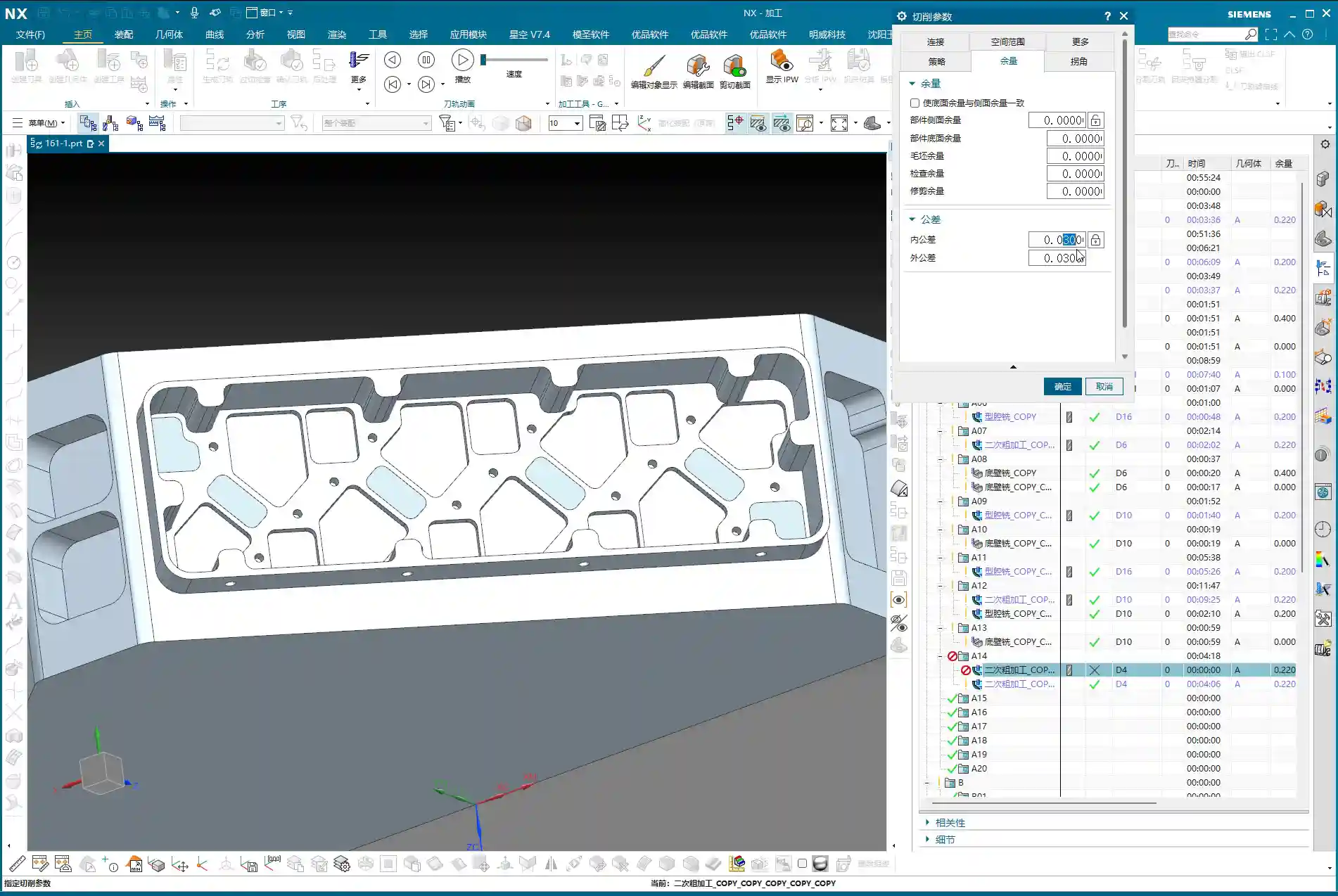
Pitfall: Addressing Unconnected Regions (Dead Spots)
Sometimes, after running the program, you’ll find some residual material in the corners that hasn’t been cleaned up, appearing as if it’s disconnected. These areas are prone to chatter and also affect subsequent accuracy.
- If you encounter such “disconnected” areas, first check your spatial range settings.
- Try reducing the size of the “Bounding Box” or adjusting its calculation method.
- If that still doesn’t work, you need to look at the cutting direction. It might originally be set to “Outside-In”, causing some areas to be missed. In that case, change it to “Inside-Out”. With this change, the tool will clean from the inside outwards, typically clearing those dead spots. Don’t just rely on software simulation; observe the cutting sparks and actual chips – those are the real indicators!
Step Two: Refined Semi-Roughing and Corner Cleanup
After the D10 tool has run its course, most surfaces will be finished, but there are definitely still some areas on top that haven’t been machined properly, which are quite noticeable. At this point, we need to perform semi-roughing and corner cleanup. If we just run a semi-roughing pass, these areas will get machined, but I feel some faces aren’t handled particularly well, and the toolpaths might not be ideal.
Key Technique: Preventing Unnecessary Machining by ‘Patching’ Specific Faces
When this happens, my approach is to: first ‘patch’ the faces you temporarily don’t want to machine. In Siemens NX, you can use the patching function to ‘cover’ these faces, making the software directly ignore them during toolpath calculation. This way, the tool will only perform semi-roughing on the areas that require corner cleanup, significantly boosting programming efficiency and machining safety.
- Why do this? Because our semi-roughing operations typically follow “Follow Part”, which traces the part’s outer shape. If run directly, faces you don’t intend to machine will also be included.
- If you change it to “Follow Periphery”, it might make an inward cut before performing corner cleanup, and the result may not be ideal. Therefore, the best method is to control the machining area by ‘patching’.
For the specific operation, select the faces that need to be patched, click ‘Patch’, and they will no longer be included in toolpath calculations. This way, our semi-roughing program can focus solely on cleaning up those unmachined corners.
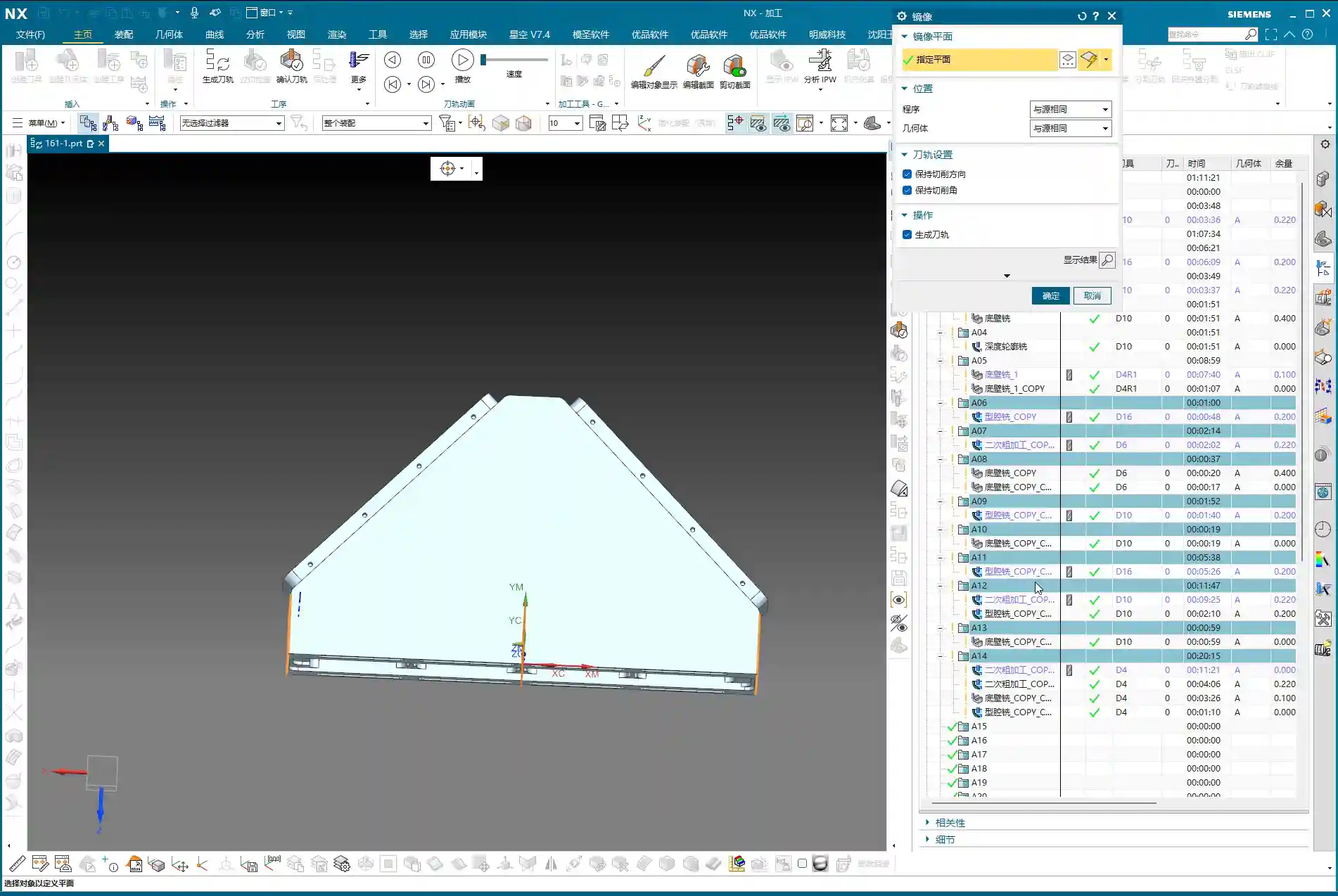
Program Parameter Adjustments:
- Tool: Continue using the D10 tool (which is our fourth tool).
- Depth of Cut (DOC): Control it at the bottom face, for instance, from 0 to -2mm. This ensures sufficient depth for cleanup.
- Stock Allowance: Leave a small allowance first, for example, 1mm. This will be addressed during the subsequent finishing pass.
- Spatial Range: Also update to the applicable range for the D10 tool.
Once the program is generated, those corners and unmachined areas should be mostly cleaned up.

Step Three: Top Face Finishing Pass
Semi-roughing and corner cleanup are done; next is the top face finishing pass. This step is relatively straightforward; we can simply copy a previous program and make minor parameter adjustments.
- Cutting Layers: This time, the cutting layers must be confined to the top face, which is the final machining surface.
- Stock Allowance: Set all to 0. If you want to play it safe, you can leave a tiny allowance of 0.01mm on the bottom face and side walls to prevent overcutting, but finishing passes usually cut directly to zero.
Once the program is generated, the top face finishing pass is complete. Now, when you look at it, the entire upper section will be perfectly clean.
Step Four: Bottom Wall Finishing Pass (Rest Machining Corners)
With the top face done, it’s time to tackle the bottom. We’ll use Bottom Wall Milling to clean up the residual material in these areas, especially the corners and radii – what we commonly refer to as ‘rest machining corners’.
Copy a Bottom Wall Milling program, then:
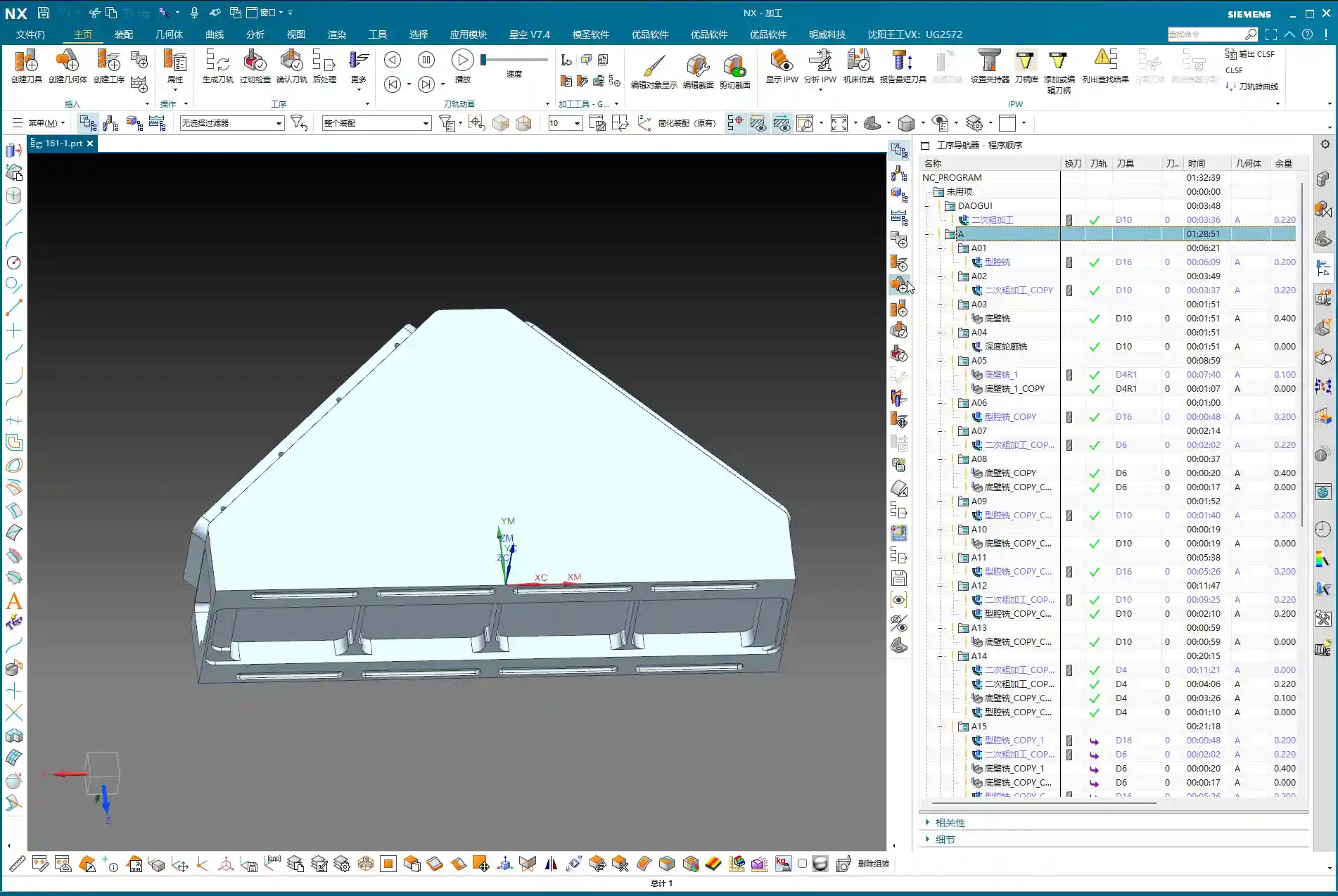
- The Sheet Bodies that were ‘patched’ for semi-roughing must now be removed, allowing them to participate in calculations again.
- Re-select the lower area we intend to machine.
- Depth of Cut (DOC): For example, set a DOC of 2mm, from 0 to -0.3mm (this is an example; specific values depend on the actual situation, such as wanting the last few passes to be light finishing cuts).
- Stock Allowance: Leave 0.1mm initially, as there’s still a finishing pass for the side walls later.
- Toolpath Strategy: For instance, an 85% stepover percentage to ensure efficiency and surface quality.
Pitfall: Toolpath Deviating? Bounding Box vs. Contour Selection is Critical!
Here’s a major pitfall! As soon as you generate the program, the toolpath might very well run off to the side, completely outside your intended machining area. Why does this happen? Most likely because your boundary definition is flawed.
- By default, the software might use a “Bounding Box” to define the machining area, encompassing all selected faces with a rectangular boundary. If your machining area is irregular, this bounding box will be excessively large, causing the toolpath to extend outside the desired region.
- The correct approach is to change the “Bounding Box” to “Contour”. “Contour” precisely defines the machining range along the boundaries of your selected faces, preventing the toolpath from straying.
Change this parameter, regenerate the program, and you’ll see — the toolpath now stays obediently within its designated machining area, doesn’t it? That’s the result we’re aiming for!

Step Five: Side Wall Finishing Pass
The final step is the side wall finishing pass. The bottom face is mostly done, so next we’ll machine all the side surfaces. Is there a faster way? Absolutely. Copying an existing Side Wall Machining program is the quickest approach.
After copying, continue using our D10 tool:
- Toolpath Strategy: Select “Follow Periphery”.
- Depth of Cut (DOC): Machine from top to bottom in a single pass. This ensures overall surface finish and accuracy for the side walls.
- Stock Allowance: Set all to 0 for the final finishing pass.
Pitfall: Stock Control and Cutting Layer Setting Issues
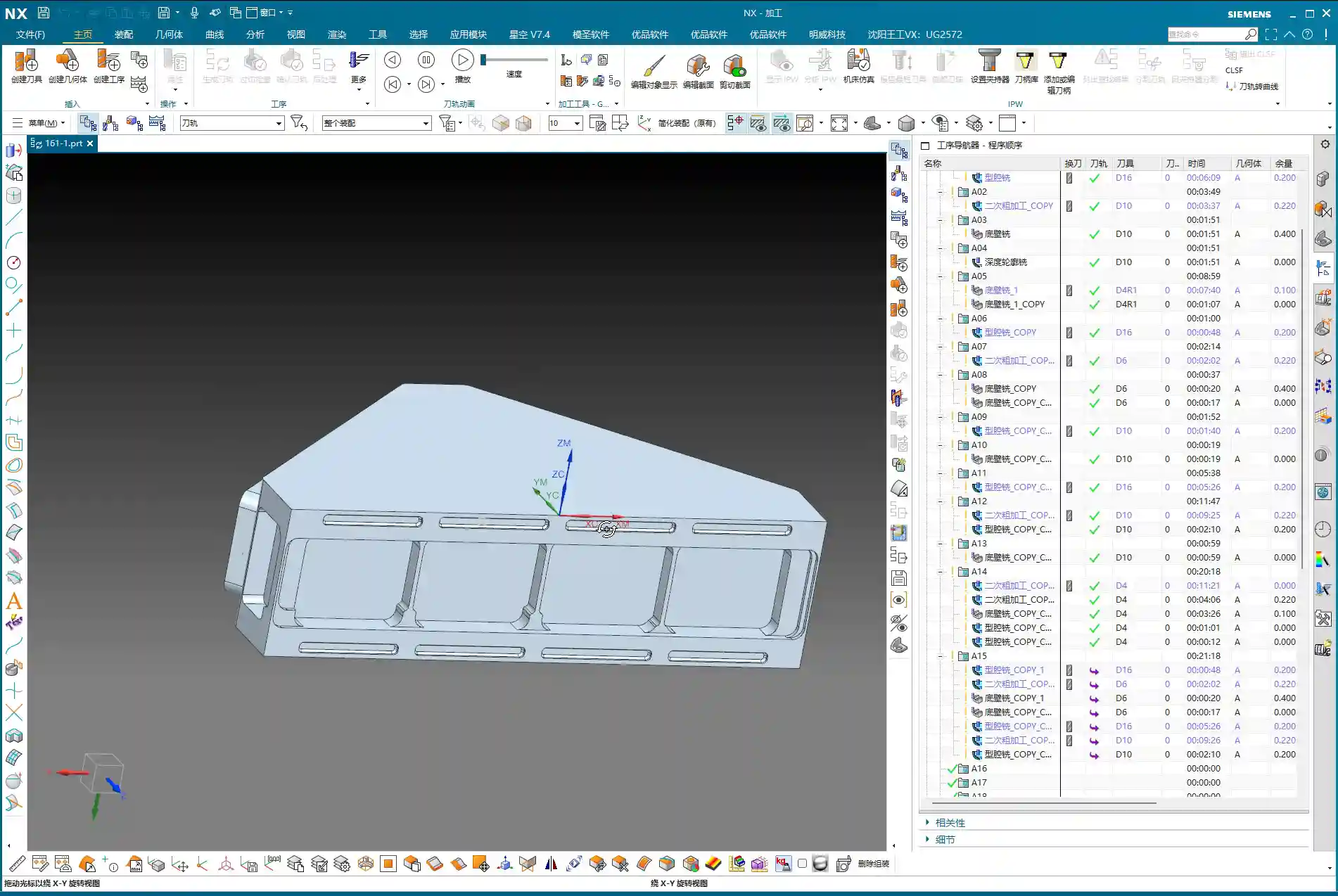
Problems can easily arise here too. If you generate the program directly, you might find the tool’s cutting start point is suboptimal, or even outside the blank, or the cutting layers are set too high, leading to repeated air cuts.
- We need to readjust the height control for the cutting layers. For example, you can set the cutting layer start height to half the part’s top, or specify a more precise starting plane.
- The goal is to ensure the tool begins its cut from a reasonable height, guaranteeing stable engagement with the workpiece without excessive air cutting. For instance, slightly lower the yellow toolpath line to ensure the tool starts cutting from the solid workpiece, not from the air.
After these adjustments, the full-process programming for the multi-sided part with an angle head is largely complete. From roughing to finishing, from bottom to top, every step needs close attention to achieve quality results.
Master Wang’s Mini-Lesson: Toolpath Optimization and Accuracy Control
Apply What You Learn: Programs Aren’t Set in Stone
Listen, folks, when it comes to programming, the software is just a tool; your brain is the core. Don’t think that once a program is generated, everything’s perfect – that’s an ideal scenario. On a real machine, there are too many variables. The steps I’ve emphasized aren’t for rote memorization, but for understanding the logic behind them: Why finish corners before flat surfaces? Why ‘patch’ this area? All of this is done to improve efficiency, guarantee accuracy, and extend tool life. Only by applying what you learn can you become a true master craftsman.
Tolerance Control: The Secret to ±0.005mm
You might think a tolerance of ±0.005mm is some mystical feat, but in our trade, it’s routine. Achieving such accuracy requires not only an inherently precise machine but also meticulous process compensation and repeated validation. What I’ve discovered in my 15 years is that relying solely on ideal software toolpaths isn’t enough.
- Material Properties: Different materials exhibit different deformation during machining. Aluminum is easy to cut, but tough materials like titanium alloys and high-temperature nickel-based alloys require careful handling; they can deform if you’re not meticulous. You must account for dimensional changes after heat treatment and leave appropriate allowances in advance.
- Fixturing Solutions: A well-designed fixture, ensuring uniform clamping force, is crucial to minimize machining deformation. I’ve ground countless custom tools specifically to accommodate unique fixturing and complex geometries.
- Stock Allowance Fine-Tuning and Cutting Layer Control: For the final few finishing passes, control the stock allowance to 0.01mm or even less. Tool wear and thermal deformation of the machine can impact these minute accuracies. Sometimes, you need to fine-tune the cutting layer depth or radial stepover to compensate for those infinitesimal errors. Don’t just rely on software simulation; observe the cutting sparks, listen to the cutting sound, and examine chip formation – these are experiential insights not found in books.
- Machine Accuracy Error Analysis: Even top-tier machines have errors. We must learn to analyze the machine’s geometric and kinematic errors, then compensate through G-code adjustments, post-processor parameters, or even by incorporating minute compensation values directly into the program to keep final dimensions within ±0.005mm. These are all hard-won lessons from practical experience.
Summary: Pitfall Avoidance Guide
Finally, here’s a summary of pitfall avoidance guidelines for multi-sided part programming with angle heads, all born from hard-earned lessons:
- Tool Selection and Management: Distinguish clearly between roughing and finishing, and cleverly utilize the D10 tool. Roughing requires aggressive depths of cut, while finishing demands lighter cuts. Simultaneously, monitor tool wear and replace or regrind tools promptly.
- Precise Machining Area Definition: Learn to “patch” and “exclude”. For complex parts, don’t attempt a single-pass solution. By patching non-machining areas, you can effectively simplify toolpaths and prevent unnecessary overcutting or air cutting.
- Toolpath Strategy Selection: The choice between “Bounding Box” and “Contour” is critical. Remember, when the toolpath strays to unintended areas, check the boundary definition; a “Bounding Box” is usually the culprit. Changing it to “Contour” can resolve 90% of such issues.
- Precise Control of Cutting Parameters: Meticulous control of stock allowance and cutting layer height (stepdown). Especially during finishing passes, it’s better to leave a slightly larger allowance and gradually machine it down than to clear it all at once and cause overcutting. The cutting layer (stepdown) should be determined based on the tool, material, and workpiece rigidity; too deep can lead to tool breakage, too shallow results in low efficiency.
- Necessity of Real-World Verification: Don’t just rely on simulation; observe cutting sparks and chips. No matter how realistic software simulation is, it cannot replace real feedback from the machine. Spark color, chip formation, and tool sound are all crucial indicators for assessing machining status.
- Handling Drawing Defects: If you find issues, communicate immediately; do not machine blindly. If the drawing itself has problems (e.g., certain radii are missing), notify design immediately. Never assume and try to fix it yourself, or you’ll be held responsible if something goes wrong.
Alright, that’s all for today. Remember, machining is both a craft and a technical skill. You need to observe, ask questions, and get hands-on to truly master it!
👤 About the Author:
The author is a veteran CNC machining professional with 15 years of industry experience, specializing in UG NX programming. This article is an original work representing personal practical insights.
⚠️ Copyright Notice: Unauthorized reproduction or distribution without prior communication is strictly prohibited.