📝 Key Takeaways: Master Wang introduces a new case study, emphasizing that in Siemens NX programming, one must first ensure the program runs correctly before optimizing the process. Before programming, it is crucial to establish the Work Coordinate System, define the blank, check dimensions, and use draft angle analysis to assess part features and fixturing strategies, especially avoiding machining through in a single pass when using vacuum chucks.
New Case Study Unveiled: More Than Just a Part, It’s a Complete Process Mindset
Hello everyone, I’m Master Wang. Starting today, we’re diving into real-world case studies. These aren’t just simple examples; they’re packed with valuable insights. Take this lesson, for instance—the first lesson (No. 155) of our case study. You might think the part is small, but what truly matters for us machining professionals is understanding the underlying principles.
Don’t Just Stare at the Part – Understand the “Base” First!
Listen up, this is where many make mistakes! Look here: it’s a small part, so why are there so many “plates” around it? These aren’t just drawn randomly. In our machining industry, even for a seemingly simple part, its “base” or auxiliary fixturing often requires meticulous design to ensure stable clamping and ease of machining.
Take this case study I’m presenting here (like the one in Lesson 151), you see a complete part and its ‘environment.’ But in reality, we might only be machining a small section of it. Those complex, auxiliary elements fall under the ‘Process Design Course’ in Siemens NX—that’s where you learn how to design these support components. Our current ‘Programming Course’ focuses on how to generate toolpaths once these geometries are ready.
So, if you see a complex large base plate here, don’t worry about how it’s drawn; that’s covered in the process design course. In this programming course, we assume this base plate is already in front of you, and your task is to plan the toolpaths for the part. Make sure you understand this sequence clearly; don’t get ahead of yourself!
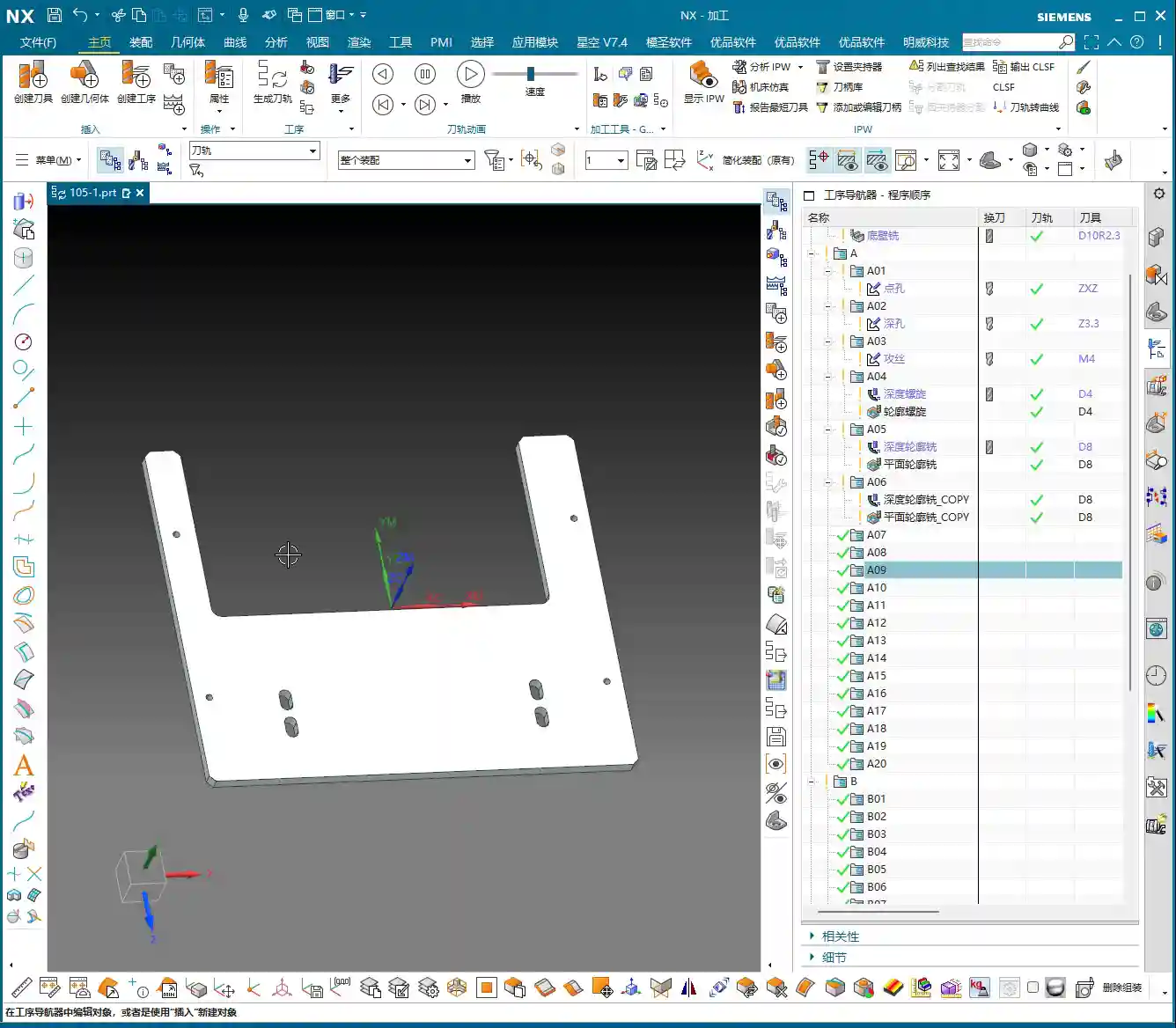

Learning Siemens NX Programming: Get It Running First, Then Optimize!
Learning programming is like learning to drive: you first need to get the car moving and navigate the route successfully before you can think about driving faster, smoother, or more fuel-efficiently. I’ve noticed many newcomers try to achieve perfection right from the start, fine-tuning process flows and parameters. That’s unrealistic and often gets them stuck.
So, here’s our learning approach, listen closely:
- Watch Video Tutorials: This is fundamental. Understand my thought process and operations.
- Practice Hands-On: Don’t just watch; hands-on practice is key. Follow my examples and program it yourself.
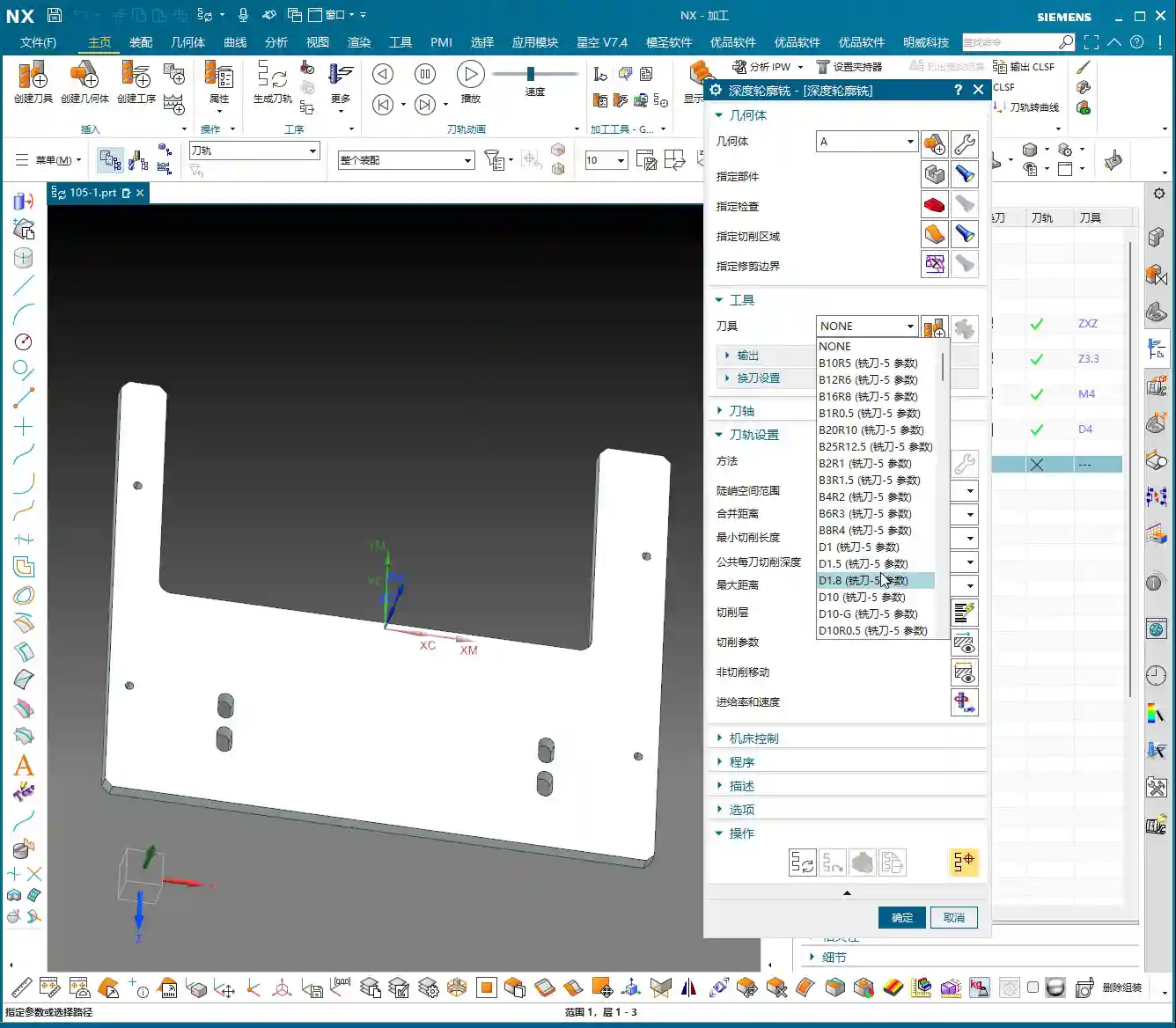
- Comparative Learning, Dare to Experiment: You’ll find that sometimes your program isn’t exactly like mine, and that’s perfectly normal. In Siemens NX, there are many ways to achieve the same result. As long as the outcome is correct and the toolpath is clean, it’s a good toolpath. You can even right-click “Insert Tool” to directly select the tool and commands I used, then program it yourself to see if you can achieve the same program.
My experience tells me that in the initial learning phase, the focus should be on understanding the “program” and ensuring the toolpaths run reliably. As for “process” optimization—like how to select the most cost-effective tools or the most time-efficient cutting strategies—that’s something to consider only after you’re proficient in programming. Don’t try to get everything perfect from the start; that will only complicate things for you.

Pre-Programming ‘Diagnosis’: Master Wang’s Preparation Sequence
When you get any part, you can’t just dive in. You must first perform a thorough ‘diagnosis.’ These preliminary preparation steps are crucial for ensuring smooth subsequent programming and error-free machining.
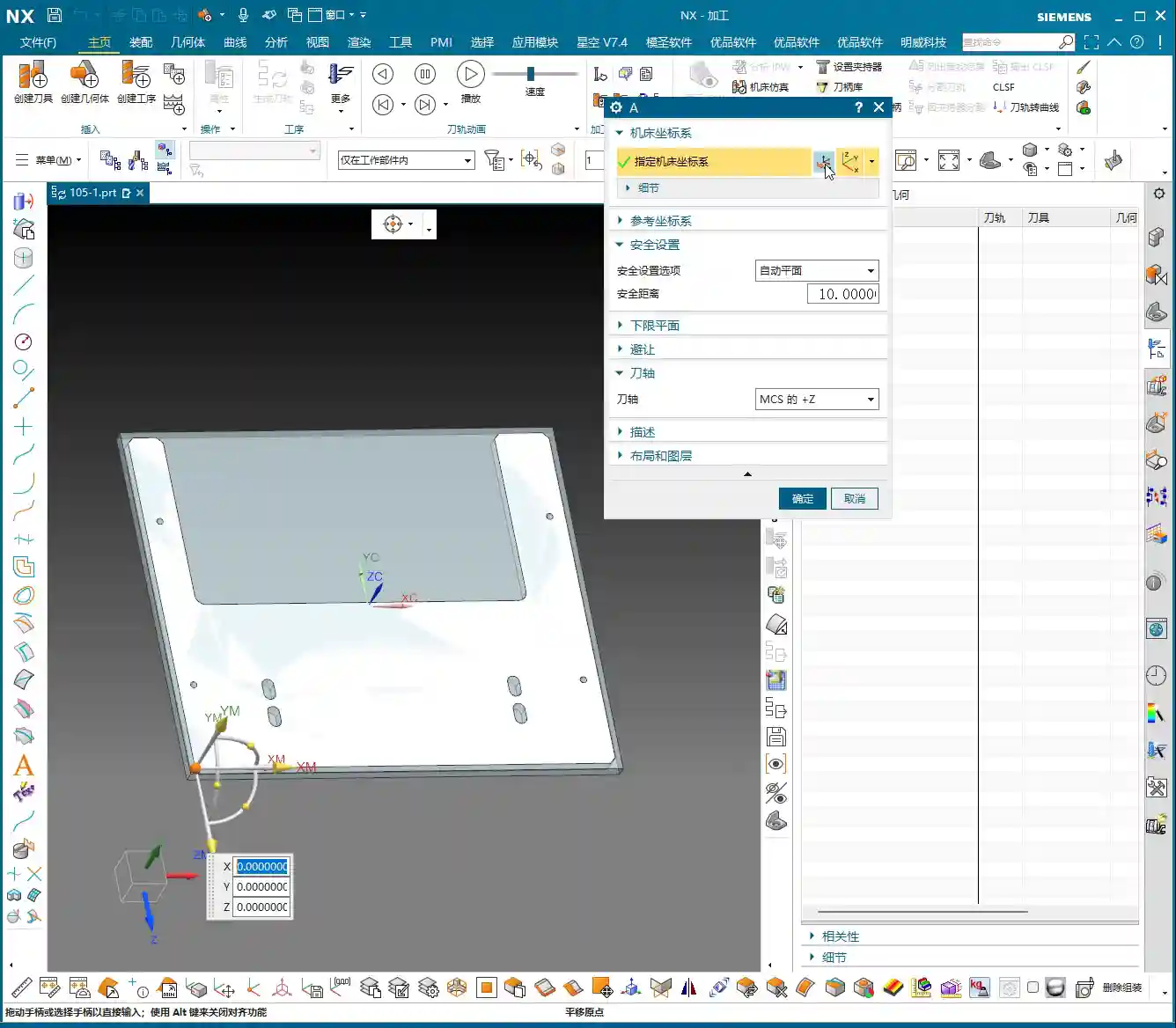
1. Work Coordinate System (WCS) and Safety Plane Setup:
This is the first and most critical step. If you don’t understand the coordinate system, everything you do afterward will be haphazard! We typically set the WCS on a datum face of the part or the top center of the blank. Of course, the exact placement depends on the part’s clamping method and machining requirements. The safety plane also needs to be properly set to prevent collisions during tool changes or rapid moves. In Siemens NX, first click on WCS, then select a datum face of the part for positioning, usually the top.
2. Geometry and Blank Creation and Management:
For machining, we first need to define the object to be machined (geometry) and the raw material (blank). My personal practice is to manage the blank and the part on separate layers.
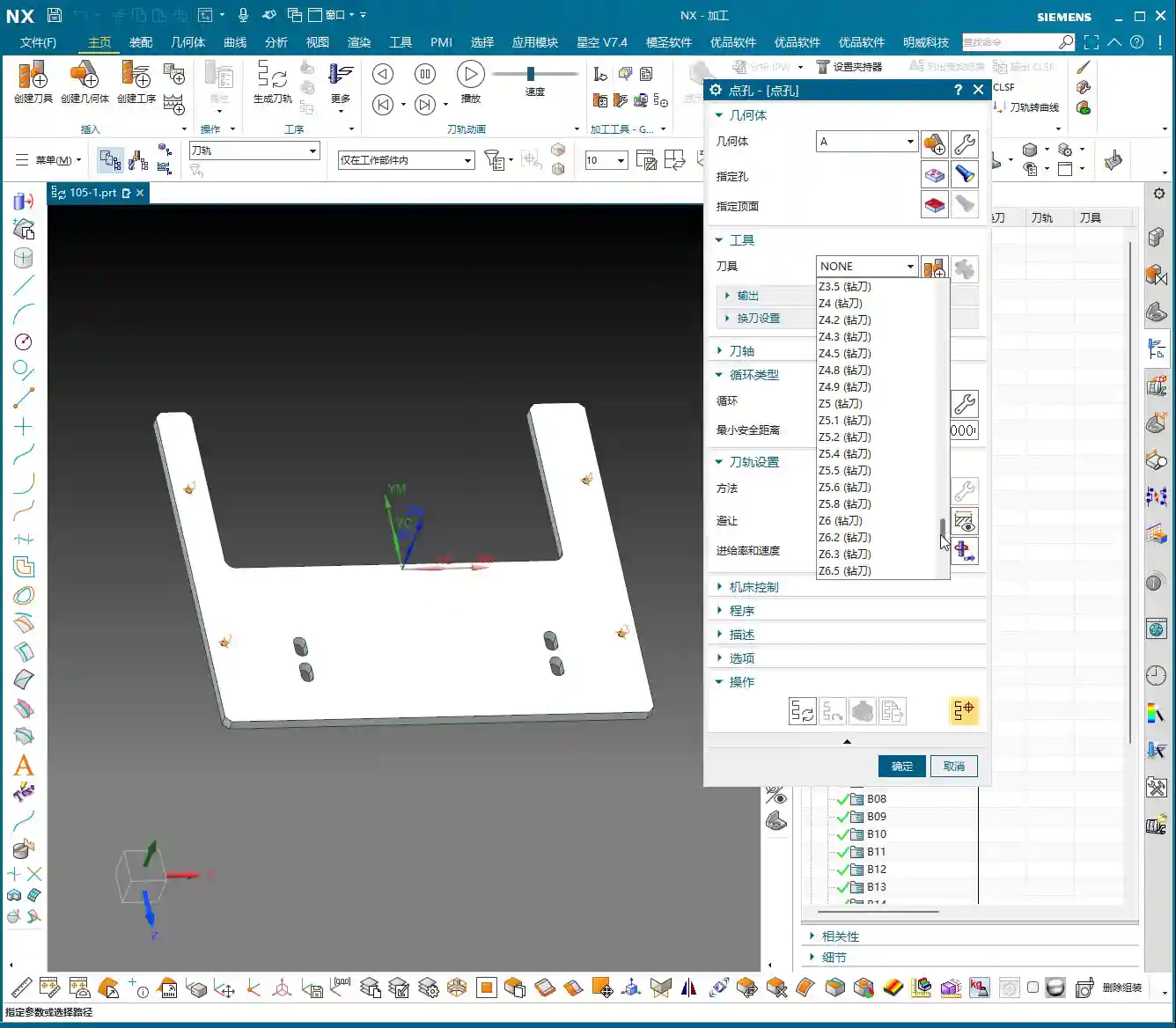
- Blank: I prefer to put it on Layer 100, then use Ctrl+J to change its color, or Ctrl+B (Hide) to conceal it. This way, I can find it when needed and it’s out of sight when not.
- Part: I usually copy the part to be machined to Layer 10, leaving the original part model (Layer 0) untouched. This prevents accidental modification of the original model.
3. Part Dimension Check: Knowing the Part Ensures Success
Don’t underestimate this step! In Siemens NX, you can use “Analysis” -> “Measure” -> “Body Dimensions” to quickly check the part’s overall length, width, and height. If you don’t clearly measure the dimensions, how will you know what size blank to use, how long a tool to use, or how much stock to leave? For example, for this part, you need to know its length, width, height, and that its thickness is 6 mm. You must have these figures clear in your mind.
4. Draft Angle Analysis: Can This Plate Be Held with a Vacuum Chuck?
Draft angle analysis isn’t just for show; it helps you understand the part’s ‘personality’ beforehand, especially if you plan to hold it with a vacuum chuck! In Siemens NX, using the “Analysis” -> “Surface” -> “Draft” function visually reveals if the part surfaces have negative draft angles (undercuts) or particularly steep areas. If it’s all ‘green,’ it indicates a well-behaved part—either straight up and down or with smooth slopes, no undercuts—making it suitable for vacuum chuck fixturing.
For our current case study, the draft angle analysis shows all green, indicating a standard part with vertical faces, no reverse features or undercuts, which makes machining much simpler. Let me emphasize this again: if you intend to machine using a vacuum chuck, when drilling holes or milling slots, NEVER cut all the way through in one go! You must leave some material at the bottom. Otherwise, if the vacuum chuck loses suction mid-machining, the part will fly off, and you’ll be in for trouble! In such cases, you need to consider leaving a bottom layer to be machined after flipping the part.

‘Programming First, Process Optimization Second’: Master Wang’s Golden Rule
Let me reiterate, and this is one of our main topics today: In the initial stages of learning Siemens NX programming, you must first ensure your program runs reliably! Don’t immediately get hung up on ‘how should I sequence this process?’ or ‘what’s the optimal way to execute this operation?’ First, get familiar with the fundamental programming logic and toolpath commands, and successfully run the entire machining process within the software. Only after you have a complete grasp of various commands and toolpaths should you then consider process optimization—how to increase efficiency and reduce costs.
This sequence is a summary of many years of hard-earned experience and will help you avoid unnecessary detours.

Summary: Pitfall Avoidance Guide
Alright, what we’ve covered today comprises the essential groundwork to complete before starting any job. Remember these key points to avoid common pitfalls in your subsequent programming:
- Don’t Mix Up the Learning Order: Learn programming first to get comfortable with toolpaths; then learn process optimization.
- The Coordinate System is the Foundation: The WCS must be accurately established; it’s the starting point for all machining.
- Separate Blank and Geometry: Learn layered management: blank on Layer 100, part on Layer 10, for a clean and clear workspace.
- Dimension Check is Essential: Don’t rely on guesswork; use tools for precise measurement to ensure you have a clear understanding.
- Draft Angle Analysis to Predict Part Behavior: Especially for vacuum chuck clamping, preemptively determine if the part has undercuts to prevent vacuum leaks and flying parts. If using a vacuum chuck, when machining holes or slots, always leave a bottom thickness; do not cut through.
By diligently taking each step, we can machine parts quickly and accurately. Don’t rush; proceed steadily. A solid foundation ensures a sturdy structure.
👤 About the Author:
The author is a veteran CNC machining professional with 15 years of industry experience, specializing in UG NX programming. This article is an original work representing personal practical insights.
⚠️ Copyright Notice: Unauthorized reproduction or distribution without prior communication is strictly prohibited.