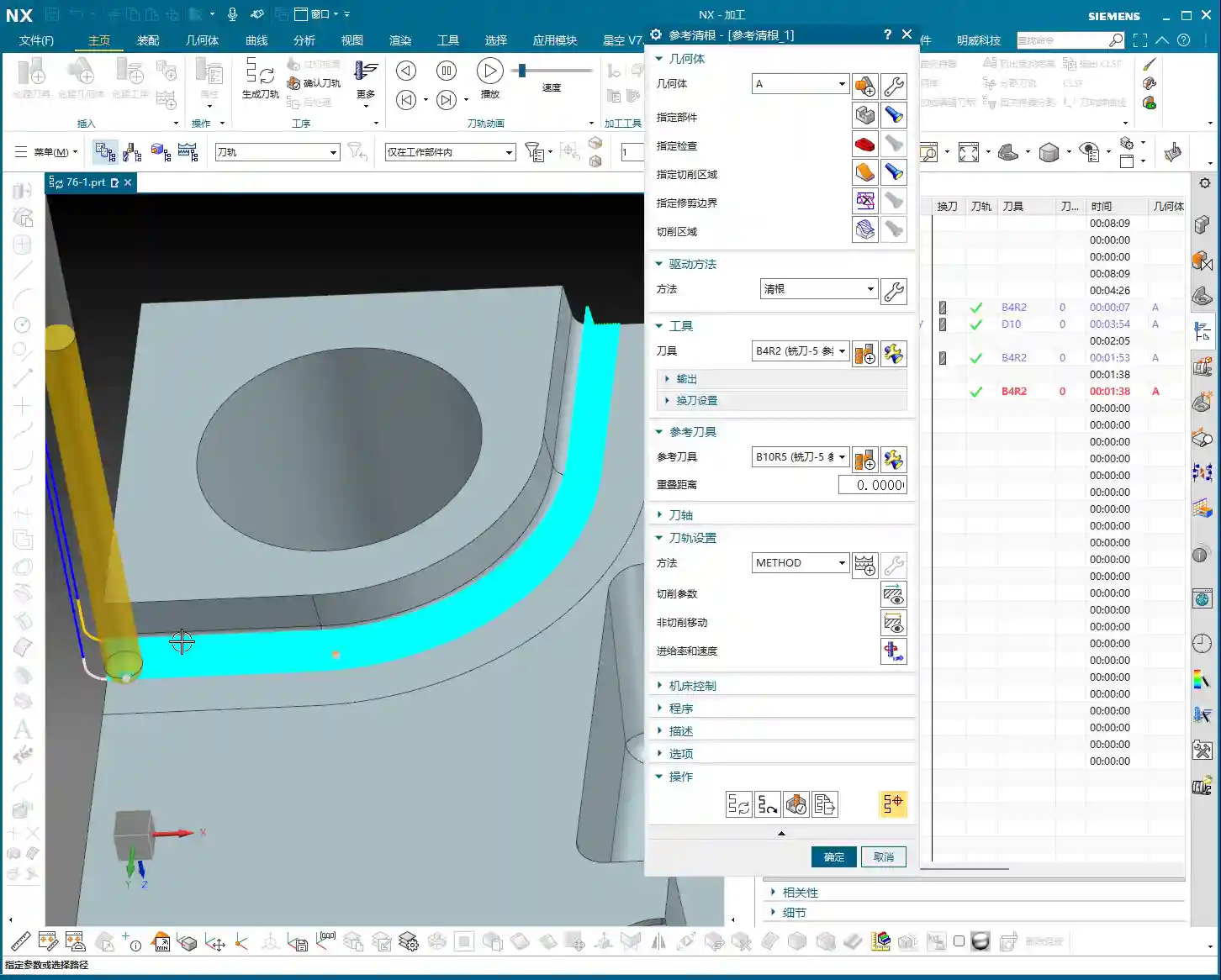
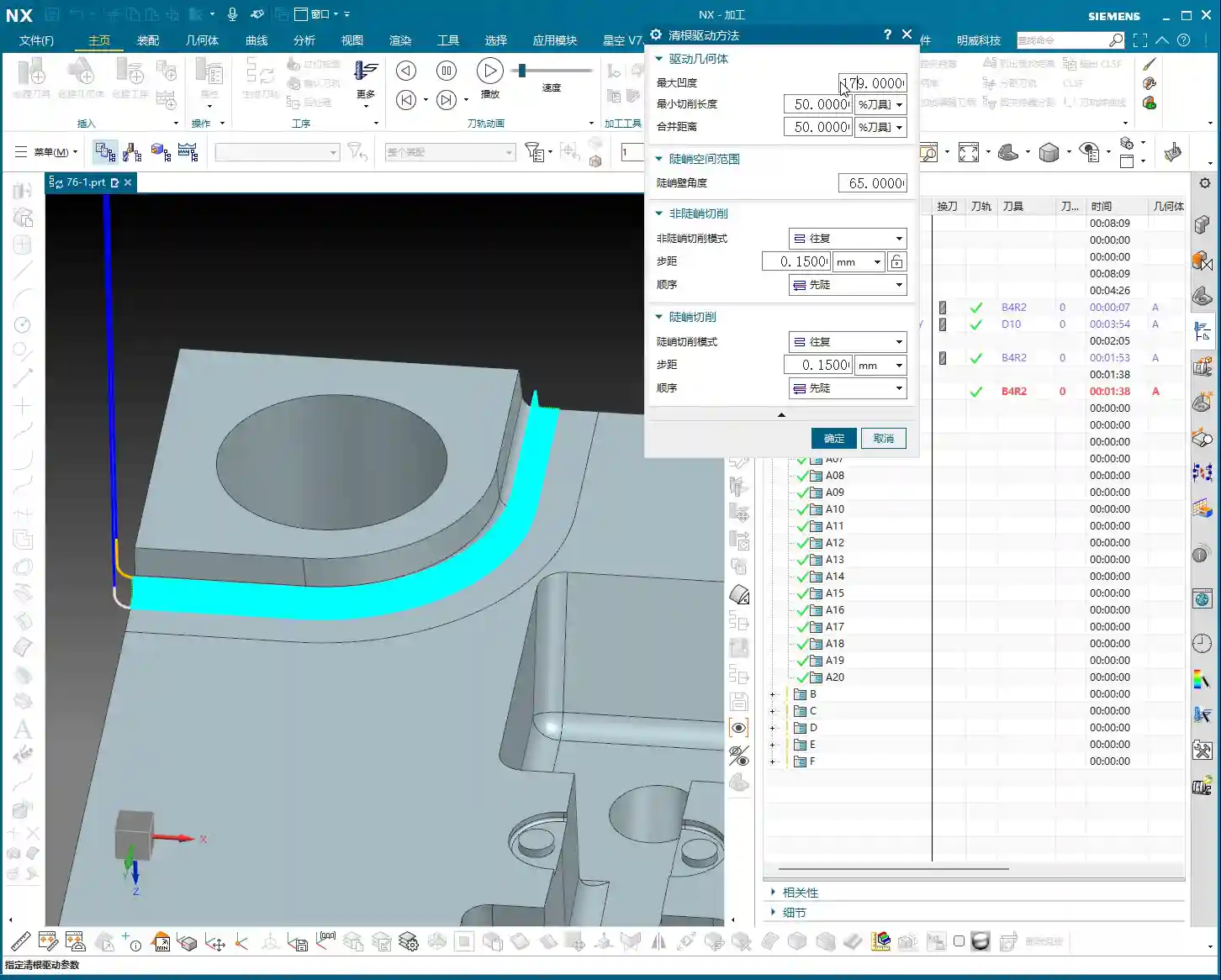
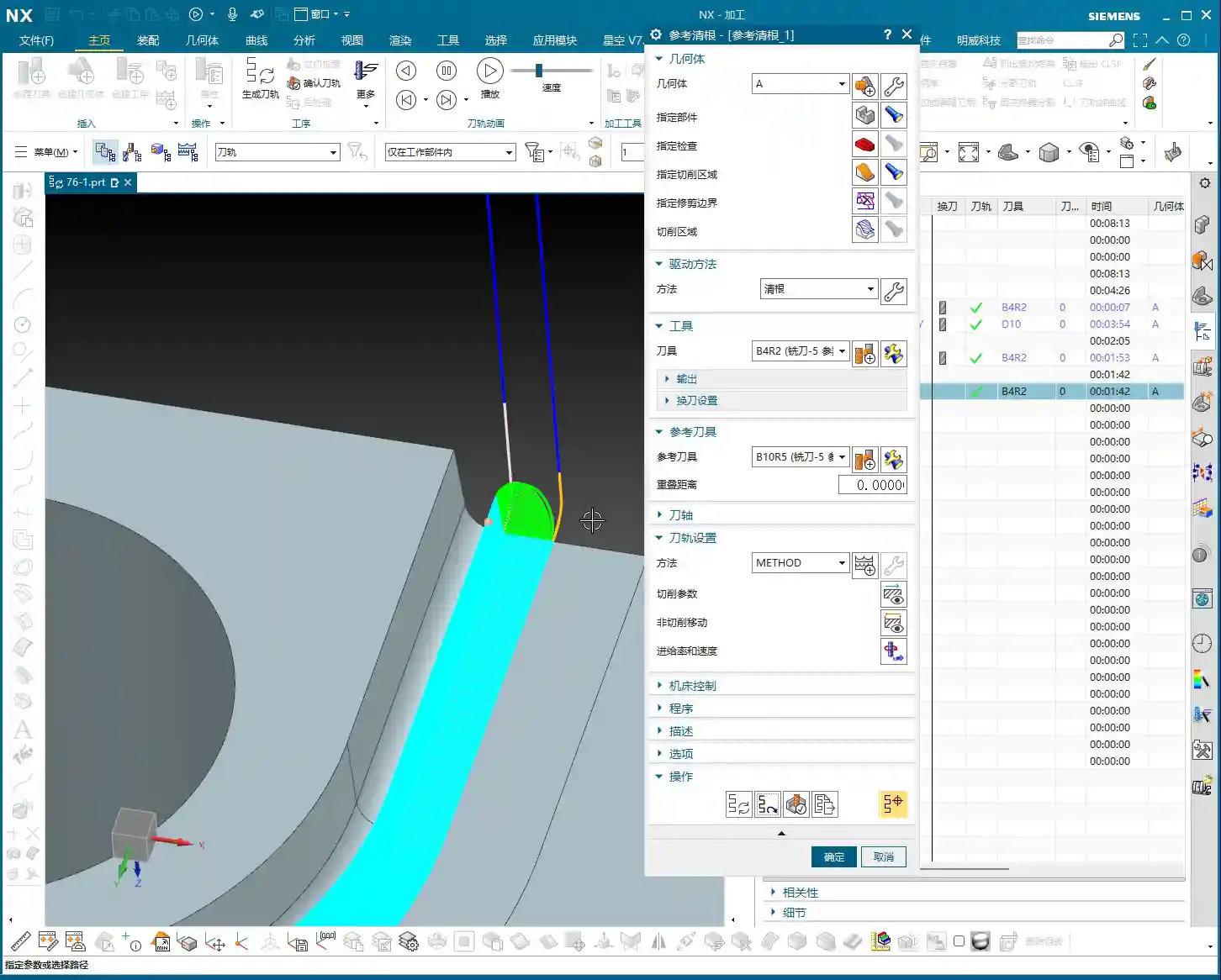
📝 Key Takeaways: Master Wang provides practical guidance on Siemens NX Corner Cleanup (Rest Milling) modes. He highlights “Zig-zag Up + Outside-in Alternating + Smooth” as the most practical and efficient combination, capable of reducing air cuts and protecting tools. He thoroughly explains the advantages, disadvantages, and application scenarios for One-way/Zig-zag Horizontal, Depth Machining, and Follow Periphery modes. Furthermore, Master Wang discusses the strategic choice between “Plunge Milling” and “Area Milling” operations and concludes with a pitfall avoidance guide, emphasizing real-world experience and cost-efficiency.
Hello everyone, I’m Master Wang. Today, let’s talk about choosing the right Corner Cleanup (Rest Milling) modes in Siemens NX. Don’t underestimate these modes; pick the right one, and your efficiency will skyrocket, and tool life will be extended. Choose incorrectly, and you’ll either have excessive air cuts, premature tool wear, or even scrap the part entirely! Listen up, because this is practical experience I’ve gathered over 15 years, getting my hands dirty on the shop floor – you won’t find this in any textbook.
Master Wang’s Insights: The Essence of Corner Cleanup Modes
Apprentices, you must understand that for Corner Cleanup (Rest Milling), especially in complex cavities and surfaces, the machining sequence and toolpath direction are paramount. I’ve personally put together a highly effective and efficient combination strategy that I use most often – it’s one of my core specialties.
The Ultimate Combination: Zig-zag Up + Outside-in Alternating + Smooth
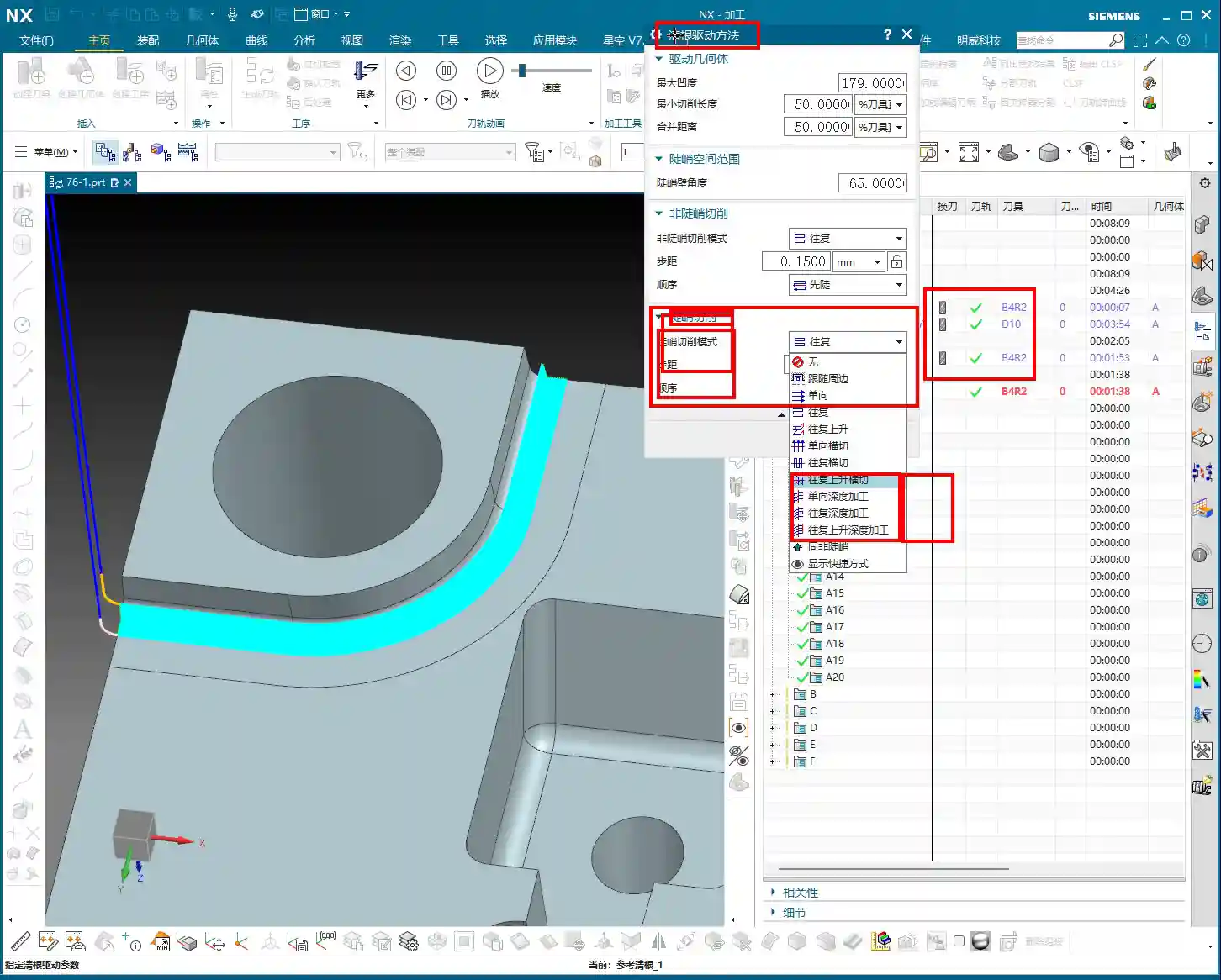
The most effective toolpath pattern I use, and one that consistently delivers the best results, is “Zig-zag Up,” paired with an “Outside-in Alternating” cutting sequence. Crucially, always remember to enable the “Smooth” option. Why do I emphasize this?
- Zig-zag Up: In this mode, the tool travels up from the bottom, then down from the top, in a reciprocating motion. Unlike simple one-way cutting, which requires the tool to retract and return after each pass, Zig-zag Up effectively reduces retractions and maintains continuous cutting, making it particularly suitable for cavities with a certain draft angle.
- Outside-in Alternating: This cutting direction is the core principle! It ensures the tool starts from the periphery of the Corner Cleanup area and gradually moves inward. This guarantees sufficient space for engagement, preventing the tool from making a full-width cut at the beginning. It significantly reduces the risk of excessive Depth of Cut (DOC) and chipping. Especially for harder materials like titanium alloys and high-temperature nickel-based superalloys, this cutting method effectively protects the tool and extends its life.
- Smooth: This option is extremely important, yet often overlooked. Enabling “Smooth” makes the toolpath very fluid, eliminating sharp turns and acute angles, which reduces machine shock and vibration. Sometimes, if you notice the tool “jumping” (the tool suddenly lifts and drops, which is very damaging), it’s likely because your Stepover setting for “Smooth” is too small. A smaller Stepover can be counterproductive due to frequent tool retractions. I typically adjust the Stepover based on tool diameter and material; for example, when performing corner cleanup with a ball end mill, a Stepover of 5%-10% of the tool diameter is usually sufficient, but always observe the cutting sparks and sound in real-time.
This combination strategy ensures the tool maintains a relatively stable cutting load during Corner Cleanup (Rest Milling), resulting in smooth toolpaths, high machining efficiency, and improved part surface quality. Don’t just rely on software simulations; during actual cutting, you need to observe the sparks at the cutting edge and listen to the cutting sound – that’s where true skill lies.

Detailed Explanation of Common Corner Cleanup Modes
One-way Horizontal
As the name suggests, this mode involves unidirectional, horizontal tool movement. After completing a pass, the tool retracts to the start point before beginning the next. This method might be suitable for simple flat areas or shallow groove Corner Cleanup, but it’s generally inefficient due to excessive time spent on air cuts and retractions. If you use this in complex cavities, your machining time will be simply wasted on tool retractions.
Of course, if you enable the “Smooth” option, the toolpath can become spiral-like, cutting downwards in circles, which looks much cleaner and can achieve some Corner Cleanup effect. However, overall, it’s less efficient and flexible than the “Zig-zag Up” mode.
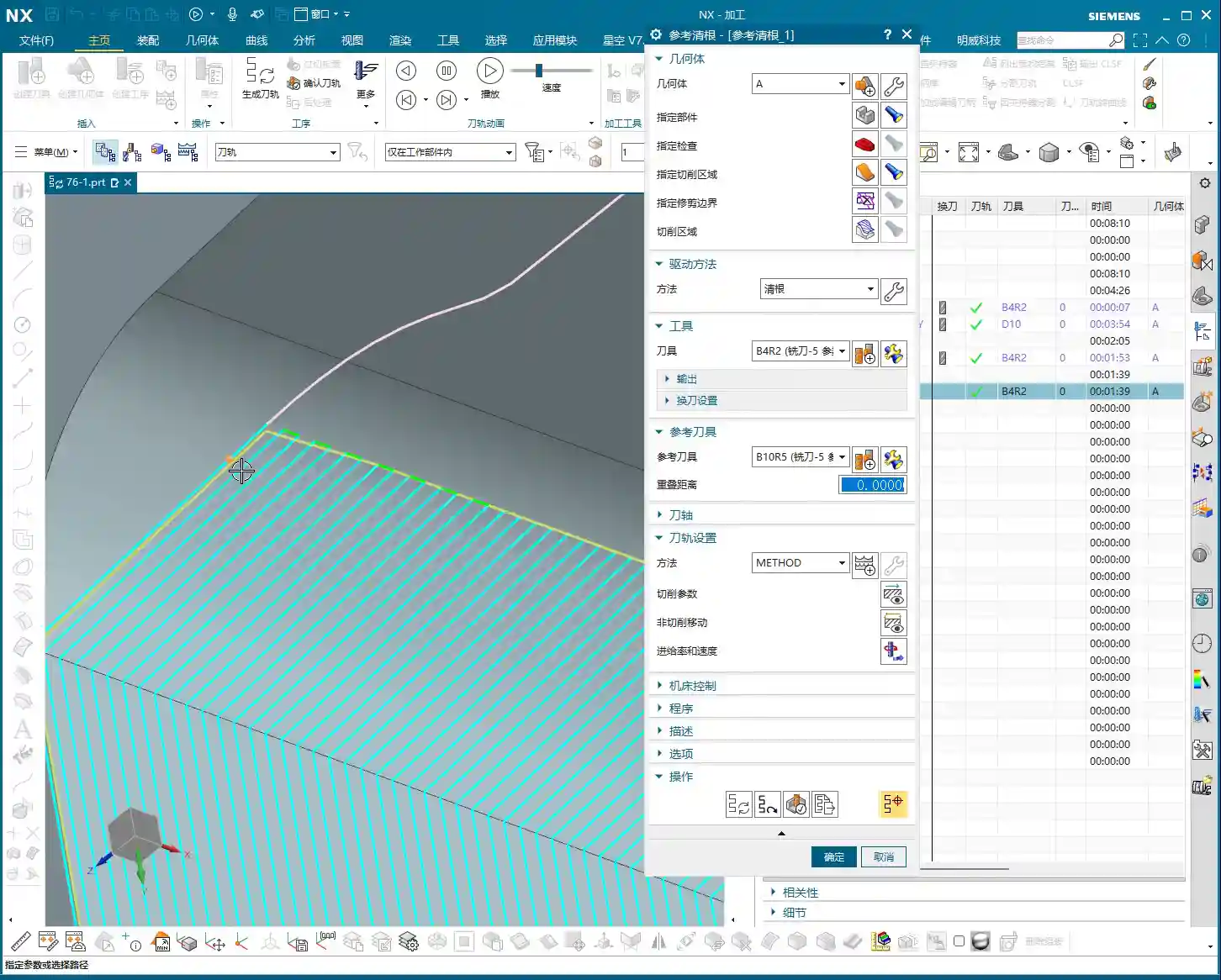
Zig-zag Horizontal
This is an upgraded version of One-way Horizontal, where the tool cuts back and forth with no tool retraction in the Z-axis direction, reducing idle travel. It steps down one layer, then cuts horizontally in a reciprocating motion. This can be considered for cleaning the root areas of square or rectangular features. However, for complex Corner Cleanup regions or those with draft angles, this mode is less adaptable than “Zig-zag Up.”

Zig-zag Up Horizontal
This mode is quite similar to “Zig-zag Up,” but it emphasizes horizontal reciprocating cuts followed by a Z-axis ascent. Compared to my “Zig-zag Up + Smooth” combination strategy, if “Smooth” is not enabled, it might produce a more noticeable stepped appearance in the Z-axis direction, and toolpath transitions won’t be as smooth. Therefore, even when using this mode, I usually enable “Smooth” to ensure more fluid tool movement.
Considerations for Depth Machining Modes
In Siemens NX, some modes have “Depth” in their names, which sounds impressive-sounding, but their practical application depends on your workpiece characteristics and machining requirements.
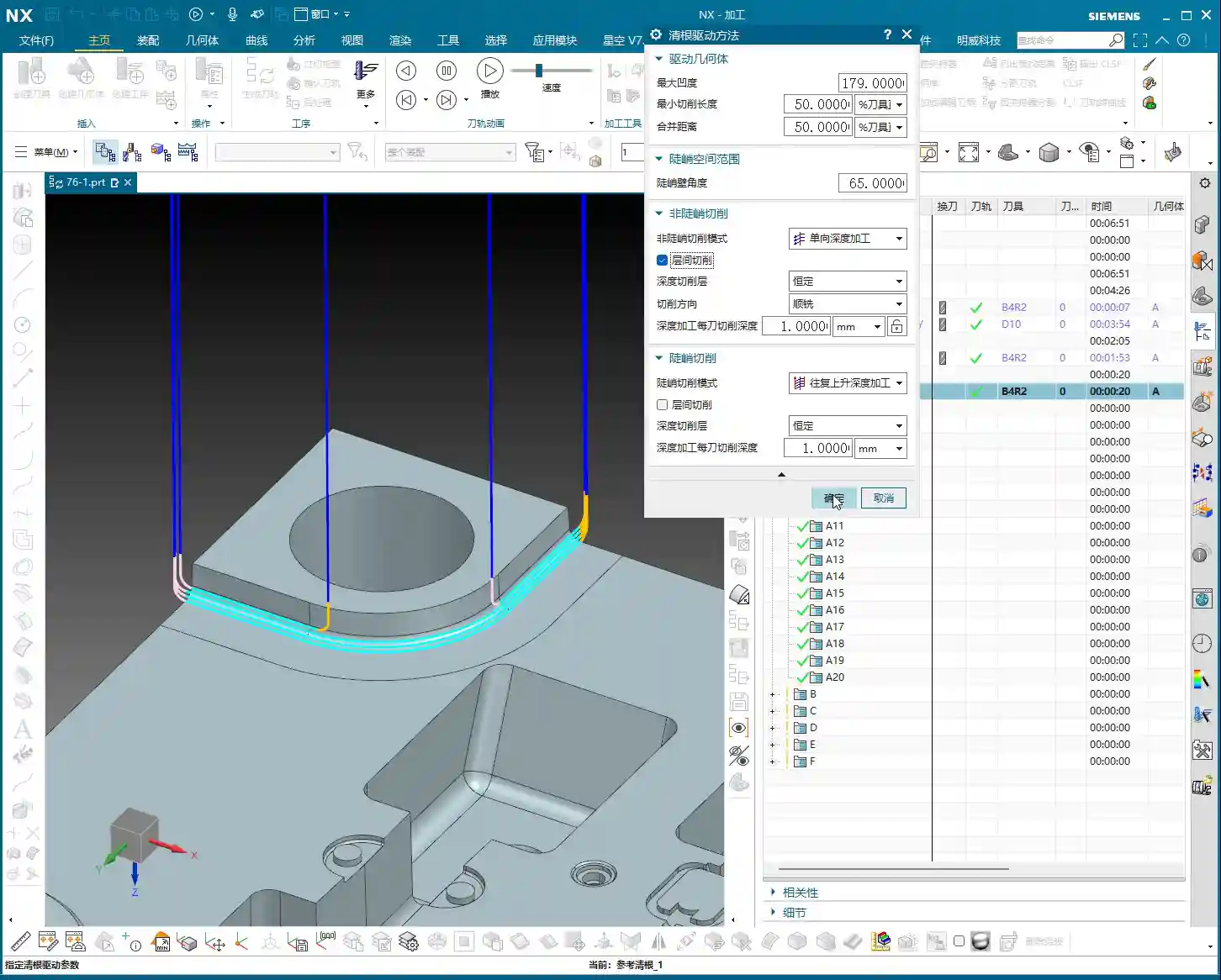

One-way Depth Machining
This mode involves unidirectional vertical plunging, with the tool retracting and returning after each cut. If you want to perform stepped deep cuts at a specific point or area, this could be considered. However, it’s rarely used alone for general Corner Cleanup due to its inefficiency. Personally, if I were to do something like this, I’d opt for helical plunge milling instead, which is more direct and ensures more uniform tool engagement.
Zig-zag Depth Machining
Similar to One-way Depth Machining, except the tool can perform reciprocating plunging. Again, these depth machining modes are typically not the first choice for Corner Cleanup, unless you are specifically cleaning the bottom of blind holes or deep, narrow slots. In most complex cavity Corner Cleanup scenarios, their efficiency and tool life protection are not ideal.
Special Mode: Follow Periphery

Follow Periphery
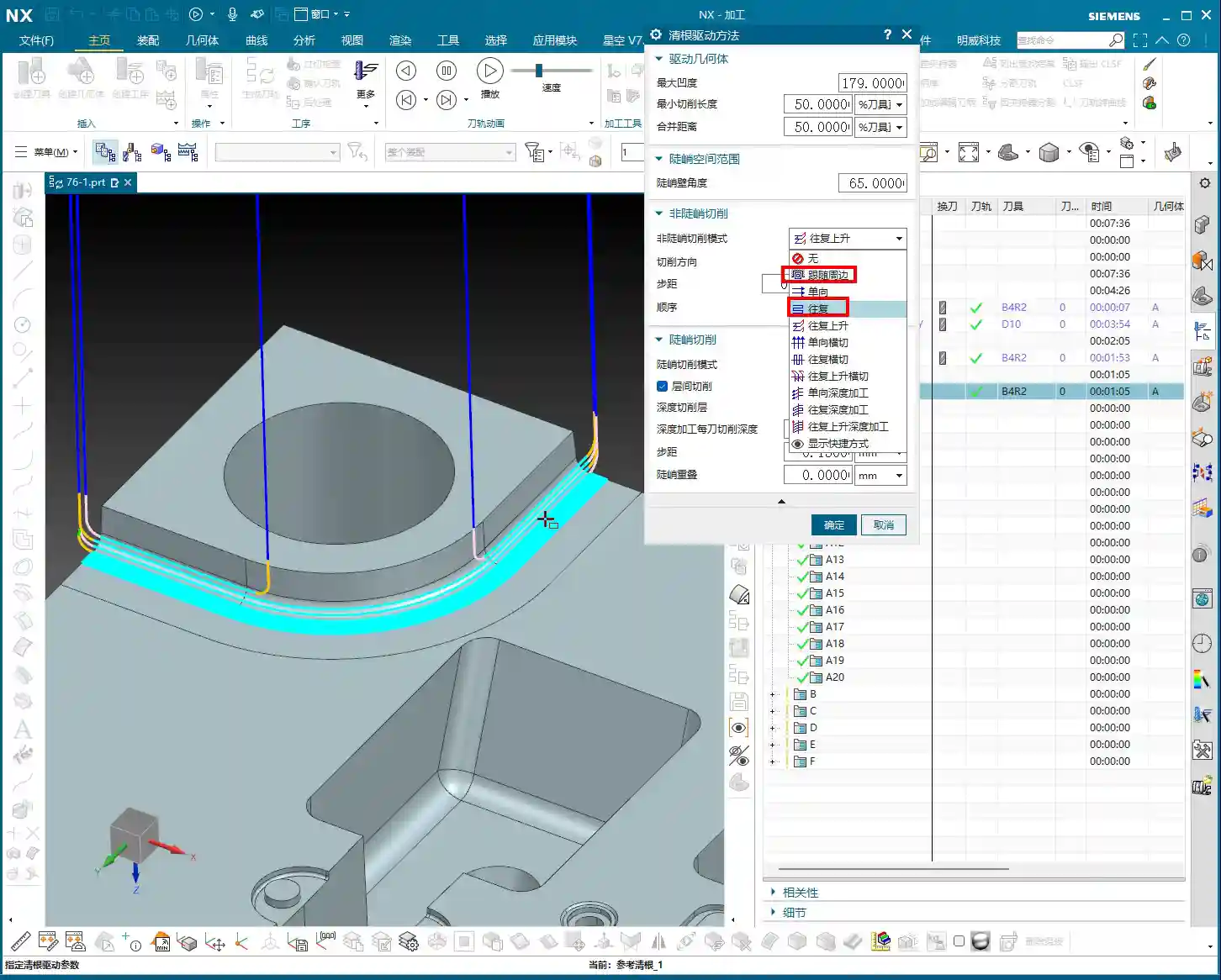
This mode is also very useful. It enables the tool to follow the contour of the Corner Cleanup area, progressing inward or outward layer by layer. For regularly shaped Corner Cleanup regions, especially those with well-defined boundaries, it can generate very clean toolpaths. However, there’s a point to note: how does it determine “inward” versus “outward” cutting? This requires you to have a clear understanding of the model boundaries and desired toolpath. If it feels awkward to use, or you’re unsure if its cutting direction is what you want, then just stick to Zig-zag Up – it’s generally more reliable.
The Philosophy of Mode Selection: “Plunge Milling” vs. “Area Milling”
In Siemens NX, you might sometimes notice that the cutting mode options within “Area Mill/Contour Area” and “Plunge Mill/Contour Profile” operation types look similar. However, you must understand that their application scenarios are different.
- “Area Mill/Contour Area”: This is typically used for machining an overall area or surface. It’s based on a plane or region, where the tool cuts horizontally and then steps down layer by layer. The modes we discussed earlier, such as Zig-zag Up, Zig-zag Horizontal, and Follow Periphery, are most commonly used here, primarily to cover the entire Corner Cleanup region.
- “Plunge Mill/Contour Profile”: The name itself implies a focus on depth-oriented machining. For instance, if you need to mill a deep hole or clean the bottom of a deep, narrow slot, you would likely use modes within the “Plunge Mill” operation type, as it emphasizes the tool’s plunging strategy in the Z-axis direction.
Therefore, when selecting a mode, you must first determine your primary objective: do you want to efficiently clear an area (select the appropriate mode under “Area Mill” operations), or do you want to more effectively handle depth-oriented cutting (select the appropriate mode under “Plunge Mill” operations)? Generally speaking, for Corner Cleanup, most of the time, we’re selecting within “Area Mill.” Remember what I said: Zig-zag Up, Outside-in Alternating, and with Smooth enabled – these three are your powerful tools within “Area Mill.”
Summary: Pitfall Avoidance Guide
- Mode selection must align with the workpiece: There’s no one-size-fits-all mode. The shape, depth, and material hardness of the Corner Cleanup region all influence your choice. Don’t just blindly apply them.
- Effectively utilize the “Smooth” function: It makes toolpaths smoother, reduces machine shock, protects the tool, and improves surface quality. However, the Stepover setting must be reasonable; too small will lead to frequent retractions.
- Beware of “Tool Jump”: When the tool suddenly lifts and drops during machining, it’s often caused by unreasonable toolpath settings, too small a Stepover, or sudden changes in cutting angle. This can cause chipping and even damage the workpiece.
- Machining sequence is crucial: Outside-in cutting is generally safer and effectively prevents “excessive Depth of Cut (DOC).”
- Don’t solely trust software simulations: Simulations are just theoretical. In actual machining, tool wear, machine accuracy, and fixture rigidity all influence the outcome. Observe cutting sparks and listen to the sound – that’s the machine “talking” to you.
- Prioritize cost efficiency: Every programming task must consider tool costs and machining time. Avoiding unnecessary idle travel and optimizing toolpaths are fundamental skills for every good engineer.
Alright, that’s all for today. Go back, practice more, think more, and next time we’ll discuss other practical tips. See you!
[EXCERPT]
Master Wang provides practical guidance on Siemens NX Corner Cleanup (Rest Milling) modes. He highlights “Zig-zag Up + Outside-in Alternating + Smooth” as the most practical and efficient combination, capable of reducing air cuts and protecting tools. He thoroughly explains the advantages, disadvantages, and application scenarios for One-way/Zig-zag Horizontal, Depth Machining, and Follow Periphery modes. Furthermore, Master Wang discusses the strategic choice between “Plunge Milling” and “Area Milling” operations and concludes with a pitfall avoidance guide, emphasizing real-world experience and cost-efficiency.
👤 About the Author:
The author is a veteran CNC machining professional with 15 years of industry experience, specializing in UG NX programming. This article is an original work representing personal practical insights.
⚠️ Copyright Notice: Unauthorized reproduction or distribution without prior communication is strictly prohibited.