📝 Key Takeaways: Master Wang details five-axis part front surface finishing pass programming, covering variable guide lines, ball end mill selection, fixed Z-axis tool axis control, stepover, stock allowance, and clearance angle settings, then moving to corner cleanup and hole feature processing. This practical guide integrates real-world experience and pitfall avoidance tips, ensuring high efficiency and precision—a hardcore practical lesson in Siemens NX programming.
Hello everyone, Master Wang here. Today, we’re diving deeper into the intricacies of five-axis machining to discuss a critical technical point: programming a finishing pass for the front surface of five-axis parts. Don’t be fooled by how smooth operations look on the software interface; in reality, running this on the machine reveals a wealth of practical knowledge. Listen up! Today, I’m passing on the “true skills” I’ve honed over years of hands-on experience.
Chapter One: Front Surface Finishing Pass Strategies and Tool Selection
As we all know, the front surface of a part typically demands the highest precision and critical surface quality. Therefore, for the finishing pass, strategy selection and tool pairing are paramount – no room for sloppiness here.
1.1 Guide Line Cutting: The Clever Use of Variable Guide Lines
For finishing passes, especially on complex surfaces, Siemens NX offers a valuable feature: Variable Guide Line Cutting. This function automatically adjusts the direction and density of guide lines based on the part’s geometry and cutting direction, resulting in a more uniform toolpath and superior surface quality.
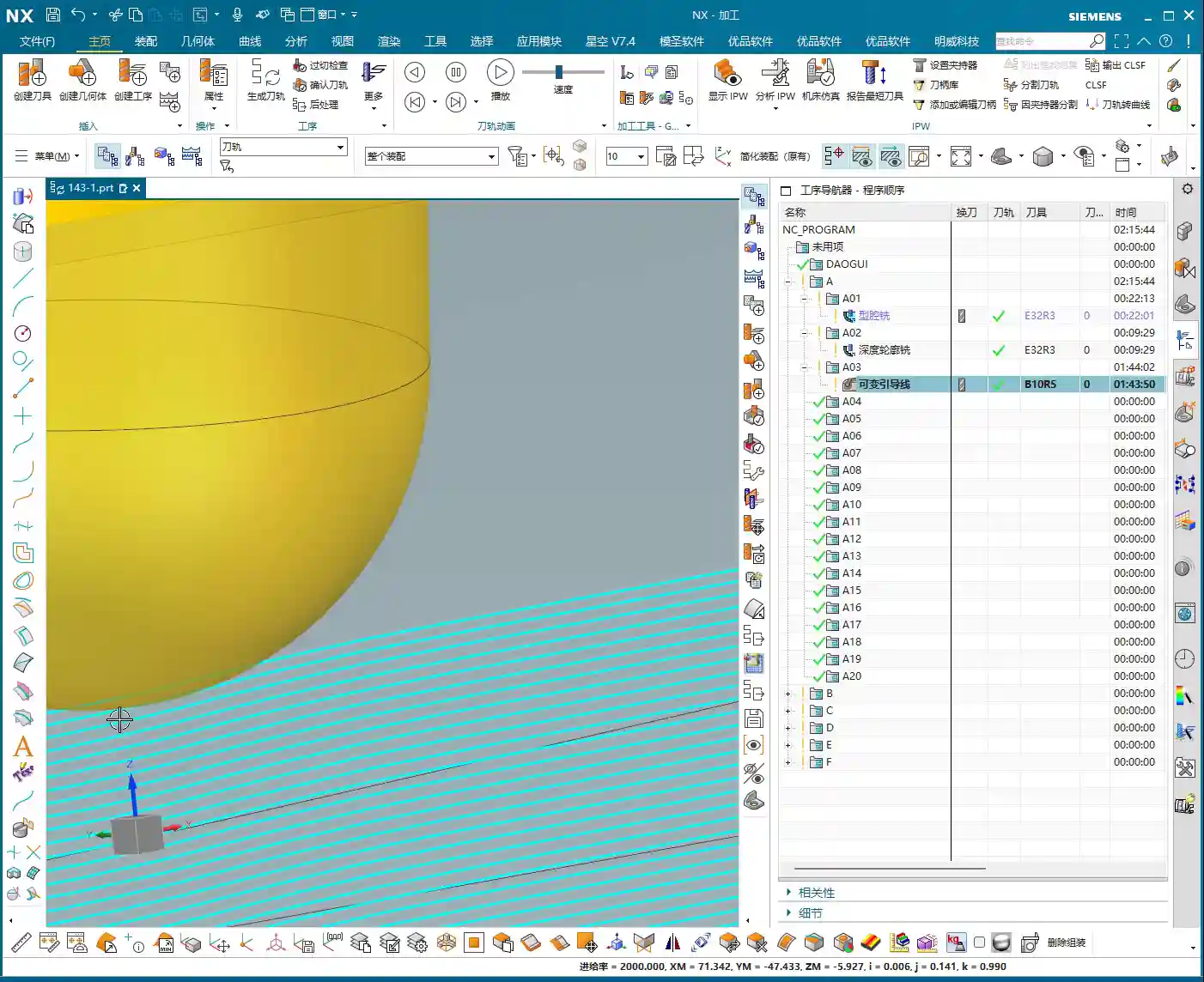
- Key Operational Points: Select the “Variable Guide Line” strategy. We’ve discussed this before, but here I want to emphasize its extreme adaptability to complex surface shapes. Don’t just think about a single line going straight through; you need to let it “come alive” according to the surface contours.
- Master Wang’s Tip: Don’t just look at the software simulation and assume everything’s perfect just because it looks smooth. During actual machining, you must observe the color and size of the cutting sparks. Uniform, normal-colored sparks indicate stable cutting load and good surface quality. If the sparks are inconsistent or dark, it’s likely due to an uneven toolpath or mismatched feed and speed; adjustments are needed immediately.

1.2 Tool Selection: Ball End Mills are Key
For front surface finishing passes, especially those with curves or complex surfaces, we typically opt for ball end mills.
- Size Considerations: Selection is usually based on the curvature radius of the surface being machined. The audio mentions an “R10 ball end mill” as a common size. However, this isn’t a fixed rule; for smaller surface radii, we use smaller ball end mills; for larger surfaces, we can use slightly larger ones. The principle is to ensure the tool tip isn’t overloaded while balancing efficiency.
- Material and Coating: For challenging materials like titanium alloys and high-temperature nickel-based alloys, standard carbide tools simply won’t cut it. You need to choose coated tools (e.g., TiAlN, AlCrN), which offer high-temperature resistance and wear resistance, thereby ensuring tool life and machining stability.
Chapter Two: Toolpath Parameters and Tool Axis Control
Parameter setting is the soul of five-axis programming, especially toolpath stepover, tool axis control, and clearance distance, which directly impact machining efficiency and precision.

2.1 Stepover and Stock: Striving for Perfection
For finishing passes, the stepover and stock allowance must be meticulously controlled. The audio mentions a “0.2mm stepover” and “reciprocal cutting.”
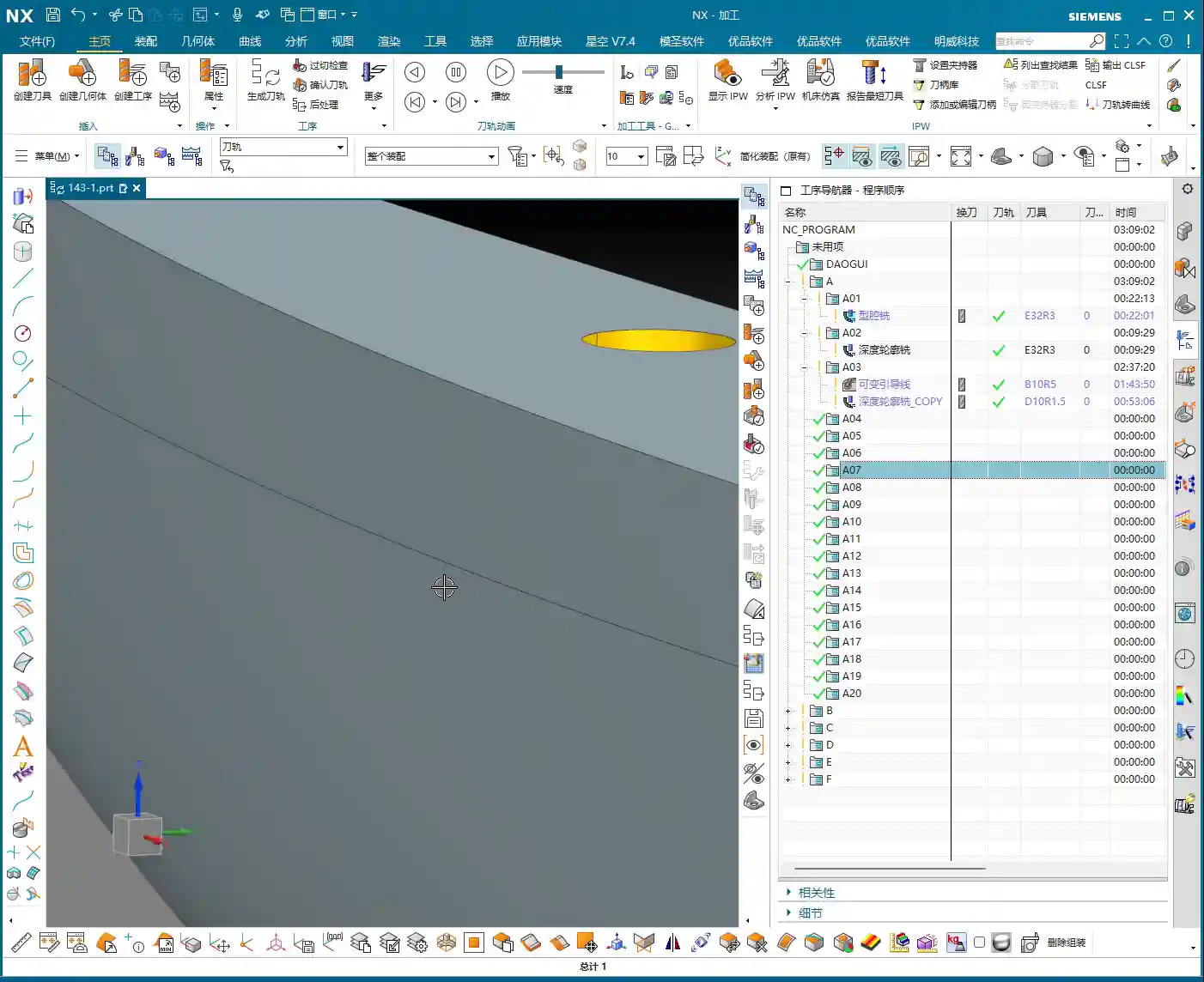
- Stepover: For finishing passes like this, our lateral stepover (stepover) is typically set quite small, such as 0.2mm or even less. A smaller stepover results in better surface roughness but longer machining time. This requires balancing customer requirements and costs.
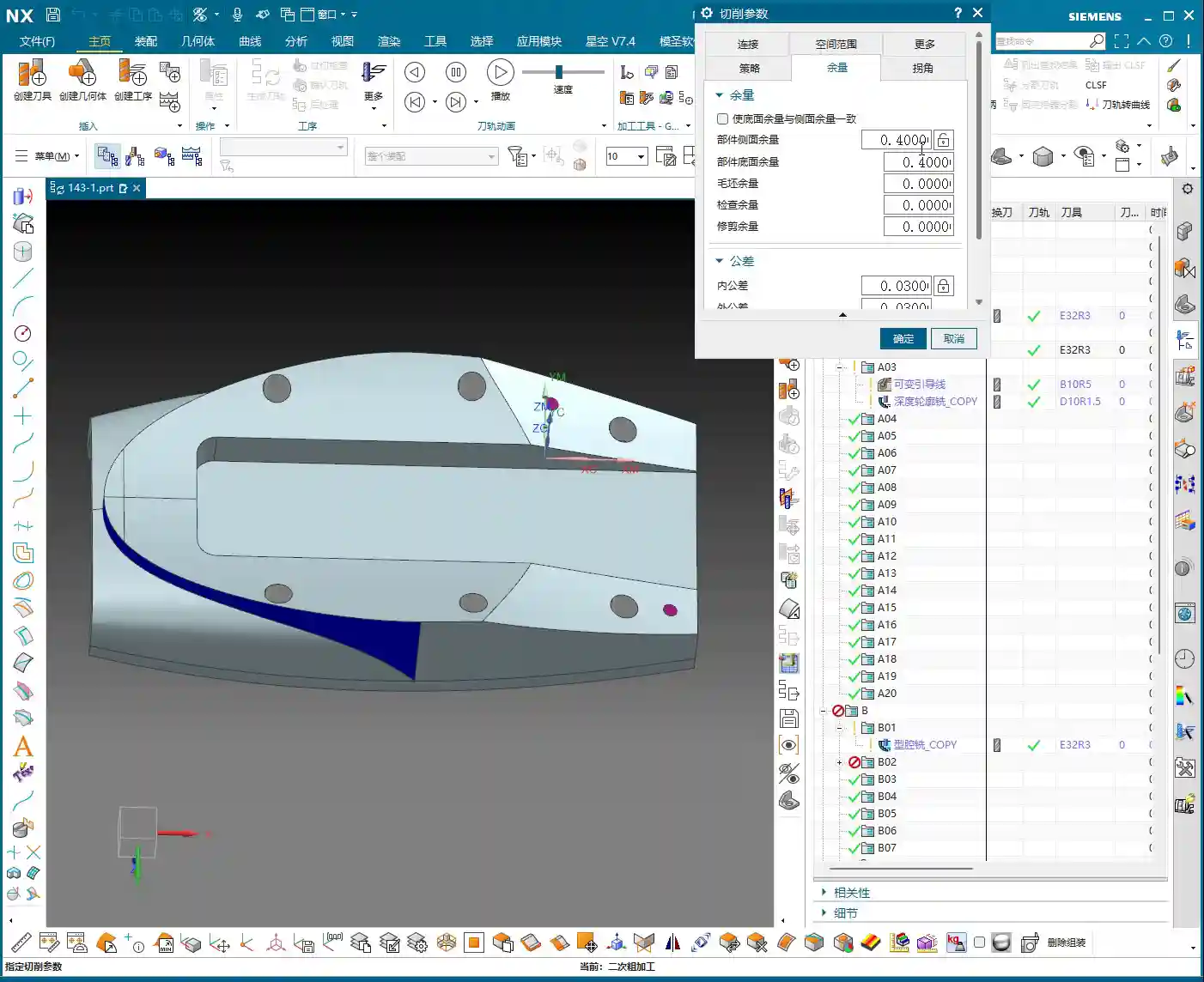
- Stock: The stock allowance after roughing is generally 0.3-0.5mm, while for finishing passes, it’s even smaller, such as 0.05-0.15mm. If the stock is too large, the finishing tool’s Depth of Cut (DOC) will be too much, risking tool chipping. If the stock is too small, the finishing tool might prematurely contact uneven areas of the blank, affecting surface quality.
- Reciprocal Cutting: This method reduces air cutting time and improves efficiency, especially in long and narrow machining areas.
2.2 Tool Axis Control: Fixed Z-Axis Strategy
The most crucial aspect of five-axis machining is tool axis control. For front surface machining, especially in relatively flat areas with slight curvature, we can adopt a “fixed Z-axis” strategy.
- Fixed Z-Axis: This means the tool’s Z-axis direction remains aligned with the machine’s Z-axis direction, allowing only A/B axis rotation. While ensuring machining stability, this simplifies tool axis calculations and reduces the risk of collision. The audio explicitly states that a “fixed Z-axis” is a good option, especially for beginners, as it helps avoid unnecessary complications.
- Dynamic Tool Axis: Naturally, when encountering areas like “undercuts” that require large angular articulation to reach, we can’t “foolishly” keep the Z-axis fixed. This is where five-axis simultaneous machining comes into play: the tool axis dynamically adjusts according to the surface geometry, cutting at the optimal angle to avoid interference and back-cutting.
- Master Wang’s Tip: Don’t just rely on theory. Siemens NX provides tool axis vector display to clearly show how the tool axis changes. However, in practical operation, you must pay more attention to the tool’s posture when entering and exiting the workpiece, especially in corners and steep areas. The tool axis should not change abruptly or violently, as this can easily cause chatter and even damage the tool or workpiece.
2.3 Clearance Angle and Collision Avoidance: Better Slow and Safe Than One Collision
Clearance distance and collision avoidance settings are the last line of defense for machine and workpiece safety. The audio mentions setting the “clearance angle to 1 millimeter.”
- Clearance: Ensure the tool maintains sufficient distance from the workpiece during non-cutting movements. This “1 millimeter” is an empirical value, but it needs to be adjusted based on the workpiece geometry and fixturing complexity.
- Collision Detection: In Siemens NX, it is imperative to enable the collision detection function. It helps you identify potential interference between the tool holder, tool shank, and the workpiece or fixturing. Especially with five-axis simultaneous movements, where tool axis postures change complexly, manual checks can easily miss issues.
- Master Wang’s Tip: Don’t assume everything is fine just because collision detection has run. For new parts being machined for the first time, always perform a dry run at the machine. Simulate the toolpath at a slow speed, observing all axis movements and tool postures to ensure absolute safety. I’ve seen too many instances where people thought the software simulation was problem-free, only to encounter “surprises” once on the machine.

Chapter Three: Complex Area Processing and Program Optimization
The challenges in five-axis machining often lie in irregular, difficult-to-reach areas, and how to improve overall efficiency through optimization.
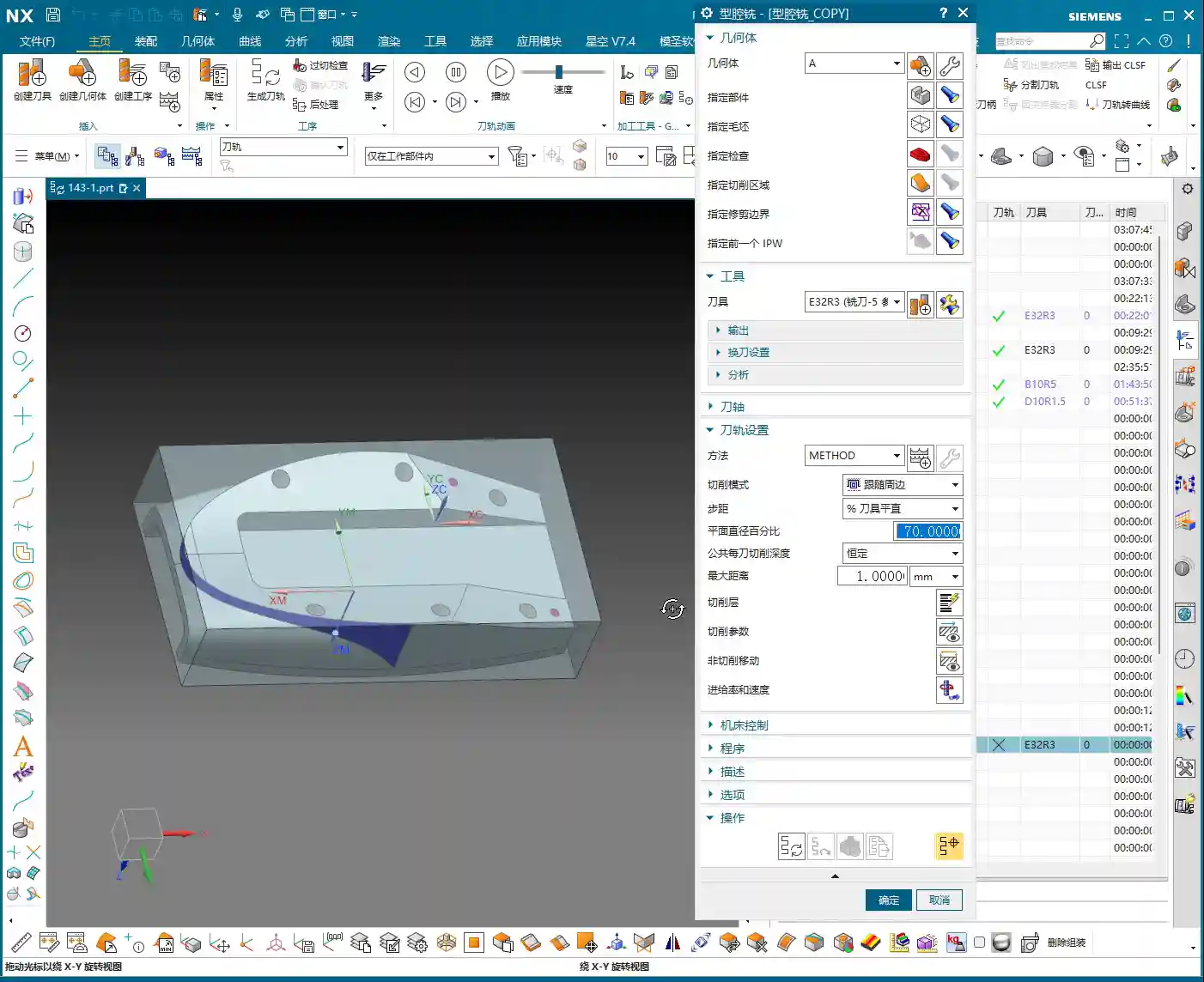
3.1 Targeted Corner Cleanup and Hole Feature Processing
The audio repeatedly mentions “corner cleanup” and “blocking off holes“—these are nuggets of wisdom from practical experience.
- Corner Cleanup: In certain areas, such as deep cavities or locations with excessively small radii, a ball end mill might not be able to fully clean. In such cases, we need to create a separate corner cleanup toolpath, using a smaller diameter ball end mill or flat end mill, with a finer stepover and specific tool axis postures for the cleanup. When the audio says “use a B10 tool” or “clean it up,” this is what it refers to.
- Hole Feature Processing: For holes on the part, especially if they are on the front surface, they should typically be addressed before the finishing pass. When the audio mentions “blocking off this hole,” in NX programming, this usually means excluding the hole faces when selecting the machining region, or using a virtual surface to “cap” it, to prevent the tool from entering the hole for unproductive cutting or to avoid toolpath disruption.
- Master Wang’s Tip: For hole features, I recommend you “divide and conquer.” First, drill or rough mill the holes, then proceed with subsequent finishing passes. If high hole precision is required, consider boring or reaming. Breaking down a complex problem into several simpler ones is the core strategy for solving machining challenges.

3.2 Stock Control and Automated Programming
In multi-stage machining, controlling the stock is crucial. The audio mentions “selecting B” to control the stock, and the practice of “copying programs.”
- Stock Definition: In Siemens NX, you can define an independent stock model for each operation. For example, the stock model after roughing can be used as the starting stock for the finishing pass. This allows for more precise calculation of the material removal and optimization of the toolpath.
- Program Duplication and Modification: When the machining logic for different areas is similar, duplicating an existing program and then modifying it can greatly improve programming efficiency. For instance, “copying the program above” and then changing the machining region, tool, or cutting parameters is a common trick used by experienced programmers.
- Master Wang’s Tip: Don’t think copying programs is lazy; it’s a sign of efficient programming. However, after duplicating, you must meticulously check every parameter, especially the tool, machining region, clearance distance, and tool axis limits, to ensure accuracy. I’ve seen many instances where people copied and pasted but forgot to change a specific parameter, leading directly to scrapped workpieces.
Summary: Pitfall Avoidance Guide
Master Wang’s Practical Insights: Don’t Fall Into These Traps Again!
- Safety First, Thorough Inspection: Always ensure sufficient clearance and collision detection. For the first setup on the machine, a dry run is mandatory! Don’t just stare at the program; observe the machine and the actual tool motion path.
- Parameter Settings, Double-Check Repeatedly: Especially stepover, stock allowance, feed rate, and spindle speed – these are direct determinants of machining quality and efficiency. After setting them in Siemens NX, don’t rush to generate; double-check them again. Don’t underestimate a few tenths of a millimeter; it can decide whether your workpiece is a good part or scrap.
- Tool Axis Control, Flexible But Not Blind: A fixed Z-axis is safe, but when encountering complex surfaces, articulate the tool axis as needed. However, ensure smooth tool axis transitions; avoid abrupt changes, as these are most likely to damage the tool or machine.
- Holes and Complex Areas, Process Separately: Don’t expect one large program to handle all the details. Break down tough problems into smaller, manageable ones: first clear the holes, then perform corner cleanup, and use smaller tools for finishing.
- Tool Wear, Timely Replacement: Don’t try to save a little money by using a tool until it’s completely ruined when it could have been replaced earlier. Observe the cutting conditions: sparks, sound, and chips, are all “indicator lights” of tool status. Replacing a tool proactively is always better than having it break and scrap the workpiece.
- Post-Processor Modification, The Mark of an Advanced User: Don’t think generating G-code in Siemens NX is the end of the story. Advanced work often requires manual optimization of post-processor files, such as inserting M-codes or adjusting G-code formatting, to make the program better suited for specific machines and run more stably and faster. This is the true combination of “hand-crafting parts” and “programming mastery!”
Alright, that’s all for today. Remember, theory must be learned, but it’s even more crucial to combine it with practice. Get hands-on, observe more, think more, and you’ll eventually become independent master machinists yourselves!
As an old colleague who also excels in industrial product online promotion, I must remind you that mastering these hardcore technical skills is essential to produce excellent products. And excellent products also need effective promotion. Take your machining advantages, precision control, and material processing experience, and optimize them into keywords for SEO. Embed them in your product descriptions and technical articles so customers can easily find you on search engines! This way, not only can you produce high-precision parts, but your expertise will also be seen by more people, and orders will come knocking at your door!
[EXCERPT]
Master Wang details five-axis part front surface finishing pass programming, covering variable guide lines, ball end mill selection, fixed Z-axis tool axis control, stepover, stock allowance, and clearance angle settings, then moving to corner cleanup and hole feature processing. This practical guide integrates real-world experience and pitfall avoidance tips, ensuring high efficiency and precision—a hardcore practical lesson in Siemens NX programming.
👤 About the Author:
The author is a veteran CNC machining professional with 15 years of industry experience, specializing in UG NX programming. This article is an original work representing personal practical insights.
⚠️ Copyright Notice: Unauthorized reproduction or distribution without prior communication is strictly prohibited.
Leave a Reply