Siemens NX (UG) Operation Sheet for Setup A: Practical Deep Dive
…
[VIDEO_HERE]
Overview: The Importance and Core Function of the Operation Sheet
Listen up, folks! In mechanical machining, no matter how perfectly you program toolpaths in Siemens NX, if you can’t clearly convey that information to the shop floor operators, it’s all for nothing. The operation sheet, simply put, is the ‘interpreter’ and ‘guidebook’ connecting us programmers with the machine operators. It absolutely must clearly detail how to fixture the part, which face is up, what areas to machine in each step, what tools to use, and what precautions to take. Today, we’re going to start with the most fundamental and critical Setup A operation sheet, and I’ll walk you through how to generate it, and more importantly, how to interpret and effectively utilize it!
Step One: Select Programs for Output and Initial Verification
In Siemens NX, first, select all the toolpath programs you want to output an operation sheet for (e.g., A01, A02, A03 for Setup A). Once selected, here’s a good habit: always simulate the toolpaths first to ensure there are no issues and that the fixturing is appropriate.
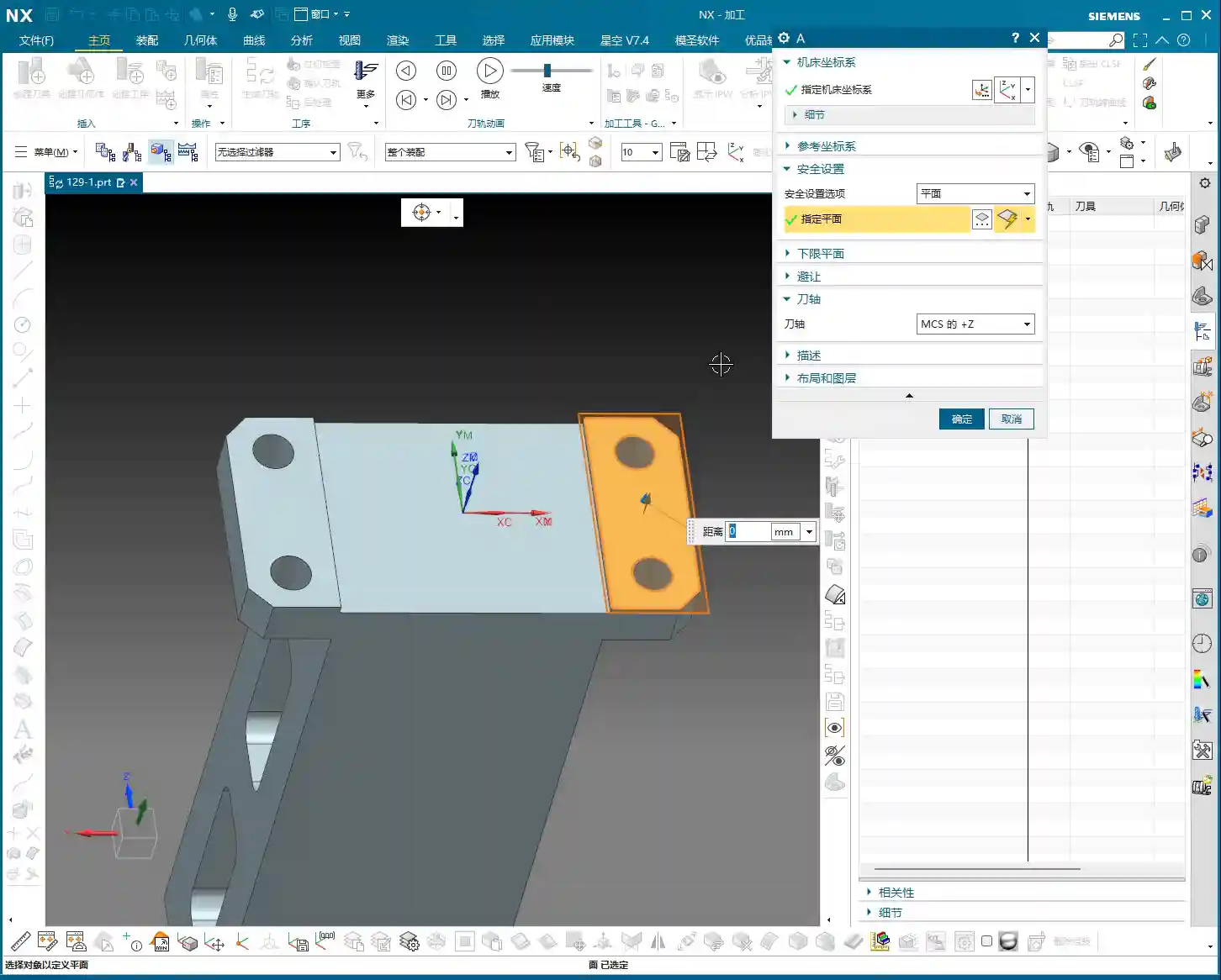
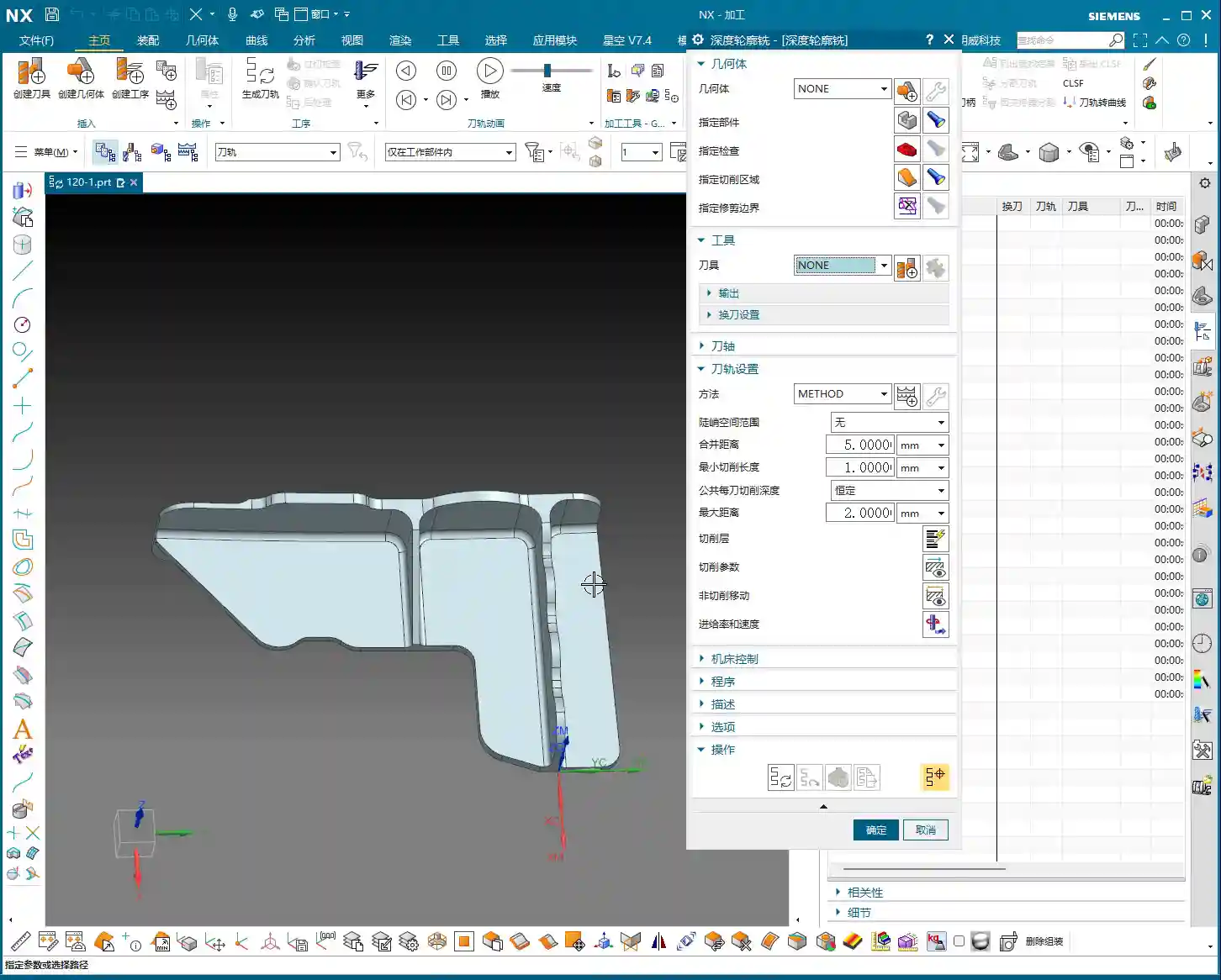
For a part like this one, Setup A involves machining a single face. So, when clamping, you need to secure the part in a vise, exposing the face to be machined. Simulating it gives you a clear understanding. It also provides the operator with a visual machining preview, building confidence and reducing the chance of errors.
Step Two: Select the ‘Generic Operation Sheet’ Function
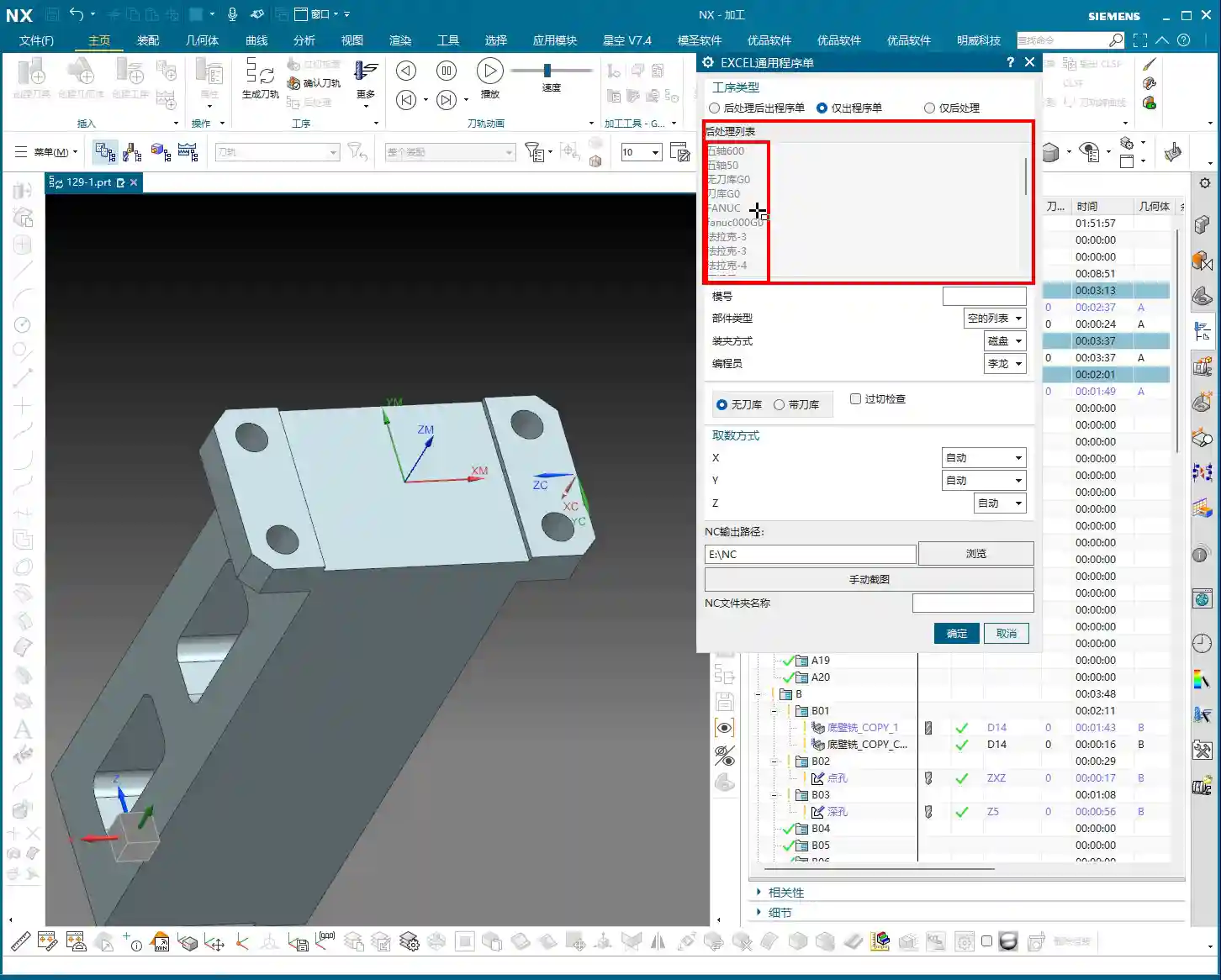
Toolpaths are good, programs are selected. Next, it’s time for the crucial step of outputting the operation sheet. In the Siemens NX menu, find the ‘Generic Operation Sheet’ option. For us, this is usually achieved through the ‘Starry Sky’ plugin. Just click it.
Step Three: Understand Output Options and Path Settings
Once open, you’ll see several output types:
‘Post-Process and Output Operation Sheet’: This means outputting both the G-code (post-processed file) and the operation sheet simultaneously.
‘Output Operation Sheet Only’: This outputs only the operation sheet; we can handle the G-code separately later.
‘Output Post-Process Only’: This outputs only the G-code.
Since we’re focusing on operation sheets today, select ‘Output Operation Sheet Only’. When you do, you’ll notice the ‘Post-Process List’ section is empty. That’s perfectly normal, just ignore it. As for the ‘Tables’ and other options below, those are more detailed settings we’ll cover later; you can safely disregard them for now.
Regarding the output path, many people just stick with the default. But listen up, I, Master Wang, have a personal habit: I typically create a dedicated ‘NC’ folder on my D: drive or another non-system drive, and I put all post-processed files and operation sheets in there. This makes management easier, finding files quicker, and prevents clutter. You might want to adopt this practice.
Step Four: Confirm and Generate the Operation Sheet
Once all previous settings are configured, just click ‘OK’. No need to mess with any other parameters; the operation sheet will be automatically generated and saved to your specified path.
In-Depth Interpretation of Key Information in the Setup A Operation Sheet
Part Basic Information and Datum Reference
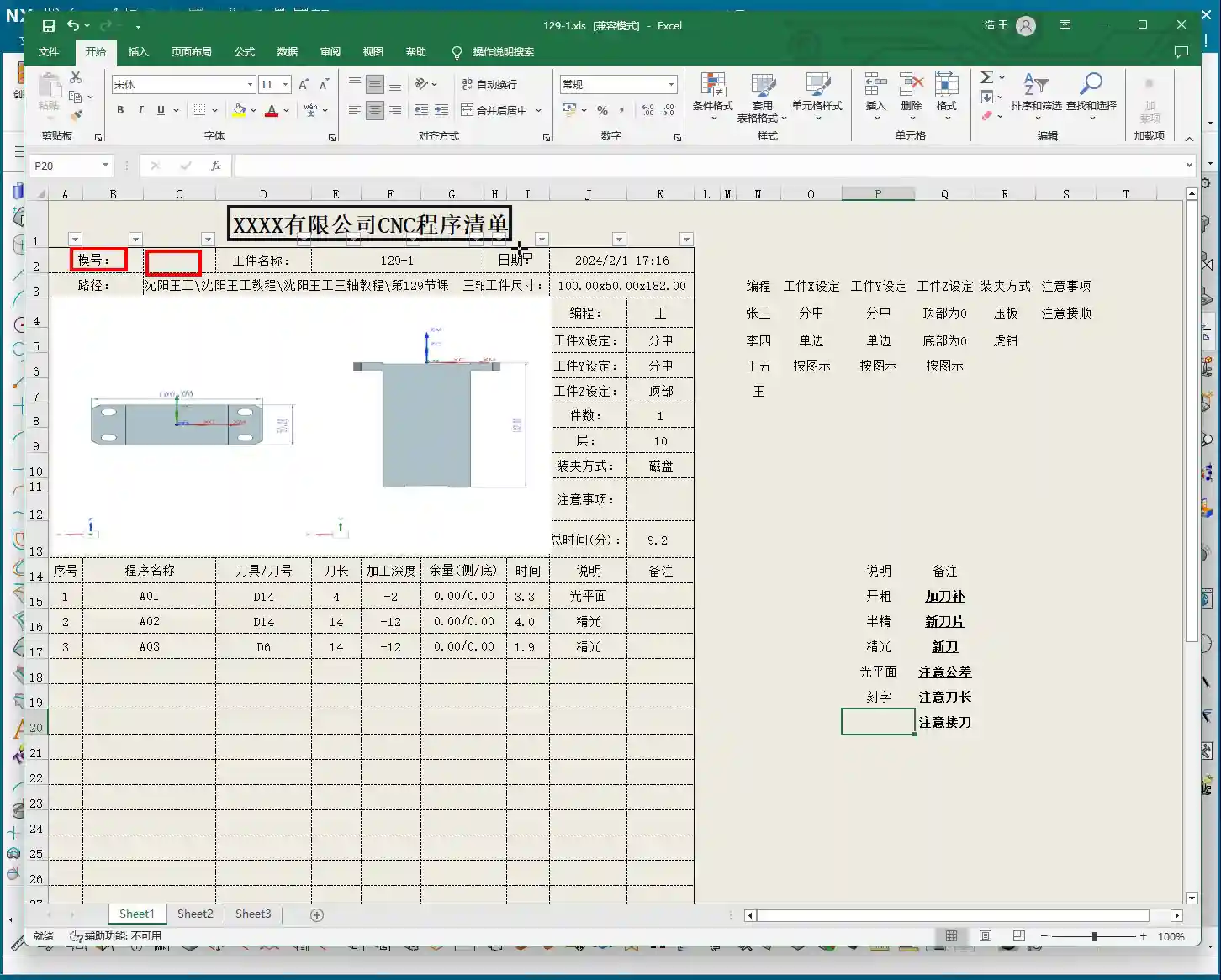
Dimensions: The operation sheet will clearly specify the part’s length, width, and height. For example, our part here is 100mm long, 50mm wide, and 182mm high. These are the final finish cut dimensions, so the operator knows the part’s size at a glance.
Locating Datum: This is critically important! The operation sheet will clearly state the tool offsetting method. For example, here it’s ‘Center X & Y, Top Face Zero’. This tells the operator exactly where the tool offsetting origin is for the X, Y, and Z axes – absolutely no room for error.
Views: The automatically generated XY and XZ views from Siemens NX provide a clear visual of the part’s machining faces and tool offsetting points. When operators see these diagrams, they’ll have a crystal-clear understanding of the features to be machined and the datum locations. Don’t just rely on software simulations; look for the cutting sparks! Drawings are merely aids; the shop floor is where reality happens.
Company and Workpiece Information
Mold/Job Number: This section can be filled according to your company’s specific requirements. If you want it to display the company name or a particular mold number, you can preset it in the operation sheet template. How do you modify the template? I’ve covered that in detail in my previous video tutorials; go check them out yourself – it’s fundamental!
Workpiece Name: For example, Programmer and Date
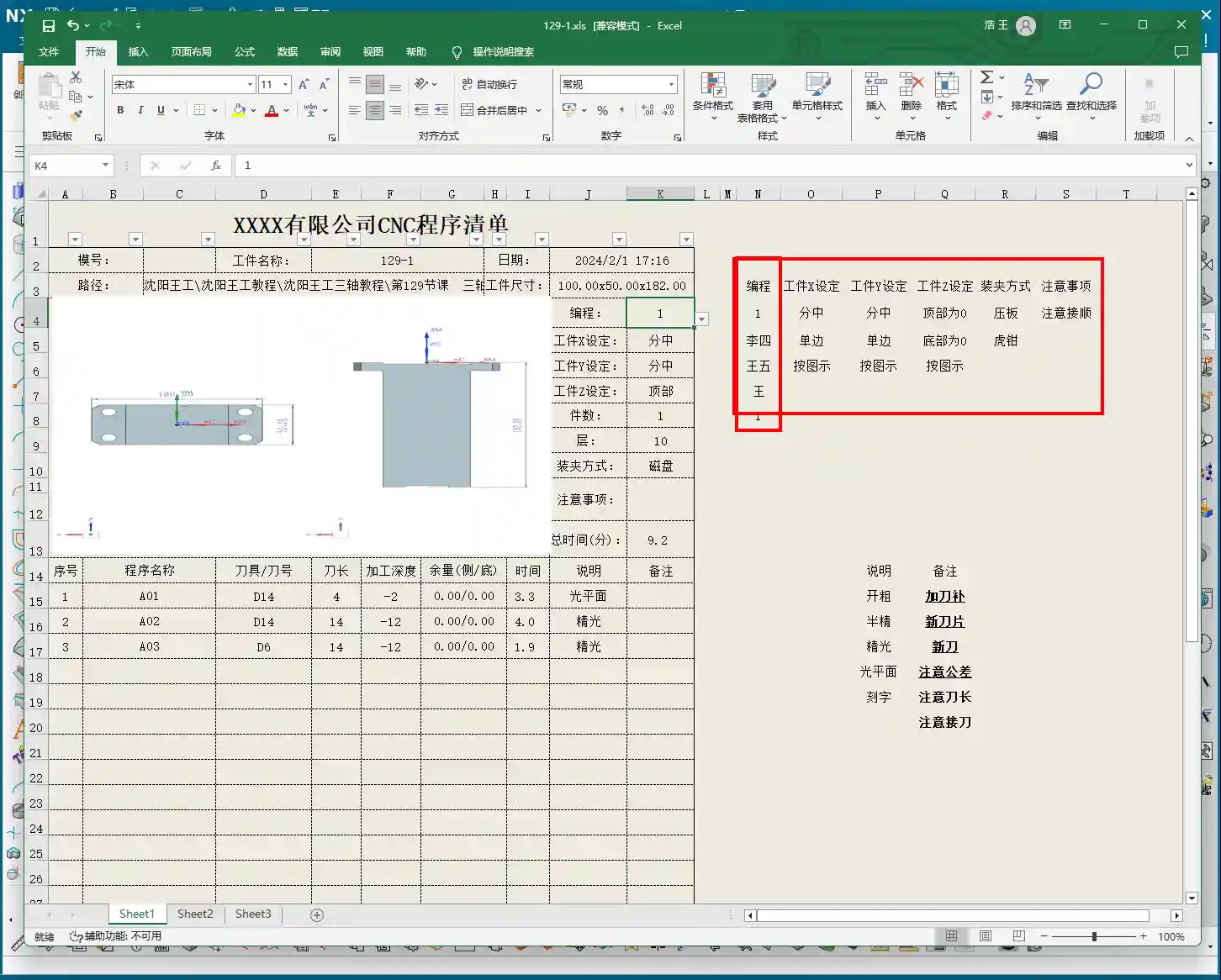
Prepared By: Here, I’ve put ‘Wang’. You can enter your own name or employee ID. This is also something you modify in the template; set it once, and it will auto-populate thereafter.
Date: The specific date and time the operation sheet was generated, such as
File Path and Dimension Verification
Path: The file path where the operation sheet is stored. While it might be long, the operator only needs to know which lesson’s folder (e.g., ‘Lesson 129’) it’s in to find the corresponding NC file. This helps our shop floor colleagues locate the correct file and prevents loading the wrong program.
Actual Dimensions: Emphasizing again: 100mm long, 50mm wide, and 182mm high. These are the final finish cut dimensions of the part.
Clamping Method and Precautions
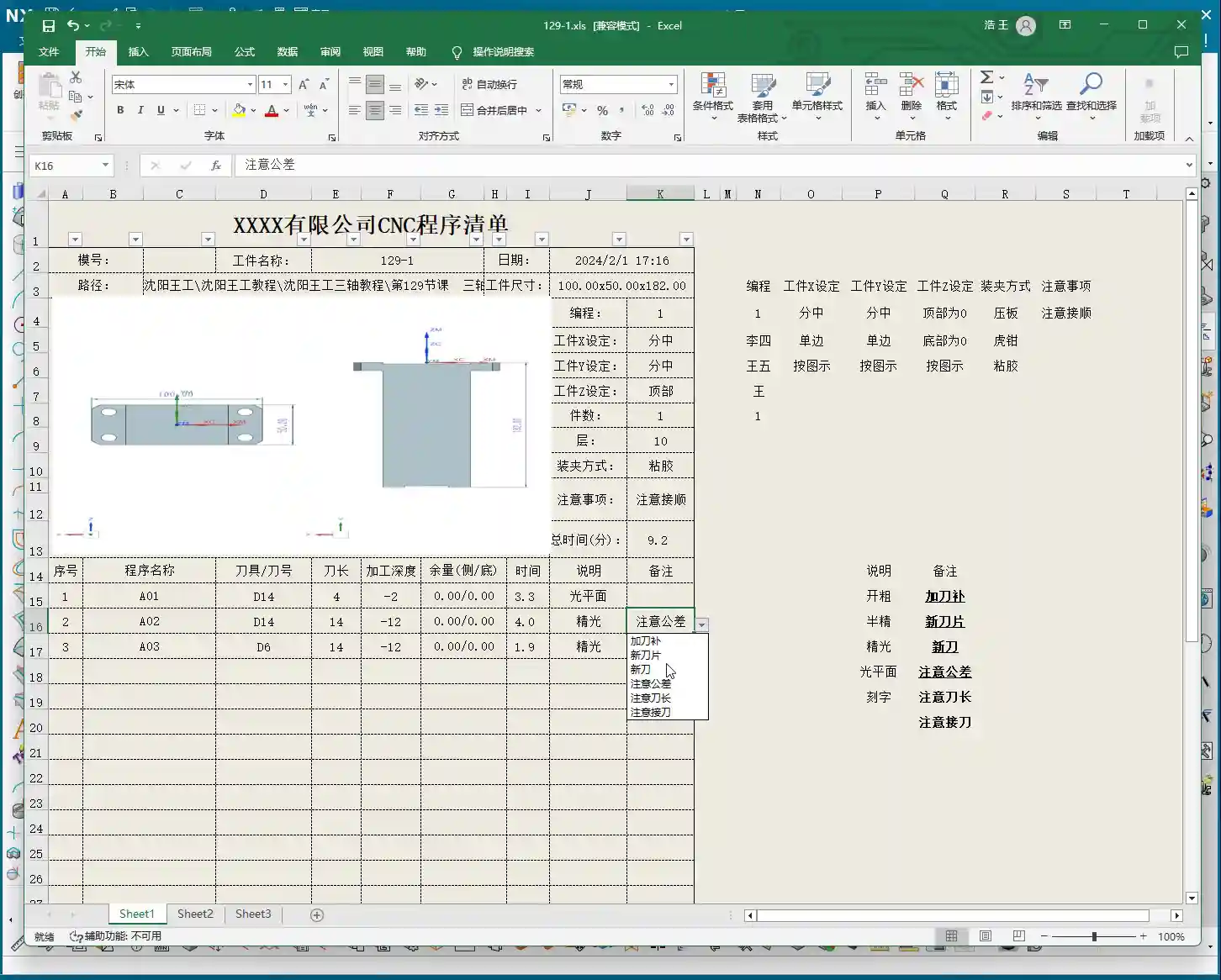
Clamping Method: For example, we’re using a ‘strap clamps’, ‘three-jaw chuck’, Precautions: For instance, Total Machining Time and Sequence Details
Total Time: The combined total machining time for all Setup A programs (A01, A02, A03), for example, Sequence Details: The operation sheet will list each specific program segment:
Program Name: For example, Tool: For instance, Tool Length: Pay close attention here! This refers to the ‘clamped four units’ (e.g., 40mm). It is NOT the overall tool length! This is a common area for Machining Depth: For example, single depth of cut or the depth of a specific feature, not the final machining depth of the entire part. Understand this in conjunction with the actual toolpath.
Description: Such as Remarks: This is a treasure trove! Here, you can jot down all sorts of ‘Pay attention to tolerance’, ‘Change to a new tool’, ‘Mind tool blending’, and so on. These are crucial reminders for the operator to ensure machining quality and efficiency. This section can also be customized in the template; add all your frequently used precautions.
Master Wang’s Wisdom: Practical Tricks for Operation Sheets
Just knowing how to generate an operation sheet isn’t enough; the key is knowing how to use it, how to make it ‘come alive’.
Division of Labor: Post-Processing vs. Operation Sheet: We choose ‘Output Operation Sheet Only’ because post-processing (G-code) requires separate review and verification, while the operation sheet serves as direct instructions for the operator. Keeping them separate clarifies responsibilities and improves efficiency.
The True Meaning of ‘Tool Length’: Remember, the tool length on the operation sheet refers to the fixturing. It’s better to clamp it a bit shorter for more stability than to risk clamping it too long.
Applying ‘Machining Depth’ Flexibly: Don’t mistake the ‘machining depth’ in each program segment as the final depth. It could be the single The Value of the ‘Remarks’ Section: This is where your experience truly shines! Here, you can jot down any ‘frequent air blasts’; if a feature has tight tolerances and requires ‘this tool needs to be replaced halfway through machining’. These are all critical for improving machining quality and reducing scrap.
Path Standardization: My habit of using a dedicated NC folder on the D: drive is all about Template Customization: This is also a big deal! Integrate your company’s commonly used information, standard operation sheet template. This will save a lot of effort every time you generate one and ensure the Master Wang’s Perspective: The ‘Siemens NX + SEO’ One-Two Punch for Industrial Product Promotion
Folks, don’t think I, Master Wang, only know how to write code and sharpen tools. In this day and age, even great products need a good shout-out. Our work on operation sheets isn’t just for production; it’s also excellent material for industrial product promotion.
See, all these detailed processes – Siemens NX modeling, 5-axis simultaneous programming, toolpath optimization, and then today’s topic, operation sheet creation – each step embodies our core technology. Share these practical experiences and technical details through articles, tutorials, and case studies on our official website, industry blogs, or even platforms like Zhihu and Bilibili, accompanied by high-definition Siemens NX screenshots and machining videos. The impact will be completely different!
For example, you could break down the Setup A machining process for a complex part, from modeling to the operation sheet, explaining it step-by-step. Tag it with ‘Siemens NX 5-Axis Programming’, ‘Complex Surface Milling’, ‘Titanium Alloy Machining Process’, ‘Precision Fixture Design’. When potential customers search for these technical solutions online, they’ll find us. Doesn’t that mean we’re directly showcasing our ‘content marketing’, combined with
Summary: Pitfall Avoidance Guide
Operation Sheet ≠ Post-Processed G-code: They have different functions and different purposes; do not confuse them.
Don’t Blindly Trust Times: The machining time on the operation sheet is for reference only; actual conditions may vary due to machine status, operator habits, and other factors.
Utilize the Remarks Section: Don’t underestimate the remarks! It’s the most direct and effective Template Standardization: Customize your operation sheet templates in advance. This will not only improve work efficiency but also ensure information accuracy and consistency, reducing human error.
👤 About the Author: The author is a veteran CNC machining professional with 15 years of industry experience, specializing in UG NX programming. This article is an original work representing personal practical insights.
⚠️ Copyright Notice: Unauthorized reproduction or distribution without prior communication is strictly prohibited.
📝 Key Takeaways: Master Wang explains practical Siemens NX multi-operation part programming, covering the full process from raw stock positioning and process planning to Face Milling, chamfering, pocketing, drilling, and post-processing. The discussion emphasizes Work Coordinate System (WCS) transformation, program optimization, tool selection, and Clamping strategies. He also shares real-world experience on avoiding common pitfalls, helping you boost efficiency, reduce costs, and master practical know-how “you won’t find in textbooks.”
Listen up, young engineers! Today, Master Wang is taking you through multi-operation part programming. Don’t let this example part fool you with its simplicity; it’s a small bird with all its vital organs. We’re not just going to learn how to click around in NX; more importantly, we’ll understand the underlying process logic and machine tool behavior. This is the real expertise gained from hands-on experience in the field – you won’t learn this from any textbook.
Our approach here is to go from raw stock to finished product, with every step carefully calculated. Today’s part is a typical example of multi-sided machining. Programming strategy, Work Coordinate System (WCS) transformations, and smooth operation transitions are all critical in real-world scenarios. Especially for those aiming for complex Surface Milling or 5-axis machining, if your fundamentals aren’t solid, everything else will be built on shaky ground! Siemens NX has a vast number of commands, so we can’t cover everything. We’ll focus on practical techniques that are useful, highly efficient, and cost-effective.
Step One: Overall Planning and Process Decomposition
When you get a new part, don’t rush into drawing or programming. First, you need to visualize its “past and future”: What material is it? What are the precision requirements? How will it be Clamped? What tools will be used? You need to think through all of these. For this part, we plan to complete it in multiple operations with multiple Fixturing setups.
Clarifying the Machining Strategy: Never Fight Unprepared
Listen up, planning comes first. For this part, we’ll use three Work Coordinate Systems (WCS) – A, B, and C – to distinguish different machining faces. The specific steps are roughly as follows:
Operation A (First Face): Machine the front face first, establishing datums for the subsequent flip.
Operation B (Second Face): Flip the part over and machine the back face, again establishing datums.
Operation C (Third Face): Flip it again to machine the holes and pockets on the top or side.
You need to think clearly about each step, otherwise, you’ll be scrambling, leading to scrapped parts or out-of-tolerance dimensions, which will cost you dearly.
Raw Stock Positioning and Clamping Strategy
The Clamping of the raw stock directly impacts machining accuracy and efficiency. For this part, we’ll first fixture one side for Roughing. Once the first side is machined, we then flip the part and re-clamp it. At this point, the new Clamping datum must be selected on the already machined surface from the first side, ensuring accurate datum transfer. While it might seem like just clicking in Siemens NX, on the machine, every detail – fixtures, parallels, clamps – must be meticulously considered.
Step Two: Front Face Machining (Operation A)
This is our first machining face, primarily involving Face Milling, chamfering, and pocket Roughing. Don’t underestimate Face Milling; the flatness and surface finish directly influence the datums for subsequent operations.
Face Milling and Chamfering
First, we’ll use a face mill to flatten the entire surface. The Depth of Cut (DOC) can be a bit larger, for example, 2mm, to get it done in one go. Remember, when programming, your entry and exit paths must be smooth; avoid sharp, right-angle turns, as that can lead to heavy tool engagement, which is bad for both the tool and the machine.
Next is chamfering. This may seem like a minor detail, but its function is significant: it eliminates sharp edges, protects operators, and prevents part damage during handling. We’ll use depth milling, select these four corners, and set the Depth of Cut (DOC) to 50% of the tool diameter. That’s a solid approach.
Pocket (Cavity) Roughing
Next is the Roughing of the internal pocket. For this, we’ll use a pocket milling operation. As for tooling, start with a larger tool to clear most of the material. The Depth of Cut (DOC) and feed rates must be determined by the material properties. For example, common aluminum can be machined faster, but titanium alloys and high-temperature nickel-based alloys require a more cautious approach to ensure chip evacuation and tool life.
Master Wang’s Pro Tip: Don’t always aim for a single-pass solution; separating Roughing from Finishing is the golden rule. Roughing prioritizes efficiency, leaving sufficient material allowance; Finishing pass prioritizes accuracy and surface finish, so the cuts must be stable and slow.
Step Three: Back Face Machining (Operation B)
Once the first face is done, we’re ready for flip-over machining. At this stage, Work Coordinate System (WCS) transformation is paramount; get it wrong, and all your previous efforts will be wasted.
Coordinate System Transformation: Flipping is Key
Listen up, creating a new WCS (Coordinate System B) typically involves reversing the Z-axis direction and redefining the XY plane. The easiest method is to use an already machined feature as a reference for your new Work Coordinate System (WCS). For example, the face you just Face Milled on the first side becomes your Clamping datum for the second side. In Siemens NX, as long as you select the correct datum, the system will automatically help you with positioning, saving you time and effort.
Leveraging Copy-Paste: Efficiency is King
In Siemens NX programming, especially for symmetrical or similar machining operations, copy-paste operations are a powerful tool for boosting efficiency. You can directly copy the Face Milling and chamfering operations from Operation A, then simply modify the Work Coordinate System (WCS) and machining region. This significantly reduces repetitive work and ensures operational consistency.
Programming Tip: After copying an operation, don’t forget to check all parameters, especially clearance planes, lead-in/lead-out strategies, and most importantly, material allowance settings – these are common areas for errors.
Step Four: Remaining Feature Machining (Operation C)
After the first two sides are Roughed, we need to address the part’s holes and Finishing passes. This involves another new Fixturing setup and Work Coordinate System (WCS), typically for machining features on the top or side.
Hole Machining: Spot Drilling and Deep Hole Drilling
For hole machining, especially for high-precision holes, it’s not as simple as just plunging a drill bit.
Spot Drilling (Center Drilling): First, use a spot drill to establish the center point, preventing the drill from walking. This is fundamental.
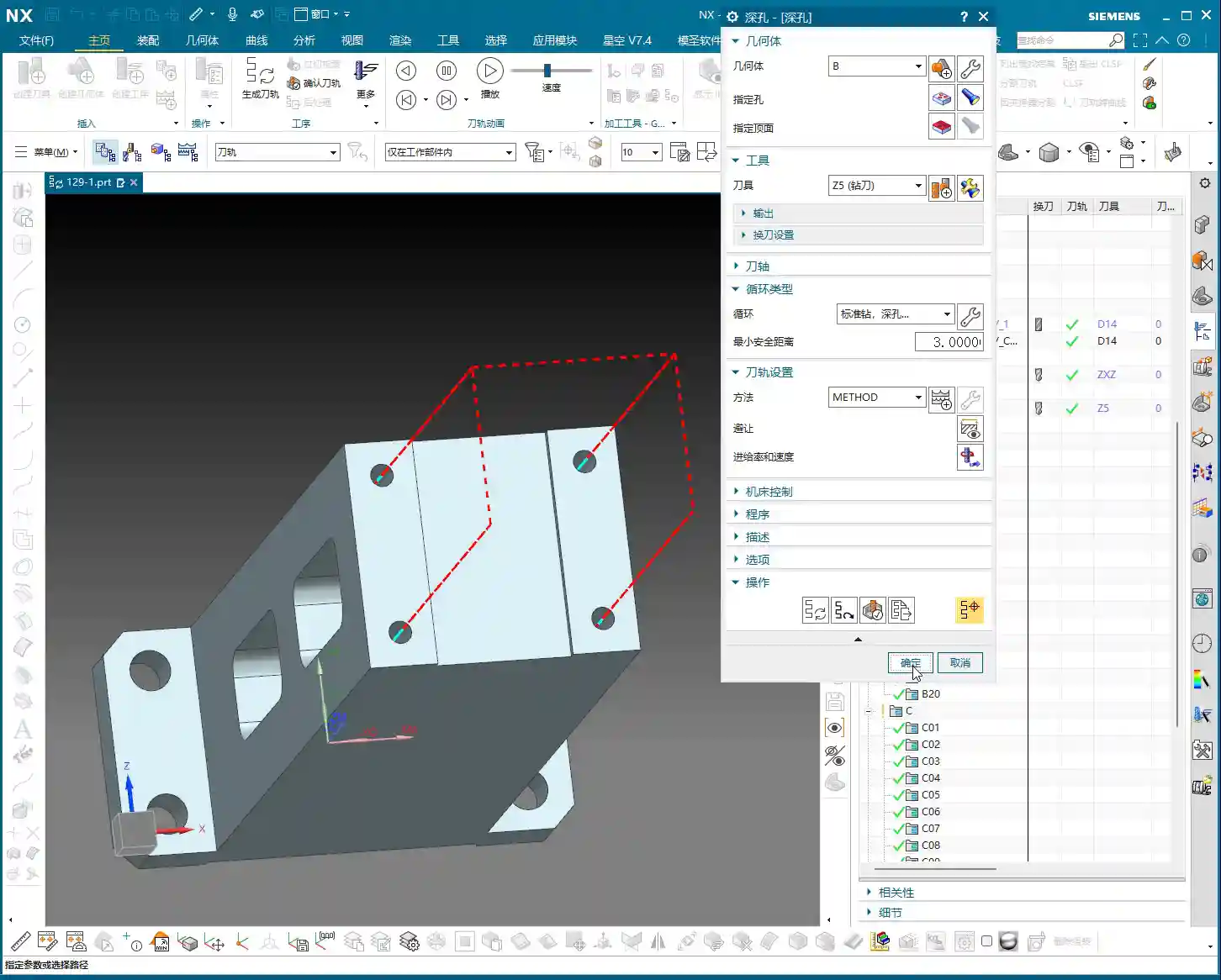
Deep Hole Drilling: For deep holes, you must use a deep hole drill and set up peck drilling or chip breaking cycles to prevent chip packing and tool burning. Don’t just rely on software simulation; observe the cutting sparks and chip condition – that’s the real feedback.
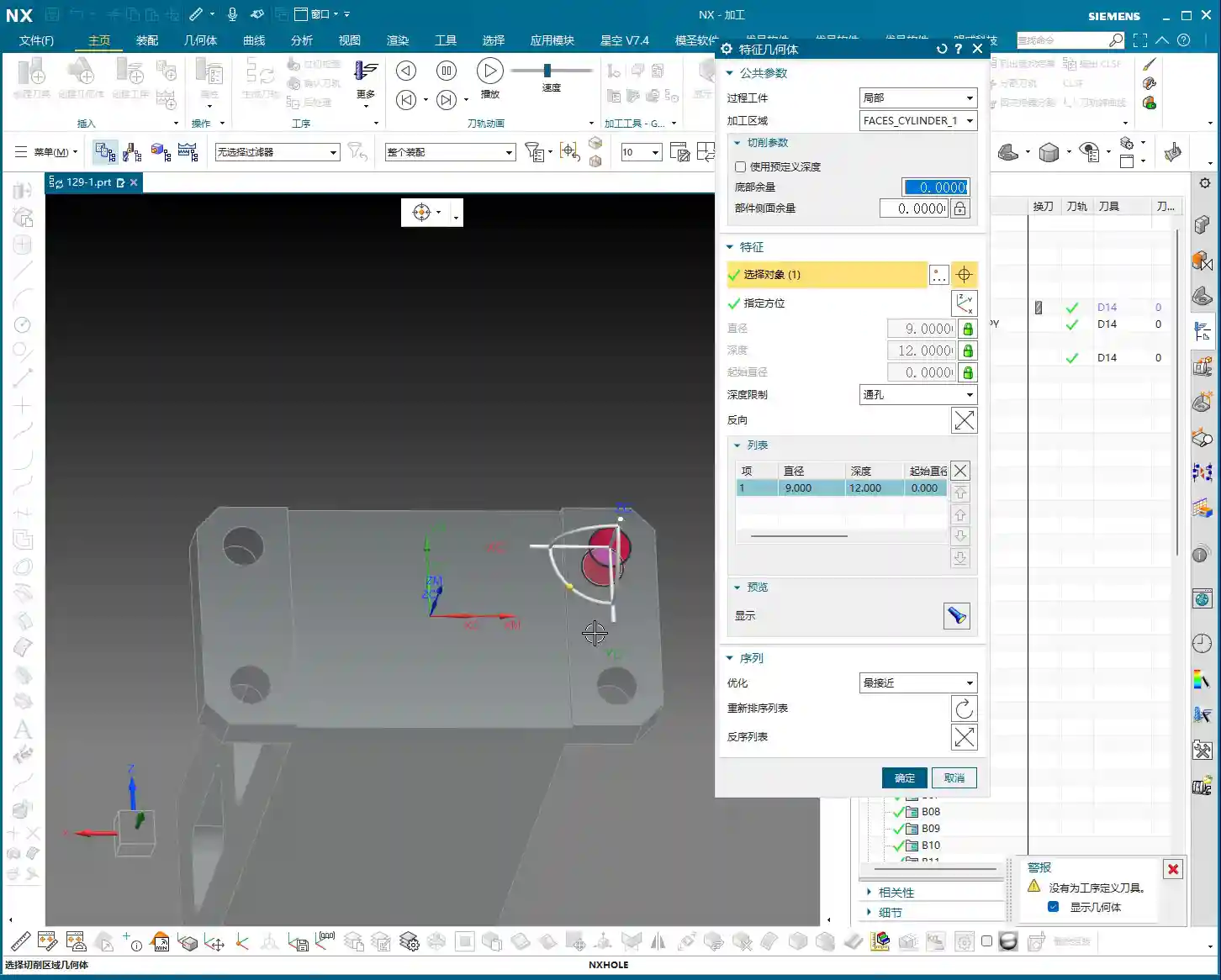
For our 5mm diameter hole, we’ll first spot drill for positioning, then use an appropriate drill bit to drill to full depth.
Pocket Finishing and Helical Milling
For pocket Finishing passes, helical milling is an excellent choice. It allows the tool to engage smoothly, avoiding impact, and is particularly well-suited for difficult-to-machine materials like titanium alloys and high-temperature nickel-based alloys. Helical entry allows for precise finishing of the side walls and bottom, step by step.
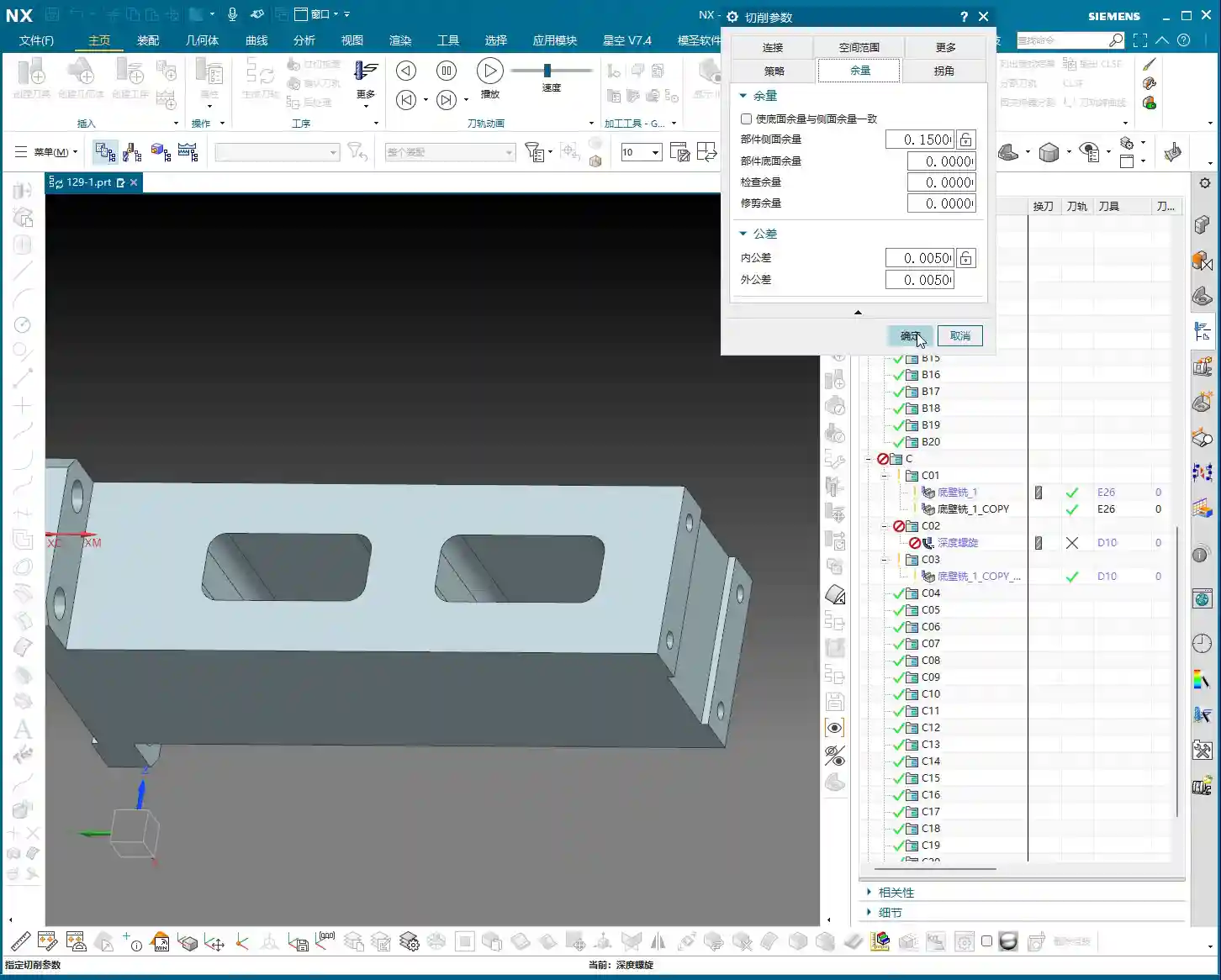
Master Wang’s Pro Tip: For Finishing passes, the tool overhang must be short, and rigidity must be excellent. Feed rates and spindle speeds need to be matched, and coolant flow must be ample; otherwise, you’ll easily generate chatter marks, compromising surface quality. For this pocket, we’ll set the bottom stock allowance to 0, leave a 0.05mm allowance on the side walls for the Finishing pass, then use a finishing end mill for a single finish cut to depth.
Step Five: Program Output and Post-Processing
Don’t assume everything is done once all the operations are programmed. The most critical step is converting the virtual toolpaths in Siemens NX into the language the machine tool understands – G-code. This requires a setup sheet and post-processing.
The Value of Setup Sheets and Post-Processing
A setup sheet is your operational manual, clearly detailing the tooling, parameters, Fixturing, and precautions for each step. It’s the machine operator’s “bible.”
Post-processing, now that’s a specialized skill. It translates Siemens NX’s internal data into G-code and M-code that specific machine tools (such as FANUC, SIEMENS, etc.) can recognize. For me, Master Wang, modifying post-processors is routine. The goal is to optimize code structure, reduce air cuts, enhance machining efficiency, and even correct some inherent machine tool errors through post-processing (at the ±0.005mm level).
Marketing Perspective: A clear, accurate, and efficient setup sheet and G-code not only guarantee product quality but also represent the strength of our manufacturing facility. In industrial SEO, this is the best calling card to showcase our “professional, precision, and high efficiency” to clients, helping your product keywords rank high on search engine home pages!
Toolpath Optimization: More Than Just Software
Software simulations might show beautiful toolpaths, but real-world machine performance is what truly matters. Too many air cuts? Uneven cutting loads? These issues require careful adjustment within Siemens NX, or optimization at the post-processor level. For instance, using Siemens NX’s “Optimize Toolpath” function can automatically plan the shortest path, reducing non-cutting movements – every second saved is money!
Summary: Pitfall Avoidance Guide
Alright, we’ve walked through this multi-operation part programming example from start to finish today. Finally, Master Wang has a few more reminders for you – these are practical experiences you won’t learn from books, so commit them to memory:
Fixturing is fundamental, datums are critical: For multi-operation machining, ensure you select the correct datum surface for each flip and Clamping setup; otherwise, dimensional errors are guaranteed.
WCS management must be rigorous: Clearly define A, B, and C Work Coordinate Systems (WCS) and ensure they correspond precisely in the program to prevent operator confusion.
Tool selection must be appropriate, and cutting parameters must match: Don’t try to use one tool for everything, and never input random parameters. Material, tool, and machine tool – these three must be properly matched.
Separate Roughing and Finishing, leave room for error: Leave sufficient stock for Roughing, then perform the Finishing pass. This is the ironclad rule for ensuring accuracy and surface finish.
Never be careless with post-processing and setup sheets: These are your bridge of communication with the machine tool and the operator. The code must be concise, and instructions detailed; otherwise, they are potential hazards.
Observe cutting sparks, listen to machine sounds: No matter how good the software simulation is, it cannot replace on-site experience. The color of cutting sparks, the shape of chips, and the sound of the machine’s load are all “signal lights” for judging the machining status.
Remember, programming isn’t “magic”; it’s a combination of science and accumulated experience. Practice more, think more, and summarize more, and you will truly become a master craftsman in machining!
“`
👤 About the Author: The author is a veteran CNC machining professional with 15 years of industry experience, specializing in UG NX programming. This article is an original work representing personal practical insights.
⚠️ Copyright Notice: Unauthorized reproduction or distribution without prior communication is strictly prohibited.
Siemens NX Programming Best Practices: Connection Ribs
Hello everyone, I’m Old Wang, Master Wang. I’ve been in the machining industry for…
[VIDEO_HERE]
Hello everyone, I’m Old Wang, Master Wang. I’ve been in the machining industry for fifteen years, from the shop floor covered in swarf to sitting in front of the Siemens NX interface – I’ve seen it all. Today, let’s skip the theory and talk about the hard-earned, practical machining skills you won’t find in textbooks. Specifically, we’ll discuss creating manufacturing connection ribs for complex parts and how to program tool paths effectively to ensure your parts are produced quickly and accurately, while avoiding critical deformation.
Don’t just stare at all the fancy commands in Siemens NX. Remember, software is merely a tool; the core lies in your understanding of the part, the material, and the machine. Listen up: do this job right, and it’s craftsmanship; mess it up, and you’re just making scrap!
Step One: Part Geometry Analysis – Know Your Part, Know Your Process
When you get a part, don’t rush into modeling and programming. First, look, and look carefully! That’s the first rule from us old masters. Only by understanding your part inside and out can you master the machining process.
Identifying Surfaces and Planar Faces: Avoiding Pitfalls
I always tell my apprentices: when you get a drawing or import a model, the first thing you do is use Siemens NX’s analysis tools to thoroughly understand the part’s geometric features. Don’t just glance at it; examine every single face clearly:
Which are planar faces? Planar face machining is simpler and more efficient, but you still need to pay attention to dimensional accuracy and surface roughness.
Which are curved surfaces? Especially freeform surfaces—this is where your Siemens NX expertise is truly tested. Curved surface machining involves complex tool paths and is prone to high cutting forces, so you need to pay extra attention to tool selection and feed strategies. Just now, when I analyzed that part, I found one area that wasn’t purely flat; it was a curved surface. That immediately raised a red flag. A standard flat-end mill definitely won’t work there; you’ll either need to finish it with a ball end mill or figure out another way to avoid it.
Only by understanding these thoroughly will you know where the machining challenges lie and where problems are likely to occur. It’s like going into battle: you need to know where the enemy’s strongpoints are, not just blindly charge in.
Considering Radii and Slopes: Key Factors for Tool Selection
Small radii and slopes are critical information that determines which tool you use and how you machine.
I just measured, and the part has many radii: R4, R2, and even R5.5. This tells us that we might use a larger tool for roughing, but for finishing side walls and Corner Cleanup, we’ll need to switch to smaller tools. For example, for an R4 fillet, you’ll need at least an R2 ball end mill or flat-end mill for Corner Cleanup; otherwise, you won’t clear the corner properly, and all your effort will be wasted.
Next, consider the slopes. Some faces look flat but actually have a slight incline – that’s a slope. If the slope changes significantly and you use a flat-end mill, obvious step marks will appear, resulting in poor surface quality. In such cases, you need to consider using a ball end mill or bull nose end mill, or even engaging 5-axis simultaneous machining, to ensure a smooth finish.
All of this can be identified using Siemens NX’s “Analysis Tools.” Don’t be lazy; a few extra clicks of the mouse now will save you a lot of hassle compared to re-working a part after machine issues arise. That’s real money down the drain!
Some parts are thin, weak, and complex, especially thin-walled components for aerospace applications, which are highly susceptible to deformation and chatter during machining. This is where manufacturing connection ribs come in extremely handy. They are not part of the final component but serve as temporary support during the machining process, and are cut off once machining is complete.
“Enveloping Body” and Stock Allowance Setting: Ample Material, Sufficient Clearance
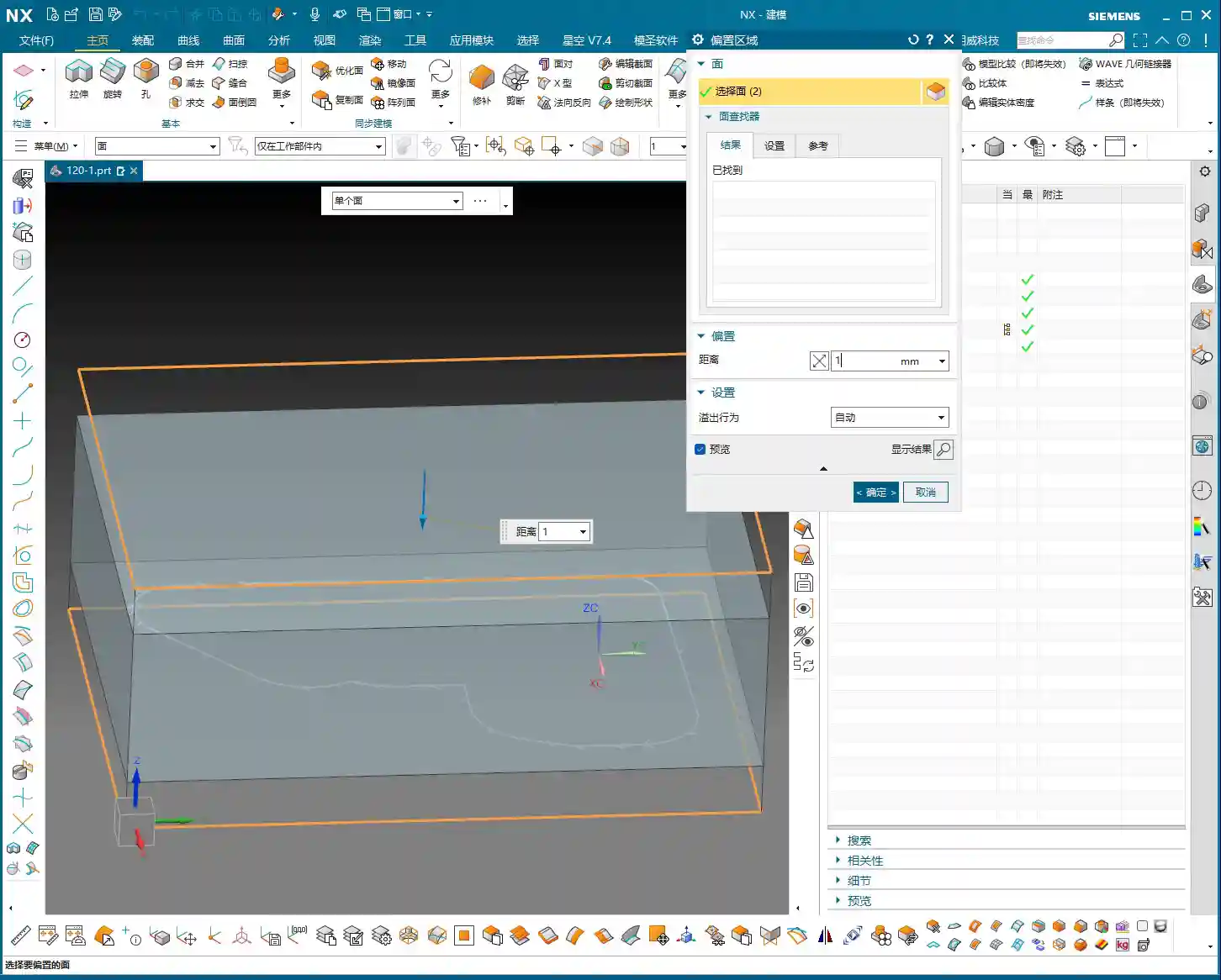
First, in Siemens NX, we need to create an “enveloping body” for the part, which is essentially our raw material blank or machining boundary. This enveloping body must not only enclose the part itself but also provide sufficient space for our connection ribs. I typically offset additional allowance (extra material) on all sides (top, bottom, left, right) of the enveloping body. For instance, I might start with 20mm and then adjust it to 15mm or even 14mm based on actual requirements. This allowance is crucial; it directly impacts the thickness of your connection ribs and the clearance needed when you eventually cut them off. You can’t make the ribs too thin, or they won’t provide adequate support, nor too thick, as that makes cutting them off a hassle.
Furthermore, if you want to leave some allowance when machining the connection ribs, for example, using a Ø25 tool for cutting them off, then our enveloping body at the connection rib locations must extend an additional 12.5mm (tool radius) outwards. This ensures there’s enough material to cut.
Extruding and Adjusting Critical Faces: Meticulous Geometric Refinement
Building connection ribs isn’t just about drawing a few lines. We need to precisely extrude and adjust the relevant faces of the part to provide a stable “foundation” for the connection ribs. For instance, I just noticed some faces were excessive or had small corners. To ensure the connection ribs connect and support better, I need to use the “Extrude” command to extrude these faces outwards by -1mm, or use “Replace Face” to replace irregular areas, thereby ensuring the integrity and smoothness of the geometric structure. This process is like sculpting, meticulously refining bit by bit. There can be no burrs or breaks, otherwise, the resulting connection ribs will be like a shoddy construction.
Sketching and Extruding Connection Ribs: The “Lifeline” for Stable Machining
Next comes the main event: drawing the connection ribs. This requires a strategic approach:
Placement: Connection ribs should be positioned at the part’s weakest points, where deformation is most likely, and at load-bearing areas. Generally, this means along the edges and thin-walled regions of the part.
Quantity and Density: Determine this based on the part’s rigidity and the magnitude of machining forces. Too few ribs won’t provide enough support; too many will increase subsequent cutting time and cost. You need to find a balance.
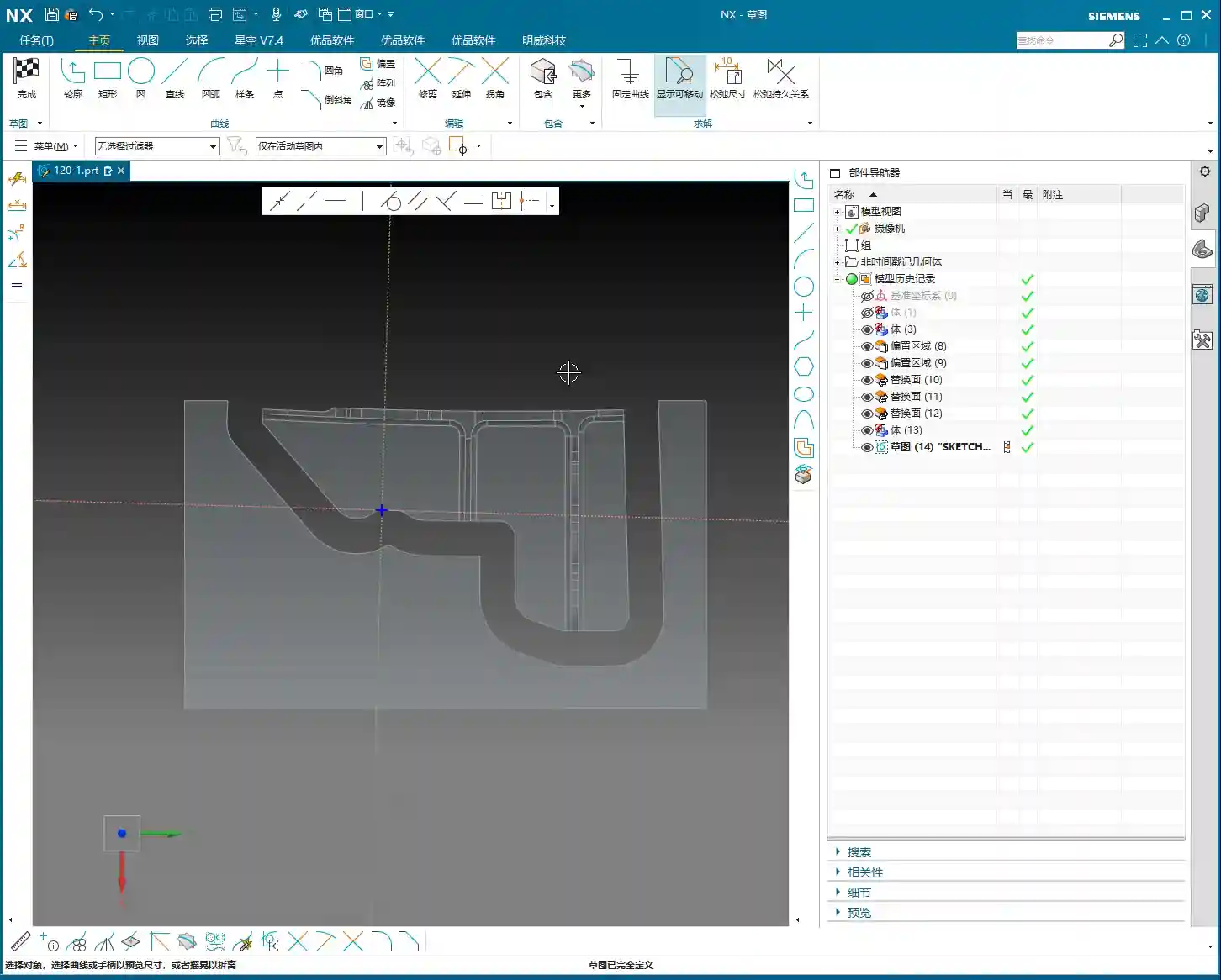
Sketching: Draw the connection rib sketches on the relevant faces of the part. Lines, arcs, or splines are all acceptable, but they should be as simple as possible to facilitate subsequent machining and cutting off. Just now, I sketched a few auxiliary lines and then used the “Extrude” command directly to extrude these sketches into solid bodies. I usually set the thickness to 5mm initially, which can be adjusted later.
These connection ribs are the “lifeline” for the part during machining on the machine tool. They determine whether your part is machined stably and successfully, or ends up as scrap mid-process.
“Replace Face” for Uniform Height: Ensuring Support Stability
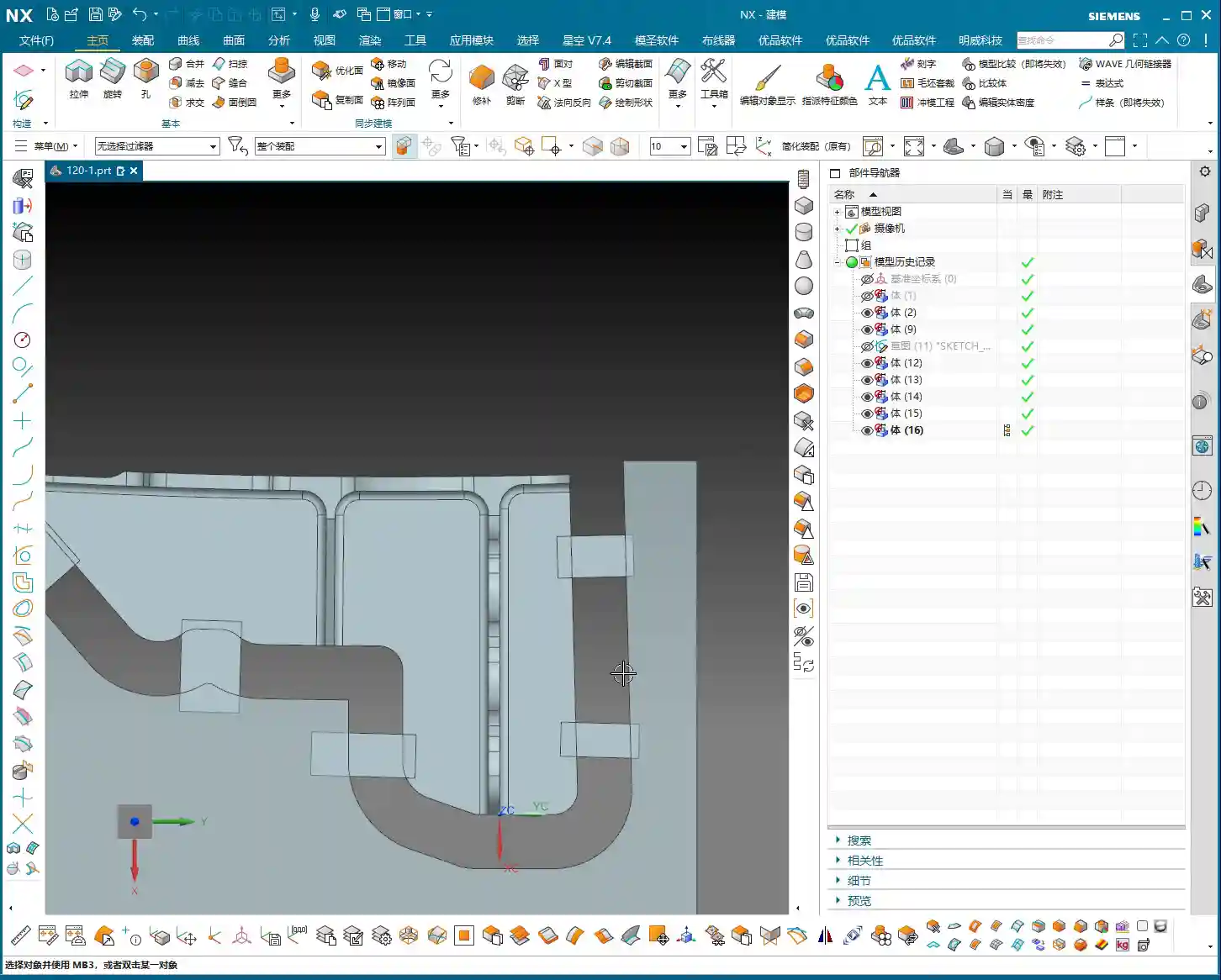
This is a highly practical “pitfall avoidance” technique! Because various faces on the main part might have different heights, if you simply extrude the connection ribs, they might not end up on the same plane, leading to unstable support or even gaps. I just noticed that many connection ribs had varying heights. In such cases, you need to use the “Replace Face” command to uniformly replace the top faces of all connection ribs to a single reference plane on the part (e.g., the highest point or a datum plane). This ensures that the tops of all connection ribs are at the same height, guaranteeing overall support stability and facilitating subsequent clamping with straps, thereby reducing chatter. Don’t underestimate this step; it’s critical for ensuring your part remains absolutely stable during machining!
Step Three: Tool Selection and Tool Path Optimization – The Art of Balancing Efficiency and Precision
Once the connection ribs are built and the raw material blank is defined, it’s time for programming. This is my forte, and with Siemens NX, it’s all about “finesse.”
Deriving Tools from Radii: The Right Tool for Maximum Effectiveness
Selecting the wrong tool is simply burning money. The radii we just analyzed now come into play. Determine the tool type and size based on the smallest radius and machining requirements.
For example, for side wall Corner Cleanup with a minimum radius of R2, you’ll need at least a Ø4 flat-end mill or an R2 ball nose end mill. I just decided to use a Ø10 or Ø12 flat-end mill to machine the side walls.
For the final cutting off of connection ribs, to ensure efficiency and surface quality, a slightly larger tool is typically used. I selected a Ø24 or Ø25 flat-end mill, leaving 12mm or 12.5mm of cutting allowance. The principle for tool selection is: while meeting dimensional and surface finish requirements, opt for the largest possible tool to reduce tool deflection and increase machining efficiency.
Don’t just rely on software recommendations; you must make comprehensive judgments based on your machine rigidity, material hardness, and tool material. Otherwise, you’ll break tools and scrap parts, and it’ll be too late for regrets.
Optimizing Cutting Layers and “Air Cuts”: Ensuring Every Cut is Productive
This is paramount for efficiency! Tool paths automatically generated by Siemens NX often contain numerous redundant cutting layers and air cuts.
Managing Cutting Layers: I just did this – deleted all the default cutting layers generated by the system, keeping only the most effective ones, or manually adjusting them based on actual conditions. Don’t foolishly let the software calculate every single layer; many are just idle moves, wasting time, wearing out the spindle, and increasing program size. Only keeping layers with actual material removal is the optimal approach.
Reducing Air Cuts: When the tool moves in the air without cutting, that’s an “air cut.” More air cuts mean longer machining times. In Siemens NX, you can minimize air cuts by adjusting parameters such as lead-in/lead-out, connection methods, and non-cutting move strategies. Especially for complex surfaces and cavity machining, optimizing air cuts can save a significant amount of time. The version of Siemens NX I’m currently using, with high-efficiency tool paths like Adaptive Milling, can greatly reduce air cuts and ensure more stable cutting.
Remember, time is money, especially in mass production. Every minute saved directly contributes to increased profit. This is a key “selling point” we can emphasize when promoting industrial products online: high-efficiency, low-cost precision machining – that’s what customers love to hear!
Siemens NX Programming Best Practices: The Clever Use of Post Processors and Macros
Siemens NX programming isn’t just about clicking a mouse. Advanced users also need to be proficient with Post Processors and Macros.
Post Processor Modification: Your machine tool might have specific commands or cycles. In such cases, you’ll need to modify the Post Processor so that the G-code generated by Siemens NX can perfectly adapt to your machine. This requires some understanding of machine parameters and control system codes like Fanuc and Siemens. Don’t be intimidated; master this, and your Siemens NX programs will run flawlessly on any machine. I even fine-tune Post Processors based on different machine characteristics to output more efficient G-code, reducing unnecessary tool changes or retract moves.
Utilizing Macros: For highly repetitive operations, such as standard drilling cycles or engraving, you can write macros to complete them with a single click, significantly boosting efficiency. It’s like installing an “accelerator” for Siemens NX, turning your experience into reusable code.
When you master all of these, you won’t just be a Siemens NX operator; you’ll be a true Siemens NX expert, an “old master” of the industrial world. The reason our high-precision parts are promoted so successfully online, with keywords (such as “high-precision 5-axis machining” or “custom complex structural components“) consistently ranking on the front page, is precisely due to this solid process foundation and efficient programming capability, which ensures product quality and on-time delivery. Customers look for tangible benefits, not flashy advertising.
Summary: Pitfall Avoidance Guide
Alright, everything I’ve discussed today has been learned through hard-won lessons. Finally, let me summarize a few key points for you. Remember, these are Master Wang’s Ironclad Rules for avoiding pitfalls:
Never skip geometric analysis! Especially for curved surfaces, radii, and slopes – these are the soul of tool selection and tool path strategy. Don’t rush into it; first, think the job through carefully in your head.
Connection ribs are not to be sketched haphazardly! You must ensure their structural rigidity, proper placement, and uniform height (frequently use “Replace Face”). Otherwise, if chatter or deformation occurs during machining, your part will be scrapped.
Tool selection should be “clever,” not just “expensive”! Size, type, and material must be determined based on part characteristics and machine performance. Choose the wrong tool, and you’ll either break the tool or chip its cutting edge.
Tool path optimization saves money! Especially with cutting layers and air cuts – reduce them whenever possible. Don’t let your machine run idle; that’s literally burning your money.
Don’t just rely on software simulation; observe the cutting sparks! No matter how perfect the software simulation, it cannot replace the experience of actual machine operation. Cutting sounds, spark color, and chip evacuation conditions can all tell you if there’s a problem with the machining process.
Pay close attention to clamping and heat treatment! Even the best programming is useless without secure clamping and appropriate post-processing (e.g., heat treatment to prevent deformation). Every link in the entire machining chain must be robust.
Alright, that’s it for today’s lesson. Practice more, think more, and summarize more, and you too can become the “Master Wang” of your shop floor!
👤 About the Author: The author is a veteran CNC machining professional with 15 years of industry experience, specializing in UG NX programming. This article is an original work representing personal practical insights.
⚠️ Copyright Notice: Unauthorized reproduction or distribution without prior communication is strictly prohibited.