📝 Key Takeaways: ** Master Wang reveals the secrets of planar milling cutting parameters in NX. An in-depth practical analysis of cutting direction, order, stock, and corner smoothing applications, teaching you how to optimize tool paths, avoid machining blind spots, reduce tool jumps, and boost machining efficiency. Master these techniques to streamline your machining processes! **
Hello everyone, I’m Master Wang. Today, we’re continuing our discussion on machining within NX, focusing on planar milling cutting parameters. Listen up! Many of the parameters for planar milling are practically identical to what we covered with DBX (Face Milling). So, for those points we’ve discussed repeatedly, I won’t waste any more breath. Let’s get straight to the point and clearly lay out those practical tips that you won’t find in textbooks.
I. Cutting Strategy: The Soul of Tool Path Planning
Strategy dictates how your tool moves across the workpiece. Execute it well, and you get high efficiency and long tool life; mess it up, and you risk minor tool crashes or, worse, scrapped parts. So, pay close attention!
1. Cutting Direction: The Ins and Outs of Climb vs. Conventional Milling
There’s not much to say here; you have two choices: climb milling and conventional milling. We’ve covered this extensively with DBX, and it’s the same for planar milling.
- Climb Milling: The tool’s rotation direction is the same as the feed direction. Cutting starts from the maximum chip thickness and gradually decreases, resulting in a stable cutting process, good chip evacuation, even tool loading, high surface quality, and extended tool life. Typically, we always choose climb milling.
- Conventional Milling: The tool’s rotation direction is opposite to the feed direction. Cutting starts from zero chip thickness and gradually increases, leading to large fluctuations in cutting force, proneness to chatter, difficult chip evacuation, and poor surface quality. Only in special circumstances, such as uneven hardness on cast surfaces or excessive backlash in the machine tool, would conventional milling be considered.
2. Cutting Order: The Choice Between Depth Priority and Layer Priority
Here we have two new concepts: Depth Priority and Layer Priority. Don’t let similar names fool you; their execution is completely different and directly impacts your machining efficiency and surface quality. This option’s influence becomes particularly significant when machining multiple areas and depths.
- Depth Priority: This area is prone to heavy cutting loads, so listen up!
This means the tool will complete all machining depths for the currently selected area before moving to the next area and repeating the process. In layman’s terms, it’s like “plowing this entire acre clean, from deep to shallow, before moving on to the next acre.”
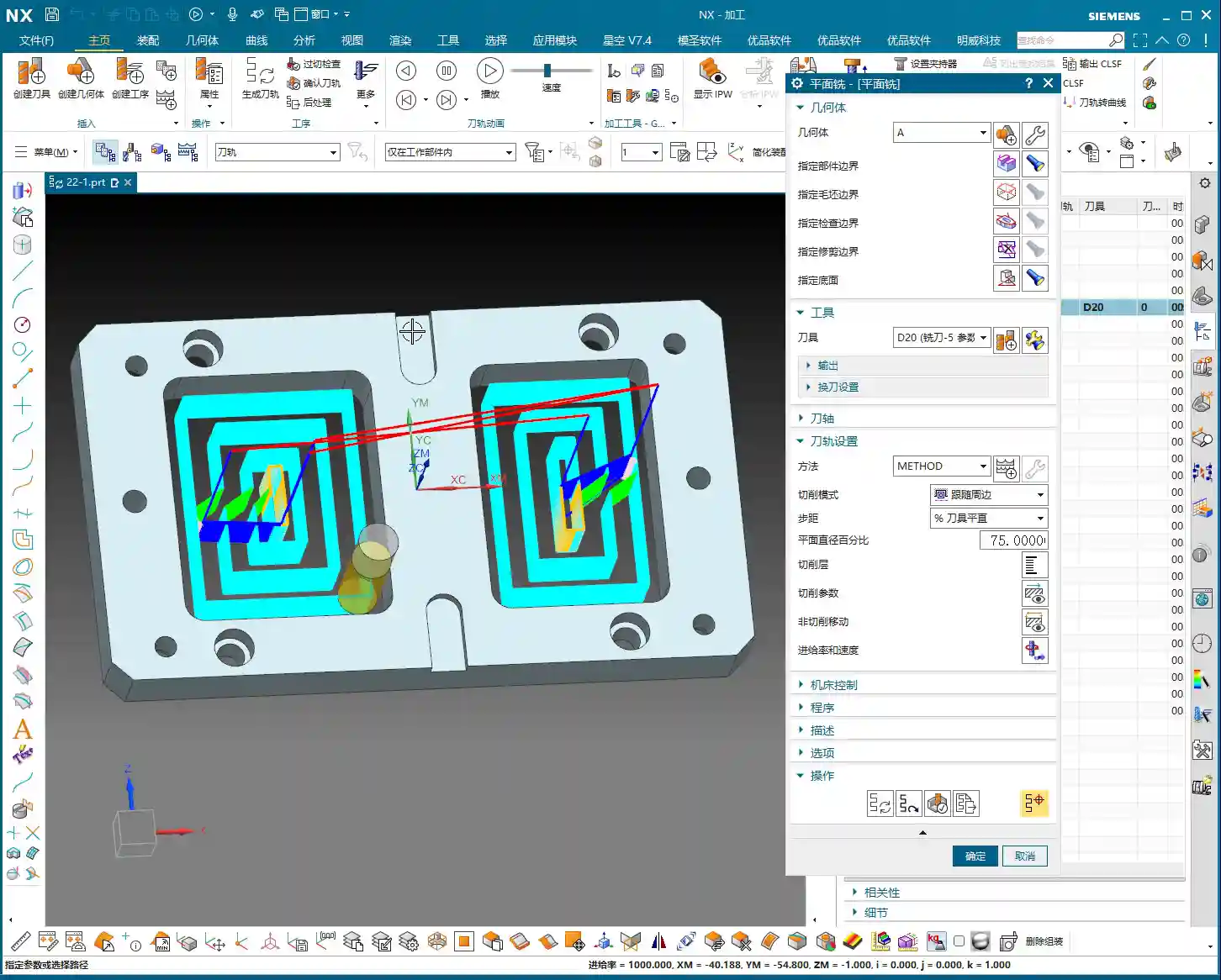
Practical Experience: This approach, when machining structurally independent areas, can reduce frequent depth feed movements and tool lifts, resulting in more concentrated tool paths and sometimes higher efficiency. Especially for mold cavities, completing all depths of one cavity before moving to the next can minimize idle travel. However, if areas are far apart, frequent tool lifts (Z-axis retraction) and cross-area movements might increase non-cutting time.
- Layer Priority:
This is the opposite of Depth Priority. The tool will complete a specific depth of cut across all selected areas before stepping down to the next depth and repeating the machining for all areas. In other words, “first, lightly plow all the fields once, then deeply plow all the fields once.”
Practical Experience: The advantage of Layer Priority is that it ensures relatively uniform cutting forces across the entire workpiece, leading to less deformation. Especially when machining thin-walled parts or easily deformable materials, this method effectively controls stress concentration and prevents part distortion. The drawback is that the tool frequently moves between different areas, potentially increasing idle travel paths.
Master Wang’s Recommendation: Generally, I prefer to use Depth Priority. It allows the tool to continuously cut within a localized area, reducing wear from frequent axial movements of the machine, and makes it easier to observe the machining status of the current region. However, the specific choice should be flexible, based on workpiece geometry, material properties, and machine tool performance. Don’t just rely on software simulations; observe the cutting sparks and listen to the cutting sound—that’s where the real skill lies!

3. Tool Path Direction: Inward vs. Outward
This parameter determines the starting and ending direction of the tool’s cut. The “Inward” and “Outward” options are only available when using the “Follow Boundary” cutting pattern.
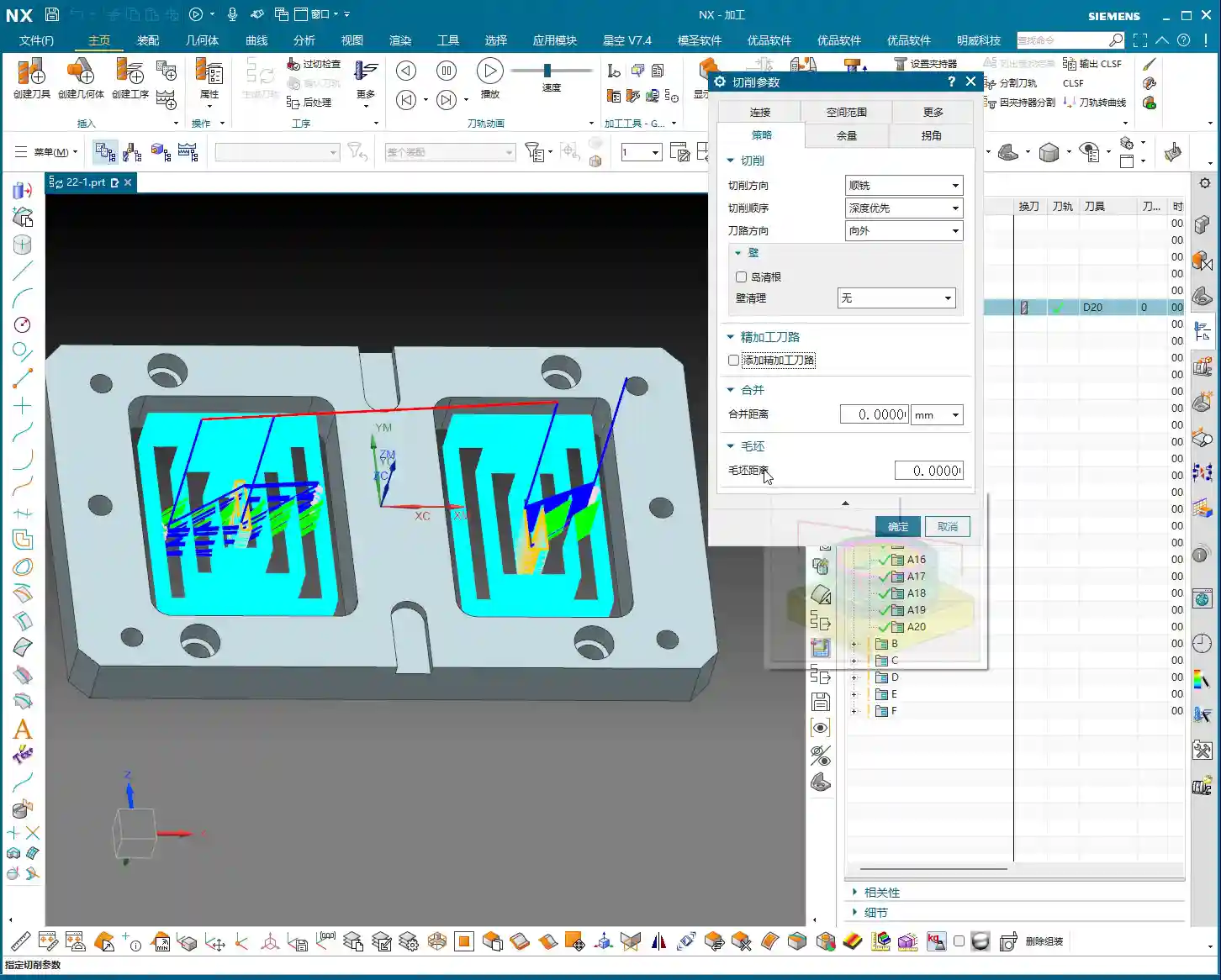
- Outward: The tool starts cutting from the interior of the machining area and gradually moves towards the exterior.
Practical Experience: Outward machining effectively evacuates chips from the center of the machining area, preventing chip accumulation that could lead to recutting or clogging. Especially in deep cavity machining, it ensures better chip evacuation and surface quality. It’s usually the preferred choice.
- Inward: The tool starts cutting from the exterior of the machining area and gradually moves towards the interior.
Practical Experience: This is suitable for scenarios where high precision is required for external contours, or when the external contour needs to be machined first before clearing internal residual material. However, pay attention to chip evacuation, especially in enclosed areas.
- Follow Boundary vs. Follow Part:
When you select Follow Boundary, you will have the “Outward” or “Inward” options. If you choose Follow Part, this option disappears. This is because “Follow Part” typically generates tool paths based on the model’s own topological structure, and the directionality is automatically optimized by the software. Remember, when the pattern changes, the parameters will also change, so keep that in mind!
4. Other Strategies: Inheriting DBX’s Core Principles
- Early Corner Cleanup: We’ve covered this in DBX; it’s for clearing residual material in corners beforehand to prevent the next tool from air cutting or overcutting.
- Add Cutting Tool Path: Again, this was also detailed in DBX; it’s used to control how the tool enters and exits the cutting area, ensuring a smooth transition.
- Merge and Merge Distance: This concept is identical to “Merge Distance” in DBX, except in planar milling, it’s located under “Strategy,” whereas in DBX, it might be under “Containment.” Any parameter named “Merge Distance” refers to consolidating scattered tool paths within a set distance to reduce tool lifts and idle travel, thereby improving efficiency. For example, setting a Merge Distance of 0.5mm (approx. 0.02 inch) means short tool paths within a 0.5mm range might be merged.
- Blank Distance: If you haven’t specified a blank boundary at the beginning, this parameter typically won’t be used.
II. Stock Control: The Balancing Act Between Precision and Efficiency
Stock refers to the material you leave behind for subsequent finishing passes. If this isn’t set correctly, either there’s no material left for finishing, or the cutting amount is excessive. This is critical for the final part’s accuracy, so don’t be sloppy!

1. Side Wall Stock and Bottom Face Stock
- Side Wall Stock: As the name implies, this is the stock left on the side walls when the tool is cutting. For example, you might leave 0.2mm (approx. 0.008 inch) during roughing, and then perform a finishing pass.
- Bottom Face Stock: This is the stock left on the bottom face. Similarly, leave 0.2mm (approx. 0.008 inch) during roughing, and then use an end mill or ball nose end mill for the finishing pass.
These two stock values are the most commonly used and intuitive. The specific values should be determined based on the material, tool, machine accuracy, and final surface requirements. Experience tells me: Always leave sufficient stock, never too little. If you leave too little during roughing, finishing will be a headache.
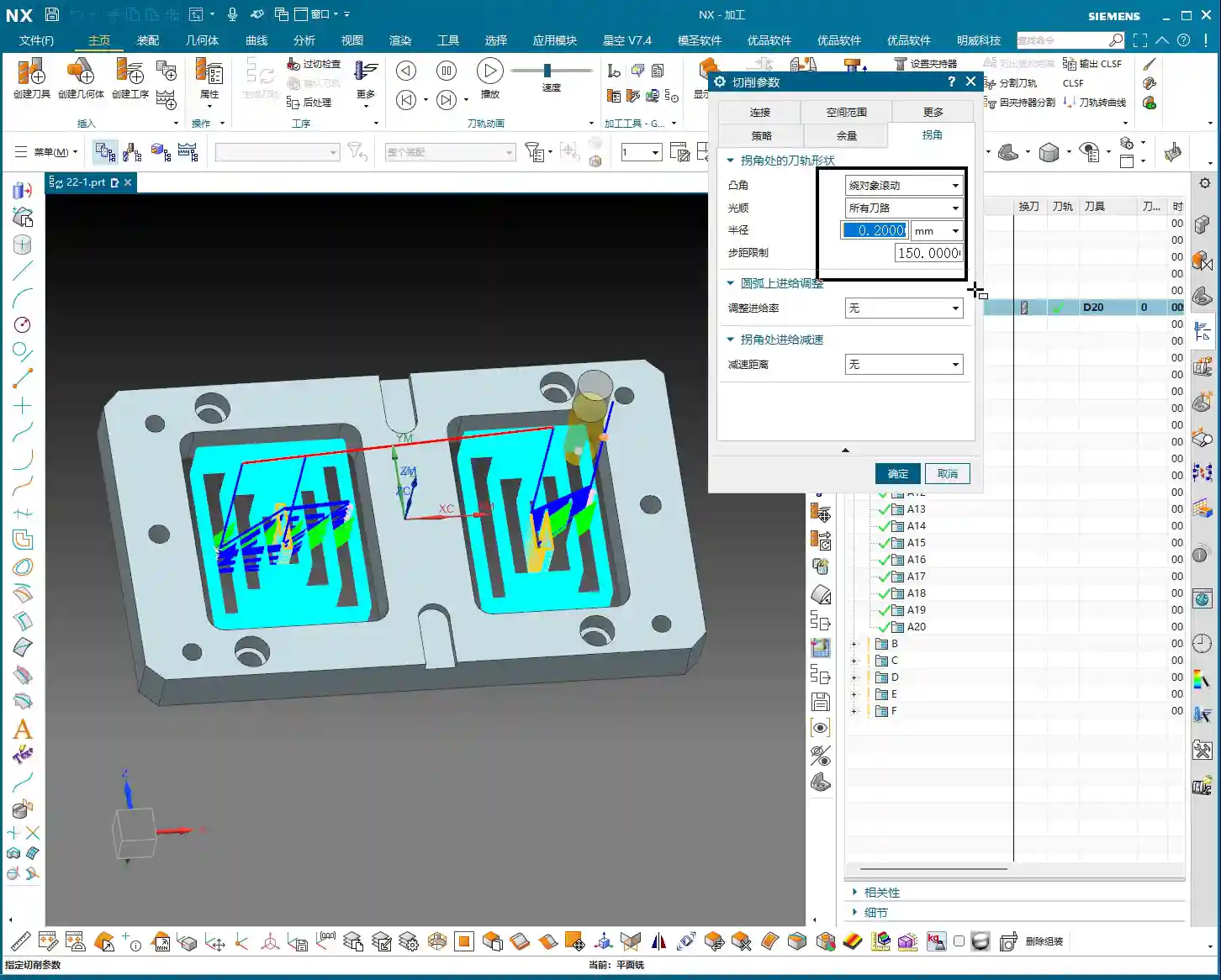
2. Other Stock Parameters and Tolerance
- Check Stock: Similar to DBX, this specifies the clearance stock to avoid.
- Trim Stock: Likewise, this is also found in DBX and is used to control tool path trimming.
- Tolerance: Typically set to 0.05mm (approx. 0.002 inch) or smaller. It determines the precision of the tool path calculation. A smaller tolerance results in a finer tool path but longer calculation times and larger programs. Tolerance can be relaxed for roughing, but must be stringent for finishing.
III. Corner Treatment: Details Determine Success
Corners are areas where tools are most prone to wear and workpieces are most likely to encounter issues. Poor handling can lead to rough surfaces at best, or tool chipping and even scrapped parts at worst. Therefore, corner smoothing is an essential skill.

1. Corner Smoothing: Protecting Tools, Improving Surfaces
This function is incredibly important! Corner Smoothing involves inserting a small radius or smooth transition when the tool enters or exits sharp corner regions. This prevents the tool from directly cutting into angles of 90 degrees or less, thereby reducing cutting impact.
- Parameter Settings: You can specify an absolute value (e.g., 0.2mm) (approx. 0.008 inch), or a percentage (e.g., 10% of tool diameter).
Practical Experience: Don’t underestimate this small radius; it can significantly extend tool life, reduce machine impact and chatter, improve surface quality in corners, and prevent excessively deep cutting lines. Especially when machining hard materials, this setting can be a lifesaver. If there’s residual material in a corner but you don’t want the tool to hit it hard, adding a small radius transition will make the cutting much smoother.
2. Other Corner Parameters
- Adjust on Arc: This was also mentioned in DBX and is used to adjust tool paths in arc regions.
- Corner Count Reduction: This is another DBX concept, used to optimize tool jumps and paths across multiple corners.
These parameters are all the same as those in DBX. If you’ve forgotten what they mean, go back and review the DBX lesson; it explains them in more detail, as the fundamental principles are interconnected.
IV. More Options and Containment: Advanced Settings Pointers
In NX, the “More” section often conceals less frequently used, but critical, settings that can save you in a pinch.
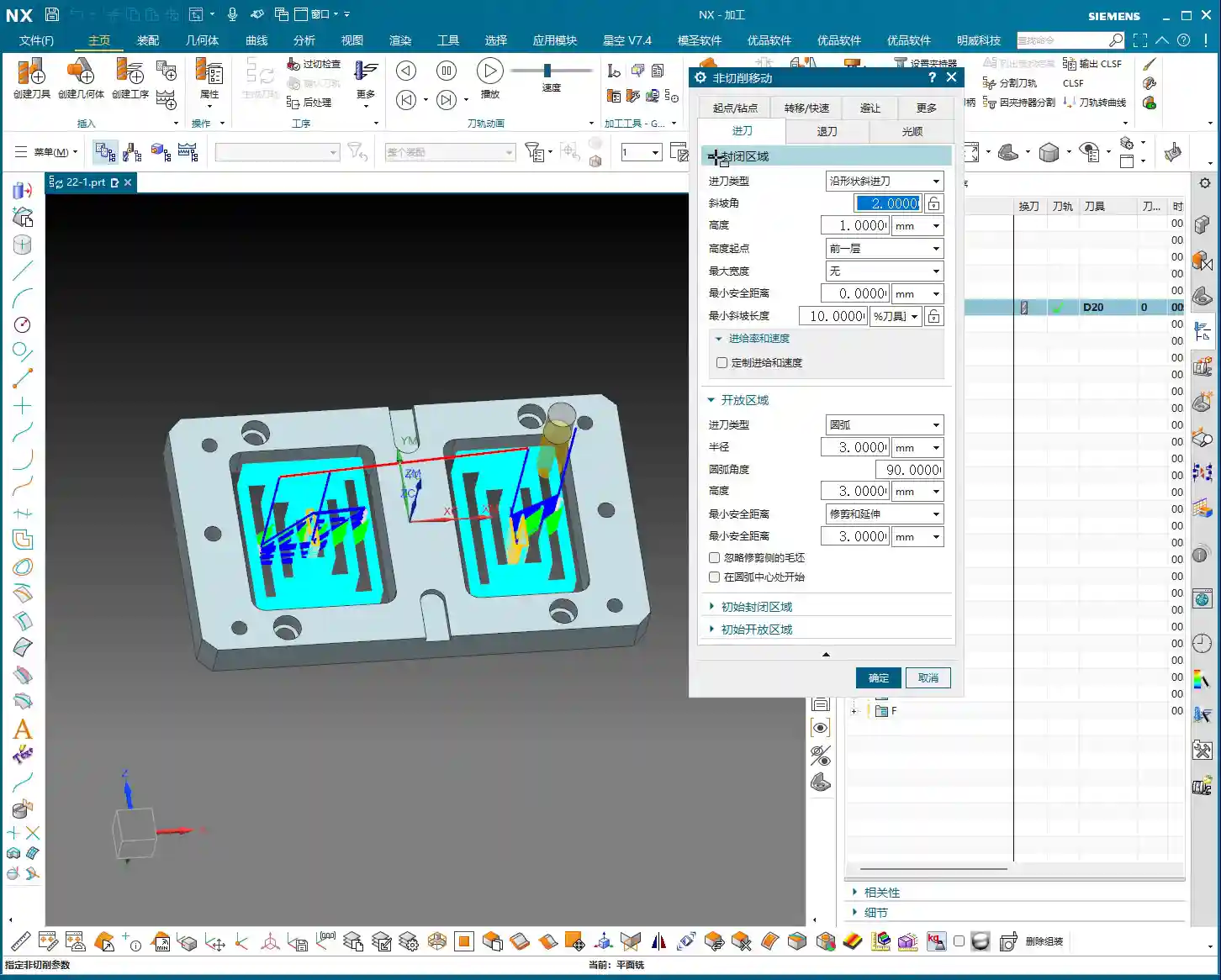

1. More Options: Safety First, Efficiency is King
The “More” section typically includes:
- Safety Distance: The minimum distance the tool maintains from the workpiece during non-cutting moves, to avoid collisions.
- Tool Holder: Defines the geometry of the tool holder, used for interference checking.
- Shank: Defines the geometry of the tool shank, also used for interference checking.
- Tool Library: Used for managing and recalling tool data.
- Cut Below: Controls whether the tool is allowed to cut into areas below a specified plane.
We’ve discussed these parameters in detail in DBX, and their concepts are universally applicable. Proper settings ensure machining safety and prevent interference. If you have questions about these, check your DBX notes; you’re sure to find the answers there.
2. Containment
Containment for planar milling is relatively straightforward, not as complex as in DBX or the upcoming planar profile milling. Here, options like “Reference Tool” are typically used. In planar milling, we use it less because the machining area is primarily defined by boundaries. When we get to “Planar Profile Milling,” the application of “Containment” will be richer, and we’ll discuss it in detail then.
V. Connections: The Bridge Between Tool Paths
The “Connections” parameters control how the tool moves between different cutting regions, or between different tool path segments within the same region. Generally, NX’s default settings work quite well.
This section is relatively universal, and the software typically optimizes it automatically. We only manually adjust connection parameters in special circumstances, such as needing strict control over lift height, feed rate, or having specific avoidance requirements. For everyday planar milling, you generally won’t need to touch it.
Summary: Pitfall Avoidance Guide
- Parameter Reusability: Listen up! Most cutting parameters for planar milling, especially core functions like strategy, stock, and corners, are highly similar or even identical to DBX (Face Milling). Master one, and you can apply the principles to others, saving you a lot of trouble. So, if you’re unsure about something, first recall how it was explained in DBX.
- Depth vs. Layer Priority: Remember, Depth Priority tends to complete all depths in a single area before moving to another, suitable for isolated cavities; Layer Priority tends to complete the current depth across all areas before stepping down, suitable for thin-walled parts to prevent deformation. Incorrect selection will directly impact machining efficiency and part accuracy.
- The Value of Corner Smoothing: Don’t be stingy with that small radius! Corner Smoothing significantly reduces tool impact, extends tool life, and improves surface quality in corners. This is a highly practical technique in real-world machining.
- NX Display Issues: Sometimes, the NX model display can act up, with parts suddenly disappearing or appearing cut. Don’t panic! Double-click the left mouse button on the screen, or press Ctrl+F, to quickly restore the normal display. This is a common little trick in NX programming.
- Boundary Selection is Fundamental: The core of planar milling lies in your chosen boundaries and planes. As long as these boundaries and planes are selected correctly and understood thoroughly, subsequent parameter settings will be much simpler. This is the first and most critical step.
- Layout Iron Rule, Formatting Cleanup: Finally, though unrelated to machining, since I’m your master, I must teach you some “hardcore” stuff. From now on, all our technical documents must use HTML format, with titles, colors, and highlights exactly as I’ve instructed. Get these right, and your technical sharing will be more professional and impactful! This is a crucial step to make your products stand out in industrial product online promotion (SEO)!
👤 About the Author:
The author is a veteran CNC machining professional with 15 years of industry experience, specializing in UG NX programming. This article is an original work representing personal practical insights.
⚠️ Copyright Notice: Unauthorized reproduction or distribution without prior communication is strictly prohibited.
Leave a Reply