📝 Key Takeaways:
Siemens NX Side Milling Expert Tutorial
Sid…
Side Milling: An Efficiency Powerhouse in Practice
What is Side Milling? Stop Calling It “Corner Cleanup”!
Alright folks, listen up! Today we’re continuing from our last discussion on planar milling and profile milling, but what we’re covering this time isn’t just a simple “Corner Cleanup” operation. I’ve noticed some of the younger generation confusing these, and that simply won’t do! What we’re talking about today is the real deal: “Side Milling”.
“Corner Cleanup” is just that—it’s for removing residual material from corners. “Side Milling,” on the other hand, is more like an efficient Roughing or semi-finishing method, especially suited for clearing large areas of excess material on the outer or inner sides of a part. Its core idea is to utilize the tool’s side cutting edge for machining, gradually stepping into the workpiece, much like dynamic milling (or trochoidal milling) on a CNC machine. It doesn’t plunge and take the entire Depth of Cut at once; instead, it works in layers or steps, advancing laterally. This method is highly efficient and ensures uniform tool loading.
Boundary and Stock Material Handling: Using a 5mm Roughing Allowance as an Example
Let’s say we’re starting with stock material cut from the outside, for instance, a part profile cut by a laser cutting machine. While laser cutting offers high precision, for subsequent Finishing, we typically leave a 3 to 5 mm allowance on each side. This time, I’ll use a 5 mm single-side allowance as an example to thoroughly explain how to efficiently remove it using side milling.
When facing this type of external stock material, you could certainly use planar profile milling, as we discussed before, cutting layer by layer from the top down, engaging with the tool’s end face. However, that method is less efficient and often leads to uneven tool wear. The better approach is to use side milling; it allows you to remove this stock with fewer toolpaths and a much more stable cutting posture.

In-Depth Analysis of Siemens NX Side Milling Parameters
Geometry Selection and Machining Region Definition
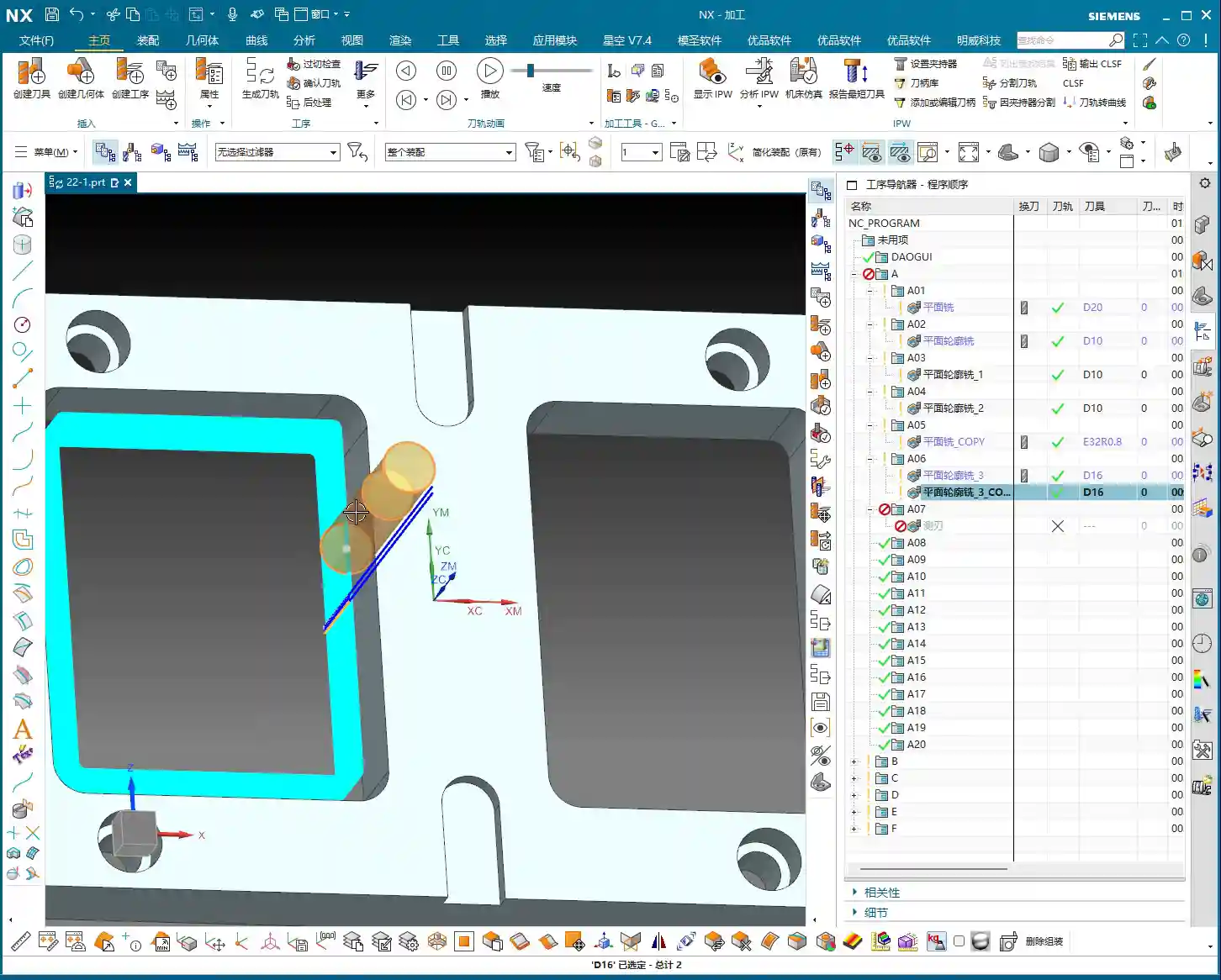
First, access the “Side Milling” command in Siemens NX. This command’s interface is quite similar to planar milling, so don’t panic. The first step is to select the geometry you intend to machine.
* Specify Boundary: Click “Select Curves” and choose all the profile boundaries you want to machine. Pay attention here: if the default “Tangent Connectivity” doesn’t work, then simply use Single Selection and click each individual line segment. The system will automatically “project” these boundary lines onto your specified plane, using them as the machining path.
* Machining Region: After selecting the boundaries, the system will ask if you want to machine the inside or the outside. Since we’re clearing external stock, we’ll choose Outside.
* Specify Plane: The start plane is usually the top face of the workpiece, and the bottom plane is the depth you intend to machine to.
Core Algorithm for Toolpath Stepover and Additional Passes
Next are the most critical parameters for “Side Milling,” these are practical tips not often found in textbooks, so listen up:

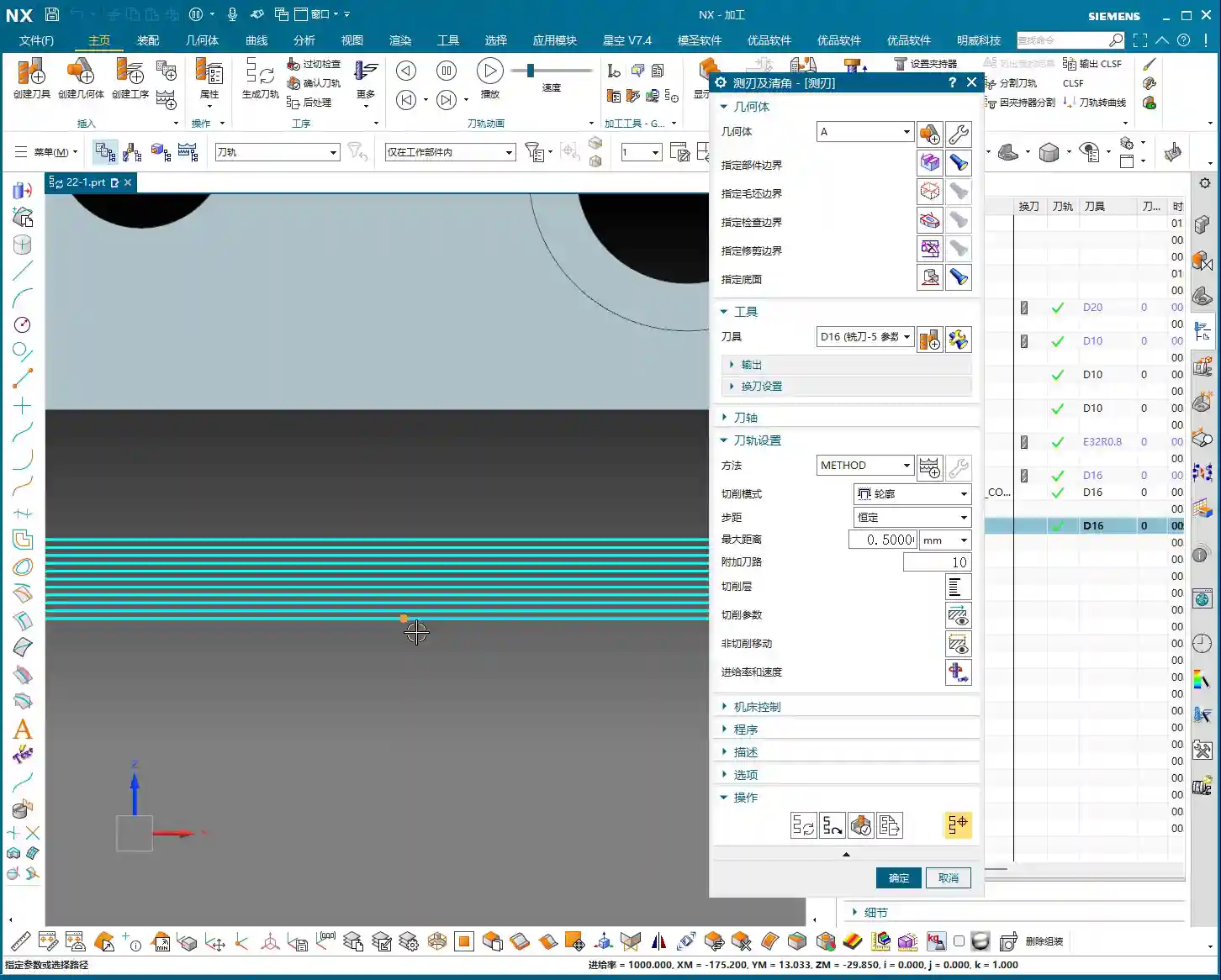
* Stepover: This parameter determines the lateral feed distance for each cut. The default value is typically 0.5mm. This means the tool moves 0.5mm deeper into the workpiece with each pass.
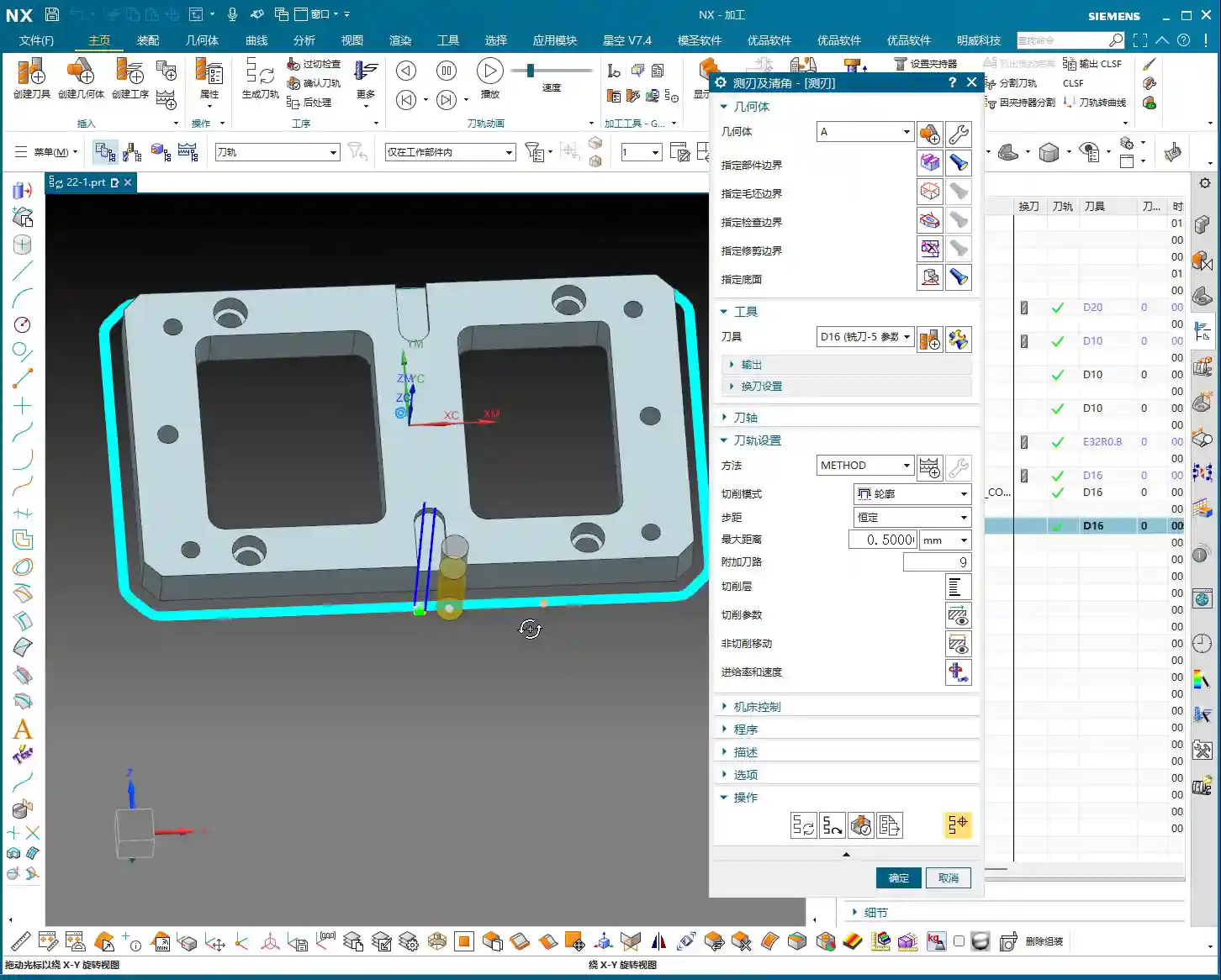
* Additional Passes: This is paramount! It determines how many extra cuts are made besides the first one. There’s a little trick here, so pay close attention to the calculation:
* Suppose we want to clear 5mm of single-side stock, with a 0.5mm Stepover per pass.
* Theoretically, 5mm ÷ 0.5mm/pass = 10 passes.
* However, “Additional Passes” here refers to the number of extra toolpaths added beyond the first pass. So, if a total of 10 passes are needed to remove the 5mm, then the additional passes should be 10 – 1 = 9 passes.
* Similarly, if we want to clear 3mm of stock, with a 0.5mm Stepover:
* 3mm ÷ 0.5mm/pass = 6 passes.
* The additional passes would be 6 – 1 = 5 passes.
* Remember: Don’t count the first pass as “additional,” otherwise, you might remove too much or too little stock!
* Cutting Pattern: When using “Side Milling,” Siemens NX will usually automatically set the cutting pattern to “Contour”. You do not need to change it, nor should you consider changing it to something like “Follow Tool Edge” or similar; that will certainly cause problems, and the program won’t run.
Multi-Depth Machining: Strategy for Deep Holes or High Stock Material
In most cases, side milling is a “single-pass full depth” operation. That is, it machines from the top face all the way down to your set bottom depth. However, if the workpiece is particularly deep, or if taking such a large Depth of Cut in one go would cause excessive tool wear, then we’ll need to use multi-depth machining.
* Find the “Depth Increments” option within “Cutting Parameters.”
* Change the default “Single Pass Full Depth” to “Constant.”
* Then set the “Depth Per Cut”. For instance, if you want each pass to take 20mm, then enter 20. This way, if the total depth is 40mm, it will automatically divide it into two layers for machining.
* The benefits of multi-depth machining are more uniform tool loading, improved chip evacuation, higher machining stability, and effectively extending tool life.
Master Wang’s Insights: Siemens NX Templating and Operation Tips

The “Templating” Advantage of Side Milling
Some of the younger generation might notice that the parameters within “Side Milling” look remarkably similar to, or even identical to, what we’ve covered for “Planar Milling” or “Profile Milling.” Why is that?
The truth is, many operations in Siemens NX are “packaged” or, you could say, “templated” based on underlying modules. This “Side Milling” feature is essentially using the “Planar Milling” function with a preset set of parameters specifically optimized for side cutting. The benefit of this is that it makes our operations more convenient and faster, eliminating the need to modify a bunch of parameters every time, thus reducing the chances of errors. It solidifies the most common side cutting scenarios for you, greatly boosting programming efficiency.
So, there’s no need for us to get hung up on whether its underlying mechanism is planar milling. Just know what it can do and how to execute it in the fastest and most stable way—that’s what matters!
Naming Conventions and Operational Details
When creating operations in Siemens NX, there are a few small points to pay attention to:

* Naming Conflict: If you’ve already created an operation named “Side Milling” and try to create another one, the system will prompt you that operations with the same name are not allowed. Don’t be foolish in this situation; just add a number or symbol to the end, like “Side Milling 1” or “Side Milling.1”. This is how the software logic works, and we have to go with it.
* Practice Makes Perfect: These operations form the foundation of your proficiency. After each lesson, make sure to machine a few parts yourself, click around, and input parameters multiple times. Practice reveals the truth; don’t just listen to me talk, get your hands dirty!
Summary: Pitfall Avoidance Guide
Master Wang trains apprentices by never getting bogged down in fancy theories, only by teaching practical skills that are useful in real-world scenarios and help you avoid common pitfalls. Let me quickly recap the essence of today’s lesson for you:
* Don’t Confuse Terminology: Remember, “Side Milling” is not “Corner Cleanup”. Its focus is on using the tool’s side cutting edge to remove stock incrementally, boosting efficiency.
* Calculate “Additional Passes” Carefully: This is a trap! It’s crucial to remember: Total Passes = Additional Passes + 1. Miscalculate even one step, and you might not clear all the stock, or worse, leave no allowance for Finishing.
* Don’t Mess with the Cutting Pattern: In side milling, the cutting pattern defaults to “Contour”. Don’t blindly change it; it’s already the optimal solution.
* Cleverly Use “Depth Increments” for Deep Machining: When machining depth is significant, learn to set the “Depth Per Cut” for multi-depth machining. This effectively protects the tool, improves machining quality, and boosts efficiency. Don’t just think about going full depth in one pass; that’ll wear out your tool!
* Naming Conventions are Fundamental: Don’t get stuck because of duplicate names; learn to add a sequence number or identifier to the name. This is basic software operation common sense.
* Real-World Cutting Spark Beats Simulation: No matter how realistic Siemens NX simulation is, it can’t compare to the cutting sparks and sounds from an actual machine tool during machining. A good machinist can judge the quality of a toolpath and whether the Depth of Cut is appropriate just by listening and observing the sparks. Don’t just rely on software simulations; go down to the shop floor and observe the actual conditions!
Alright, that’s all for today. Go back, practice more, ponder on these concepts, and make them your own! See you next time!
👤 About the Author:
The author is a veteran CNC machining professional with 15 years of industry experience, specializing in UG NX programming. This article is an original work representing personal practical insights.
⚠️ Copyright Notice: Unauthorized reproduction or distribution without prior communication is strictly prohibited.
Leave a Reply