📝 Key Takeaways: Master Wang provides hands-on instruction for practical multi-part roughing in Siemens NX. He covers fixturing strategies, drilling side holes on Face A, and roughing slot features on Face B, explaining in detail how to select tools and set up coordinate systems. Special emphasis is placed on the critical role of machining allowance in real-world programming. Through a case study, common disconnects between design and manufacturing are revealed, along with practical guidelines to avoid pitfalls, ensuring smooth and efficient toolpaths.
[VIDEO_HERE]
Introduction: Background and Challenges of Multi-Part Machining on a Single Fixture Plate
Hello everyone, this is Master Wang. Today, let’s cut the fluff and get straight to the practical stuff: how to approach roughing for these “ten parts on a single fixture plate.” We covered the modeling in a previous process planning lesson, so today we’ll skip the drawing and focus directly on programming and machining aspects.
Process Review and Today’s Focus
Listen up. The key characteristic of this job is “ten parts on a single fixture plate.” This means we’ll be producing ten identical parts from one plate. In this type of batch production, we need to consider fixturing efficiency, toolpath optimization, and how to effectively machine both the front and back sides of the plate by flipping it.
As for how this part was drawn, we won’t dwell on that today; that’s a modeling task. Let’s dive directly into the main topic—Siemens NX programming—and how to “carve out” these ten parts from the raw stock.
Part Overview and Quick Dimension Check
Let’s quickly take a look at the part’s dimensions. Overall, it’s not large; the length is approximately over 200 mm (approx. 8 inches), and the width and height are also within normal ranges. It’s considered a relatively small part. A quick analysis reveals no particularly complex surfaces or tricky deep pockets; it mainly consists of conventional features like planes, holes, and slots. Preliminary assessment indicates moderate machining difficulty, with the key factors being process planning and toolpath optimization.
Fixturing and Machining Strategies: The Art of Flipping for Front and Back Faces
In machining, it’s often said that equipment is thirty percent, and process planning is seventy percent. Especially for double-sided machining jobs like this, the fixturing solution directly determines your machining efficiency and accuracy.
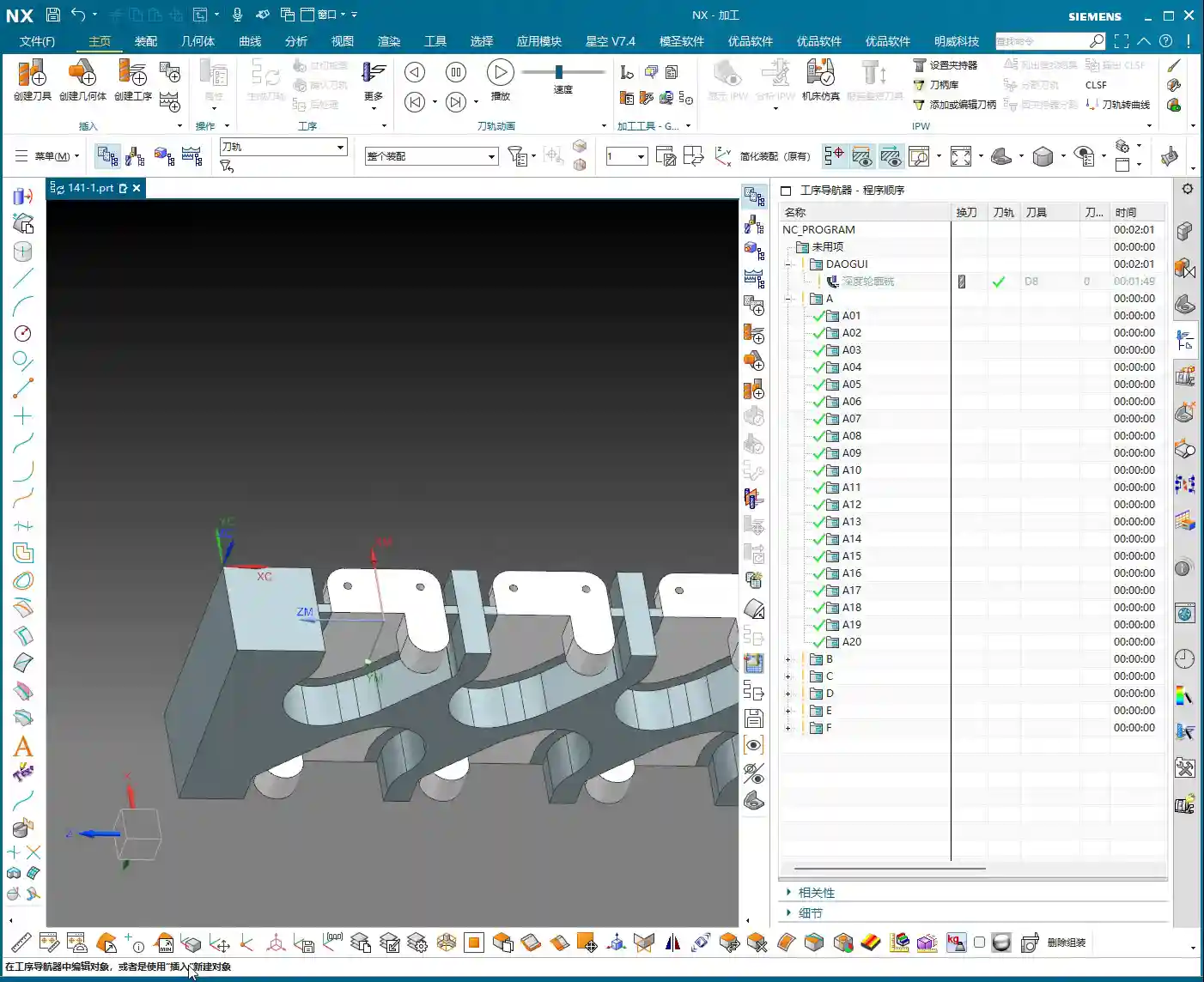

Double-Sided Machining: Efficiency First
We are adopting a typical sequential front-and-back machining strategy. First, we fixture the plate vertically to machine the features on Face A, especially the side holes. Once Face A is machined, we flip it over, clamp onto the already machined Face A, and process the features on Face B. The advantage of this method is that it ensures positioning accuracy and reduces errors caused by repeated clamping.
First Step for Face A Machining: Prioritize Side Holes
With Face A in hand, the first step is to machine the side holes. Why tackle the side holes first? Because these holes often serve as datum features or provide auxiliary features for subsequent fixturing. Moreover, machining side holes is relatively independent; completing them before working on the main surfaces reduces the risk of interference. Of course, this depends on the specific part geometry and fixturing, but generally, drilling holes first is a safer approach.
Practical Programming: Face A Side Hole Machining
Let’s jump straight into Siemens NX and get to work!

Siemens NX Coordinate System Setup: Vertical Machining
First, in Siemens NX, create the geometry and define the part and raw stock. We need to machine the part in a “vertical” orientation, so the Machine Coordinate System (MCS) must be set accordingly. Taking this plate as an example, we’ll set the Z-axis pointing upwards, the Y-axis as the feed direction, and the X-axis as the transverse direction. The same principle applies to the other side (Face B), though the coordinate system might require mirroring or rotation adjustments. However, let’s get Face A sorted out first.
Side Hole Tool Selection and Drilling Path
Alright, let’s measure the hole diameter. This hole, you see, has a radius of roughly 2.34 mm to 2.38 mm. What kind of hole is this? Who cares, we’ll make a decision when machining it. In this situation, we’ll just pick a 2.4 mm diameter drill bit and go for it. Textbooks will talk your ear off about tolerances and fits, but in the real shop, for non-standard or loose-tolerance holes, if it meets functional requirements, just grab a common tool close to the size and get it done. Don’t nitpick over a few hundredths; just get the job done first! As for depth, it’s a through-hole, so that’s straightforward.
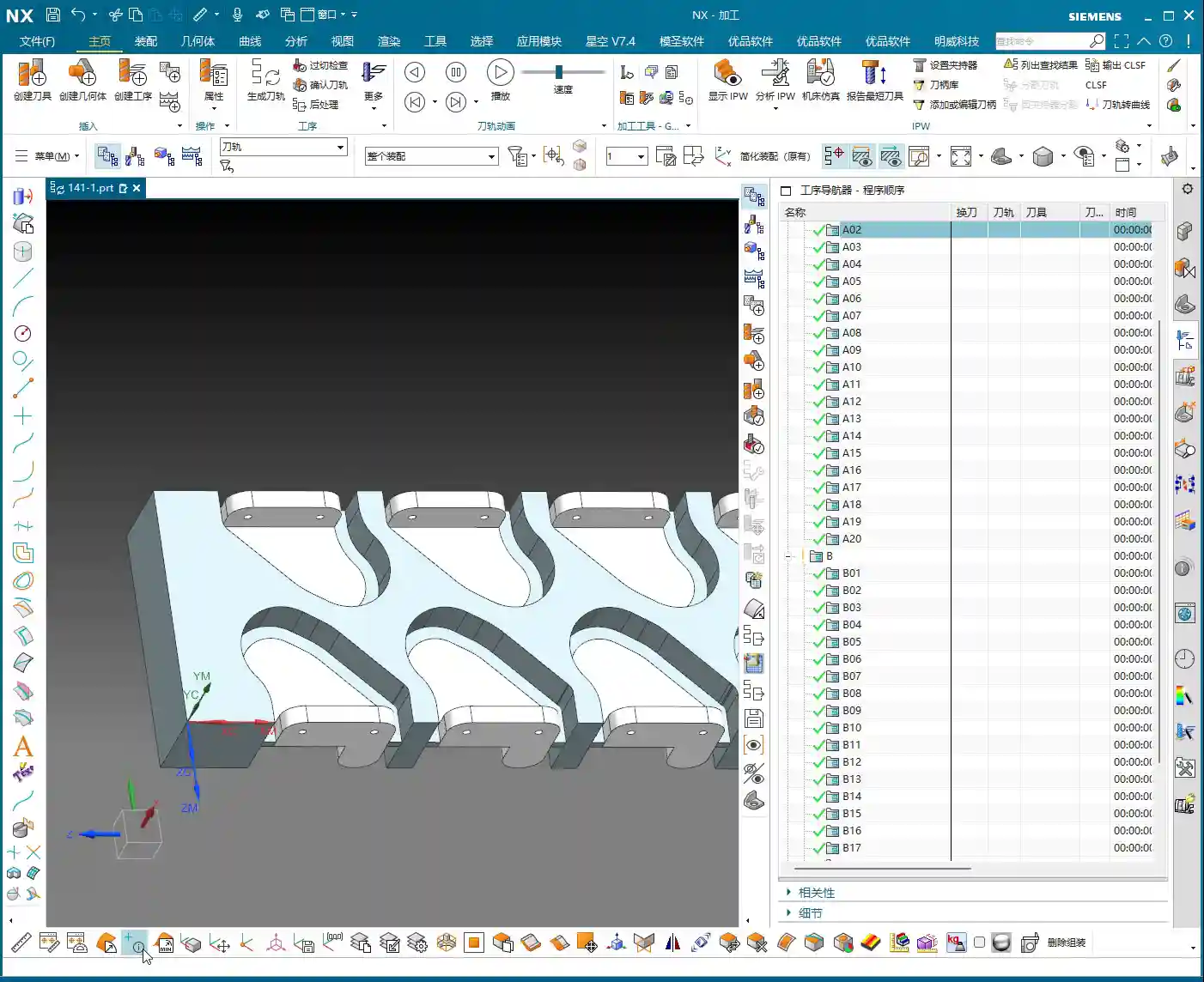
Once the program is ready, we generate the toolpath, simulate it to confirm everything’s good, and then the side holes on Face A are taken care of.
Face B Roughing: The Challenge of Slot Features
Face A is done, so let’s flip the plate over and prepare to machine Face B. Remember, once flipped, the coordinate system must be redefined or recalibrated, otherwise the tool won’t know where it’s going.

Coordinate System After Flipping and Slot Width Measurement
For Face B machining, we’ll focus on the slot features. Pay close attention to this slot. Let’s measure it first; the slot width is exactly 4 mm. Hmm, no more, no less, precisely 4 millimeters.
Initial Roughing Tool Selection: A Hard Lesson
Seeing this 4 mm slot width, many beginners instinctively reach for a 4 mm diameter end mill, thinking a snug fit is ideal. Big mistake! Listen up, this is a lesson you won’t find in textbooks: when you use a 4 mm diameter tool to cut a slot with a design dimension of exactly 4 mm, it simply won’t fit! Even if theoretically the dimensions match, in actual machining, the tool will interfere with the slot walls, making it impossible to plunge, let alone leave any stock allowance. This is where you’ll get chatter, damage the workpiece, or even break the tool. This is a classic case of design failing to adequately consider machining allowance.
Master Wang’s Hands-on Guide: Toolpath Boundary Trimming and Stock Allowance Adjustment
In actual production, you’ll always encounter various “pitfalls,” and we have to find ways to navigate them.
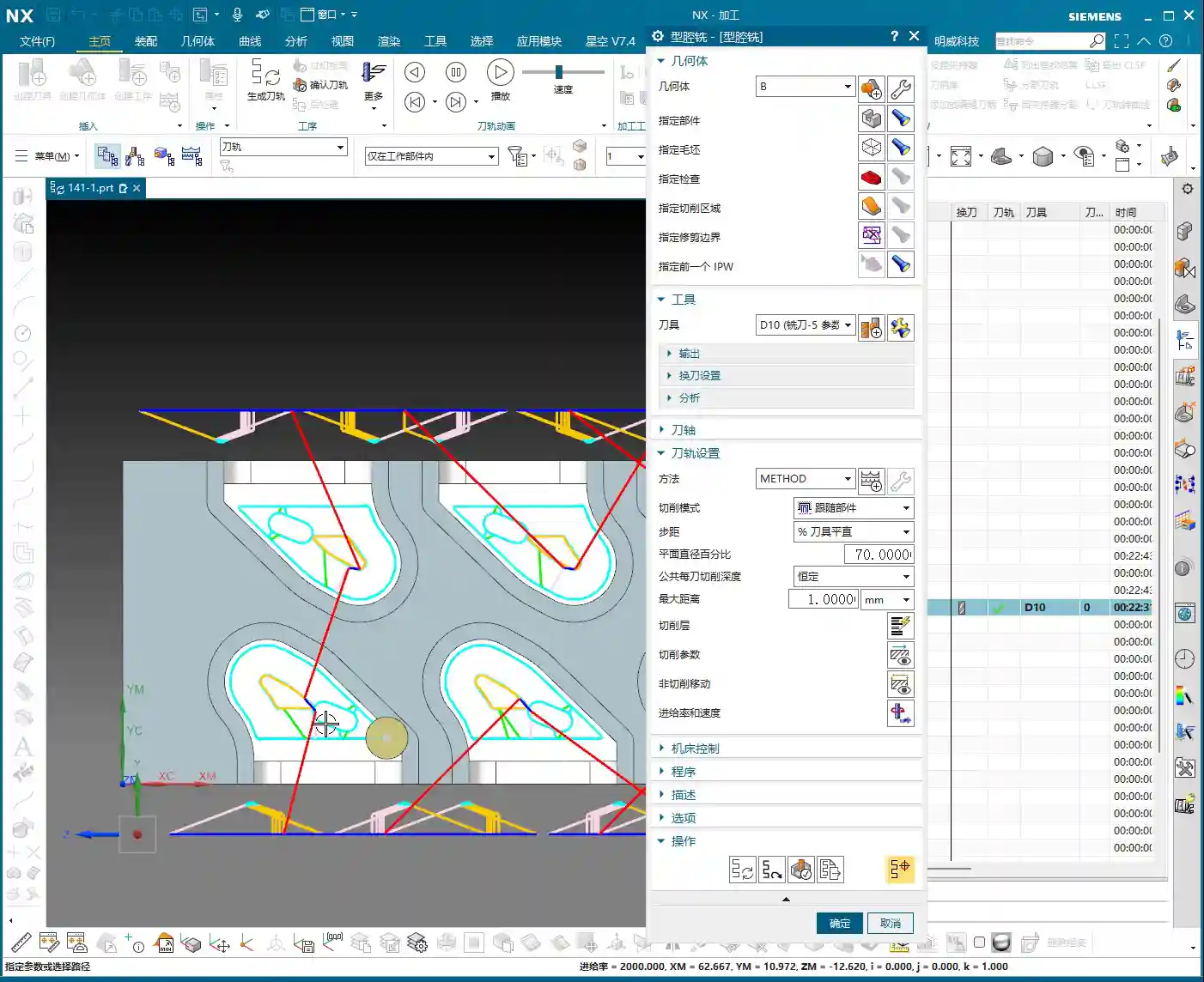

Stock Definition and Layer Management
In Siemens NX, defining the raw stock is the first step, so the software knows which areas need to be cut. I often prioritize speed, so sometimes I put everything on one layer, but you youngsters must develop good habits! Raw stock on one layer, part on another, and toolpaths for each operation on separate layers. This makes future modifications and searches easier, preventing clutter.
Roughing Toolpath Errors and Correction
During the programming for Face B roughing, after generating the toolpath, we discovered a problem: the tool was unexpectedly “cutting” on the outer contour! This won’t do; we intended to clear the slot, but it ended up milling away material from the outside perimeter instead. Errors like this must be identified and corrected immediately.
The correction method is simple: in Siemens NX, use the “Trim” function or redefine the machining boundary. By selecting the correct boundary points or lines, the toolpath is precisely confined to the interior of the slot we intend to machine. Don’t let the tool “go off course”; scrapping a part is minor, but damaging the fixture or machine tool would be a real problem.
Revisiting Slot Machining: Ultimate Considerations for Tools and Allowances
Let’s get back to this 4 mm slot. A D4 (4 mm diameter) tool indeed won’t work. Where’s the problem? The core issue lies with “machining allowance”. When modeling, designers often just draw the theoretical dimensions, forgetting to leave “breathing room” for the tool. It’s like walking: if you insist on running in shoes that are a perfect fit, wouldn’t you end up with blisters?
Master Wang’s practical experience advises:
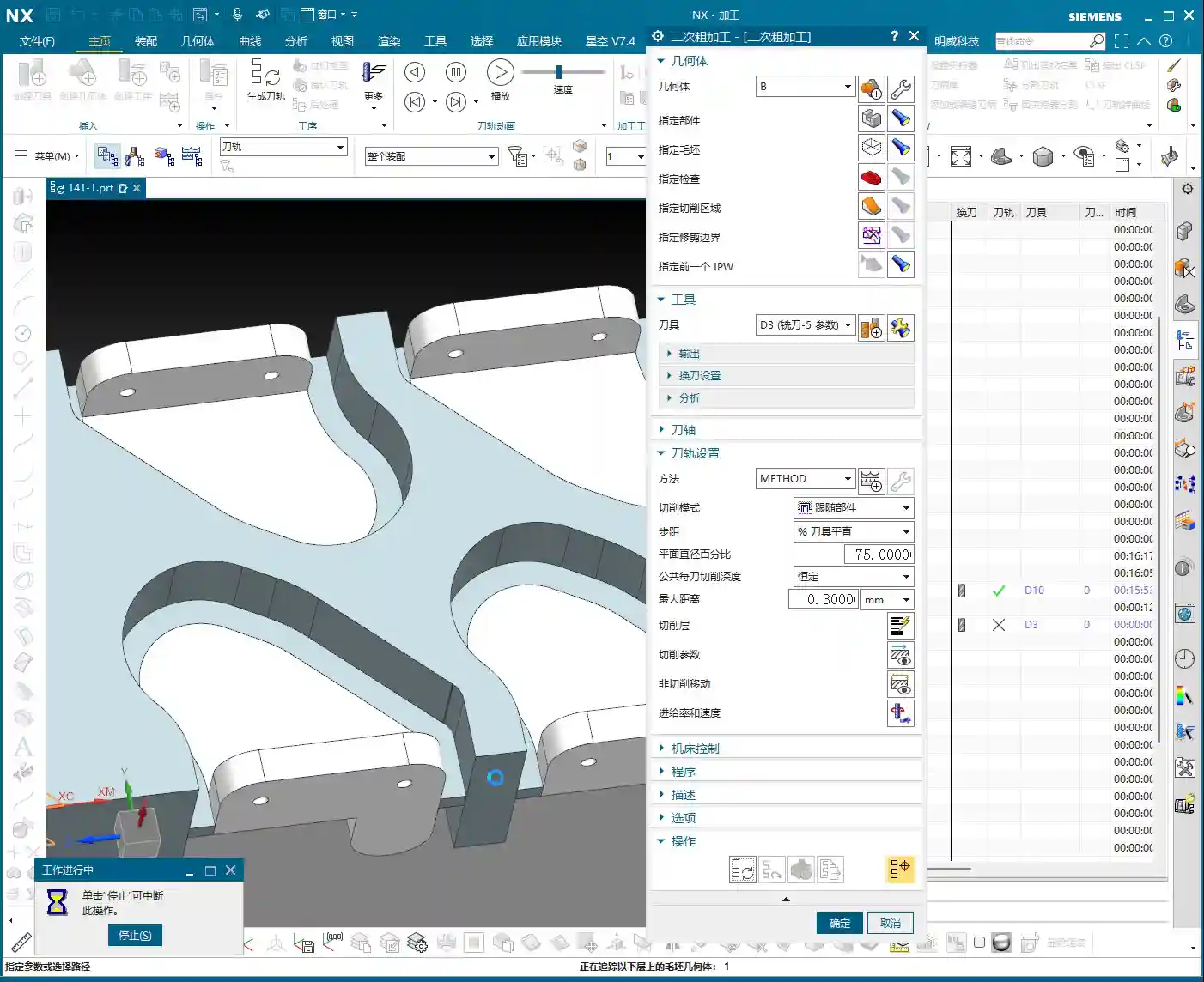
- If the final required slot dimension is 4 mm, then during modeling, you should design this slot to be 4.1 mm or 4.2 mm wide, leaving a 0.1-0.2 mm roughing allowance. This way, you can successfully cut with a D4 tool, and then use another tool for the finishing pass to remove the remaining stock and achieve the final dimension.
- If the drawing strictly specifies a slot width of 4 mm and the model cannot be modified, then for roughing, you must select a tool slightly smaller than 4 mm—for instance, a 3.8 mm or 3.9 mm diameter end mill—to perform the initial roughing. This ensures the tool can enter smoothly and leaves sufficient stock allowance for the subsequent finishing pass.
You see, this is experience talking. When the drawing was made, they just drew it without considering machining allowance—a common mistake made by many beginners and designers. Therefore, design and process planning must be tightly integrated to avoid unnecessary detours!
Summary: Guide to Avoiding Pitfalls
Alright, youngsters, everything Master Wang has shared today is hard-earned, real-world shop experience you won’t find in textbooks!
- Allowance Awareness: Any design dimension must account for machining allowance before processing. Especially for internal slots, holes, and similar features, a safe clearance must be left between the tool diameter and the actual dimension. Don’t expect a 4 mm diameter end mill to perfectly cut a 4 mm slot!
- Layer Management: Develop good Siemens NX layer management habits. Use separate layers for different operations, raw stock, finished part, fixtures, etc. This facilitates searching, modification, and collaboration, preventing clutter. This is fundamental professional etiquette.
- Fixturing Considerations: For multi-part or double-sided machining, always plan your fixturing strategy in advance. Ensure the workpiece is secure, accurately positioned, and that the tool can access all machining surfaces without interference. Unstable fixturing renders everything else useless.
- Tool Selection and Verification: Before programming, always confirm the compatibility between tool dimensions and workpiece features. Use Siemens NX’s simulation function to carefully verify if the toolpath is correct, checking for air cuts, overcutting, or interference with the fixture. A quick simulation saves real money.
- Precise Definition of Program Boundaries: Especially for roughing, ensure the toolpath is strictly confined to the required cutting areas. Utilize Siemens NX’s boundary, trim, and other functions to precisely define the toolpath range, preventing “milling away” material that shouldn’t be touched, saving rework.
Keep these points in mind—save trouble, make more money!
👤 About the Author:
The author is a veteran CNC machining professional with 15 years of industry experience, specializing in UG NX programming. This article is an original work representing personal practical insights.
⚠️ Copyright Notice: Unauthorized reproduction or distribution without prior communication is strictly prohibited.
Leave a Reply