📝 Key Takeaways: Master Wang shares practical insights on full sequence Siemens NX programming for small mold parts: covering everything from rest milling to finishing passes. The focus is on effectively addressing corner remnants, optimizing toolpaths with Siemens NX, and boosting machining efficiency. He emphasizes the practical application of surface selection, Depth of Cut control, and helical entry to bridge the gap between theory and real-world machining.
I. Rest Milling: Don’t Let Small Remnants Spoil Your Finish Pass
Listen up, apprentices. Today, let’s talk about full sequence programming for small mold parts—it’s not just about clicking a mouse. Especially after roughing and before moving to finishing, there’s a critical step: **rest material cleanup**. It might seem trivial, but it’s key. As I’ve said before, once the program runs, a dynamic simulation often reveals those tiny remnants in certain areas, particularly in **corners and deep slots**.
1. Initial Rest Material Handling and Simulation Verification
After the last program ran, you might think it’s good enough. But run a simulation, and see? In this area (pointing to a specific region on the model), isn’t there still a bit of **rest material**? Don’t underestimate that “little bit”; it’s a **hidden danger** for your subsequent finishing passes. So, we need to add another operation specifically to clear it out. Remember, NX dynamic simulation isn’t just for show; use it extensively, examine it closely, especially when simulating cutting sparks and material buildup – that’s where the real skill lies.
We can copy the previous operation and then, for this specific rest material area, select only that small fillet for cleanup. For the Depth of Cut, let it go a bit **deeper** and extend the toolpath a bit further. Even if it seems “excessive,” ensuring the material is fully machined is always better than under-machining. It’s like in life, always leave a little leeway.
2. Depth Control and Surface Selection Techniques
A common mistake here is when the program doesn’t generate. Why? Nine times out of ten, it’s because the surfaces weren’t selected correctly or the cutting parameters are unreasonable. In NX, after you set the machining area, if the toolpath doesn’t generate, first check your selected machining surfaces and boundaries. Sometimes, missing just one small surface can cause the entire program to “strike.”
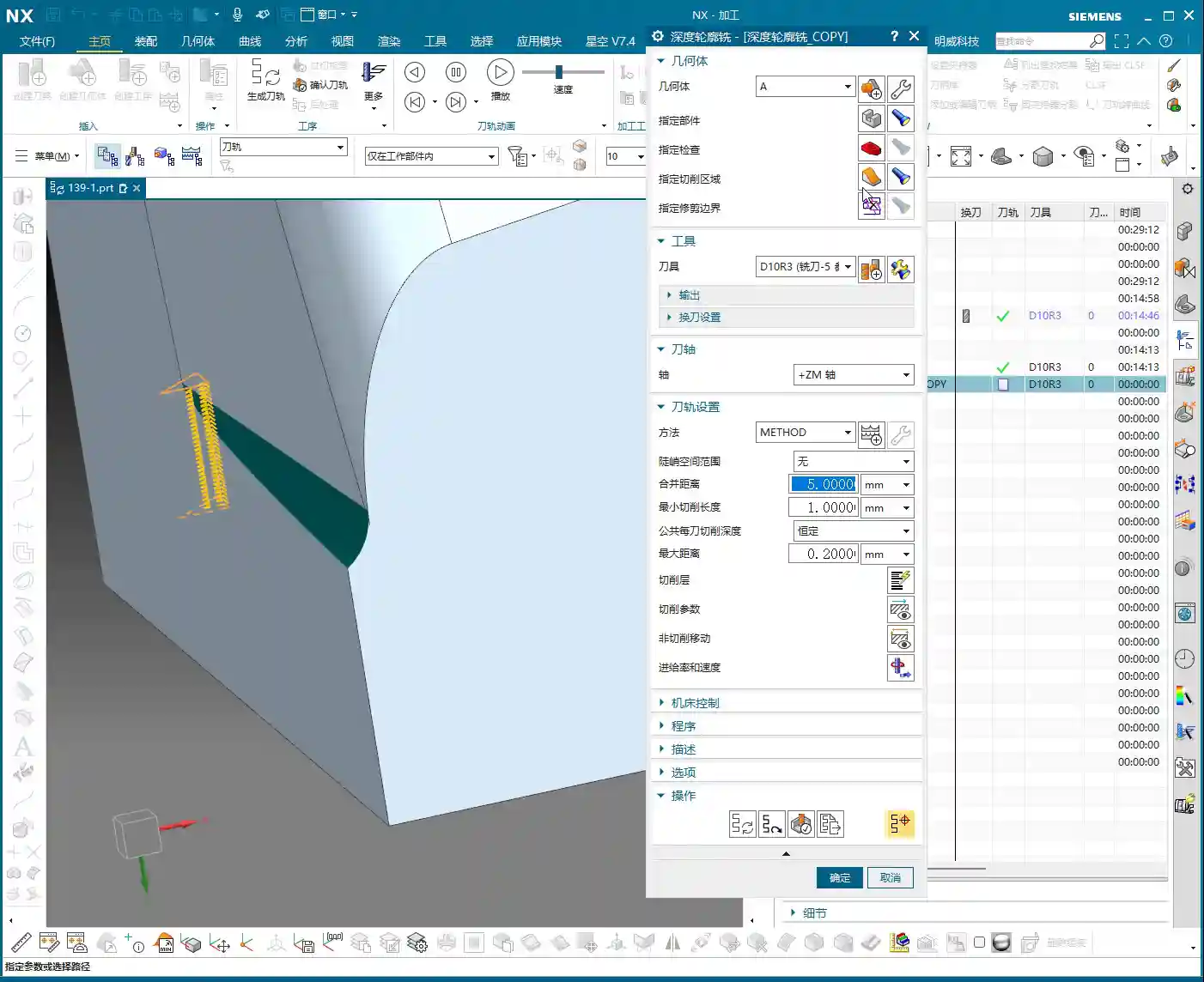
Also, learn to control your cut layers. For example, if we want to start machining from a specific surface, NX has the “Starting Cut Level” option. Directly specify which surface to start from and move downwards, rather than from the highest point of the model. This effectively avoids air cutting and allows for more precise control over the Depth of Cut.
I just demonstrated and noticed the toolpath was still a tad short. What do you do then? You don’t change the tool; instead, adjust the “Cut Layer” **”Extension Amount”** to extend it downwards by 0.5 mm. That’s enough. Don’t underestimate that 0.5 mm; it’s the secret weapon for ensuring no rest material is left in the corners.
II. Machining Strategies for Corner Regions: Detailed Processing
Next, let’s focus on those corners prone to accumulating “dirt.” Small molds are all about precision and surface quality; if the corners aren’t clean, the whole part is useless.
1. Selecting the Correct Machining Area and Tool
We insert a “Rest Machining” or “Area Milling” operation. Select the part, then the cutting region. In this area, I generally recommend selecting all relevant surfaces to ensure complete coverage. However, for certain special areas, like narrow slots in deep cavities, you can initially skip them and address them later with a finer tool or specialized toolpath.
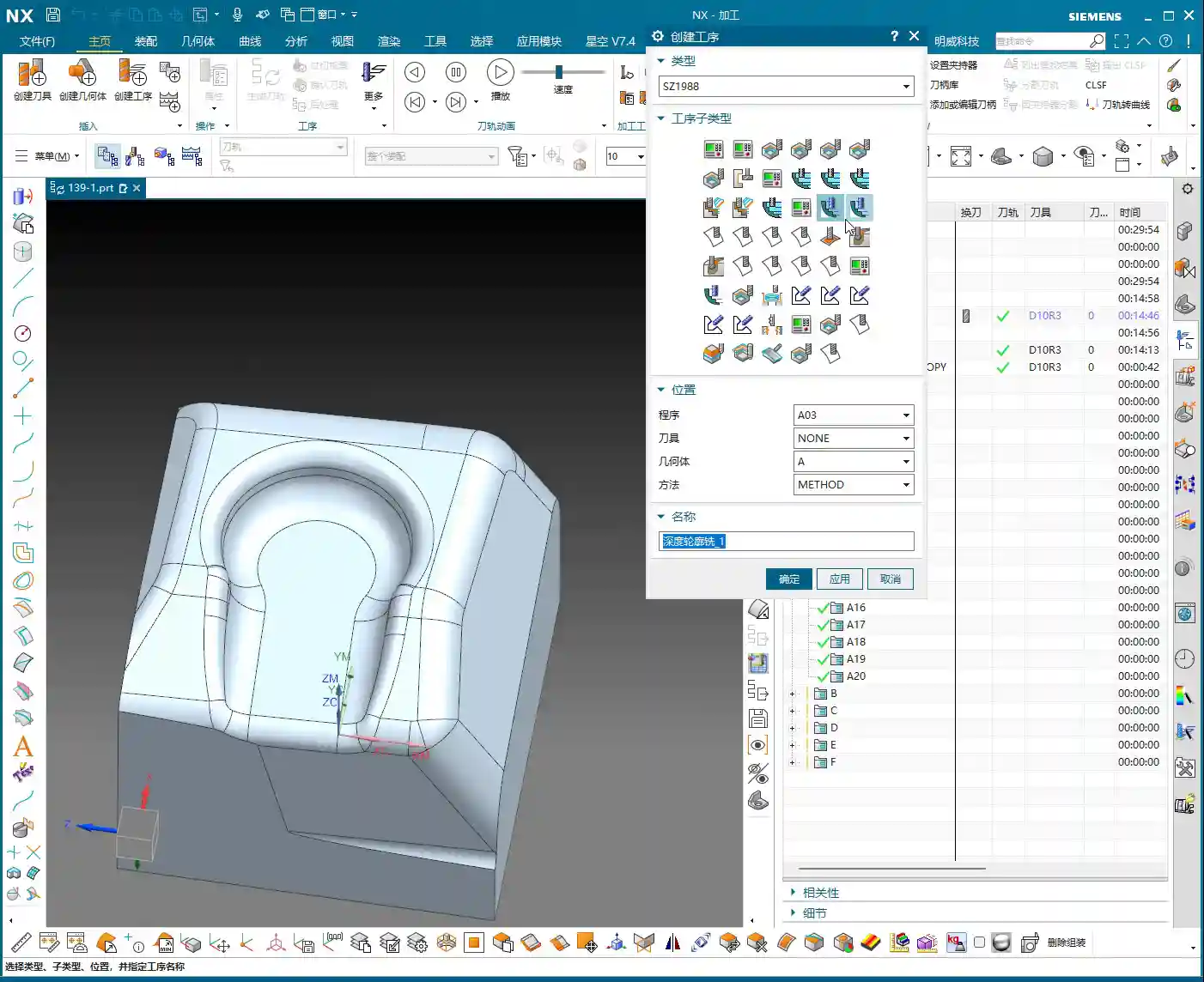
Regarding tool selection, as I said earlier, we’re using a D8 ball end mill. For finishing small molds, ball end mills are your workhorse. When choosing a tool, don’t just look at the diameter; also consider the tool’s flute length, shank diameter, and tool holder length to ensure no interference and smooth machining to the deepest points. Especially when performing collision detection in NX, that’s not something to take lightly; one collision could scrap a machine worth hundreds of thousands.
2. The Art of Climb Milling Direction and Toolpath Strategy
In NX, the cutting direction also matters. For instance, in this area, letting the tool run with climb milling yields better surface quality and longer tool life. Especially when machining challenging materials like titanium alloys or superalloys, climb milling effectively reduces built-up edge and enhances cutting stability. This requires adjusting the “Machining Strategy” within the “Cutting Parameters” in NX.
Furthermore, the toolpath strategy is crucial. For mold cavities, especially those with slight tapers, Spiral Inward plunge is often more efficient than parallel passes, and the toolpath is smoother. It ensures the tool is continuously cutting, reduces air moves, and avoids sudden tool loading in corners, extending tool life. You can select “Spiral” or “Spiral Inward” path types in “Cutting Method”; try them out to see which works best.

III. Tool Selection and Entry Methods: Optimizing Machining Efficiency
The tool is the “tooth” of CNC machining; if you choose it incorrectly or use it poorly, even the best machine is useless.
1. Flexible Switching Between Large and Small Tools
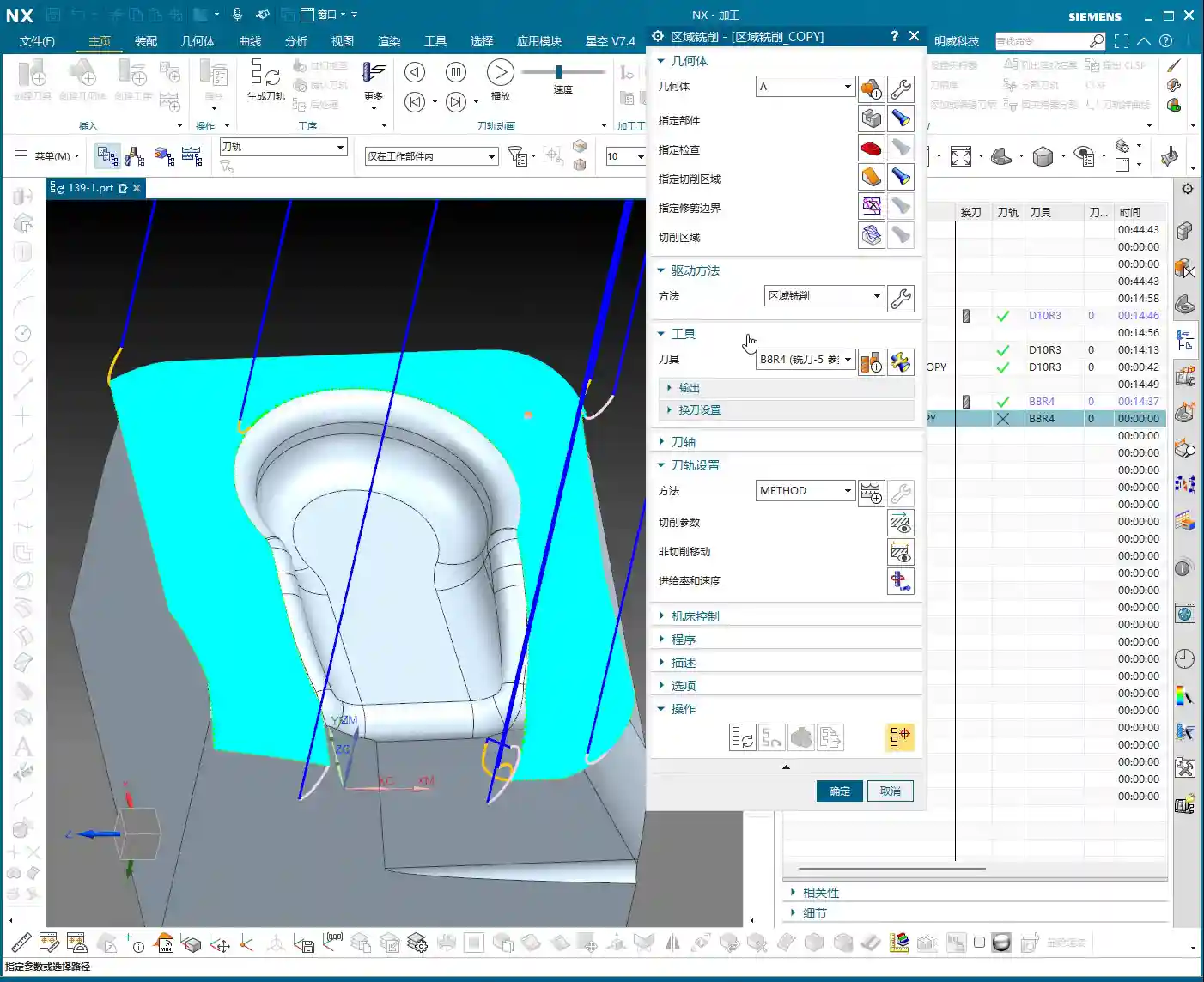
Earlier, we used a D8 ball end mill for cleanup, but sometimes you’ll find an R3 tool might be too large, unable to fully clear certain areas, or simply inefficient. At this point, you need to consider a **”tool change”** strategy.
For instance, during the roughing stage, you can boldly use a larger tool, like an R1 tool (an R1 tool is a ball end mill or bull nose end mill with a 1mm corner radius). This boosts efficiency. However, for finishing small molds, especially intricate features, you’ll need to switch to a smaller tool, or even a small carbide end mill. Remember, matching tool size with feature geometry is the prerequisite for achieving high precision.
Of course, tool changes aren’t random. You need to consider tool change time costs and tool magazine capacity. When programming in NX, you can plan your tool sequence in advance to minimize unnecessary tool changes.
2. Layered Machining and Safe Tool Entry
For areas with significant depth or complex cavity shapes, “layered machining” is often the most effective approach. Cutting down layer by layer, from top to bottom, can significantly reduce tool load and prevent chipping. This can be achieved in NX by setting the “Depth of Cut” and “Depth per Cut” (Stepdown).
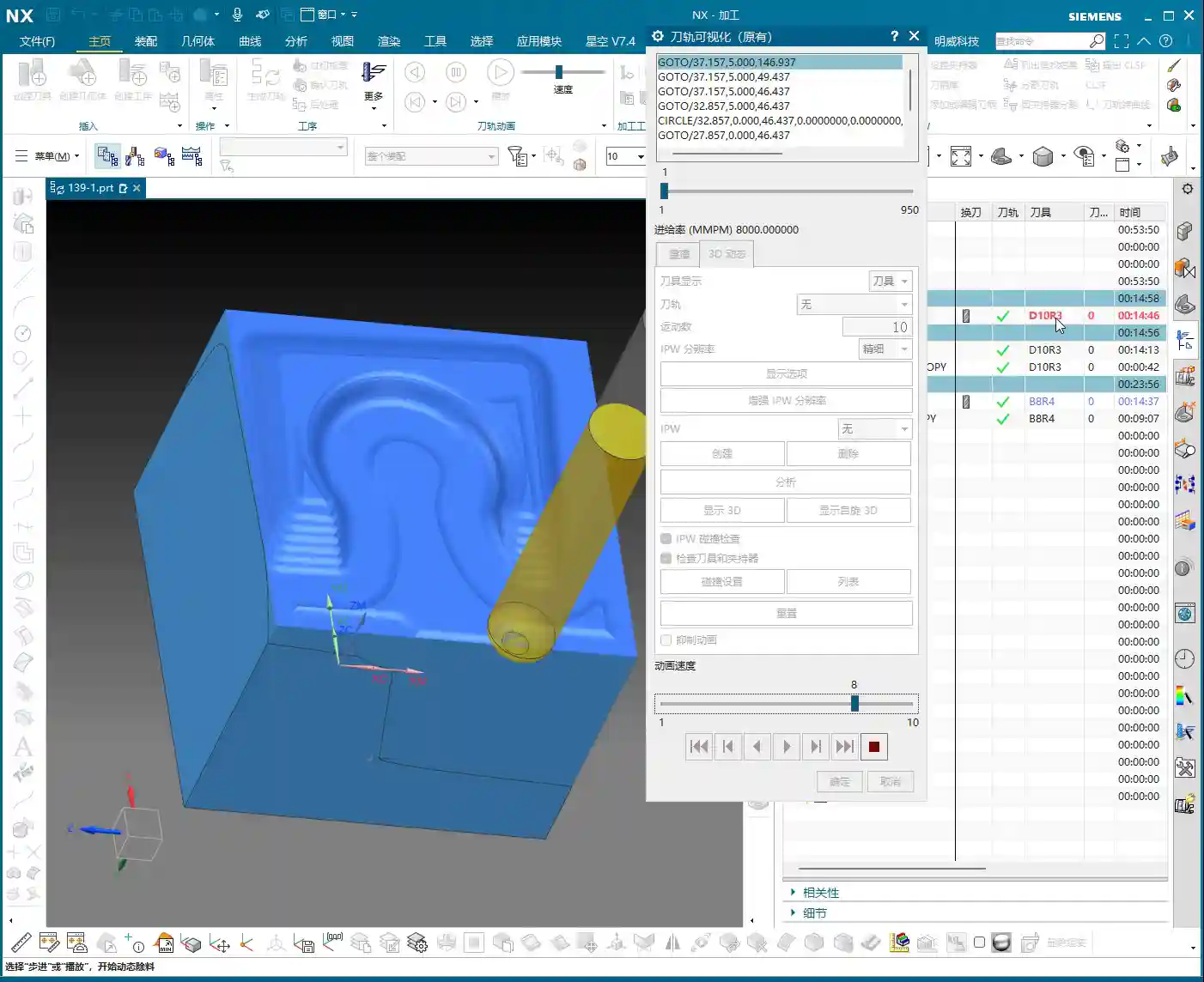
Tool entry methods are also paramount. Besides the helical entry mentioned earlier, NX offers various entry methods, such as “Ramp entry” and “Plunge entry”. Choosing the right entry method effectively protects the tool, reduces impact, and extends tool life. Don’t underestimate these details; this is where you learn the “machine’s temperament” that isn’t found in textbooks.
Finally, make extensive use of the “Clearance” function. NX’s “Non-Cutting Moves” has many options; properly setting retract height and approach/retract safety distances ensures the tool doesn’t collide with the workpiece or fixturing during non-cutting movements – this is the baseline for safe production.

Summary: Pitfall Avoidance Guide
- Dynamic Simulation is essential: Don’t rely solely on experience and guesswork; use NX’s simulation functions repeatedly, paying close attention to rest material and collisions.
- Precision in Surface Selection: When selecting machining areas, even a small missed surface can lead to program errors or incomplete machining. It’s better to over-select than to under-select.
- Cut Layers and Extension: Flexibly use “Starting Cut Level” and “Extension Amount” to precisely control the Depth of Cut, especially for corner cleanup.
- Experiment with Toolpath Strategies: Helical entry, layered machining, and others – choose the most suitable one based on part characteristics; don’t use a one-size-fits-all approach.
- Tool Matching Principle: Small features require small tools, deep cavities require long tools. Roughing uses large tools, finishing uses small tools. It’s not about the most expensive, but the most suitable.
- Pay Attention to Detail Parameters: Climb milling and conventional milling each have their applicable scenarios; don’t mix them up, as it affects surface quality and tool life.

Alright, that’s it for today’s practical takeaways. Practice more, ponder more; NX programming is a skill that comes with practice, but within that mastery, you need these real-world insights. We’ll pick up next time. If you have any questions, feel free to ask anytime.

👤 About the Author:
The author is a veteran CNC machining professional with 15 years of industry experience, specializing in UG NX programming. This article is an original work representing personal practical insights.
⚠️ Copyright Notice: Unauthorized reproduction or distribution without prior communication is strictly prohibited.
Leave a Reply