Blog

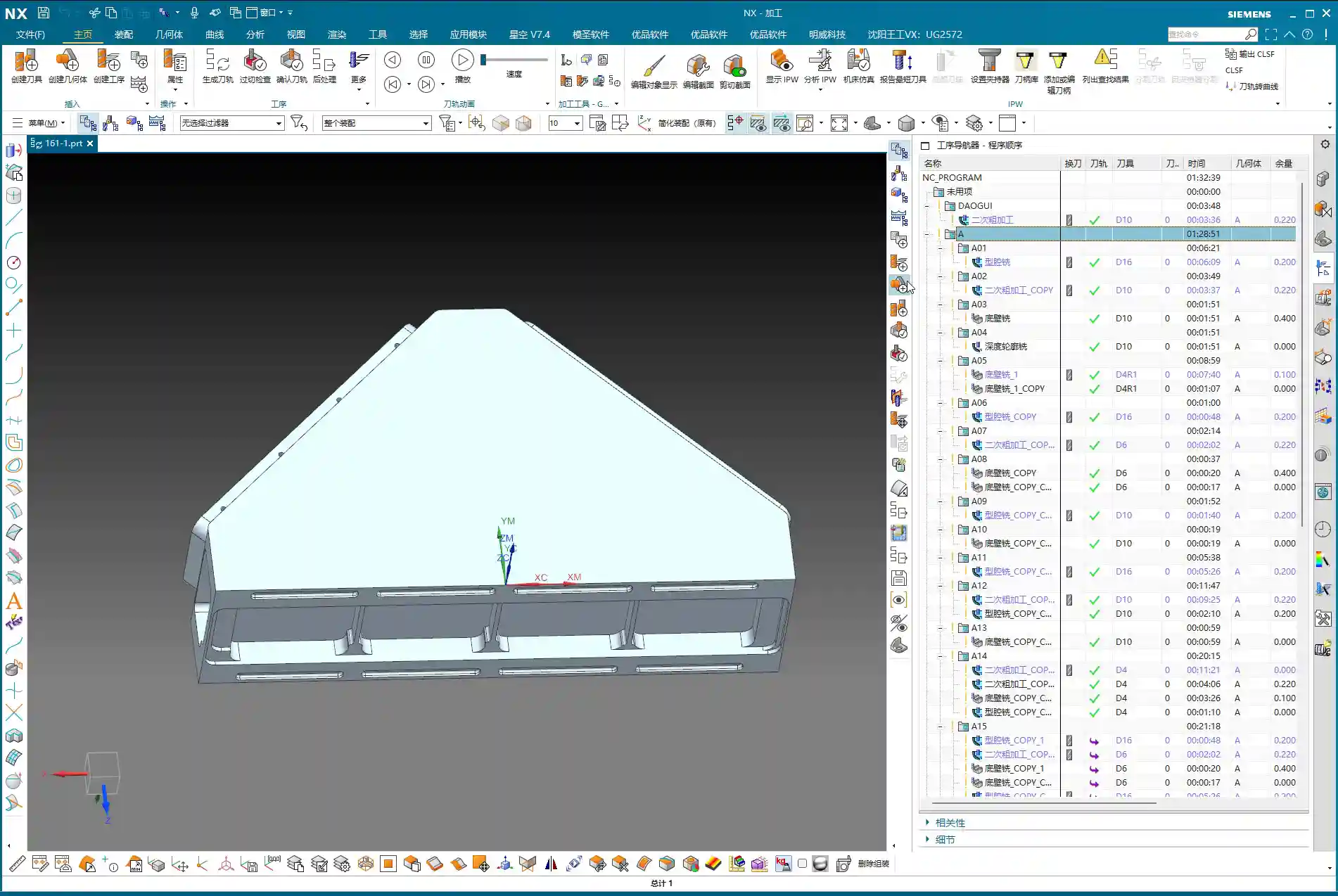
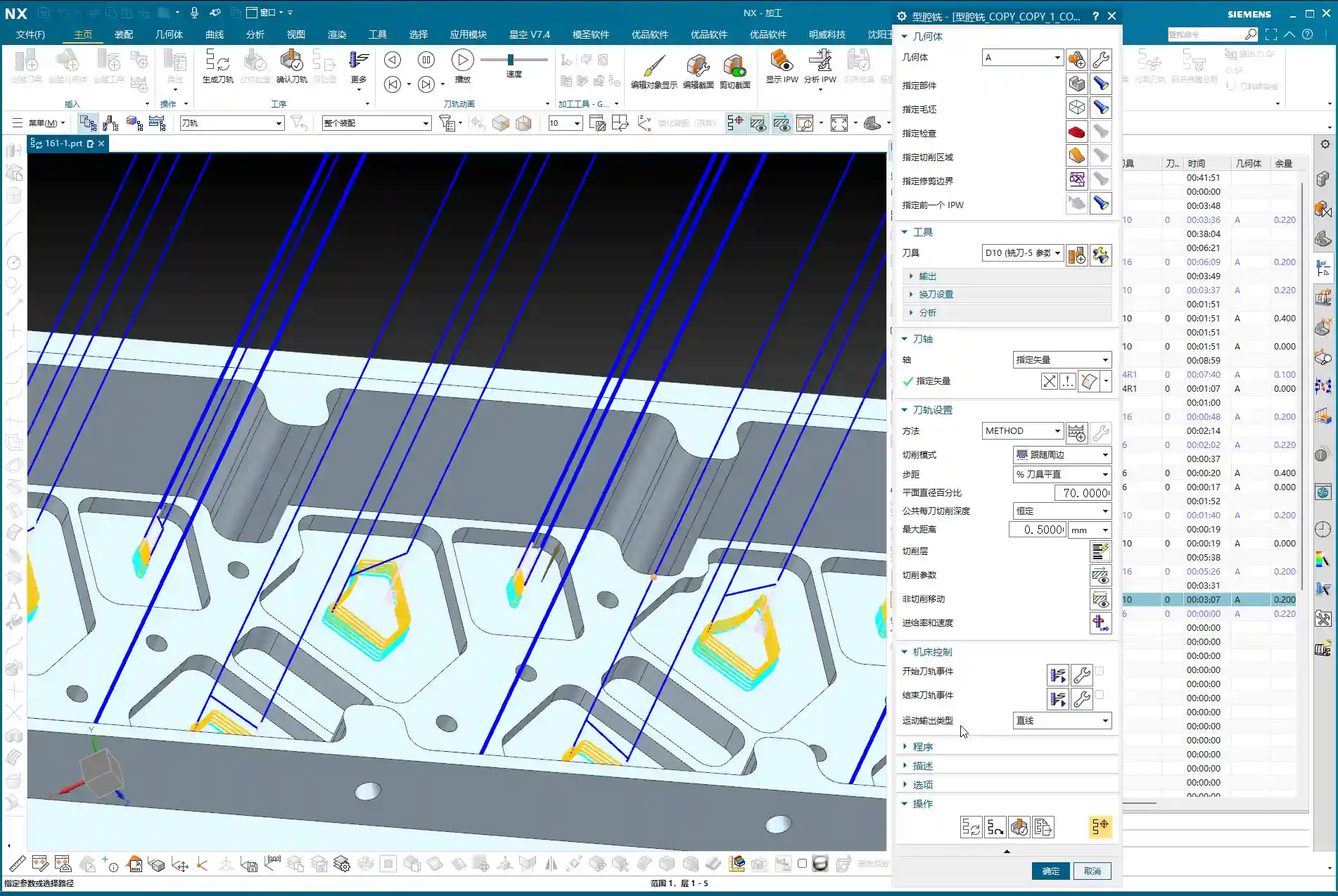
  • Master Wang’s Practical Guide: High-Efficiency NX Programming for a Six-Part T-Slot Plate – Boosting

    📝 Key Takeaways:

    High-Efficiency Programming for a Six-Part T-Slot Plate: A Practical Guide

    Hello everyone, I’m Master Wang. Today, let’s talk about a pra…

    [VIDEO_HERE]

    Hello everyone, I’m Master Wang. Today, let’s talk about a practical job: how to efficiently machine six T-slot parts from a single plate, from start to finish, using NX. This job might look straightforward, but there are plenty of intricacies, especially in process planning and toolpath optimization. A slight oversight can easily lead to problems. Today, I’m going to share all the practical experience I’ve accumulated over the years, leaving nothing out.

    Overall Machining Strategy and Preparation

    Part Analysis and Machining Sequence

    Listen up. When you get a job with multiple parts on one plate, the first thing you need to do is analyze the part features and determine a logical machining sequence. All six parts are identical. Structurally, one side is flat, and the other has a T-slot. My experience tells me: machine the flat back side first, then the front side with the T-slot. This way, once the back side is done, it can serve as a stable datum for fixturing the front side, ensuring stability and minimizing deformation.

    As for geometric creation and blank definition, we’ve covered that in previous lessons, so I won’t rehash it this time. Let’s dive straight into the machining section.

    Blank Definition and Coordinate System Setup

    Before we start, the blank and coordinate system must be correctly positioned. For the blank, we’ll follow our usual practice: place it on Layer 100 for easy management and display. The Machine Coordinate System (MCS) needs to be accurately placed at a datum point on the part. For this job, we’ll use side A as an example, placing the MCS origin at one of the part’s corner points for easy dimensioning. For the other parts, we’ll simply copy the programs.
    Side A Machining (First Side)

    Side A Roughing Strategy

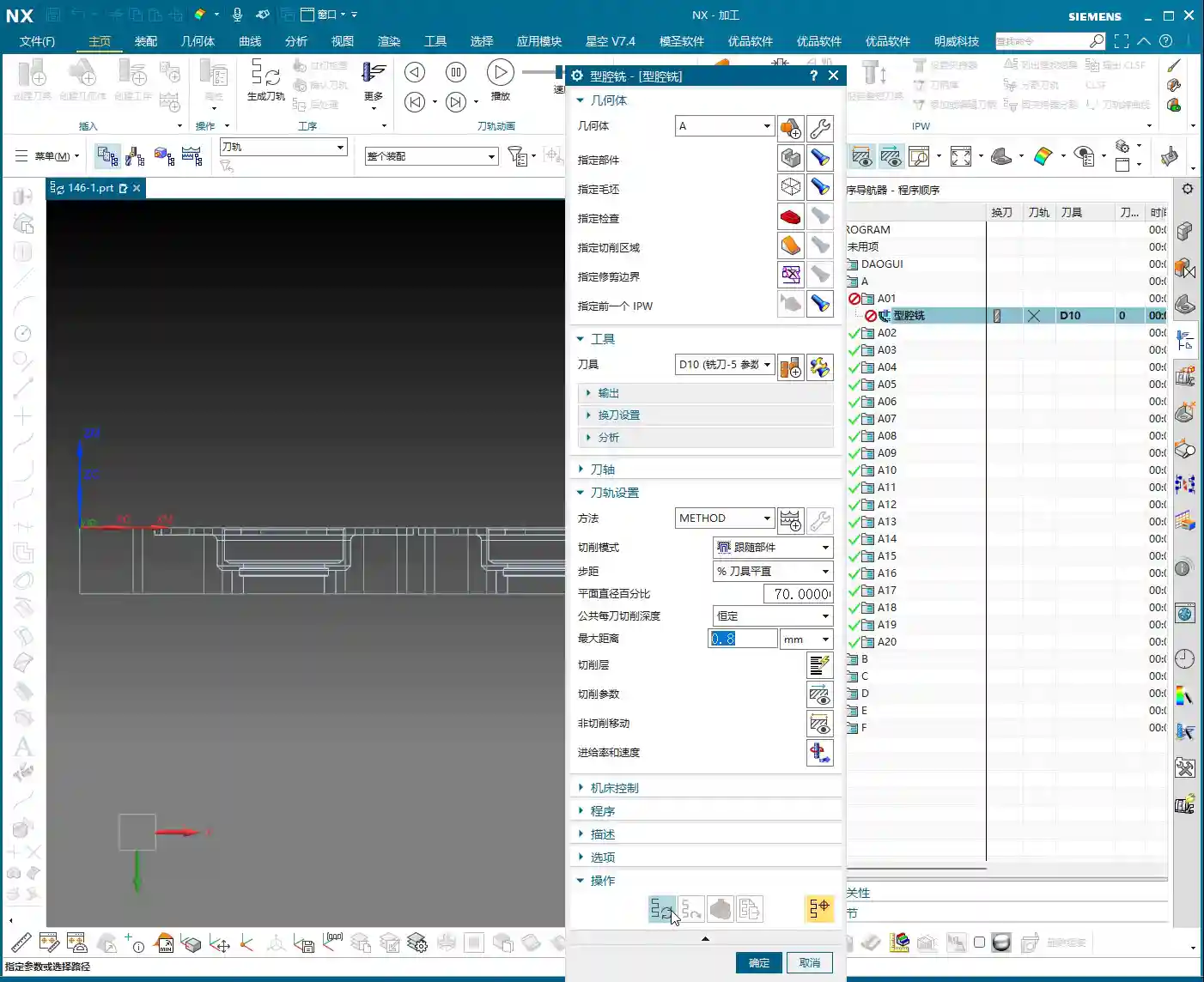
    Side A is relatively simple, primarily involving flat surface roughing and preliminary sidewall machining. Checking the drawing, the part’s outer diameter is approximately 30mm, and the internal dimensions are around 20mm. In this scenario, a 10mm diameter end mill is a suitable choice, balancing cutting efficiency with the ability to machine smaller areas.

    For roughing, we select “Cavity Milling” or “Face Milling” operations, leaving sufficient machining stock. Leave 0.2mm on the bottom surface and 0.2mm on the sidewalls. I usually prefer leaving a tiny negative stock, for instance, -0.1mm, on the bottom. This helps clear the bottom more effectively during finishing, preventing secondary cutting.

    Depth of Cut (DOC) Control: This is also critical. For multi-layered parts like this, depth cuts need to be layered, and you must ensure to avoid the T-slot area (as that’s for Side B machining).

    Side A Finishing Pass and Sidewall Finish Cut

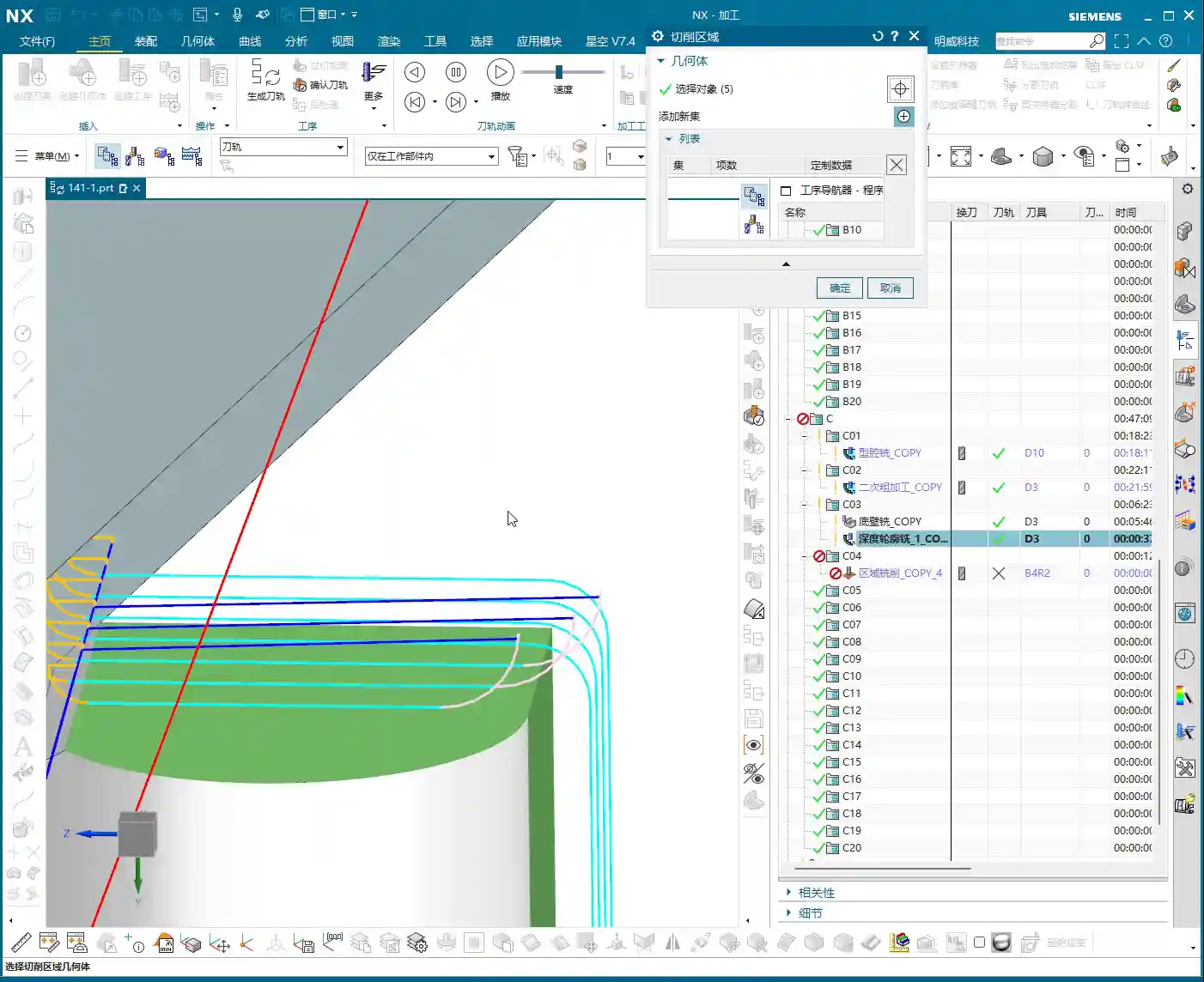
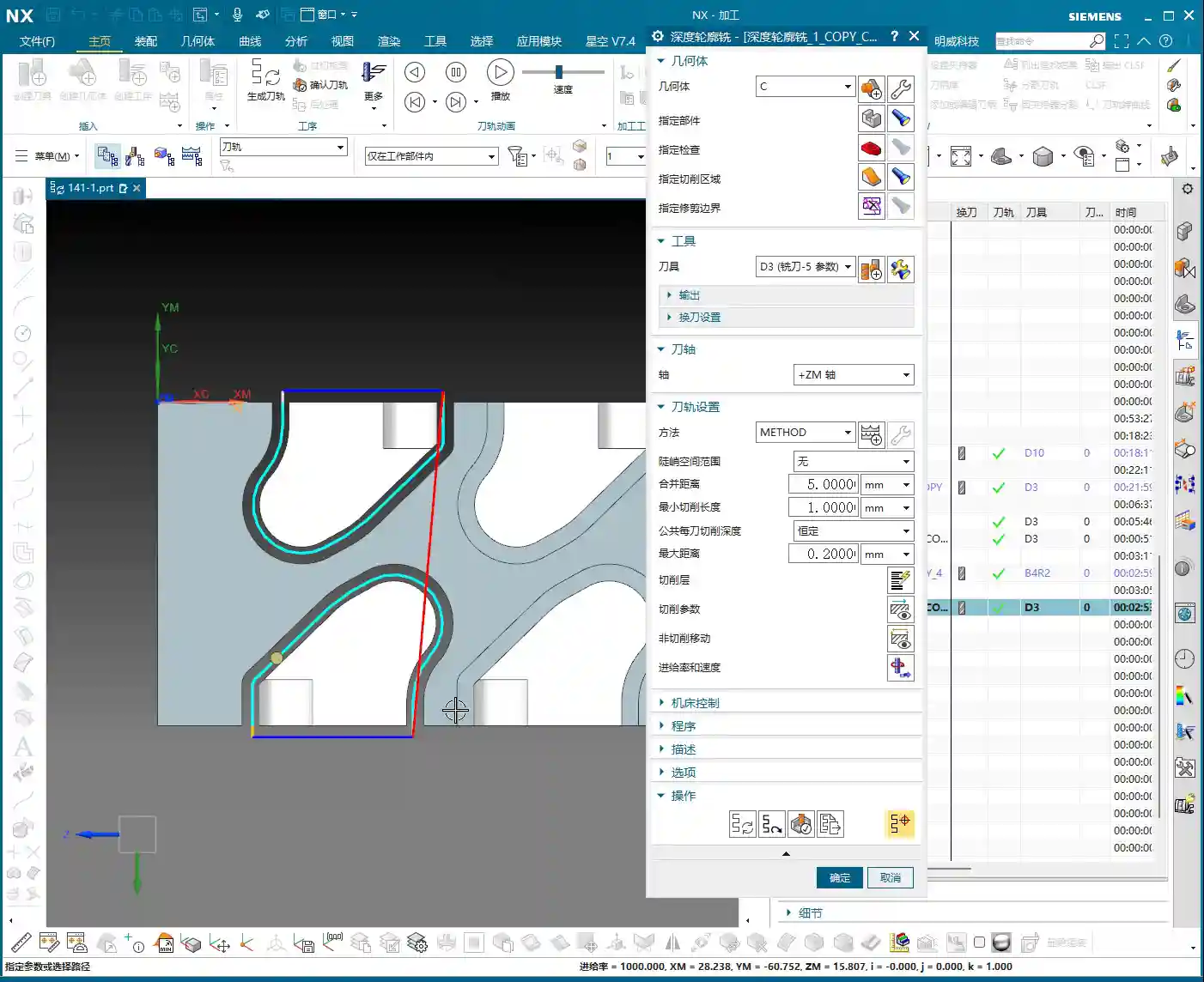
    After roughing, we need to apply a finish cut to the sidewalls. Here, we’re using a “Depth Cutting” operation, still with the 10mm diameter end mill. This operation primarily removes the remaining stock uniformly, bringing the sidewalls to the required surface finish and accuracy specified in the drawing. For finishing, the stock should be set to 0. If the part material is aluminum, feed rates and spindle speeds can be a bit faster, but always observe the cutting sparks and sound—the actual machine condition is paramount, not just software simulation!
    Special reminder: Where there are small angles or chamfers, when finishing the sidewalls, you can appropriately adjust the tool’s Depth of Cut (DOC) to be slightly smaller. This reduces cutting forces, protects the tool, and also prevents part deformation.

    Side A Chamfer Processing

    The small chamfers on Side A will be completed using a “Contour Chamfer” operation. Select a suitable chamfer tool (e.g., a 6mm chamfer mill), set the tool compensation to around 0.2mm, and run it along the edge. Make sure to select an internal chamfer to achieve the desired angle. Don’t miss any edges, and avoid overcutting, especially at corners. Ensure the toolpath is smooth and leaves no burrs.

    Multi-Part Duplication and Toolpath Verification

    Part Array and Program Duplication

    We’re machining six parts on one plate. Once the program for one part on Side A is done, the remaining five are straightforward. Simply use the Array function to duplicate the programs. You’ll first need to measure the center distance between two parts, for example, here we measured 146.82mm. Then, select XY-direction array, set the spacing and quantity, and NX will automatically generate the toolpaths for the other parts. This is much faster than programming each part individually, instantly boosting your efficiency.

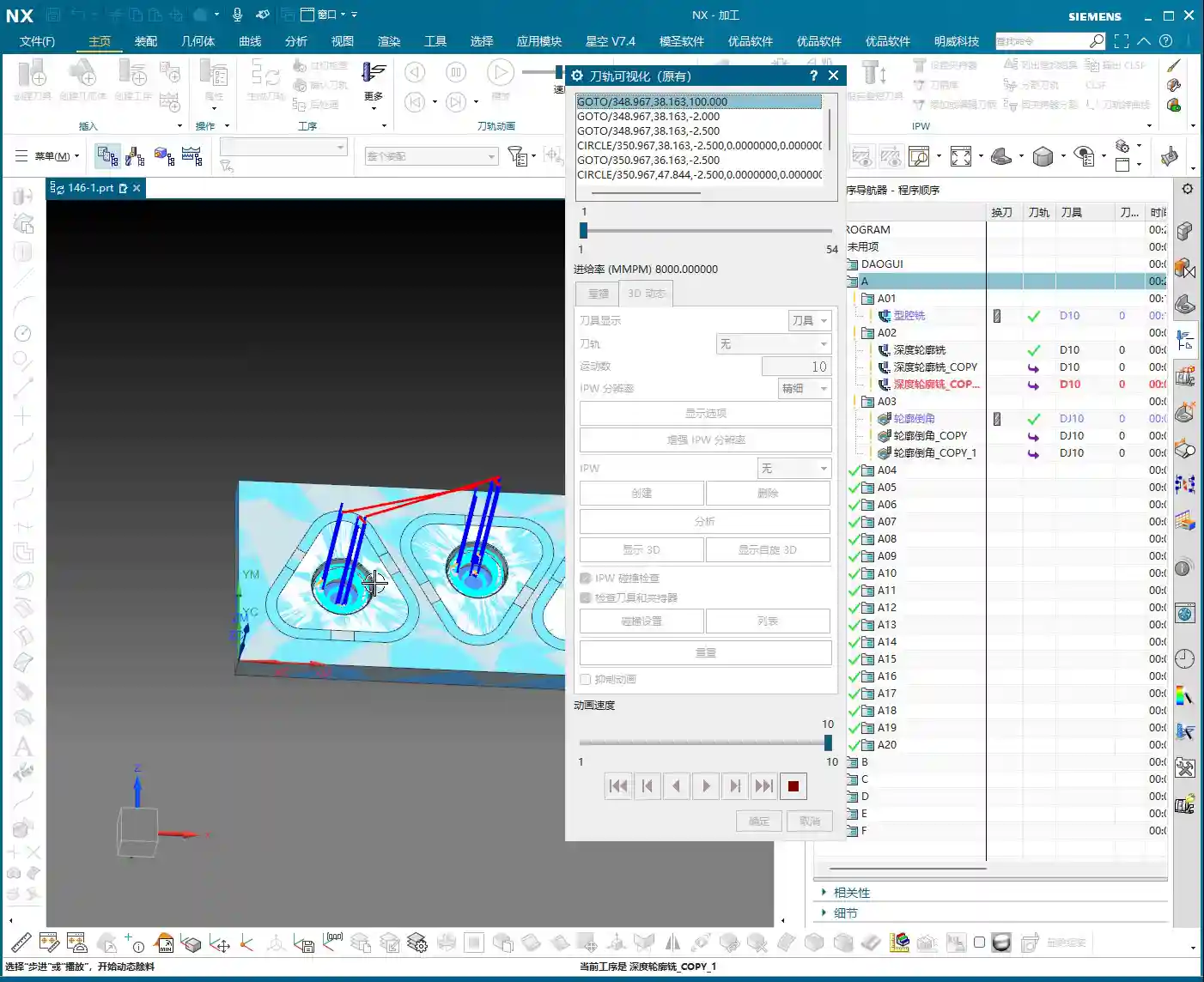
    Toolpath Simulation and Detail Check

    After duplicating the programs, you absolutely must perform toolpath simulation and cutting verification. Don’t get lazy! Use NX’s 3D dynamic cutting simulation function to meticulously check every toolpath. Pay close attention to a few key areas:
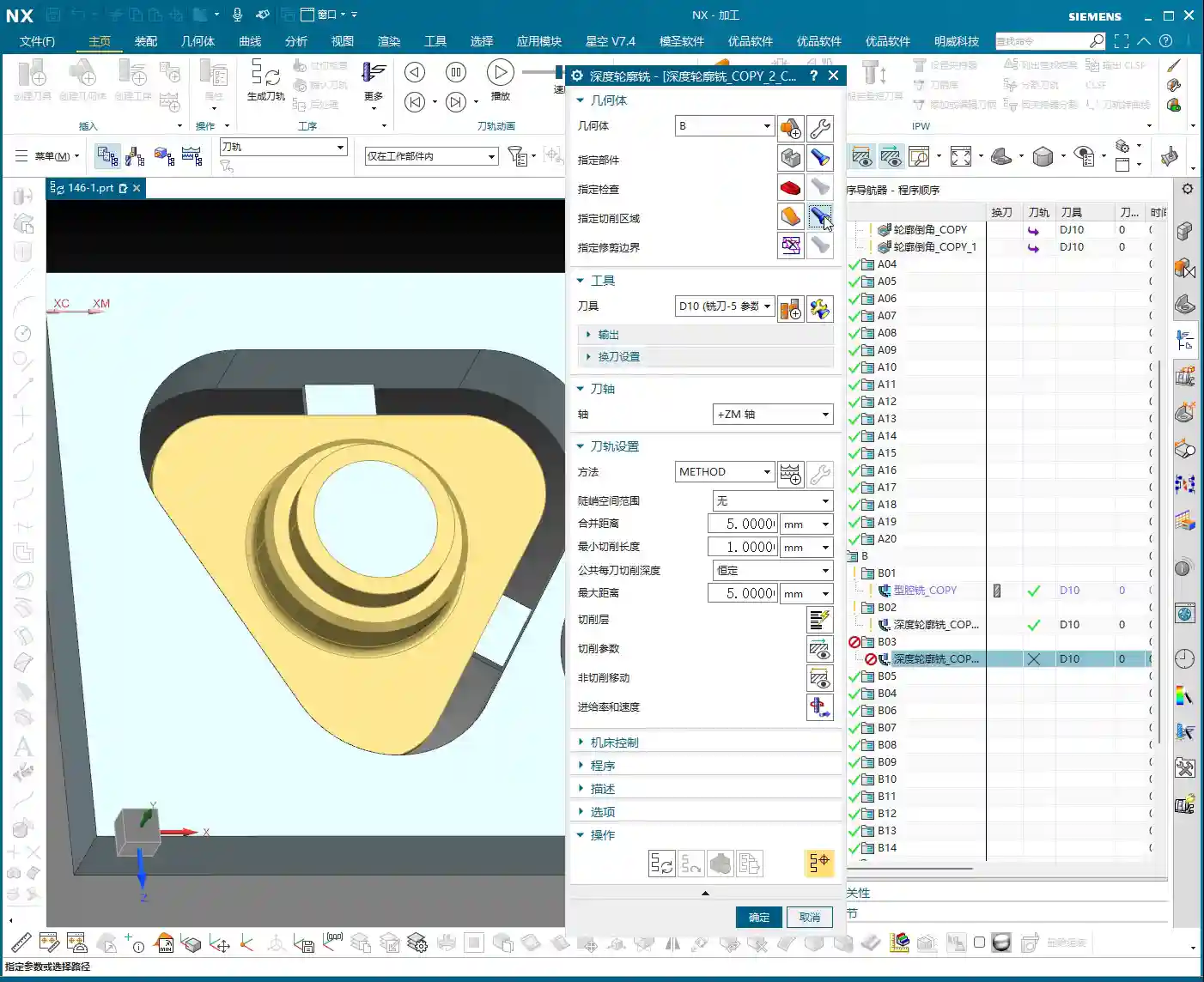
    • Is there any overcutting or undercutting? Especially at chamfers and fillet radii.
    • Is tool retraction efficient? Minimize unnecessary rapid moves to save significant time.
    • Are entry and exit moves smooth? Avoid impacts to extend tool life.
    • Is the T-slot area mistakenly cut by the Side A program? Confirm it’s clear.

    Through simulation, we can identify potential issues and adjust them in time, solving problems before the machine even starts. That’s the real skill of a seasoned engineer.

    Side B Machining (Second Side – Including T-slot)

    Coordinate System Inversion and Blank Reset

    Once Side A is machined, flip the workpiece over, and we’ll tackle Side B, which includes the T-slot. At this point, the coordinate system must be reset. Invert the MCS to the corresponding datum position on Side B, and again, place it on Layer 100. The blank also needs to be redefined; this time, the blank is the state of the workpiece after Side A machining – in other words, the current blank is the semi-finished product from Side A. If this step is done incorrectly, all subsequent toolpaths will be completely off.

    Side B Roughing Strategy

    For Side B roughing, our main goal is to clear most of the material, especially in the T-slot area. Still use a 10mm diameter end mill, selecting a “Cavity Milling” operation. However, for the T-slot, pay close attention to boundaries and depth. The T-slot’s shape dictates that the tool cannot rough directly to the bottom; it needs to be layered, and sidewall stock for the slot must be considered. We can “enclose” the boundary lines of the T-slot, so the tool will cut within the enclosed area, preventing it from going where it shouldn’t.

    If the T-slot width is relatively large, a 10mm tool might not fit or be inefficient. In that case, consider using a smaller tool or stepped milling. But for this part, I reckon a 10mm tool will handle most areas.
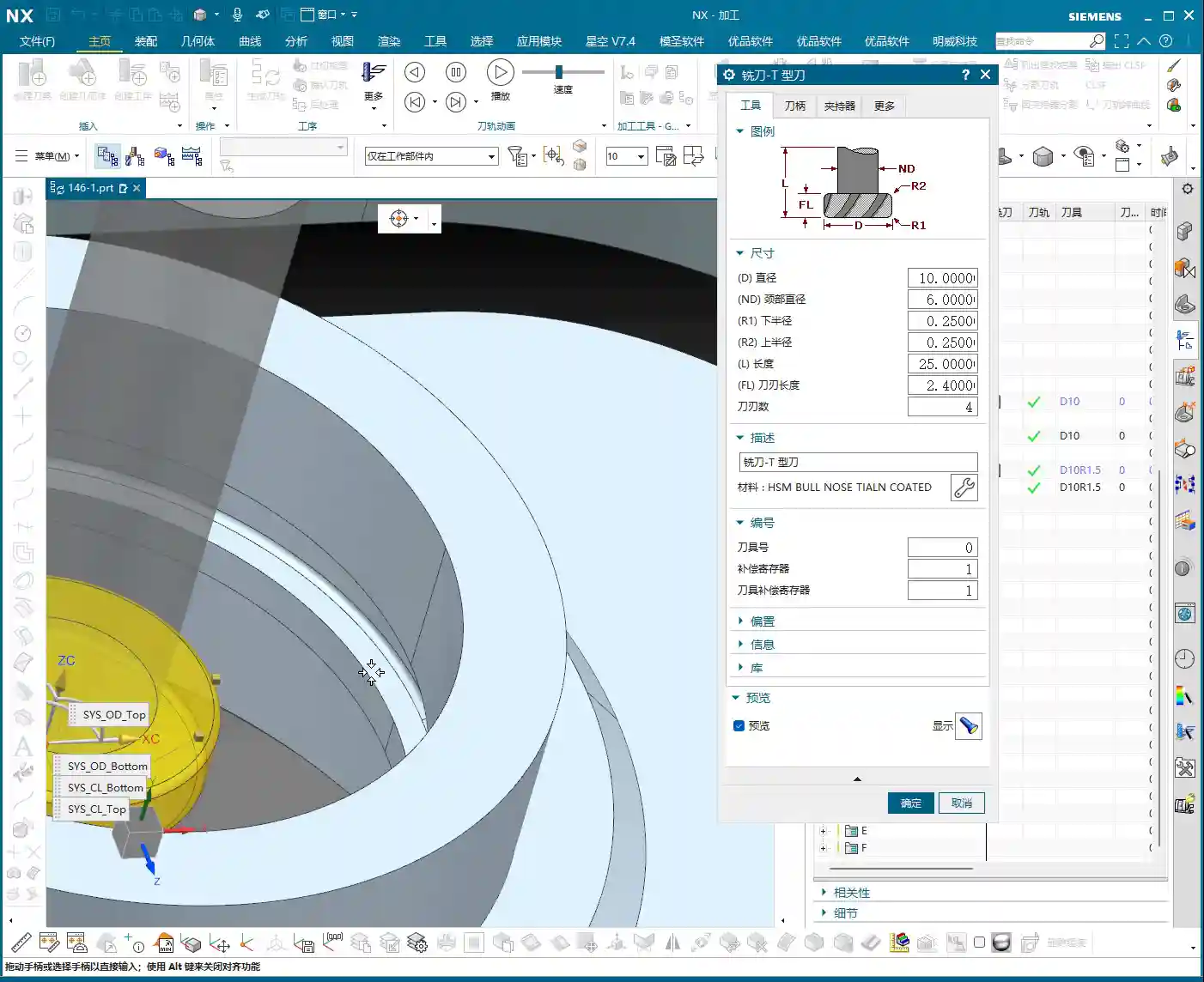
    Side B Finishing Strategy (Fillets)

    Finishing the T-slot requires particular attention. The drawing shows an R1.5 fillet at the bottom of the T-slot, so we must select an R1.5 ball nose end mill or corner radius end mill to finish this fillet. The tool selection must be correct, otherwise, the fillet shape will be wrong. For the operation, you can follow the “Depth Cutting” approach, but ensure the tool can fully enter the T-slot bottom, and the feed must be smooth, without chatter. For the T-slot sidewalls, a finish cut is still necessary to meet size and surface finish requirements. For finishing, the stock should be set to 0.

    After finishing the T-slot sidewalls, finally use a chamfer tool to process all chamfers on Side B, just like Side A. Be meticulous, and avoid rough edges.

    Summary: Troubleshooting Guide

    1. Workpiece Fixturing: It must be secure, especially after flipping the part. The datum surface and locating pins must align perfectly to prevent secondary positioning errors. Achieving ±0.005mm accuracy isn’t just about programming; fixturing is the first hurdle.
    2. Tool Selection: Size, material, and coating must be chosen according to the workpiece material and machining stage. Don’t try to use one tool for everything; large stock for roughing, small stock for finishing – tools need to change accordingly.
    3. Parameter Settings: Feed rates, spindle speeds, Depth of Cut (DOC), Stepover – these parameters are not set in stone. Aluminum and titanium alloys are completely different beasts. Observing cutting sparks, listening to cutting sounds, and feeling the workpiece temperature are “old-school methods” that often work better than textbook formulas for judging if parameters are appropriate.
    4. Optimizing Rapid Moves: Especially with multiple parts on one plate, accumulated rapid move time can be staggering. Carefully check toolpaths; if there’s a shorter path, take it. If a tool can retract less, make it retract less. Squeeze out every bit of efficiency!
    5. T-slot Corner Cleanup: Corner Cleanup inside the T-slot is a challenge. If a small bottom fillet or even a sharp corner is required, consider a specialized T-slot cutter or Electrical Discharge Machining (EDM). Here, with a fillet, an R-tool is the correct approach.
    6. Post-Processing: Don’t assume everything is fine once the program is written. Review the post-processed G-code, especially for 5-axis simultaneous machining or complex operations. You need to be aware of any redundant commands or safety hazards.

    Alright, that’s it for today. Remember, practice makes perfect. Get hands-on, think critically, and you too can become a seasoned engineer like me!

    👤 About the Author:
    The author is a veteran CNC machining professional with 15 years of industry experience, specializing in UG NX programming. This article is an original work representing personal practical insights.

    ⚠️ Copyright Notice: Unauthorized reproduction or distribution without prior communication is strictly prohibited.
  • Siemens NX Roughing Practical Guide for Small Mold Parts: Master Wang’s Hands-on Tutorial on Efficie

    📝 Key Takeaways: ** Master Wang personally explains Siemens NX roughing programming for small mold parts. From part analysis and Work Coordinate System setup to tool selection and practical applications of Cavity Mill and Depth Contour Milling. Key focus areas include toolpath optimization, stock control, minimizing air cuts, and sharing many practical tips you won’t find in textbooks, all aimed at improving machining efficiency and product accuracy. **

    Hello everyone, this is Master Wang. Today, let’s talk about roughing programming for small mold parts. Don’t let the small size of these parts fool you; there are many intricacies involved, especially with complex surfaces. Mishandle them, and you risk scrapped parts or low efficiency. So listen up! Today, I’ll walk you through it and explain all those real-world tips and tricks you won’t find in textbooks!

    Step One: Part Analysis and Review – Preparation is Key

    Once you get the job, the first thing is to understand the part thoroughly. This small mold may not look difficult, but there are critical areas.

    Part Characteristics and Challenges

    • Numerous and Complex Surfaces: The part surface has flat areas, but more notably, some “steep” contoured surfaces. In such areas, simply using a standard face milling operation will be disastrous; you’ll either have incomplete material removal or risk tool crashes. For these small and complex surfaces, we must use Depth Contour Milling.
    • Compact Size: The overall part is exceptionally small, which means our tool selection and cutting parameter settings must be more precise. Even a slight deviation can lead to a scrapped part.
    • Internal Radius Requirement: The part’s internal radius is R5. This parameter directly dictates our tool selection for roughing and semi-finishing.

    Fixturing and Work Coordinate System Setup

    The raw blank needs to be secured, that’s common knowledge. But even more important is the Work Coordinate System. For those of us using NX, don’t just stare at the X0Y0Z0 in the software; understand its actual position on the machine!

    • Datum Selection: For this type of raw blank, it’s best to use the bottom surface as the Z-datum. This makes it easier to control the machining Depth of Cut (DOC) and facilitates subsequent finishing passes.
    • Work Coordinate System Verification: Regardless of how you set up your Work Coordinate System, always double-check it. Before starting on the machine, use a probe to verify if the X, Y, and Z values match your programming. Don’t underestimate this step; countless accidents are caused by misaligned Work Coordinate Systems! I’ve seen it too many times – just to save a few minutes, parts worth tens or even hundreds of thousands were scrapped.

    Step Two: Tool Selection and Roughing Strategies – The Tool Arsenal and Strategic Planning

    Your tools are your weapons; choose them correctly, and you’ll achieve twice the result with half the effort. Choose them poorly, and you might not even save the tool itself.

    Tool Configuration

    • Roughing Tool: Given the R5 internal radius, we can select a Φ12R3 (12mm diameter, 3mm corner radius) flat end mill with a corner radius. This tool can better remove most of the stock, while also addressing the radius areas, leaving appropriate stock for subsequent semi-finishing.
    • Semi-Finishing/Finishing Tools: For areas with an internal R5, a Φ8 (8mm diameter) ball nose end mill can be considered for semi-finishing. This ensures the quality and efficiency of the subsequent finishing pass. For the steeper external areas, the Φ12R3 can be used for roughing.

    Roughing Toolpath Programming (Siemens NX Cavity Mill)

    NX’s “Cavity Mill” function is a powerful tool for roughing, but knowing how to use it is key.

    • Operation Creation:

      1. Create a new ‘Work Area’ and define the machining boundary.
      2. Set the safety plane: For example, designate Z=100mm as the safety plane to ensure the tool does not collide with the workpiece or fixture in non-cutting areas.
      3. Select the Cavity Mill operation.
      4. Sequentially select the Part Geometry and Blank Geometry.
      5. Select the tool: Φ12R3.

    • Cutting Parameter Optimization:

      • Depth of Cut (DOC): Initially set to 0.5mm. This can be adjusted based on material hardness, tool life, and machine power.
      • Cutting Pattern: Don’t just use the default ‘Follow Boundary’ pattern right away. For roughing small molds, the ‘Follow Periphery’ pattern is often more stable, generates a more consistent toolpath, and reduces unnecessary retracts and air cuts.
      • Engagement Method: Software simulation looks good, but the actual cutting sparks are what truly matter. Initial straight plunges or helical plunges can lead to aggressive Depth of Cut (DOC). Try using ‘Arc Plunge’ with a parameter set to 5mm; this allows the tool to enter the material more smoothly and avoids shock.

    Step Three: Stock Control and Finishing Strategies – Striving for Perfection

    Roughing is not the ultimate goal; it’s about setting the stage for finishing. How much stock to leave and where to leave it – these are crucial considerations.

    Roughing Stock Adjustment

    Analyze the remaining stock using IPW (In-Process Workpiece). Initially, the system’s default stock might be 0.3mm. However, for small molds, too much stock puts excessive pressure on semi-finishing, while too little risks insufficient material for the final finish. Typically, adjusting it to 0.2mm is sufficient. Regenerate the toolpath to ensure uniform stock.

    Surface Finishing: Depth Contour Milling

    For those “steep” contoured surfaces and complex areas, conventional planar milling won’t cut it. This is where Depth Contour Milling comes in.

    • Operation Creation:

      1. Right-click ‘Insert Operation’ and select Depth Contour Milling.
      2. Select the surfaces to be machined: Choose carefully, especially the blue areas (which typically represent curved surfaces in Siemens NX), as these require precise treatment. Green areas are typically flat surfaces.
      3. Tool: Continue using the Φ12R3 for semi-finishing (or switch to a Φ8 ball nose end mill for finishing, depending on actual requirements).
      4. Depth of Cut (DOC): 0.2mm.
      5. Cutting Pattern: 0: This means this pass will be a finishing pass, or at least a semi-finishing pass close to a finishing pass.
      6. Toolpath Extension: The toolpath can be extended appropriately to ensure the tool fully exits the cutting area, preventing tool marks on the part edges.

    Step Four: Toolpath Optimization and Practical Verification – Details Determine Success

    Programming is done, but that doesn’t mean everything is finished. Toolpath optimization and verification are the final checkpoints to ensure machining quality and efficiency.

    Minimizing Air Cuts and Retracts

    In Siemens NX, you’ll often see the tool frequently retracting and plunging – these are “air cuts” or “jumps.” This significantly reduces machining efficiency and increases machine wear.

    • Adjusting Engagement and Retract Parameters: Carefully check the engagement and retract settings within ‘Non-Cutting Moves’. For continuous machining areas, you can set the Clearance or Retract height to 0, allowing the tool to move rapidly within the plane and reduce unnecessary retracts. If necessary, you can set a small Extend distance (e.g., 3mm) to avoid retracting in the middle of the workpiece.
    • Observe the Toolpath: When simulating the toolpath, observe the tool’s motion trajectory carefully, just as you would in front of the machine. Any unreasonable movements or redundant actions must be adjusted promptly.

    Verify Machining Results

    Achieving accurate machining is a fundamental requirement. Use IPW analysis again to ensure all surfaces have been machined to the preset stock or to a finishing pass. Pay special attention to corners and grooves, checking for any cases of “Corner Cleanup” (rest milling) not being fully achieved or “overcutting.” These are the most common pitfalls in machining.

    Summary: Pitfall Avoidance Guide

    • The Work Coordinate System is paramount: Align it! Verify it! Re-verify it! Don’t ruin an entire part to save a few minutes.
    • For small parts, precise tool selection is crucial: The radius dictates the tool. A Φ8 ball nose end mill can finish an R5 corner. The roughing corner radius end mill should also consider Corner Cleanup.
    • Choose the right cutting pattern: For surface roughing, ‘Follow Periphery’ is often better than ‘Follow Boundary’; it’s more stable and reduces air cuts.
    • The engagement method is key: ‘Arc Plunge’ protects the tool more and is smoother than a straight plunge.
    • Stock control is an art: For small mold roughing, 0.2mm of stock is sufficient, which lightens the load for subsequent finishing.
    • For complex surfaces, use ‘Depth Contour Milling’: This is Siemens NX’s go-to for complex surfaces, so master it.
    • Toolpath optimization reduces air cuts: Lowering retract heights can significantly improve machining efficiency; saving time means saving costs.
    • Simulation ≠ Real-world Machining: No matter how perfect the software simulation, the final result depends on what the machine actually produces. Observe, analyze, and adjust frequently.

    Alright, that concludes today’s hardcore practical session on small mold roughing. Next time, we’ll continue discussing how to finish other areas.

    Thank you for watching, and see you next time!

    👤 About the Author:
    The author is a veteran CNC machining professional with 15 years of industry experience, specializing in UG NX programming. This article is an original work representing personal practical insights.

    ⚠️ Copyright Notice: Unauthorized reproduction or distribution without prior communication is strictly prohibited.

  • Siemens NX Programming for Backside Finish Milling: Master Wang’s Hands-on Guide to Overcoming Uncle

    📝 Key Takeaways:

    Backside Finish Milling Programming: Practical Tips and Pitfall Avoidance Guide

    Step One: Analyze the Problem, Pinpoint the Root Cause

    Listen up, lads! Today we’re talking about programming for finishing the backside of a component. Don’t be fooled, it might seem like a simple finishing pass, but the higher the demands for flatness and surface finish, the more pitfalls you’ll encounter. Textbooks teach you a bunch of theory, but once you run it on the machine, you might just stare blankly. Today, Master Wang will show you how to get this job done, not just cleanly, but efficiently!

    Initial Attempts and Challenges with Bottom Face Finishing

    Let’s start with a standard operation: select the bottom surface to be machined, pick a suitable tool (for example, a D10 flat end mill), set the cutting parameters, and initially leave a small amount of stock. Then generate the toolpath and check the result. And just like that, problems arise!

    Master Wang’s Insight:

    “Look at this toolpath—it doesn’t go all the way to the edge; it turns inward or even breaks off entirely! Isn’t this a classic case of ‘not cutting to the edge’? If that little bit of material on the edge isn’t cleared, how can you expect a good finish? It’s a waste of time!”

    This situation often occurs because Siemens NX, when calculating the toolpath, defaults to not allowing the tool’s center point to exceed your selected machining boundary. This is especially true when your machining boundary is a right angle, and the tool diameter perfectly matches the boundary dimension (for example, a D10 tool hitting a 10mm boundary); it just absolutely refuses to extend even a hair further.

    Step Two: Master Wang’s Secret — Auxiliary Body Construction, Expanding the Toolpath Boundary

    When you encounter this, don’t panic! I’ve been dealing with machines for 15 years, and I’ve seen these little tricks countless times. Textbooks might tell you to switch to a smaller tool or set a negative stock allowance, but those are just temporary fixes. The most reliable, flexible, and efficient method is to add an auxiliary sheet body!

    Precise Measurement and Auxiliary Sheet Body Creation

    1. Measure the Boundary: First, we need to measure the outer dimensions of this bottom surface. For instance, on our part, the radius from the center point to the bottom surface boundary is 145mm. Once we have that number, we can get to work.

    2. Draw Auxiliary Circle: Using the part’s rotational center as the origin, draw a circle with a radius of 145mm.

    3. Extrude to Sheet Body: Extrude this circle into a sheet body. The extrusion height can be arbitrary, as long as it covers your machining area; it’s just a temporary “dummy” body after all.

    4. Set Machining Area: Here’s the key! When programming, the selected machining area is no longer just the original bottom surface. Instead, you include the auxiliary sheet body we just created. This way, when Siemens NX calculates the toolpath, it will assume your boundary has expanded outwards, allowing the tool’s center point to travel further out and completely clear the stock at the corners.

    Master Wang’s Reminder:

    “This auxiliary sheet body must extend slightly beyond your actual machining boundary. How much? The radius of your tool, plus an additional 0.1~0.2mm stock allowance, is plenty. Don’t add too much, or you might hit something you shouldn’t, and that would be trouble!”

    Tool Diameter Micro-Adjustment – Backup Plan

    If you really don’t want the hassle of drawing an auxiliary sheet body, or if the part geometry is too complex and a sheet body is difficult to create, Master Wang has an emergency workaround. But remember, this method is a temporary fix, not a complete solution, and it’s less effective than using an auxiliary body.

    You can slightly reduce the diameter of the tool being used. For example, if you’re using a D10 flat end mill that theoretically should reach the edge but isn’t, you can change its diameter to D9.99. This allows the tool’s geometric center point to move slightly further out, connecting to that edge. However, use this micro-adjustment cautiously for parts requiring high precision, and it demands a good understanding of your machine’s accuracy.

    Master Wang’s Experience:

    “I typically use this small diameter adjustment when the finishing pass has zero stock allowance but still ‘can’t reach the corner’. While it’s not the ideal method, it can save you in certain emergency situations. But the core principle is still to control the toolpath boundary precisely!”

    Step Three: Sidewall Finishing and Toolpath Optimization

    Now that the bottom surface is taken care of, let’s look at the sidewalls. For the same part, the machining requirements for the bottom and sidewalls might differ. Let’s proceed with the sidewalls.

    Sidewall Toolpath Selection and Optimization

    Copy the bottom surface finishing program, then modify the parameters for machining the sidewalls. Choose an appropriate machining method, such as Planar Mill or Contour Profile; either can work.

    For sidewall finishing, a D10 flat end mill is commonly used, making a single pass from top to bottom with a stock allowance of 0. However, at this point, you might find that the toolpath travels too far, with excessive air cuts, leading to inefficient operation.

    Master Wang’s Secret Tip:

    “Look at this toolpath—it looks like it’s trying to finish the entire workbench! This wastes time, wastes tool life, and most importantly, wastes money! In this situation, we need to limit its Space Percentage or Cutting Range. For example, adjust it to 30%, making the toolpath more compact, only traveling back and forth in the truly necessary cutting areas, reducing air cuts, and boosting efficiency. Don’t just look at software simulations; observe the cutting sparks and actual results!

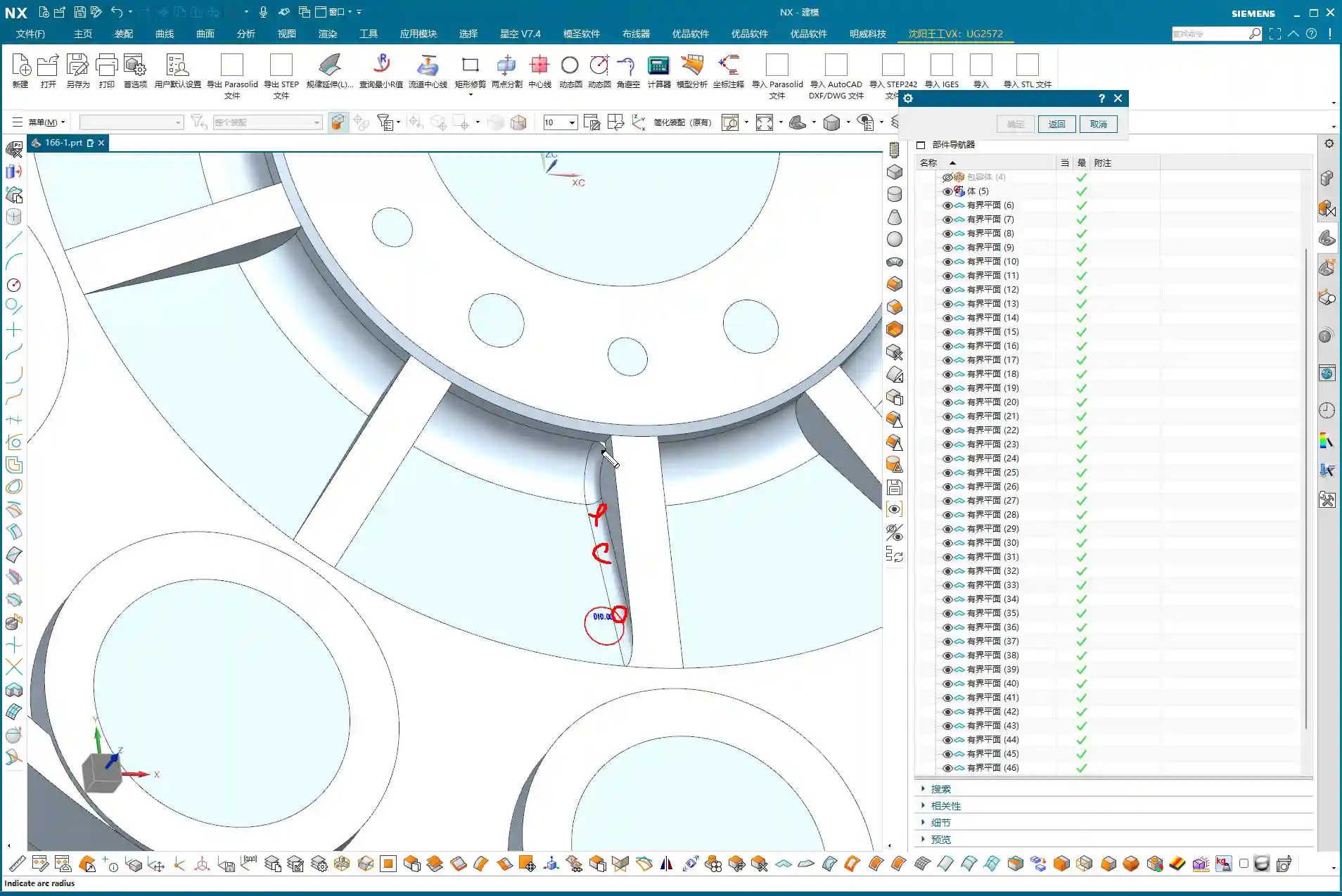
    If the sidewalls have small radii or more complex surfaces, a D10 flat end mill might not be sufficient. In that case, we can copy the program again and switch to a D6 ball end mill specifically for Corner Cleanup of those small radii or surface areas. The machining boundary must also be set correctly to ensure the tool only works within the target area.

    Step Four: Rapid Programming for Symmetrical Parts – Transform and Copy

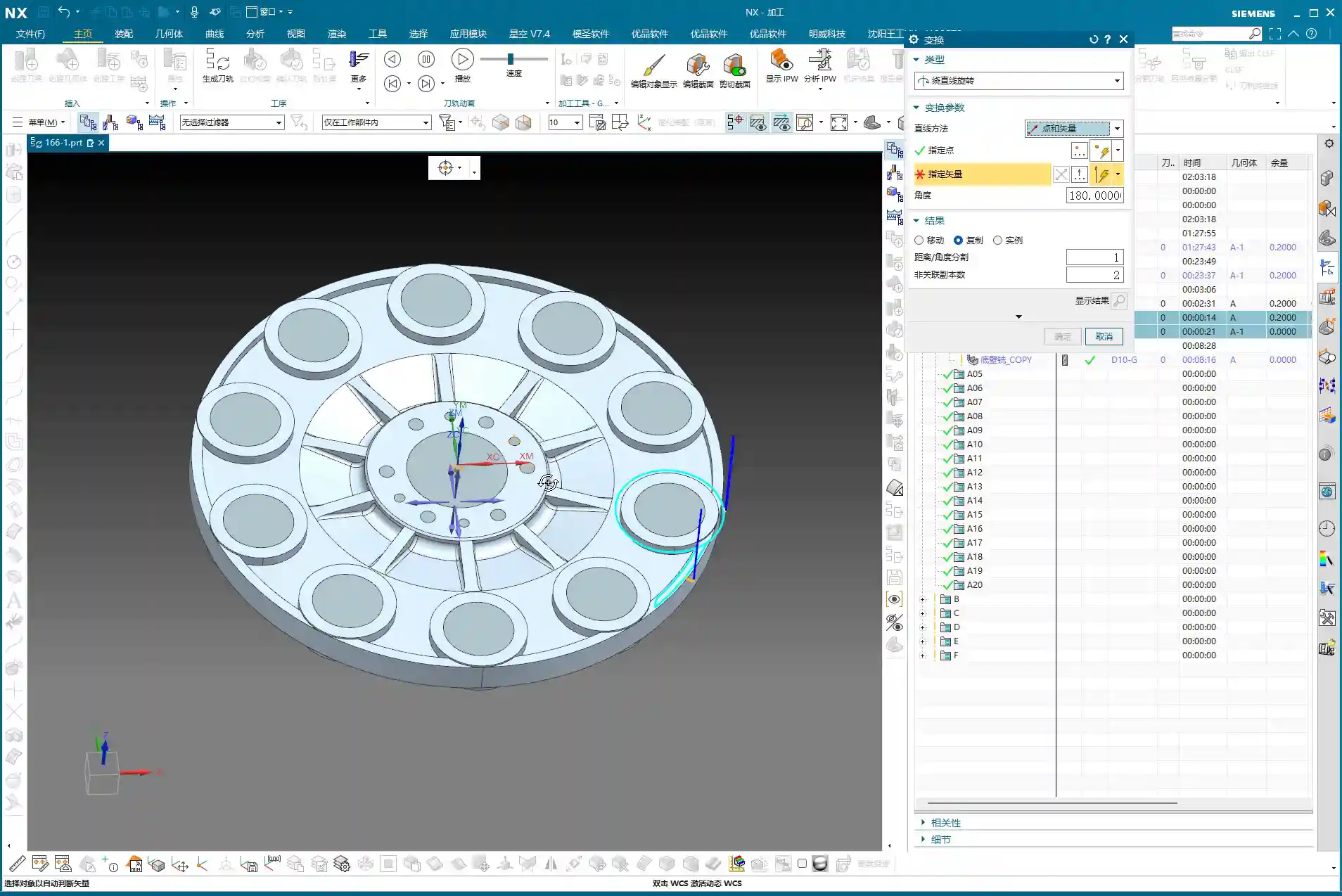
    Many parts are symmetrical, such as features distributed in a circular array. If you program each one individually, you’ll be doing it until the cows come home! Siemens NX’s Transform function is designed precisely for this—it’s a massive time-saver!

    Rotational Copy of Toolpath Programs

    1. Select Programs: First, select the already programmed bottom surface finishing program and sidewall finishing program (or any other programs you need to copy).

    2. Select Transform Type: Go to the “Edit” menu for the program in the “Operation Navigator,” find “Transform,” and select “Rotate.”

    3. Set Rotation Parameters:

      • Rotation Point: Select the part’s geometric center as the rotation center point.
      • Rotation Vector: Select the vector that coincides with the rotation axis, typically the Z-axis.
      • Rotation Angle: If the part has 10 equal divisions, the total angle is 360 degrees, so each division is 360 / 10 = 36 degrees.
      • Number of Copies: This is crucial! Since you already have one original program, you only need to copy 9 additional instances (for a total of 10, subtracting the original). Don’t foolishly copy 10, or you’ll end up with an extra one.

    4. Generate: After confirming the parameters are correct, click OK. Siemens NX will automatically generate the toolpath programs for the other symmetrical areas, saving you a huge amount of repetitive work.

    Master Wang’s Takeaway:

    “This transform function is a powerful tool for boosting efficiency in real-world scenarios! In the same amount of time, others are still programming one by one, while you’ve already generated several sets. This is the true skill of a seasoned veteran, something you won’t learn just by clicking a mouse.”

    Step Five: Program Management and Important Notes

    Once programming is done, it’s not over. Proper program management and attention to small details can save you from many unnecessary headaches.

    Separate Storage for Different Tool Programs

    This is a very important habit! Programs for different tool diameters must never be placed in the same operation group!

    Master Wang’s Emphasis:

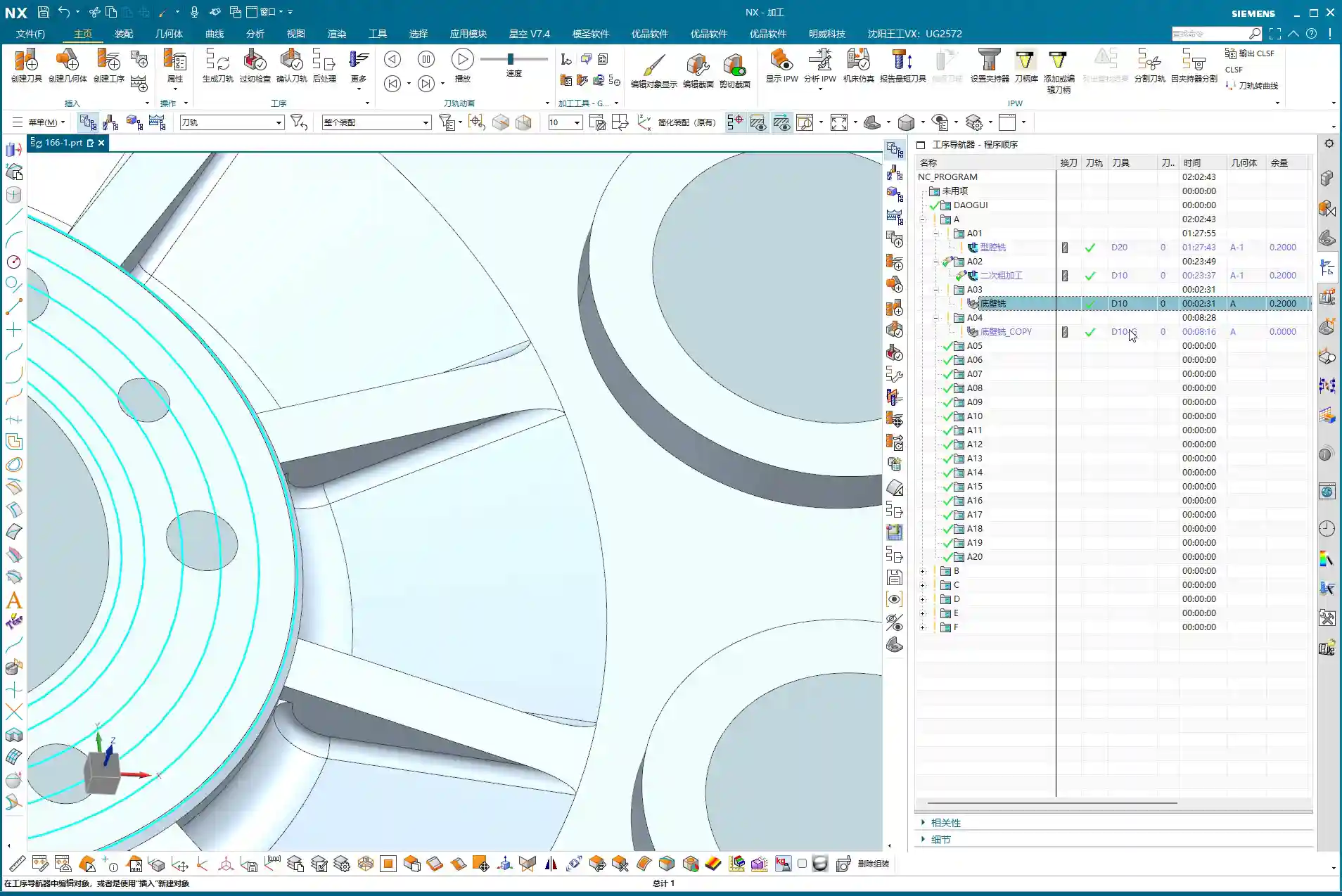
    “Listen closely! If you mix D10 toolpaths with D6 toolpaths, Siemens NX will give you an alarm! It assumes that since the tool has changed, the entire program needs to be recalculated. Then you’ll have to separate them one by one—what a hassle, right? So, diligently keep them separate. For example, put D10 programs in A03, D6 programs in A04—clear and concise. This not only facilitates management but also prevents software errors.”

    Always save your work after programming! Develop the habit of saving frequently to avoid losing work due to unexpected situations.

    Summary: Pitfall Avoidance Guide

    What Master Wang has taught you today is practical experience accumulated over 15 years of hard work in the shop. Remember these points, and you’ll avoid detours and achieve excellent results when programming finish milling of bottom surfaces in Siemens NX:

    1. Learn to use Auxiliary Sheet Bodies: When toolpaths fail to cut to the edge, don’t just think about changing tool diameters or negative stock allowances. Constructing an auxiliary sheet body to expand the boundary is the most flexible and thorough solution.

    2. Optimize Sidewall Toolpaths: Reduce unnecessary air cuts by adjusting the Space Percentage or cutting range to make toolpaths more concentrated and efficient. Improving machining efficiency directly reduces cost!

    3. Master Toolpath Transformation: For symmetrical parts, skillfully use rotate, mirror, and other transform functions to significantly boost programming efficiency and achieve more with less effort.

    4. Independent Program Management: Programs for different tools must be stored separately to avoid confusion and software errors, making subsequent management and retrieval easier.

    5. Combine Practice with Theory: Don’t just rely on software simulations. Think critically, observe carefully, and integrate actual machine operation, cutting sparks, and part finish. That’s the real skill!

    👤 About the Author:
    The author is a veteran CNC machining professional with 15 years of industry experience, specializing in UG NX programming. This article is an original work representing personal practical insights.

    ⚠️ Copyright Notice: Unauthorized reproduction or distribution without prior communication is strictly prohibited.
  • Disc-Type Part Backside Programming: Master Wang’s Hands-On Guide to Avoiding Machining Pitfalls and

    📝 Key Takeaways:

    Detailed Explanation of Disc Part Backside Programming

    Chapter One: Geometry Handling and Filleting Strategies

    1.1 Auxiliary Geometry Management: Layer Discipline

    “Listen up. In this line of work, the more complex your models get, the better your habits need to be. Look, these filleted faces – you can’t just let them mix with the original faces; that’s just a mess. My habit is to move all these auxiliary or temporarily generated faces to a separate layer, like layer 50. That way, it’s easier to find things later, clearer to modify, and you won’t accidentally select the wrong thing. That’s just asking for trouble!”

    “So, remember this: after sealing these faces, select them, Ctrl+J (Change Layer), throw them into an unused layer, like layer 50, then turn it off. Out of sight, out of mind, but you can instantly bring them back when needed. That’s what I call ‘strategic planning.’”

    1.2 Filleting Challenges and Practical Solutions

    “Next up is filleting. This disc part has some edges that need treatment. Initially, we might want to apply an R3 fillet here. But sometimes, software gets ‘quirky’ – you select too many edges, and it tends to create some strange, undesirable changes that just don’t look ‘right’ or perfectly smooth.”

    “When you hit this kind of situation, don’t panic! Don’t jump to conclusions; we need to troubleshoot.

    1. Parameter Adjustment: Try seeing if it’s a size issue. Change R3 to R2, or even R1, and check the result. Sometimes small fillets work, but larger ones ‘break.’ Of course, R0 won’t work – then there’s no fillet at all, that’s a logic problem.
    2. Delete and Redo: If parameter adjustments don’t fix it, just delete and start over, or try ‘Replace Face.’ It’s like repairing a faulty machine: first check the components, if that doesn’t work, replace them.
    3. Flexible Strategy: Here’s the most important point! Look at these two edges, top and bottom. If you try to fillet them together, the result isn’t good. This is when you need to think creatively: Not every area absolutely needs a fillet, and not every area needs to be filleted in one go.

    “Specifically for that small upper corner, I’ve decided not to fillet it for now, and only fillet the larger one below. Why? This is a trick you won’t ‘learn from books’ – you have to consider actual machining. For our subsequent roughing operation, we’ll use a 20mm flat end mill. Its main job is to mill the sidewalls and bottom flat surfaces. For a small fillet hidden above a sidewall like this, the tool simply can’t ‘reach’ it effectively, so it won’t make much difference.”

    “But! Pay attention to this ‘but’: if for finishing pass you use a ball nose end mill (e.g., a 6mm ball nose), and this fillet is relatively large, and you haven’t modeled it or it’s not modeled to standard, then after machining, that area will definitely have a ‘witness mark’ or ‘step’. Then the bench hand will have to manually clean it up, which is time-consuming, laborious, costly, and could affect accuracy and surface finish! So, any required radius (R-angle) must be modeled correctly!”

    “When performing the operation, if you can’t select multiple edges at once for filleting, then select them separately, one edge at a time. Don’t think of it as a hassle; this is about being responsible for the part and for your program.”

    1.3 Siemens NX “Predict” Function: Early Risk Insight

    “In Siemens NX, there’s a function called ‘Predict’, which is different from ‘Preview.’ Preview just gives you a rough idea of the effect, but Predict highlights all geometry affected by your current operation. This function is great because it helps you see potential problems in advance, preventing blind operations. So, every time you’ve selected your edges, remember to click ‘Predict’ to ensure your selection is correct and the affected area is right, before clicking OK!”

    1.4 Final Geometry Processing: From Parametric to Solid

    “All modeling operations, especially things like filleting, come with parameters. Once we’ve finished processing the entire part’s geometry and confirmed the model is good, the final step is to remove all these parameters, turning it into a ‘final body,’ essentially a pure solid model. This makes the model look ‘cleaner’ and simplifies subsequent programming operations. After all, what we ultimately need is a tangible part, not a stack of combined parameters.”

    Chapter Two: Practical Backside Machining Programming

    2.1 Programming Fundamentals: Work Coordinate System and Blank Definition

    “Alright, geometry’s handled; let’s get into programming. Programming is like building a house: the Work Coordinate System (WCS) is the foundation, and if the foundation isn’t stable, the whole structure will be off-kilter. For this part’s backside machining, the coordinate system was already defined in the previous lesson, so just use that. Remember, for every new setup or side you’re machining, the WCS must be redefined or you need to ensure it’s correctly set up according to your fixturing and part orientation.”

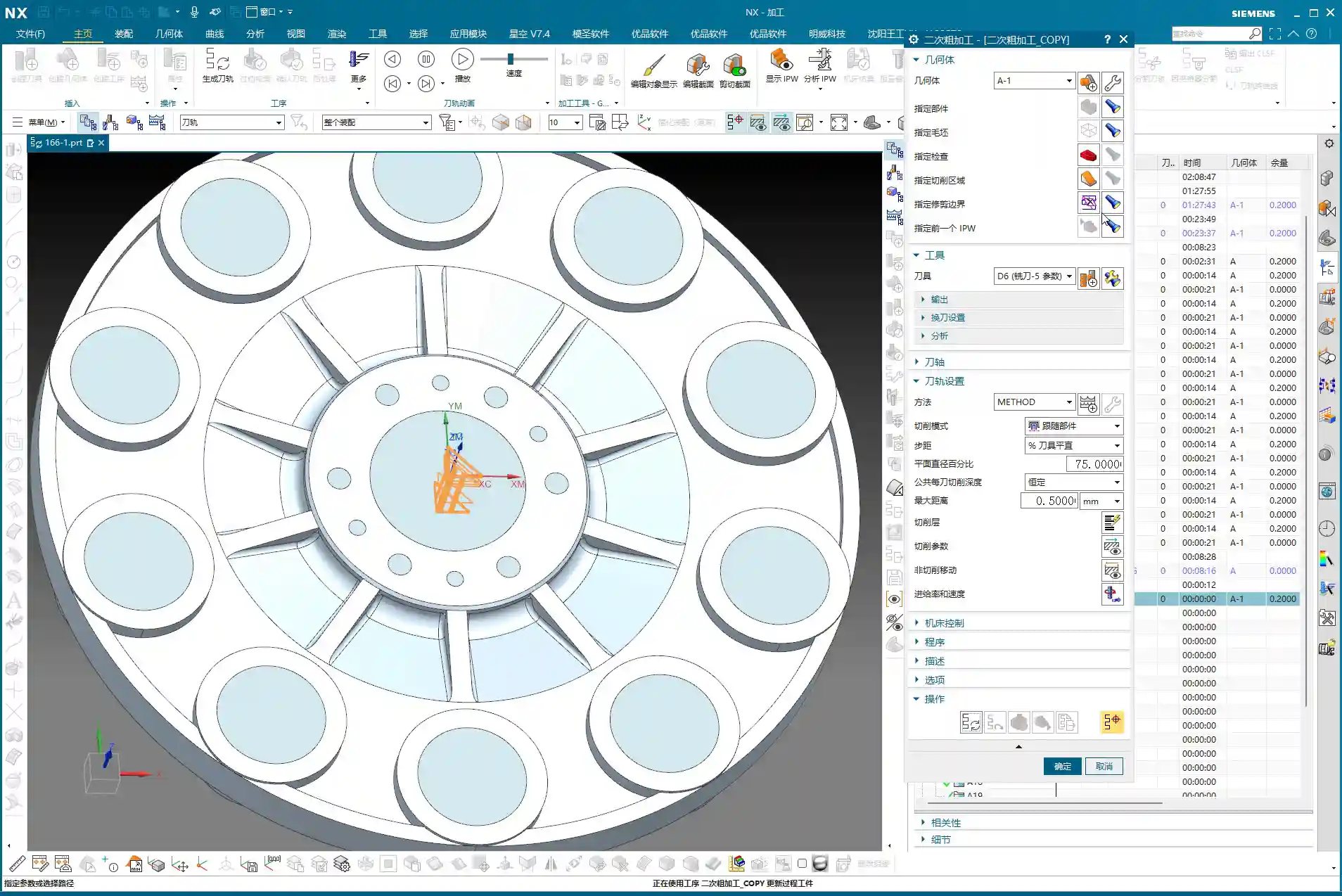
    “Next is creating the geometry, including the workpiece and the blank. We’ve talked about this operation before, so I won’t belabor it. But one thing to emphasize: select ‘Workpiece’, don’t pick something like ‘Cavity Milling’ – those are not the same thing. For the Workpiece (Part), select our processed ‘A-1’ model. For the Blank, select the one we put on layer 100 earlier. Once the blank is selected, hide it so it’s not in the way and doesn’t confuse you.”

    2.2 Roughing Strategy: Efficiency and Stock Control

    “For roughing, it’s all about efficiency and safety. This disc part mostly consists of sidewalls and flat surfaces, so we’ll go straight with a 20mm flat end mill, using a ‘Cavity Milling’ approach. Why not use a ball nose or a radius end mill? I mentioned it earlier: ball nose cutters will leave fillets everywhere, adding extra work for subsequent corner cleanup. For roughing, stick with a flat end mill – it’s straightforward, aggressive, and highly efficient.”

    “For the depth of cut (DOC), which is the cutting depth per layer, we’ll set it to 0.7mm. This value is a comprehensive consideration of the tool, material, and machine rigidity. There’s no absolute rule, but this is a reliable empirical value. Feed rates and spindle speeds? We’ve covered those before – adjust them according to material properties. For example, faster for aluminum, slower for titanium alloys and stainless steel. Don’t use one set of parameters for everything; that’s asking for trouble.”

    “After generating the toolpath, you must check it with ‘Analyze IPW’ (In-Process Workpiece). This feature lets you see how much material is left on the part after roughing, and which areas weren’t cleared. Look, in those sharp corners and narrow regions, the 20mm tool definitely can’t reach, leaving behind material. That’s what I called a ‘witness mark’ earlier. These areas will need smaller tools to ‘sweep’ later. If the part doesn’t have a fillet, this will be a sharp corner with leftover material, and once a ball nose end mill goes through during finishing pass, that ‘witness mark’ will appear.”

    “Now, for stock allowance settings: this part doesn’t have extremely high precision requirements, so the material left after roughing can be adjusted. Set the blank stock to just 0.2mm. Don’t leave too much, or you’ll wear yourself out during finishing pass; but don’t leave too little either, or the roughing tool will easily dig in or even break. It’s a balance you have to find through experience.”

    2.3 Semi-Finishing Advancement: Details and Smoothing

    Roughing is ‘broad strokes,’ while semi-finishing is ‘fine detail.’ We’ll switch to a 10mm flat end mill to refine the stock left by roughing. The depth of cut (DOC) can be set to 0.5mm, and the stock allowance will remain 0.2mm, preparing for the final finishing pass.”

    “Before generating the program, let’s turn on the ‘Smooth’ function and give it a maximum value, like 400. This function is great; it makes the toolpaths smoother, reduces machine shock, and improves machining quality and tool life. However, don’t expect it to solve all problems. If two points are too far apart, or the geometry itself doesn’t allow it, it won’t be able to ‘smooth’ it out, and that’s normal – don’t fight the software.”

    “And for the stepover, which is the lateral feed rate, set it to roughly half of our roughing depth of cut (DOC). For instance, if the roughing depth of cut (DOC) was 0.7mm, here you can adjust it to 0.3mm. This value isn’t fixed; a little more or less is fine, as long as it ensures effective corner cleanup.”

    “After generating the toolpath, remember to turn on the ‘Gouges’ check. While theoretically there shouldn’t be any gouging, an extra layer of protection never hurts. If the model wasn’t processed correctly somewhere, or parameters were set wrong, it can alert you in time, preventing tool crashes that could damage the workpiece and tooling.”

    “Regarding reference tools, you can set them if you really want to avoid machining certain areas. But for a part like this, after semi-finishing, most areas will be cleaned up. Any remaining tight corners can be handled with a small ball nose end mill during the finishing pass. Often, programming requires adaptability; don’t be confined by software functions. You need to assess the actual situation to determine what should be done, what can be omitted, and how to achieve the lowest cost and highest efficiency.

    Summary: Pitfall Avoidance Guide

    1. Geometry management is fundamental: Cultivate good layer management habits, especially for auxiliary geometry. This significantly boosts efficiency and reduces errors.
    2. Filleting requires ‘situational awareness’: Selectively apply fillets in different areas, considering the actual machining tools and precision requirements. Pay special attention to how flat end mills versus ball nose end mills affect radii to prevent ‘witness marks.’
    3. Make good use of the Siemens NX “Predict” function: Before finalizing geometry operations, use “Predict” to identify potential issues early and avoid rework.
    4. From parametric to solid: After modeling is complete, remove parameters to make the model a “final solid body,” reducing potential issues in subsequent programming.
    5. WCS and blank definition must be precise: This is the foundation of programming; don’t be careless. Ensure it’s correct.
    6. Roughing strategy should be ‘simple and aggressive’: Prioritize using flat end mills for efficiency and to avoid generating unnecessary radii.
    7. IPW analysis is your ‘all-seeing eye’: Always analyze residual material after each roughing pass to understand which areas require subsequent corner cleanup, so you know exactly what to expect.
    8. Stock allowance and depth of cut (DOC) are based on experience: There’s no fixed formula. Adjust flexibly based on material, tool, machine, and precision requirements. Practice and explore.
    9. “Smooth” function improves toolpath quality: Judiciously use smoothing to make toolpaths more fluid, but understand its limitations.
    10. Always keep ‘Gouges’ check on: This is your last line of defense, ensuring toolpath safety and preventing damage to the machine and workpiece.

    “Remember these points, get your hands dirty, observe the sparks and sounds of the machine cutting, and analyze the machined parts. Slowly but surely, you’ll become a master yourself! Theory alone won’t cut it; you have to do the work and really think things through!”

    👤 About the Author:
    The author is a veteran CNC machining professional with 15 years of industry experience, specializing in UG NX programming. This article is an original work representing personal practical insights.

    ⚠️ Copyright Notice: Unauthorized reproduction or distribution without prior communication is strictly prohibited.

  • Master Wang Unveils Siemens NX Programming for Disc Parts: From Blank Analysis to Surface Patching,

    📝 Key Takeaways:

    Siemens NX in Practice: Pre-Programming Analysis and Surface Patching for Disc Parts

    Alright, listen closely, folks. Today, Master Wang w…

    [VIDEO_HERE]

    Alright, listen closely, folks. Today, Master Wang will walk you through the ins and outs of machining these disc-type parts. Don’t think it’s simple just by looking at it; an inexperienced machinist will stumble right into the pitfalls here. We’re not going to waste time on abstract theories. Let’s dive right in and talk about how to machine this thing quickly, accurately, and cost-effectively.

    Step One: Blank and Fixturing – A Solid Foundation is Key

    Once you get the drawing, don’t rush to open the software. First, review it in your head. This part, by visual inspection, appears to be a cylindrical blank. Remember this: if the blank is defined incorrectly, everything that follows is pointless.

    Layer Management for Blanks and Parts

    I habitually separate the blank and the finished part. This keeps things clear and prevents confusion. For example, put the blank on Layer 10 and the part on Layer 100. Just activate the layer you need; it’s clean and efficient! While this is a software operation, it’s also a logical extension of managing drawings in the workshop. Don’t underestimate these details.

    Fixturing Strategy: Flip-Machining is Standard

    For these disc parts, both sides need to be machined, so the most common approach is flip-machining. Machine the backside first, then flip it over to machine the front. For fixturing, let’s start with the most conventional method. As for the specific fixture, that depends on your actual machine and workpiece situation; you need to be flexible. But the core idea is: ensure rigidity, minimize deformation, and facilitate flipping. When machining the first side, the Work Coordinate System (WCS) can initially be set to the bottom surface. Then, upon measurement, you find it’s offset by 1 mm in the Z-direction. That’s easy to fix: dynamically adjust the WCS, raising the Z-axis by 1 mm. This ensures it perfectly aligns with the machining surface, leading to stable and accurate tool paths.

    Step Two: Surface Analysis – Discerning the Part’s Geometry

    After setting up the WCS, the next step is to analyze the part’s geometry. Just looking at it isn’t enough; Siemens NX has tools, and you need to learn how to use them. I typically use Slope Analysis. This tool allows you to instantly see the part’s underlying structure.

    Planar, Inclined, and Curved Surfaces: Tailoring Tool Selection

    Looking from the top down, most areas are flat, which is straightforward. But when you view it from the side, you’ll notice the part not only has inclined surfaces but also distinct curved surfaces. Especially some root areas are not simple lines or planes. These are the spots prone to challenging tool engagement or difficult-to-machine corners. You must pay close attention to these areas during programming.

    Material Properties: Machining Considerations for Aluminum

    Let’s assume we’re machining an aluminum alloy part this time. Aluminum is relatively soft, which means longer tool life during machining. Cutting parameters can be set higher. However, you still need to pay attention to chip evacuation and avoiding burrs. If it were titanium alloy or high-temperature nickel-based alloy, it would be an entirely different ballgame. Tools, spindle speed, and feed rates would all need to be redesigned.

    Step Three: Tool Selection and Tool Path Planning – The Cost-Efficiency Trade-off

    Tool selection directly determines machining efficiency and final accuracy. It’s like a martial arts master choosing a weapon; whether it’s a good fit makes a world of difference in its power. Don’t just focus on buying cheap; calculate the total cost.

    Roughing: Aggressively Removing Excess Material

    First, let’s look at the roughing pass. Measure the widest machining area, which is about 40 mm. Alright, then, using a 20 mm diameter flat end mill (D20) for Roughing will be most efficient. If the D20 fits without issues, that’s the one. This is what I call “acting first, reporting later”: aggressively remove most of the material, saving time and effort.

    Semi-Roughing and Corner Cleanup: A Step-by-Step Approach for Accuracy

    After Roughing, there are some areas where the D20 won’t fit, or the remaining material is not ideal. This is when semi-roughing comes in. Measure those smaller areas, for example, a spot about 10 mm wide, and use a D10 flat end mill. Looking at the backside, there’s a spot only 6 mm wide, so use a D6 flat end mill. By performing Corner Cleanup step by step, you clear out the material left by the larger tool, laying a solid foundation for finishing passes.

    Contour Milling: Achieving a Fine Surface Finish

    For those curved and inclined surfaces, a flat end mill alone won’t get the job done. As mentioned earlier, some areas of this part require an R3 fillet. So, directly use a D6R3 ball end mill (meaning a tool with a 3 mm ball nose radius and a total diameter of 6 mm). Use it for Contour Milling these curved surfaces, which will ensure the required surface finish and fillet shape. As for small holes and chamfers, they’re too simple; just use a chamfer tool and a drill, we won’t go into detail about those today.

    Step Four: Surface Patching and Model Modification – Practical Tips Not Found in Textbooks

    Before programming, a very important step is surface patching. Especially for cast parts or those designed simply, the model often has openings or discontinuous regions. If these areas are not addressed, the software will easily generate errors when calculating tool paths. Use Siemens NX’s “Patch Opening” function to seal up all these areas. Especially for some planar regions, patch them one by one to ensure the model’s integrity.

    Why Modify the Model? In-Depth Considerations for Fillet (R-corner) Treatment

    Here’s something critically important, listen up! There’s one area: if you directly use a D10 tool for semi-roughing and then a D6R3 ball end mill for Contour Milling, you’ll find that the resulting machined surface is not ideal. You’ll see “marks” or “overcuts”. This is because the internal corner left after the D10 tool’s Corner Cleanup is not a standard R3. When the R3 ball end mill then runs, the tool path might conflict. Therefore, you must manually change this area to an R3 fillet within Siemens NX!

    If you don’t modify the model, after the D10 passes, that corner will be sharp or irregular. And you expect the D6R3 to “correct” it? Dream on! It will only follow the R3 dictated by the model, resulting in incomplete machining or noticeable tool marks. This kind of “model modification” experience is something gained from countless night shifts, meticulously observing cutting sparks and part burrs, figuring it out bit by bit. Textbooks certainly won’t teach you this!

    Residual Material and EDM: An Unavoidable Strategy

    Even if your tool selection is meticulous and your tool paths are perfect, some areas, like very deep and narrow root sections, a conventional end mill simply won’t fit, and will inevitably leave triangular residual material. This is normal, don’t get hung up on it. If the customer has extremely high Corner Cleanup requirements for these tight spots, the only solution is to use Electrical Discharge Machining (EDM). Therefore, assessing machining capabilities in advance and communicating effectively with the client is also our responsibility as skilled machinists. Don’t scratch your head in frustration only after the part is scrapped.

    Summary: A Guide to Avoiding Pitfalls

    Pre-Programming Analysis:

    • Blank definition must be accurate: cylindrical, rectangular stock, dimensions, whether to leave material allowance – no step can be wrong.
    • Geometric model must be thoroughly analyzed: Utilize Slope Analysis to identify planar, inclined, and curved surfaces, and pinpoint potential machining difficulties and tight corners.
    • Fixturing strategy must be clear: Consider rigidity, stability, and ease of flipping to avoid secondary clamping errors.

    Siemens NX Operations and Process Key Points:

    • Standardize layer management: Blank, part, and fixture each in their designated layers to avoid confusion.
    • WCS positioning must be precise: Especially for multi-sided machining, every WCS adjustment must ensure accuracy; this is one source of ±0.005mm level errors.
    • Surface patching is a prerequisite before programming: Close up “holes” in the model to provide a clean model for tool path calculation, reducing errors and incorrect tool paths.
    • Tool selection should be phased: Large tools for Roughing, medium/small tools for semi-roughing and Corner Cleanup, ball end mills for Contour Milling and Finishing pass. The D20 -> D10/D6 -> D6R3 logic must be clear.

    Practical Model Modification and Handling Difficult Areas:

    • Model modification is standard practice, especially for fillets (R-corners): If the design doesn’t provide them, but machining requires them, you must decisively “modify the model” to add the fillets. Otherwise, due to tool transition issues between semi-roughing and Finishing pass, tool marks or impressions will be left. This is a critical point in practical machining that is easily overlooked but significantly impacts finished part quality.
    • For unmachinable areas, face them head-on: Traditional milling has its limits. For extremely small, deep, or specially shaped tight corners, if high precision is required, directly consider Electrical Discharge Machining (EDM). Don’t force it; that will only damage tools and waste time.
    • Don’t just rely on software simulations; observe the cutting sparks: No matter how realistic software simulations are, they cannot replace actual conditions on the machine. Pay close attention to cutting sounds, sparks, and chip evacuation; the machine is “talking” to you, indicating whether your process is reasonable.

    Alright, lads, that’s it for this session. This is all experience Master Wang has accumulated over 15 years on the front lines, navigating countless pitfalls. Next time, we’ll get hands-on and program the tool paths for this part step-by-step. Remember, when learning technical skills, you need to use your brain, but more importantly, have eyes that can spot problems and a heart dedicated to solving them!

    👤 About the Author:
    The author is a veteran CNC machining professional with 15 years of industry experience, specializing in UG NX programming. This article is an original work representing personal practical insights.

    ⚠️ Copyright Notice: Unauthorized reproduction or distribution without prior communication is strictly prohibited.
  • Master Wang Reveals: Full-Process Programming for Multi-sided Parts with Angle Heads in Siemens NX –

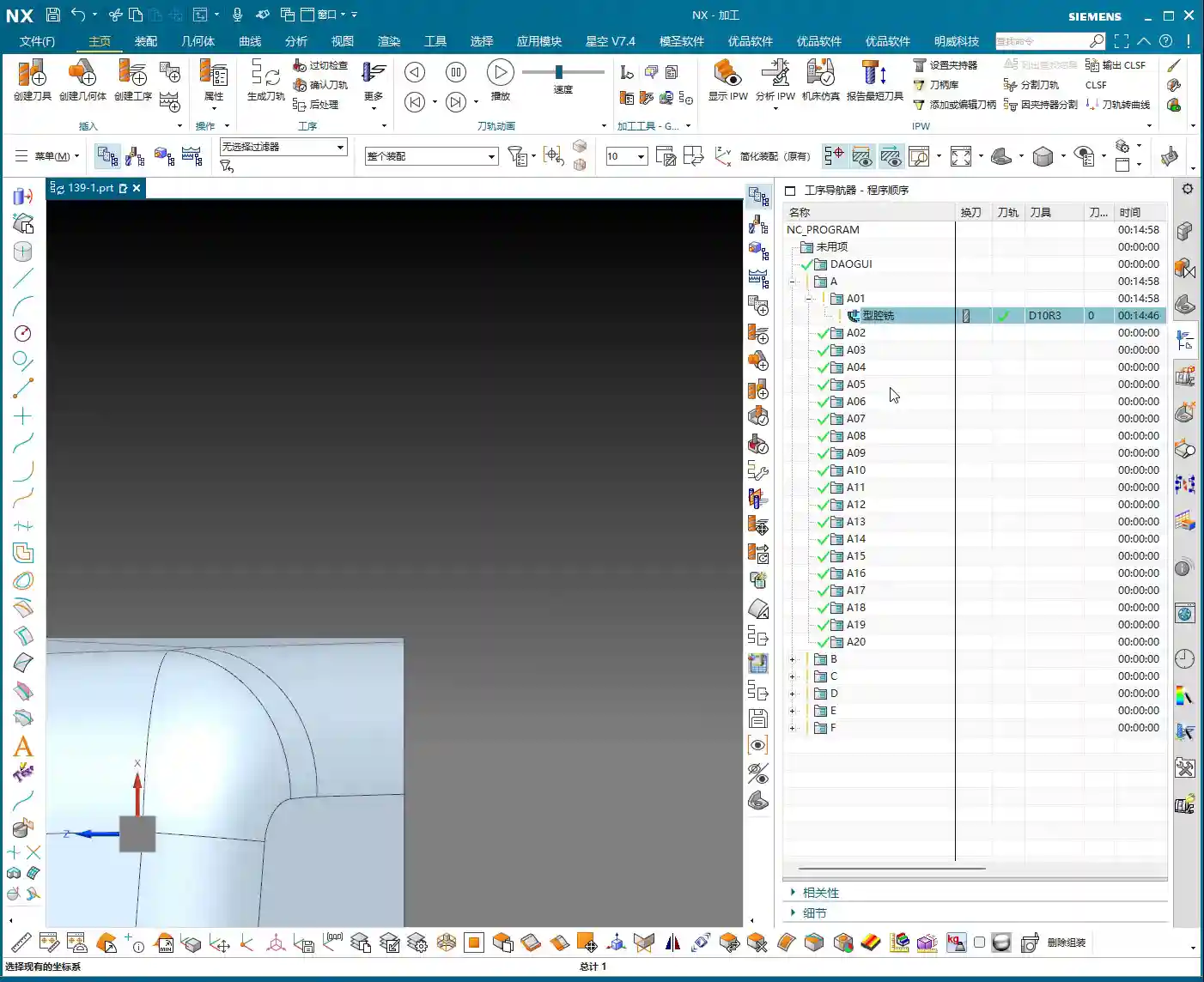
    📝 Key Takeaways: Master Wang provides a practical walkthrough of full-process programming for multi-sided parts using angle heads. From roughing to finishing, he covers using a D10 tool for finishing passes on bottom faces and side walls. The core focus is on analyzing how to address common challenges like unmachined areas and toolpath deviations by “patching” regions, adjusting toolpath strategies (bounding box/contour), and precisely controlling stock allowance and cutting layers, thereby enhancing machining accuracy and efficiency.

    [VIDEO_HERE]

    Listen up, folks! It’s me, Old Wang, Master Wang. Today, we’re cutting the fluff and diving straight into full-process programming for multi-sided parts using angle heads. You can read all the books you want, but without a decade or more spent by the machine, you’ll never navigate the real-world pitfalls. Angle heads are phenomenal for multi-sided machining; they can circumvent many fixturing challenges, allowing you to machine multiple faces in a single clamping setup, which significantly boosts efficiency. Today, we’ll go from roughing to finishing, dissecting the ins and outs of every step.

    Strategy Planning: Programming Logic for Multi-Sided Parts with Angle Heads

    Why Angle Heads Are Crucial

    Angle heads, especially those used in 5-axis simultaneous machining, offer the primary advantage of extending tool reach. Think about it: for a complex part, how many times would you have to refixture it on a 3-axis machine to machine multiple faces? Each clamping operation introduces cumulative errors, making high part accuracy almost impossible. An angle head allows you to tackle side faces, angled surfaces, and even undercuts that would typically require multiple fixturing setups, all within a single clamping operation. This not only saves time but, more importantly, significantly improves machining accuracy and surface finish. Don’t just look at the tool cost; when you factor in the total cost, it’s absolutely worth it!

    Overall Machining Process Breakdown

    There’s a method to the madness, and programming is no different. For these multi-sided parts, we can generally break it down into these steps:

    1. Roughing: Quickly remove the majority of stock allowance with a large tool.
    2. Semi-Roughing: Refine the shape after roughing, preparing for the finishing pass, especially for corner cleanup.
    3. Corner Cleanup / Rest Milling: Clean up the remaining stock in corners and radii after semi-roughing.
    4. Finishing Pass on Faces: Perform finish cuts on all flat surfaces.
    5. Finishing Pass on Side Walls: Perform finish cuts on all side walls.
    6. Finishing Pass on Bottom Face: Perform finish cuts on the bottom face.

    Our focus today is on the application of angle heads, so many operations will revolve around this, particularly the use of the D10 tool, which is our primary tool for subsequent finishing passes.

    Practical Exercises: Progressive Toolpath Refinement

    Step One: Roughing and Finishing Pass for Bottom Face and Side Walls

    Alright, let’s start with an existing program. Once these two programs are run, we’ll definitely need our D10 tool for semi-roughing or the finishing pass. Bottom face and side walls – should we tackle the top or bottom first? Either works, not much difference. However, my preference is to use the D10 tool to finish the bottom face and side walls together. This approach allows us to smoothly machine the large surfaces in one go, laying a good foundation for subsequent finishing passes.

    Simply copy an existing program, open the parameters, and change the machining face to the bottom face we want to finish. Pay attention: if you encounter a hole position, temporarily ignore it; do not machine it. Generate the program, and you’ll see the bottom face and side walls are done in one go.

    Pitfall: Addressing Unconnected Regions (Dead Spots)

    Sometimes, after running the program, you’ll find some residual material in the corners that hasn’t been cleaned up, appearing as if it’s disconnected. These areas are prone to chatter and also affect subsequent accuracy.

    • If you encounter such “disconnected” areas, first check your spatial range settings.
    • Try reducing the size of the “Bounding Box” or adjusting its calculation method.
    • If that still doesn’t work, you need to look at the cutting direction. It might originally be set to “Outside-In”, causing some areas to be missed. In that case, change it to “Inside-Out”. With this change, the tool will clean from the inside outwards, typically clearing those dead spots. Don’t just rely on software simulation; observe the cutting sparks and actual chips – those are the real indicators!

    Step Two: Refined Semi-Roughing and Corner Cleanup

    After the D10 tool has run its course, most surfaces will be finished, but there are definitely still some areas on top that haven’t been machined properly, which are quite noticeable. At this point, we need to perform semi-roughing and corner cleanup. If we just run a semi-roughing pass, these areas will get machined, but I feel some faces aren’t handled particularly well, and the toolpaths might not be ideal.

    Key Technique: Preventing Unnecessary Machining by ‘Patching’ Specific Faces

    When this happens, my approach is to: first ‘patch’ the faces you temporarily don’t want to machine. In Siemens NX, you can use the patching function to ‘cover’ these faces, making the software directly ignore them during toolpath calculation. This way, the tool will only perform semi-roughing on the areas that require corner cleanup, significantly boosting programming efficiency and machining safety.

    • Why do this? Because our semi-roughing operations typically follow “Follow Part”, which traces the part’s outer shape. If run directly, faces you don’t intend to machine will also be included.
    • If you change it to “Follow Periphery”, it might make an inward cut before performing corner cleanup, and the result may not be ideal. Therefore, the best method is to control the machining area by ‘patching’.

    For the specific operation, select the faces that need to be patched, click ‘Patch’, and they will no longer be included in toolpath calculations. This way, our semi-roughing program can focus solely on cleaning up those unmachined corners.

    Program Parameter Adjustments:

    • Tool: Continue using the D10 tool (which is our fourth tool).
    • Depth of Cut (DOC): Control it at the bottom face, for instance, from 0 to -2mm. This ensures sufficient depth for cleanup.
    • Stock Allowance: Leave a small allowance first, for example, 1mm. This will be addressed during the subsequent finishing pass.
    • Spatial Range: Also update to the applicable range for the D10 tool.

    Once the program is generated, those corners and unmachined areas should be mostly cleaned up.

    Step Three: Top Face Finishing Pass

    Semi-roughing and corner cleanup are done; next is the top face finishing pass. This step is relatively straightforward; we can simply copy a previous program and make minor parameter adjustments.

    • Cutting Layers: This time, the cutting layers must be confined to the top face, which is the final machining surface.
    • Stock Allowance: Set all to 0. If you want to play it safe, you can leave a tiny allowance of 0.01mm on the bottom face and side walls to prevent overcutting, but finishing passes usually cut directly to zero.

    Once the program is generated, the top face finishing pass is complete. Now, when you look at it, the entire upper section will be perfectly clean.

    Step Four: Bottom Wall Finishing Pass (Rest Machining Corners)

    With the top face done, it’s time to tackle the bottom. We’ll use Bottom Wall Milling to clean up the residual material in these areas, especially the corners and radii – what we commonly refer to as ‘rest machining corners’.

    Copy a Bottom Wall Milling program, then:

    • The Sheet Bodies that were ‘patched’ for semi-roughing must now be removed, allowing them to participate in calculations again.
    • Re-select the lower area we intend to machine.
    • Depth of Cut (DOC): For example, set a DOC of 2mm, from 0 to -0.3mm (this is an example; specific values depend on the actual situation, such as wanting the last few passes to be light finishing cuts).
    • Stock Allowance: Leave 0.1mm initially, as there’s still a finishing pass for the side walls later.
    • Toolpath Strategy: For instance, an 85% stepover percentage to ensure efficiency and surface quality.

    Pitfall: Toolpath Deviating? Bounding Box vs. Contour Selection is Critical!

    Here’s a major pitfall! As soon as you generate the program, the toolpath might very well run off to the side, completely outside your intended machining area. Why does this happen? Most likely because your boundary definition is flawed.

    • By default, the software might use a “Bounding Box” to define the machining area, encompassing all selected faces with a rectangular boundary. If your machining area is irregular, this bounding box will be excessively large, causing the toolpath to extend outside the desired region.
    • The correct approach is to change the “Bounding Box” to “Contour”. “Contour” precisely defines the machining range along the boundaries of your selected faces, preventing the toolpath from straying.

    Change this parameter, regenerate the program, and you’ll see — the toolpath now stays obediently within its designated machining area, doesn’t it? That’s the result we’re aiming for!

    Step Five: Side Wall Finishing Pass

    The final step is the side wall finishing pass. The bottom face is mostly done, so next we’ll machine all the side surfaces. Is there a faster way? Absolutely. Copying an existing Side Wall Machining program is the quickest approach.

    After copying, continue using our D10 tool:

    • Toolpath Strategy: Select “Follow Periphery”.
    • Depth of Cut (DOC): Machine from top to bottom in a single pass. This ensures overall surface finish and accuracy for the side walls.
    • Stock Allowance: Set all to 0 for the final finishing pass.

    Pitfall: Stock Control and Cutting Layer Setting Issues

    Problems can easily arise here too. If you generate the program directly, you might find the tool’s cutting start point is suboptimal, or even outside the blank, or the cutting layers are set too high, leading to repeated air cuts.

    • We need to readjust the height control for the cutting layers. For example, you can set the cutting layer start height to half the part’s top, or specify a more precise starting plane.
    • The goal is to ensure the tool begins its cut from a reasonable height, guaranteeing stable engagement with the workpiece without excessive air cutting. For instance, slightly lower the yellow toolpath line to ensure the tool starts cutting from the solid workpiece, not from the air.

    After these adjustments, the full-process programming for the multi-sided part with an angle head is largely complete. From roughing to finishing, from bottom to top, every step needs close attention to achieve quality results.

    Master Wang’s Mini-Lesson: Toolpath Optimization and Accuracy Control

    Apply What You Learn: Programs Aren’t Set in Stone

    Listen, folks, when it comes to programming, the software is just a tool; your brain is the core. Don’t think that once a program is generated, everything’s perfect – that’s an ideal scenario. On a real machine, there are too many variables. The steps I’ve emphasized aren’t for rote memorization, but for understanding the logic behind them: Why finish corners before flat surfaces? Why ‘patch’ this area? All of this is done to improve efficiency, guarantee accuracy, and extend tool life. Only by applying what you learn can you become a true master craftsman.

    Tolerance Control: The Secret to ±0.005mm

    You might think a tolerance of ±0.005mm is some mystical feat, but in our trade, it’s routine. Achieving such accuracy requires not only an inherently precise machine but also meticulous process compensation and repeated validation. What I’ve discovered in my 15 years is that relying solely on ideal software toolpaths isn’t enough.

    • Material Properties: Different materials exhibit different deformation during machining. Aluminum is easy to cut, but tough materials like titanium alloys and high-temperature nickel-based alloys require careful handling; they can deform if you’re not meticulous. You must account for dimensional changes after heat treatment and leave appropriate allowances in advance.
    • Fixturing Solutions: A well-designed fixture, ensuring uniform clamping force, is crucial to minimize machining deformation. I’ve ground countless custom tools specifically to accommodate unique fixturing and complex geometries.
    • Stock Allowance Fine-Tuning and Cutting Layer Control: For the final few finishing passes, control the stock allowance to 0.01mm or even less. Tool wear and thermal deformation of the machine can impact these minute accuracies. Sometimes, you need to fine-tune the cutting layer depth or radial stepover to compensate for those infinitesimal errors. Don’t just rely on software simulation; observe the cutting sparks, listen to the cutting sound, and examine chip formation – these are experiential insights not found in books.
    • Machine Accuracy Error Analysis: Even top-tier machines have errors. We must learn to analyze the machine’s geometric and kinematic errors, then compensate through G-code adjustments, post-processor parameters, or even by incorporating minute compensation values directly into the program to keep final dimensions within ±0.005mm. These are all hard-won lessons from practical experience.

    Summary: Pitfall Avoidance Guide

    Finally, here’s a summary of pitfall avoidance guidelines for multi-sided part programming with angle heads, all born from hard-earned lessons:

    • Tool Selection and Management: Distinguish clearly between roughing and finishing, and cleverly utilize the D10 tool. Roughing requires aggressive depths of cut, while finishing demands lighter cuts. Simultaneously, monitor tool wear and replace or regrind tools promptly.
    • Precise Machining Area Definition: Learn to “patch” and “exclude”. For complex parts, don’t attempt a single-pass solution. By patching non-machining areas, you can effectively simplify toolpaths and prevent unnecessary overcutting or air cutting.
    • Toolpath Strategy Selection: The choice between “Bounding Box” and “Contour” is critical. Remember, when the toolpath strays to unintended areas, check the boundary definition; a “Bounding Box” is usually the culprit. Changing it to “Contour” can resolve 90% of such issues.
    • Precise Control of Cutting Parameters: Meticulous control of stock allowance and cutting layer height (stepdown). Especially during finishing passes, it’s better to leave a slightly larger allowance and gradually machine it down than to clear it all at once and cause overcutting. The cutting layer (stepdown) should be determined based on the tool, material, and workpiece rigidity; too deep can lead to tool breakage, too shallow results in low efficiency.
    • Necessity of Real-World Verification: Don’t just rely on simulation; observe cutting sparks and chips. No matter how realistic software simulation is, it cannot replace real feedback from the machine. Spark color, chip formation, and tool sound are all crucial indicators for assessing machining status.
    • Handling Drawing Defects: If you find issues, communicate immediately; do not machine blindly. If the drawing itself has problems (e.g., certain radii are missing), notify design immediately. Never assume and try to fix it yourself, or you’ll be held responsible if something goes wrong.

    Alright, that’s all for today. Remember, machining is both a craft and a technical skill. You need to observe, ask questions, and get hands-on to truly master it!

    👤 About the Author:
    The author is a veteran CNC machining professional with 15 years of industry experience, specializing in UG NX programming. This article is an original work representing personal practical insights.

    ⚠️ Copyright Notice: Unauthorized reproduction or distribution without prior communication is strictly prohibited.

  • Siemens NX Programming for Side Milling Head Components: Master Wang’s Hands-On Guide to Solving Ove

    📝 Key Takeaways:

    Practical Siemens NX Roughing Optimization for Side Milling Heads

    Listen up, fellas! It’s Old Wang, Master Wang here. Today, we’re diving…

    [VIDEO_HERE]

    Listen up, fellas! It’s Old Wang, Master Wang here. Today, we’re diving back into some “unwritten rules” of Siemens NX programming – the hardcore, practical stuff you won’t find in textbooks. Where did we leave off last time? Ah, right, programming side milling head components. This stuff, it’s not overly complex, but it’s not exactly simple either, especially when dealing with those tricky corners and tight spots. One slip-up, and you’ll run into trouble. Today, we’re going to start with program duplication and systematically uncover and resolve all those potential pitfalls for you!

    I. Program Duplication and Roughing Area Selection: Saves Effort, Not Vigilance

    Picking up where we left off, when roughing these side milling heads, we’re all about efficiency. If you have an existing program template, just copy it. It saves you from starting from scratch – that’s experience talking. But saving effort doesn’t mean you can let your guard down!

    1. Initial Roughing Range Selection

    For the areas we need to **roughing**, just copy the previous program, double-click to open it, and start modifying. This operation, practice makes perfect.

    2. Defining the Blank and Cutting Faces

    The **Blank** – you absolutely *must* define this first! Otherwise, you’ll have no idea where the tool is cutting, or where it’s supposed to cut. Then, select the first face you want to rough. Pay attention here: sometimes, when you directly click on the **Workpiece/Part Stock**, it might not select. Don’t panic. Just click on the face itself, or select the boundary line above it. Siemens NX will automatically help you define the depth.

    Master Wang’s Insight: Siemens NX can be a bit quirky sometimes. If you can’t click it, try clicking from a different angle or selecting a different geometric element. The goal is always the same: ensure the system clearly understands your machining range. Don’t get stuck on one point; be flexible!

    II. Programming Taboo: Random Clicks Ruin Everything

    Lads, remember this point; it’s a lesson learned the hard way!

    1. Once Programmed, Do Not Touch

    You’ve painstakingly programmed it, the toolpaths are calculated, and you’re just waiting to generate the G-code for the machine. At this point, control your hands! Absolutely do not click around other parts of the Siemens NX interface before the program is generated or saved!

    2. The Painful Lesson of Lost ‘Part Stock’

    I’ve seen it happen: you’re programming, accidentally click another area, and when you come back, boom! Your previously selected **Workpiece/Part Stock** is gone! Or it’s been changed to a different face. At that point, your toolpath could be completely wrong. At best, it undercuts; at worst, it causes an **overcut**, rendering your workpiece scrap!

    Master Wang’s Warning: After programming, generate the toolpath first, check it thoroughly, then save. It’s like drawing blueprints and sending them to production without approval – if something goes wrong, who’s responsible?

    III. Secondary Roughing (Re-roughing): Cleaning Up Dead Zones, Leaving No Remnants

    The first roughing pass often just removes the bulk of the material with a larger tool. But there are always small features, deep cavities, and sharp corners on the workpiece that a large tool can’t reach. That’s when **Re-roughing** becomes especially critical.

    1. Remnant Material Detection and Tool Selection

    Upon careful analysis, you’ll find that for complex structures and internal cavities like those in a side milling head, many corners and grooves still have significant remnant material. At this point, you’ll need to switch to a smaller tool for cleanup. If you used a D10 (10mm diameter) tool for the first pass, for re-roughing, consider a D8 (8mm diameter) or even a D6 (6mm diameter). Of course, the specific tool selection depends on your remaining stock and the workpiece geometry. In my experience, sometimes a D8 works better than both a D10 and D6 – it’s a good compromise.

    2. Controlling Remnant Material and Depth of Cut

    During re-roughing, the **stock** will definitely be smaller than the initial roughing. For instance, if you left 0.8-1mm (approx. 0.03-0.04 inch) the first time, for re-roughing, you might leave 0.2-0.5mm (approx. 0.008-0.02 inch). The **depth of cut** also needs precise control; sometimes, you only need to clean up a specific face. You need to clarify your objective, select the specific **Bottom Face** you intend to re-rough, and ensure the tool only works in that designated area.

    IV. Fine-Tuning Siemens NX Parameters: The Secret to Resolving Undercuts and Overcuts

    Siemens NX is a great software, but it still needs to follow your commands. Some parameters, if not set correctly, can easily lead to problems.

    1. Minimum Cut Length: Small Parameter, Big Impact

    Have you ever encountered a situation where there’s clearly material remaining, but the tool just doesn’t cut it? Or the cutting path is discontinuous? It’s highly likely that the Minimum Cut Length parameter is to blame. As mentioned in the audio, the default 45% might be too large, causing many small areas to be completely ignored. We need to change it to 10% or even smaller; only then can those corner and cavity remnants be cleaned up.

    Master Wang’s Tip: This parameter prevents the generation of excessively short, meaningless toolpaths, but too much of a good thing can be bad. Adjust it flexibly based on the dimensions of the workpiece features; don’t let the tool ‘miss’ those small remnants.

    2. Boundary Selection: Small Errors Lead to Major Overcuts

    Sometimes, you change a parameter, and the toolpath shifts, even resulting in an overcut. This is likely because your previously selected boundaries or hierarchical relationships were re-evaluated by the system after the parameter adjustment, leading to errors. When this happens, don’t be afraid of the hassle. Re-select the boundaries and levels of the cutting area, and clearly re-specify the top and bottom faces. This will be much faster than spending ages trying to figure it out!

    V. Retraction Optimization Secrets: Applying Automatic and Relative Planes

    **Retraction** refers to the path the tool takes when lifting from one cutting area to another. Lifting too high wastes time, while lifting too low risks tool collisions or marking the workpiece. This is a critical factor directly impacting machining efficiency and safety!

    1. Avoiding Excessive ‘Automatic Plane’ Retraction Heights

    Have you noticed that sometimes Siemens NX generates ridiculously high retractions? As mentioned in the audio, the default value for the Automatic Plane is set to 100 – this definitely won’t do! How much time is wasted if the tool lifts up to 100mm (approx. 3.9 inches) every time before cutting down again?

    2. Relative to Plane and Precise Control

    To resolve the issue of excessive retraction heights, you can try the following methods:

    • Reduce the value of the Automatic Plane, for example, to 20mm (approx. 0.8 inches).
    • For more advanced control, use the Relative to Plane method. Designate an appropriate reference plane, then set the tool’s lift-off distance relative to this plane, for example, 50mm (approx. 2 inches).
    • For certain critical areas, you can even directly **specify a face** as the retraction start/end point, then manually input the lift height, such as 10mm (approx. 0.4 inches). This allows the tool to retract shorter distances, stay closer to the workpiece, and save time.

    Master Wang’s Experience: Retraction optimization is one of the core essentials in Siemens NX programming. Don’t underestimate these few millimeters of distance; they accumulate to significantly reduce your machining cycle time and boost economic efficiency.

    VI. Conquering Stubborn ‘Overcuts’: Specifying Top/Bottom Faces and the ‘Add Thickness’ Method

    The most frustrating issue is those inexplicable overcuts. It looks fine, but as soon as you generate the toolpath, it takes an extra cut, and the workpiece is ruined!

    1. Reconfirming Top/Bottom Faces and Cutting Layers

    When encountering an overcut, don’t rush; troubleshoot it step by step. First, recheck your defined **Top Face**, **Bottom Face**, and **Cutting Layers**. Was a particular layer selected incorrectly? Or was a certain layer completely useless but mistakenly used by the system? As mentioned in the audio, some layers are redundant; just delete them. Ensure your cutting range is precise and accurate.

    2. Peculiar Overcuts and the Ultimate ‘Add Thickness’ Trick

    Sometimes, you’ll encounter some very strange overcut phenomena, especially on small-sized features. The tool clearly shouldn’t go there, yet it takes a cut anyway, and this cut is completely meaningless, a pure waste of time. In such cases, you might not even be able to eliminate it through conventional methods. As also mentioned in the audio, this is truly unimaginable software behavior!

    At this point, Old Wang will teach you a killer move – **Add Thickness. This isn’t about adding stock; it’s about assigning an additional thickness in the Z-axis direction to your machining area or feature within Siemens NX. For instance, in the ‘Workpiece/Part Stock’ settings or the cutting parameters, provide a small positive value, like 1mm (approx. 0.04 inch). It’s like giving that area a layer of ‘armor.’ When Siemens NX calculates the toolpath, it will avoid that ‘armor’ layer, thereby preventing overcuts. While this trick might seem a bit ‘brute force,’ it consistently works for certain stubborn overcuts!

    Master Wang’s Advice: This ‘Add Thickness’ isn’t a magic bullet. It’s a temporary solution to potential calculation bugs or illogical toolpaths that Siemens NX might generate under specific geometric conditions. Before using it, make sure to understand its principle and verify it repeatedly in simulation!

    Summary: Pitfall Avoidance Guide

    Alright, fellas, today we’ve thoroughly covered several major pitfalls commonly encountered in side milling head roughing. Remember the following points to ensure stable machining:

    1. Do Not Click Randomly After Programming: Especially concerning the selection of blank and boundaries. Once defined, don’t mess with them to prevent ‘Workpiece/Part Stock’ loss or misalignment.
    2. Make Good Use of Secondary Roughing to Clean Remnant Corners: After a large tool roughs out material, there are always small areas that aren’t clean. Switching to a smaller tool for secondary roughing is standard practice to ensure part accuracy and surface quality.
    3. Be Flexible with the Minimum Cut Length Parameter: Setting this too large can lead to small areas being undercut; setting it too small might result in excessively fragmented toolpaths. Determine it based on the workpiece feature dimensions.
    4. ‘Automatic Plane’ Retraction Too High?: Change to Relative to Plane or manually set the retraction height. The goal is to reduce air cutting time and improve efficiency, but also ensure a safe clearance distance.
    5. Conquering Stubborn Overcuts: First, carefully check the top/bottom faces, cutting layers, and boundary definitions. If it still persists, for those peculiar, meaningless overcuts, try to **add thickness in the Z-axis direction** to the feature. This is often an effective solution for such ‘software logic issues’.
    6. Don’t Just Rely on Simulation, Watch the Cutting Sparks: No matter how realistic software simulation is, it can’t compare to the sparks, sounds, and vibrations during actual machining on the machine. Observe more, think more – that’s real skill.

    Alright, that’s it for today’s lesson. Go back, ponder on it, and next time, we’ll discuss other topics!

    👤 About the Author:
    The author is a veteran CNC machining professional with 15 years of industry experience, specializing in UG NX programming. This article is an original work representing personal practical insights.

    ⚠️ Copyright Notice: Unauthorized reproduction or distribution without prior communication is strictly prohibited.
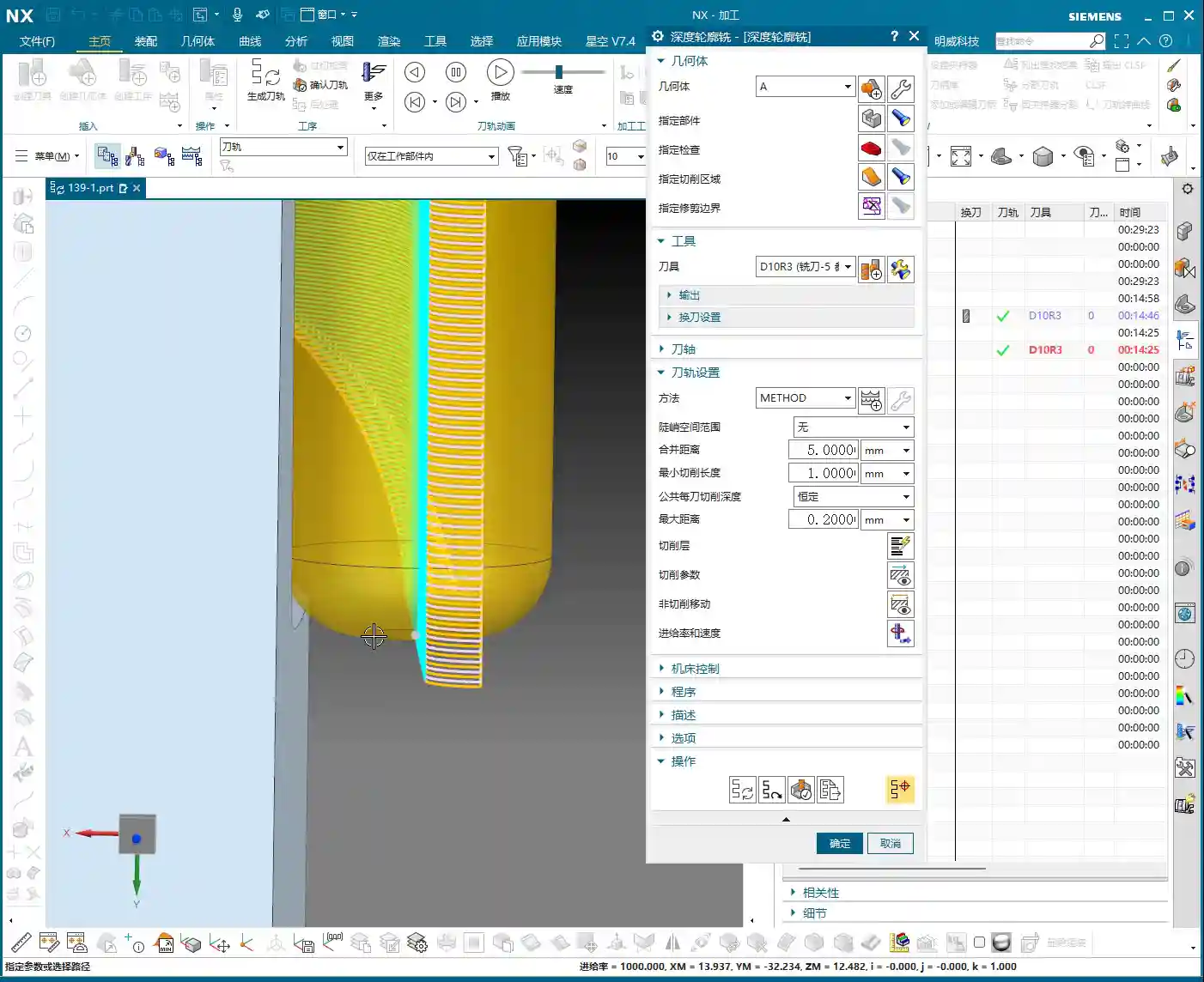
  • Practical Siemens NX CNC Programming: Master Wang’s Hands-on Guide to Full Sequential Finishing for

    📝 Key Takeaways: Master Wang personally teaches practical NX programming, delving deep into full sequential machining of front and back sides of parts. From roughing and corner cleanup to finishing pass strategies, covering NX ‘3D Constant Stock Machining’, stock control, tool selection, material property handling, and error compensation. Special emphasis is placed on the importance of simulation and on-machine verification, sharing practical tips and pitfalls not found in textbooks, to help you boost your machining efficiency and precision.

    [VIDEO_HERE]

    Roughing and Corner Cleanup Insights: Details Make or Break It

    Listen up, lads! Today we’re continuing from last time, discussing the full sequential machining of this part’s front and back sides, especially how to cleanly and efficiently tackle those tricky corners and areas prone to leaving residual material. Don’t underestimate “corner cleanup”; there’s a lot more to it than meets the eye, and you won’t necessarily find these details in textbooks.

    Step One: Initial Corner Cleanup and Residual Material Removal

    We’ve already removed most of the stock from the large faces, right? Now, we need to deal with the residual material left in the corners after the initial roughing pass. If you don’t clean these areas thoroughly, your subsequent finishing pass tools will be prone to excessive tool load, or even premature failure.

    • Select Operation: Right-click on the operation group, Insert -> Operation -> Reference Toolpath Corner Cleanup. This is a commonly used and flexible corner cleanup function in NX.
    • Specify Area: Remember, only select the side walls and bottom face where corner cleanup is needed; never select the back face as well! Otherwise, the machine will attempt to machine the back, which can lead to major issues, either a tool collision or wasted machining time.
    • Tool Selection: Typically, for corner cleanup, we choose a ball nose end mill or flat end mill one size smaller than the roughing tool. In the audio, for convenience, we used a slightly larger tool, but in practice, you must determine this based on the corner radius and depth.
    • Stock Allowance and Depth of Cut:

      • Set bottom face stock allowance to 0, and side face stock allowance can be 0.05mm to 0.1mm, leaving it for the finishing pass.
      • The cutting depth of cut (DOC), which is the distance for each downward pass, we’ll set to 0.3mm. This parameter depends on the material; for titanium alloys and high-temperature nickel-based alloys, the depth of cut must be small and the feed rate slow, otherwise, chipping or burning of the tool can easily occur. For common aluminum parts, it can be slightly larger.

    • Key Checkpoints: After generating the toolpath, you must carefully check if the toolpath covers all residual material areas, especially at the corners. Don’t just rely on software simulation; click through and inspect the details multiple times.

    Finishing Pass Strategies: Smoothness and Precision

    With the residual material cleared, next comes the finishing pass – this is where your ability to control surface quality and dimensional accuracy is truly tested. Here, we’ll use various finishing pass strategies to ensure every surface is mirror-smooth and meets dimensional requirements.

    Step Two: 3D Constant Stock Finishing Pass

    For complex or irregular surfaces, 3D Constant Stock Machining (referred to as ‘San Tong Machining’ in older NX versions) is an excellent choice. It ensures uniform residual stock across the entire machining area, laying the groundwork for subsequent fine-tuning.

    • Select Operation: Insert Operation, select 3D Constant Stock Machining (or Flowcut/Contour Area), decide based on the part geometry and surface complexity.
    • Specify Area: Again, only select the areas that need machining. Here, we’re machining the part’s side faces and bottom face; the top face is for clamping and must not be touched.
    • Stock Control:

      • For the side walls and bottom face, we set the finishing pass stock allowance to 0; this is the strategy for the final finish cut. However, you must ensure the tool is sharp enough and the machine rigidity is sufficient.
      • If considering part deformation or subsequent grinding and polishing operations, you can leave a small stock allowance of 0.01mm to 0.02mm.

    • Cutting Method: Generally, use climb milling to reduce tool wear and improve surface quality. Conventional milling is useful in certain specific situations, but for finishing passes, always try to use climb milling.

    Step Three: Side Wall and Bottom Face Finishing Pass

    Side walls and bottom faces usually demand the highest surface finish and precision. Here, we employ dedicated finishing pass strategies to ensure optimal machining results.

    • Tool Selection: Typically, small-diameter flat end mills are chosen, such as a D10 flat end mill, or a corner radius end mill whose radius matches the part’s design radius.
    • Stock Allowance Setting: Set wall and bottom face stock allowances to 0. This is for final dimensions, so machine accuracy and tool wear status are especially critical here. I used to achieve ±0.005mm accuracy, relying entirely on precise judgment of machine error compensation and tool condition.
    • Corner Handling: For internal corners of the part, if the tool cannot fully perform corner cleanup, leave a small amount of stock, or use a small-radius tool for corner cleanup, as mentioned in the audio, leave a tiny bit of “corner” stock for the smaller tool to handle.
    • Toolpath Strategy: Use one-way cutting or spiral cutting to ensure even tool loading and prevent tool marks.

    Practical NX Programming Tips and Pitfalls

    NX programming isn’t about rigidly following instructions; it’s dynamic! As I always say, many things aren’t taught in books; you have to learn them through hands-on practice, observation, and repetition.

    Flexible Adjustment of Key Parameters

    In practical operation, you can’t rely on a single set of parameters for every job.

    • Depth of Cut (DOC) / Stepdown and **Stepover**: These parameters must be dynamically adjusted based on material hardness, tool material, tool diameter, and machine rigidity. For example, when machining titanium alloys, both depth of cut and stepover must be conservative, and the feed rate also needs to be slowed down; otherwise, tool life will be severely reduced, or the tool may even chip directly. Don’t assume the software’s default values are always optimal; they are merely general templates.
    • Stock Allowance Setting: The smaller the stock allowance for the finishing pass, the higher the demands on the machine and tool. If machine accuracy is insufficient or the tool is worn, leaving 0.02mm is more likely to guarantee the final dimensions than leaving 0. It’s better to perform an extra finishing pass than to aim for one-shot completion and end up scrapping the part.
    • Post-Processor Modification: Often, post-processor files are not foolproof. You need to understand some G-code and M-code, enabling you to manually modify the post-processor file when necessary, to optimize machine movements, reduce air cuts, and improve efficiency. Back in my day, I spent a lot of time working with post-processors to optimize 5-axis toolpaths.

    Insights on Handling Special Areas

    When encountering special areas, don’t rigidly apply conventional methods.

    • Deep Pocket Corner Cleanup: For very deep pockets, there will be significant residual material at the bottom and side wall junctions after roughing. In such cases, you’ll need to use small-diameter tools multiple times for corner cleanup, or even grind custom non-standard tools. Also, consider chip evacuation; otherwise, cutting heat won’t dissipate, leading to rapid tool wear and potential part deformation.
    • Thin-Wall Machining: Thin-walled parts are most susceptible to deformation. When clamping, use multi-point support or vacuum chucks. During machining, use sharp tools, small cutting parameters, take multiple passes in layers, and distribute the cutting forces. Don’t plunge aggressively; that’s asking for excessive tool load!
    • Fine Corners: In the audio, we encountered a corner difficult to process with standard tools. You can consider NX’s ‘Corner Cleanup’ or ‘Corner Milling’ functions, or use a very small ball nose end mill. If all else fails, manually grind a special tool to get the job done.

    Simulation and Verification: The Key to Avoiding Detours

    No matter how extensive your programming experience, the simulation and verification step cannot be skipped. This is the safest method with the lowest cost of error on the machine.

    The Right Approach to Simulation

    Don’t just think simulation is watching an animation; that’s only scratching the surface.

    • “If you’re unsure if it will work, simulate it” – that’s something I always say. NX’s simulation capabilities are very powerful, able to simulate stock distribution, toolpaths, collision detection, and more during the machining process.
    • Focus on checking stock allowance: Especially before the finishing pass, check the simulated stock distribution. If there’s excessive stock, it means previous operations didn’t clean it thoroughly; if stock is negative, it indicates an overcut, so adjust immediately. In the audio, we found that “the tool had no remaining stock,” which is a red flag, indicating either incorrect parameter settings or an issue with the simulation model.
    • Check for collisions: Interference between the tool holder, clamping devices, and the workpiece is the most common mistake newcomers make. Simulation can help you detect these issues in advance, preventing tool collisions on the machine – that’s no joke.

    On-Machine Verification and On-Site Adjustments

    No matter how realistic the simulation, the final step is always on the machine.

    • “Don’t just look at software simulation; watch the cutting sparks” – on the machine, observe the tool’s cutting status, listen to the cutting sound, and examine the chip shape and color; these are all learned through experience. Normal cutting should be stable, with uniform sparks and well-formed chips.
    • First Article Inspection: Machining the first piece of any new part requires utmost caution. First, perform a small test cut, then precisely measure using tools like feeler gauges, dial indicators, or CMMs, and only proceed with full production after confirming dimensional accuracy.
    • Process Compensation: If precision issues arise at the ±0.005mm level, besides machine compensation, you must also learn to fine-tune by adjusting tool radius compensation, toolpath, or even coolant concentration. This requires an in-depth understanding of machine characteristics and material properties.

    Solving Programming Challenges: Adaptive Thinking

    As in the audio, I tried ‘Single Toolpath Corner Cleanup’ or ‘3D Milling’ but encountered some minor issues, possibly due to parameter settings or a misunderstanding of the commands (after all, some less frequently used commands can indeed be forgotten over time). At such times, never be stubborn; learn to adapt.

    • Change your approach: If one method doesn’t work, immediately try another. NX offers various machining strategies, such as Z-level Milling (Z-level), Flowcut Milling (Flowcut), Contour Area Milling (Contour Area), etc. There’s always one that fits.
    • Simplify complex areas: Sometimes, breaking down a complex region into several simpler ones for machining is actually more effective.

    Summary: Pitfall Avoidance Guide

    Apprentices, remember these points, and you’ll save yourselves a lot of unnecessary hassle:

    1. Stock control is critical: Leave sufficient stock for roughing, ensure uniform stock for corner cleanup, and achieve precise stock for finishing passes. Especially for the final stock on bottom and side faces, set it strictly according to the operation and requirements.
    2. Tool selection matters: Choosing the right tool for different operations and materials is crucial. Don’t try to use one tool for everything; change it when necessary. Grinding custom non-standard tools is a specialized skill that can solve major problems.
    3. Simulation and verification are indispensable: Don’t be lazy; spending a few minutes on simulation is a hundred times better than a machine collision or scrapping a part.
    4. On-site experience is king: Software is a tool, but the person is key. Observe the machine diligently, analyze cutting phenomena, and only then can you become a true master.
    5. Learn to adapt, don’t be stubborn: When you encounter problems, don’t get fixated on one solution. There are countless NX programming methods; if one path is blocked, find another.

    These are all hard-won lessons from my 15 years in the trenches, apprentices. Learn them well, and you too will be able to stand on your own two feet!

    👤 About the Author:
    The author is a veteran CNC machining professional with 15 years of industry experience, specializing in UG NX programming. This article is an original work representing personal practical insights.

    ⚠️ Copyright Notice: Unauthorized reproduction or distribution without prior communication is strictly prohibited.

  • Master Wang’s Exclusive: Five-Axis Part Front Surface Finishing Pass Programming Secrets – Avoid Com

    📝 Key Takeaways: Master Wang details five-axis part front surface finishing pass programming, covering variable guide lines, ball end mill selection, fixed Z-axis tool axis control, stepover, stock allowance, and clearance angle settings, then moving to corner cleanup and hole feature processing. This practical guide integrates real-world experience and pitfall avoidance tips, ensuring high efficiency and precision—a hardcore practical lesson in Siemens NX programming.

    Hello everyone, Master Wang here. Today, we’re diving deeper into the intricacies of five-axis machining to discuss a critical technical point: programming a finishing pass for the front surface of five-axis parts. Don’t be fooled by how smooth operations look on the software interface; in reality, running this on the machine reveals a wealth of practical knowledge. Listen up! Today, I’m passing on the “true skills” I’ve honed over years of hands-on experience.

    Chapter One: Front Surface Finishing Pass Strategies and Tool Selection

    As we all know, the front surface of a part typically demands the highest precision and critical surface quality. Therefore, for the finishing pass, strategy selection and tool pairing are paramount – no room for sloppiness here.

    1.1 Guide Line Cutting: The Clever Use of Variable Guide Lines

    For finishing passes, especially on complex surfaces, Siemens NX offers a valuable feature: Variable Guide Line Cutting. This function automatically adjusts the direction and density of guide lines based on the part’s geometry and cutting direction, resulting in a more uniform toolpath and superior surface quality.

    • Key Operational Points: Select the “Variable Guide Line” strategy. We’ve discussed this before, but here I want to emphasize its extreme adaptability to complex surface shapes. Don’t just think about a single line going straight through; you need to let it “come alive” according to the surface contours.
    • Master Wang’s Tip: Don’t just look at the software simulation and assume everything’s perfect just because it looks smooth. During actual machining, you must observe the color and size of the cutting sparks. Uniform, normal-colored sparks indicate stable cutting load and good surface quality. If the sparks are inconsistent or dark, it’s likely due to an uneven toolpath or mismatched feed and speed; adjustments are needed immediately.

    1.2 Tool Selection: Ball End Mills are Key

    For front surface finishing passes, especially those with curves or complex surfaces, we typically opt for ball end mills.

    • Size Considerations: Selection is usually based on the curvature radius of the surface being machined. The audio mentions an “R10 ball end mill” as a common size. However, this isn’t a fixed rule; for smaller surface radii, we use smaller ball end mills; for larger surfaces, we can use slightly larger ones. The principle is to ensure the tool tip isn’t overloaded while balancing efficiency.
    • Material and Coating: For challenging materials like titanium alloys and high-temperature nickel-based alloys, standard carbide tools simply won’t cut it. You need to choose coated tools (e.g., TiAlN, AlCrN), which offer high-temperature resistance and wear resistance, thereby ensuring tool life and machining stability.

    Chapter Two: Toolpath Parameters and Tool Axis Control

    Parameter setting is the soul of five-axis programming, especially toolpath stepover, tool axis control, and clearance distance, which directly impact machining efficiency and precision.

    2.1 Stepover and Stock: Striving for Perfection

    For finishing passes, the stepover and stock allowance must be meticulously controlled. The audio mentions a “0.2mm stepover” and “reciprocal cutting.”

    • Stepover: For finishing passes like this, our lateral stepover (stepover) is typically set quite small, such as 0.2mm or even less. A smaller stepover results in better surface roughness but longer machining time. This requires balancing customer requirements and costs.
    • Stock: The stock allowance after roughing is generally 0.3-0.5mm, while for finishing passes, it’s even smaller, such as 0.05-0.15mm. If the stock is too large, the finishing tool’s Depth of Cut (DOC) will be too much, risking tool chipping. If the stock is too small, the finishing tool might prematurely contact uneven areas of the blank, affecting surface quality.
    • Reciprocal Cutting: This method reduces air cutting time and improves efficiency, especially in long and narrow machining areas.

    2.2 Tool Axis Control: Fixed Z-Axis Strategy

    The most crucial aspect of five-axis machining is tool axis control. For front surface machining, especially in relatively flat areas with slight curvature, we can adopt a “fixed Z-axis” strategy.

    • Fixed Z-Axis: This means the tool’s Z-axis direction remains aligned with the machine’s Z-axis direction, allowing only A/B axis rotation. While ensuring machining stability, this simplifies tool axis calculations and reduces the risk of collision. The audio explicitly states that a “fixed Z-axis” is a good option, especially for beginners, as it helps avoid unnecessary complications.
    • Dynamic Tool Axis: Naturally, when encountering areas like “undercuts” that require large angular articulation to reach, we can’t “foolishly” keep the Z-axis fixed. This is where five-axis simultaneous machining comes into play: the tool axis dynamically adjusts according to the surface geometry, cutting at the optimal angle to avoid interference and back-cutting.
    • Master Wang’s Tip: Don’t just rely on theory. Siemens NX provides tool axis vector display to clearly show how the tool axis changes. However, in practical operation, you must pay more attention to the tool’s posture when entering and exiting the workpiece, especially in corners and steep areas. The tool axis should not change abruptly or violently, as this can easily cause chatter and even damage the tool or workpiece.

    2.3 Clearance Angle and Collision Avoidance: Better Slow and Safe Than One Collision

    Clearance distance and collision avoidance settings are the last line of defense for machine and workpiece safety. The audio mentions setting the “clearance angle to 1 millimeter.”

    • Clearance: Ensure the tool maintains sufficient distance from the workpiece during non-cutting movements. This “1 millimeter” is an empirical value, but it needs to be adjusted based on the workpiece geometry and fixturing complexity.
    • Collision Detection: In Siemens NX, it is imperative to enable the collision detection function. It helps you identify potential interference between the tool holder, tool shank, and the workpiece or fixturing. Especially with five-axis simultaneous movements, where tool axis postures change complexly, manual checks can easily miss issues.
    • Master Wang’s Tip: Don’t assume everything is fine just because collision detection has run. For new parts being machined for the first time, always perform a dry run at the machine. Simulate the toolpath at a slow speed, observing all axis movements and tool postures to ensure absolute safety. I’ve seen too many instances where people thought the software simulation was problem-free, only to encounter “surprises” once on the machine.

    Chapter Three: Complex Area Processing and Program Optimization

    The challenges in five-axis machining often lie in irregular, difficult-to-reach areas, and how to improve overall efficiency through optimization.

    3.1 Targeted Corner Cleanup and Hole Feature Processing

    The audio repeatedly mentions “corner cleanup” and “blocking off holes“—these are nuggets of wisdom from practical experience.

    • Corner Cleanup: In certain areas, such as deep cavities or locations with excessively small radii, a ball end mill might not be able to fully clean. In such cases, we need to create a separate corner cleanup toolpath, using a smaller diameter ball end mill or flat end mill, with a finer stepover and specific tool axis postures for the cleanup. When the audio says “use a B10 tool” or “clean it up,” this is what it refers to.
    • Hole Feature Processing: For holes on the part, especially if they are on the front surface, they should typically be addressed before the finishing pass. When the audio mentions “blocking off this hole,” in NX programming, this usually means excluding the hole faces when selecting the machining region, or using a virtual surface to “cap” it, to prevent the tool from entering the hole for unproductive cutting or to avoid toolpath disruption.
    • Master Wang’s Tip: For hole features, I recommend you “divide and conquer.” First, drill or rough mill the holes, then proceed with subsequent finishing passes. If high hole precision is required, consider boring or reaming. Breaking down a complex problem into several simpler ones is the core strategy for solving machining challenges.

    3.2 Stock Control and Automated Programming

    In multi-stage machining, controlling the stock is crucial. The audio mentions “selecting B” to control the stock, and the practice of “copying programs.”

    • Stock Definition: In Siemens NX, you can define an independent stock model for each operation. For example, the stock model after roughing can be used as the starting stock for the finishing pass. This allows for more precise calculation of the material removal and optimization of the toolpath.
    • Program Duplication and Modification: When the machining logic for different areas is similar, duplicating an existing program and then modifying it can greatly improve programming efficiency. For instance, “copying the program above” and then changing the machining region, tool, or cutting parameters is a common trick used by experienced programmers.
    • Master Wang’s Tip: Don’t think copying programs is lazy; it’s a sign of efficient programming. However, after duplicating, you must meticulously check every parameter, especially the tool, machining region, clearance distance, and tool axis limits, to ensure accuracy. I’ve seen many instances where people copied and pasted but forgot to change a specific parameter, leading directly to scrapped workpieces.

    Summary: Pitfall Avoidance Guide

    Master Wang’s Practical Insights: Don’t Fall Into These Traps Again!

    1. Safety First, Thorough Inspection: Always ensure sufficient clearance and collision detection. For the first setup on the machine, a dry run is mandatory! Don’t just stare at the program; observe the machine and the actual tool motion path.
    2. Parameter Settings, Double-Check Repeatedly: Especially stepover, stock allowance, feed rate, and spindle speed – these are direct determinants of machining quality and efficiency. After setting them in Siemens NX, don’t rush to generate; double-check them again. Don’t underestimate a few tenths of a millimeter; it can decide whether your workpiece is a good part or scrap.
    3. Tool Axis Control, Flexible But Not Blind: A fixed Z-axis is safe, but when encountering complex surfaces, articulate the tool axis as needed. However, ensure smooth tool axis transitions; avoid abrupt changes, as these are most likely to damage the tool or machine.
    4. Holes and Complex Areas, Process Separately: Don’t expect one large program to handle all the details. Break down tough problems into smaller, manageable ones: first clear the holes, then perform corner cleanup, and use smaller tools for finishing.
    5. Tool Wear, Timely Replacement: Don’t try to save a little money by using a tool until it’s completely ruined when it could have been replaced earlier. Observe the cutting conditions: sparks, sound, and chips, are all “indicator lights” of tool status. Replacing a tool proactively is always better than having it break and scrap the workpiece.
    6. Post-Processor Modification, The Mark of an Advanced User: Don’t think generating G-code in Siemens NX is the end of the story. Advanced work often requires manual optimization of post-processor files, such as inserting M-codes or adjusting G-code formatting, to make the program better suited for specific machines and run more stably and faster. This is the true combination of “hand-crafting parts” and “programming mastery!”

    Alright, that’s all for today. Remember, theory must be learned, but it’s even more crucial to combine it with practice. Get hands-on, observe more, think more, and you’ll eventually become independent master machinists yourselves!

    As an old colleague who also excels in industrial product online promotion, I must remind you that mastering these hardcore technical skills is essential to produce excellent products. And excellent products also need effective promotion. Take your machining advantages, precision control, and material processing experience, and optimize them into keywords for SEO. Embed them in your product descriptions and technical articles so customers can easily find you on search engines! This way, not only can you produce high-precision parts, but your expertise will also be seen by more people, and orders will come knocking at your door!

    [EXCERPT]
    Master Wang details five-axis part front surface finishing pass programming, covering variable guide lines, ball end mill selection, fixed Z-axis tool axis control, stepover, stock allowance, and clearance angle settings, then moving to corner cleanup and hole feature processing. This practical guide integrates real-world experience and pitfall avoidance tips, ensuring high efficiency and precision—a hardcore practical lesson in Siemens NX programming.

    👤 About the Author:
    The author is a veteran CNC machining professional with 15 years of industry experience, specializing in UG NX programming. This article is an original work representing personal practical insights.

    ⚠️ Copyright Notice: Unauthorized reproduction or distribution without prior communication is strictly prohibited.
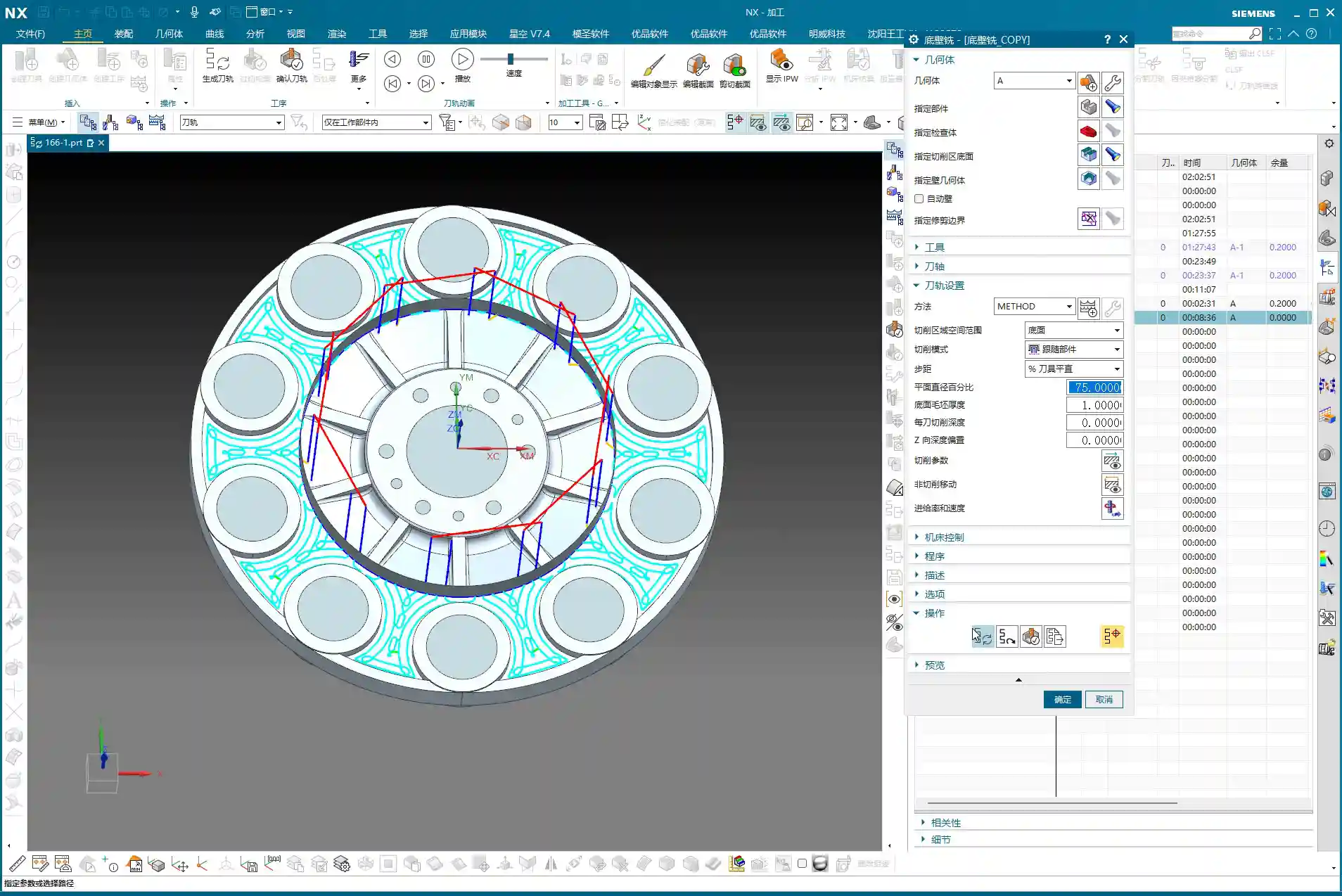
  • Practical Siemens NX: Full-Sequence Programming for Ten Precision Parts on One Plate – Master Wang T

    📝 Key Takeaways:

    Full-Sequence Programming for Ten Parts on One Plate: Finishing Pass and Efficient Duplication

    Hey everyone, Master Wang here. Last time,…

    [VIDEO_HERE]

    Hey everyone, Master Wang here. Last time, we dove into the ins and outs of roughing. Now, let’s go deeper and jump straight into finishing passes, especially for multi-part setups like this. How do you program it to be fast, stable, and still hit those precision targets? Don’t get caught up in fancy software simulations; on the machine, it’s all about real tool wear and machining costs. Listen up, I’m going to lay out all the practical tricks I’ve picked up over the years, right here, right now.

    Finishing Pass for Part Side Walls and Bottom Surfaces

    Once the secondary roughing pass is done, the part’s shape is mostly there. Now, it’s time to think about the finishing pass. The most critical aspects of a finishing pass are toolpath smoothness and precise stock allowance control, which directly impact surface quality and tool life.

    Floor Finishing: Details Make the Difference

    After secondary roughing is complete, insert an operation. We’ll start with a “floor cleanup.” This operation’s main purpose is to clear the remaining stock at the intersection of the floor and side walls, preparing for the subsequent finish cut. Select the faces to be machined, usually the entire bottom surface area that needs finishing. As for the tool, we’ll use our usual one, for example, Tool #3. While Tool #4 might be more suitable for some jobs, we’ll use #3 here; the principle remains the same.

    Here’s a crucial point: For the toolpath type, select “Follow Periphery,” and remember to choose the direction “Inside Out.” Why? An “Outside In” approach tends to push burrs inward, impacting accuracy, and the tool experiences uneven forces. “Inside Out” results in smoother cutting, easier chip evacuation, and better surface quality. Now, pay attention to the stock allowance control:

    • Side Wall Stock Allowance: 0.2mm (reserved for subsequent side wall finishing pass)
    • Bottom Surface Stock Allowance: 0mm (this time directly finishing the bottom surface)

    And for the corners, give them a slight 1% corner transition. This ensures the tool turns smoothly in the corners, avoiding sudden changes in cutting force that can lead to tool marks or chatter.

    Side Wall Depth Profile Finishing Pass: Stable Toolpaths are Key

    Once the floor is finished, move on to the side walls. Insert a “Depth Profile” operation and select the side walls to be machined. For beginners, here’s a reliable tip: select both the top and bottom faces. This helps the software better determine the machining range and prevents missed cuts. While mirroring the operation can sometimes work, for safety, especially during the learning phase, selecting all faces is more reliable.

    Continue using Tool #3. Set the depth of cut to 2mm and choose climb milling as the cutting method. This depth of cut needs to be flexibly adjusted based on the material and tool conditions. We’re doing a finishing pass here, so a smaller stepover is fine; the key is surface finish. Generate the program, and if there are no major issues, we’ll stick with this for now. After all, programming isn’t a one-shot deal; constant review and adjustment are standard practice.

    Complex Surface and Multi-Part Duplication Programming

    Next up is the critical aspect for this batch of parts – the finish contour milling of complex surfaces. Siemens NX’s surface machining capabilities are powerful, but if not used correctly, toolpaths can become erratic and waste precious time.

    Surface Finishing Strategy: Flexible Use of a B4 Ball End Mill

    Insert a “Surface Mill” operation and select the surface areas to be machined. For surface machining, we typically use ball end mills, such as a B4 ball end mill. Once the area is selected, generate the toolpath to see the effect. Sometimes you might think certain areas are inaccessible, but with good NX optimization, it can reliably machine them. Since our side wall stock allowance has already been removed, using a B4 ball end mill for direct machining here is generally fine.

    If you find the entry point isn’t ideal, or there’s interference, Siemens NX allows you to adjust it. Just like before, if the entry position wasn’t ideal, we can move it to a more suitable location. For instance, starting the cut directly from a surface edge ensures both safety and cutting stability. These minor adjustments in Siemens NX are all about ensuring safer and more efficient operation on the actual machine.

    Core Siemens NX Programming Skill: Avoiding Unnecessary Retractions

    Listen up, here’s a “pitfall avoidance trick” you won’t find in textbooks! In surface finishing passes, especially with complex surfaces, you might encounter a particularly frustrating issue: after the program is generated, the tool retracts excessively high, sometimes repeatedly, wasting valuable machining time – this is absolutely unacceptable in the workshop. These “ridiculous” retractions often occur because the software, when calculating rapid traverse planes, mistakenly identifies one of your selected “top faces” as an obstruction, assuming something needs to be avoided above it.

    How to solve it? It’s simple: “add a clearance plane!”

    In the toolpath settings, find options related to “clearance plane” or “avoidance.” Manually add a plane. The height of this plane can be set arbitrarily, even slightly higher than your workpiece’s highest point. As long as you add this “virtual” clearance plane, Siemens NX will use it as the new reference plane and will no longer consider your actual workpiece top face as an obstruction. This way, those puzzling, time-wasting “ridiculous retractions” will disappear. Don’t believe me? Try it; this trick works every time and will save you a lot of wasted machining time!

    This stuff comes from experience. Don’t let Siemens NX’s powerful features fool you; sometimes it gets “too smart for its own good.” As masters of the craft, we need to understand its “temperament” and use a few tricks to tame it.

    Efficient Programming for Batch Parts: Translation and Mirroring

    Since it’s a multi-part setup on one plate, programming each one individually is just plain dumb. Siemens NX’s power lies in its duplication and transformation functions. For parts arranged in a flat layout like ours, “translation” is the most commonly used feature.

    Once the program for the first part is complete, measure the center distance of adjacent parts; for example, we measured 51mm here. Then, directly select the programs that need to be translated (typically all roughing and finishing pass programs) and use the “Transform Object” function. Enter the translation distance 51mm, ensure the direction is correct, click, and the programs for the other parts will be duplicated. We have four similar parts, so translate it three times, and you’re done! This saves a significant amount of repetitive programming time. Simple features like top and bottom faces can be quickly duplicated this way.

    If it’s a front-and-back or symmetrical part, you can use the “Mirror” function. For example, if both sides of a part need machining, program one side, then directly mirror it. With minor adjustments to the trim boundaries and entry points, you can quickly generate the program for the other side.

    Remember this: If it can be copied and pasted, never start from scratch. This is the golden rule for boosting programming efficiency and a key to cost control.

    Detail Optimization and Final Verification

    Back Side Machining and Tolerance Control

    Once all the part programs for one side are complete and verified, it’s time to “flip the part.” After the part is flipped, use the same method to machine the back side. This process is similar to the front side: copy and paste existing programs, then adjust machining faces, toolpath direction, and trim boundaries.

    Here’s a particularly important point: selecting the bottom surface. Sometimes, the software might overlook the finishing pass of the bottom area if you’ve only selected the side walls. While it might seem like a small face and harmless to omit, under high-precision requirements, it’s always best to explicitly select the bottom face to ensure it receives complete machining. If selected, it will definitely be machined; if not, it might leave potential issues. Especially when needing to guarantee accuracy levels like ±0.005mm, any small omission can lead to scrap.

    Final Refinement and Program Verification

    Once all machining programs are complete, it’s crucial to perform comprehensive simulation verification. Don’t just glance through it. You need to meticulously observe the toolpaths, entry points, retraction heights, and most importantly, cutting sparks (though you can’t see sparks in simulation, you need to mentally simulate the machine’s actual running state). Especially critical areas to check are sharp corners prone to heavy cutting, deep cavities, and toolpath transitions.

    If you find any unreasonable aspects in the program, such as unnecessary air cuts or uneven cutting paths, adjust them promptly. Every program optimization saves money and time in actual production. We don’t aim for perfection, but we strive for ultimate practicality and efficiency.

    Summary: Pitfall Avoidance Guide

    1. Machining Direction Selection: When finishing the floor, prioritize the “Inside Out” cutting direction to prevent burr retention and improve surface quality.
    2. Stock Allowance Control: When performing finishing passes on side walls and bottom surfaces, precisely set side wall and bottom surface stock allowances to ensure sufficient space for subsequent operations or to directly machine to the target dimensions.
    3. Secret to Preventing “Unnecessary Retractions”: When Siemens NX generates programs with “ridiculous retractions,” manually add a “virtual clearance plane” above the workpiece. This tricks the software, eliminates unnecessary air cuts, and significantly boosts efficiency.
    4. Batch Programming Techniques: For repetitive parts on a single plate, proficiently utilize Siemens NX’s “Translation” and “Mirror” functions. This can increase programming efficiency severalfold and reduce labor costs.
    5. Select All Critical Faces: When performing depth profile or surface milling, even if some faces seem to have little impact, to ensure accuracy and completeness, cultivate the habit of selecting all faces, especially the bottom face, to avoid omissions.
    6. Simulation Verification: Don’t assume everything is fine just because the program has been generated. Carefully review the simulated toolpaths, simulate the machine’s actual operation, and ensure all details meet requirements before machining to reduce scrap rates.

    👤 About the Author:
    The author is a veteran CNC machining professional with 15 years of industry experience, specializing in UG NX programming. This article is an original work representing personal practical insights.

    ⚠️ Copyright Notice: Unauthorized reproduction or distribution without prior communication is strictly prohibited.